
Appearance
Stock on hand
Inventory. One screen answers "what do we actually hold?" — and by now you have seen every road that leads into it. This page puts the whole map in one place, shows how to read the numbers, and covers the one honest case where you change a stock figure by hand.
Documents move stock — you don't
You never type an on-hand number. Documents move stock, each one leaving its reason behind, and every earlier chapter proved its own row of this table:
| When you finalise… | Stock | Proved on |
|---|---|---|
| a supplier bill | rises by the line quantities | Supplier bills |
| an invoice | falls — and refuses if the shelf is short | Invoices |
| a Return-basis credit / refund note | rises — the goods came back | Credit Notes, Refund Notes |
| a Return-basis debit note / supplier refund | falls — the goods went back | Debit Notes, Supplier Refunds |
| an Allowance-basis note | does not move — money only | Correcting mistakes |
| a purchase order or quotation — even accepted | does not move — promises are not goods | Purchase Orders, Quotations |
| a receipt or payment | does not move — money is not goods | Receipts |
A number on this screen is therefore never a mystery: something documented put it there.
Reading the list
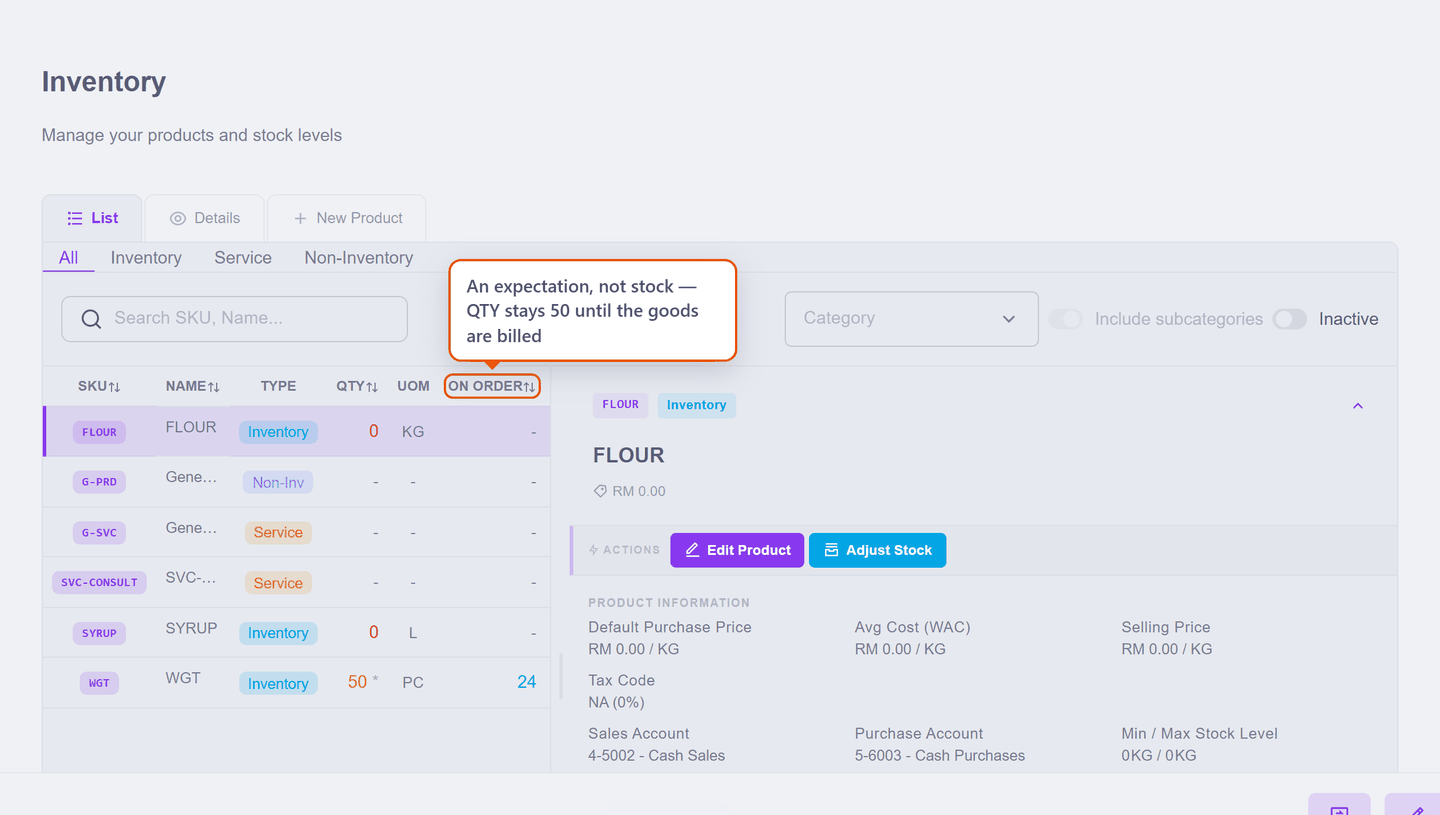
Two columns catch people:
- QTY counts in the product's base unit — pieces, not boxes. A bill for 2 BOX lands as 24 PC here, because the base unit is what every document's arithmetic resolves to. (The units page is why.)
- ON ORDER is an expectation, not stock. The 24 in the picture is an accepted purchase order that has not been billed — QTY still says 50, and will until the goods arrive with their bill. Promises live in their own column so you can never mistake them for things on a shelf.
When the shelf disagrees
Count the shelf and find 49 where the screen says 50 — one piece broke, or walked. No document exists for that, and the wrong fix is to force one. The right fix is a Manual Stock Adjustment: switch it on under Settings → Inventory Features (one-off stock corrections without a full count), then open the product and press Adjust Stock.
The dialog needs three decisions — which way, how much, and why — and fills in the rest itself:
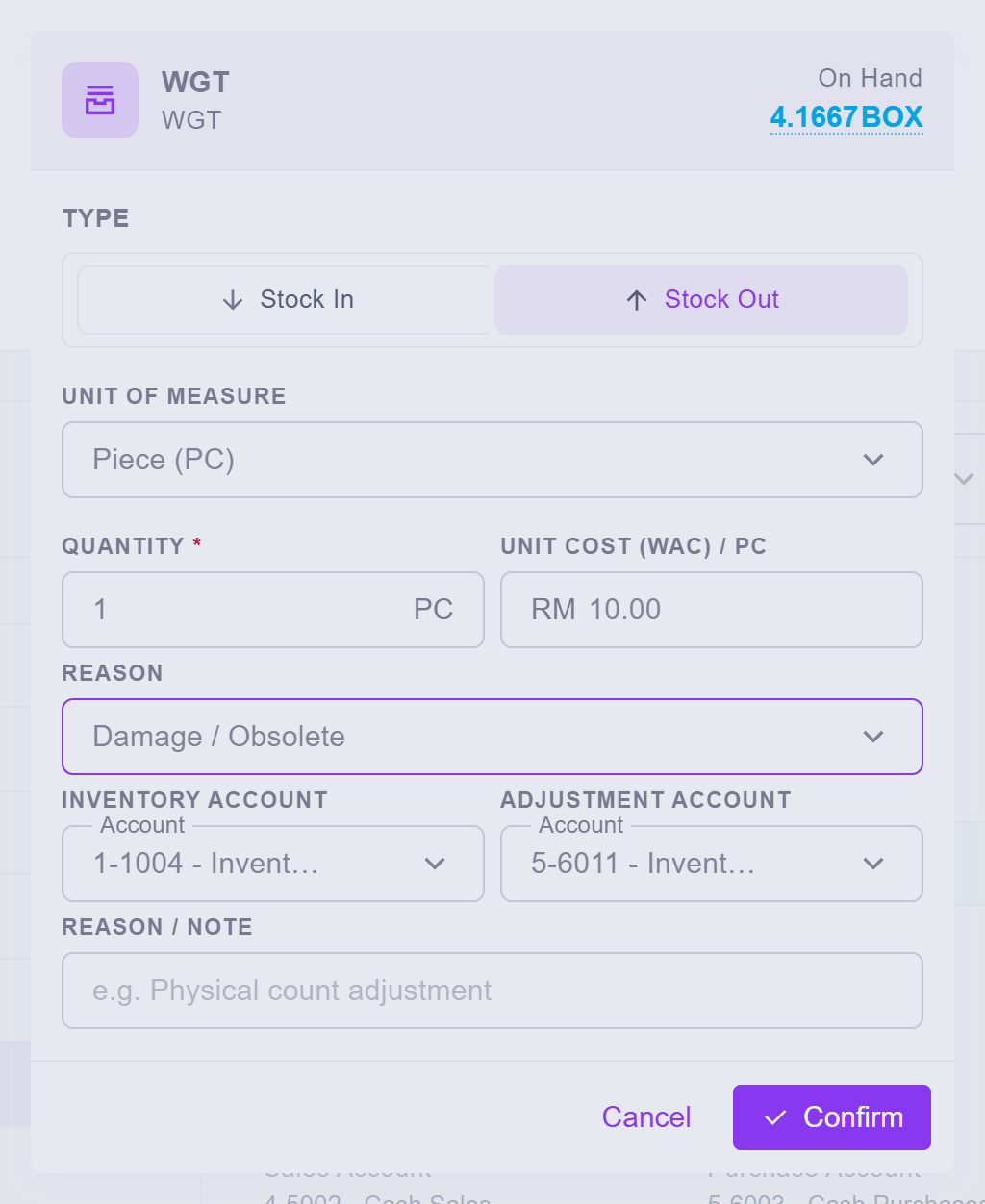
- Stock In / Stock Out — which way the correction goes;
- Quantity, in any of the product's units — pieces here, but a whole box would convert;
- Reason — and the reason is not decoration: it picks the Adjustment Account the write-down posts to, so damage lands as damage in your books. A free-text note underneath takes the story ("physical count, one broken").
The Unit Cost arrives filled with the product's current average cost — what the write-down is worth — so the value side of your books moves by exactly what the shelf lost.
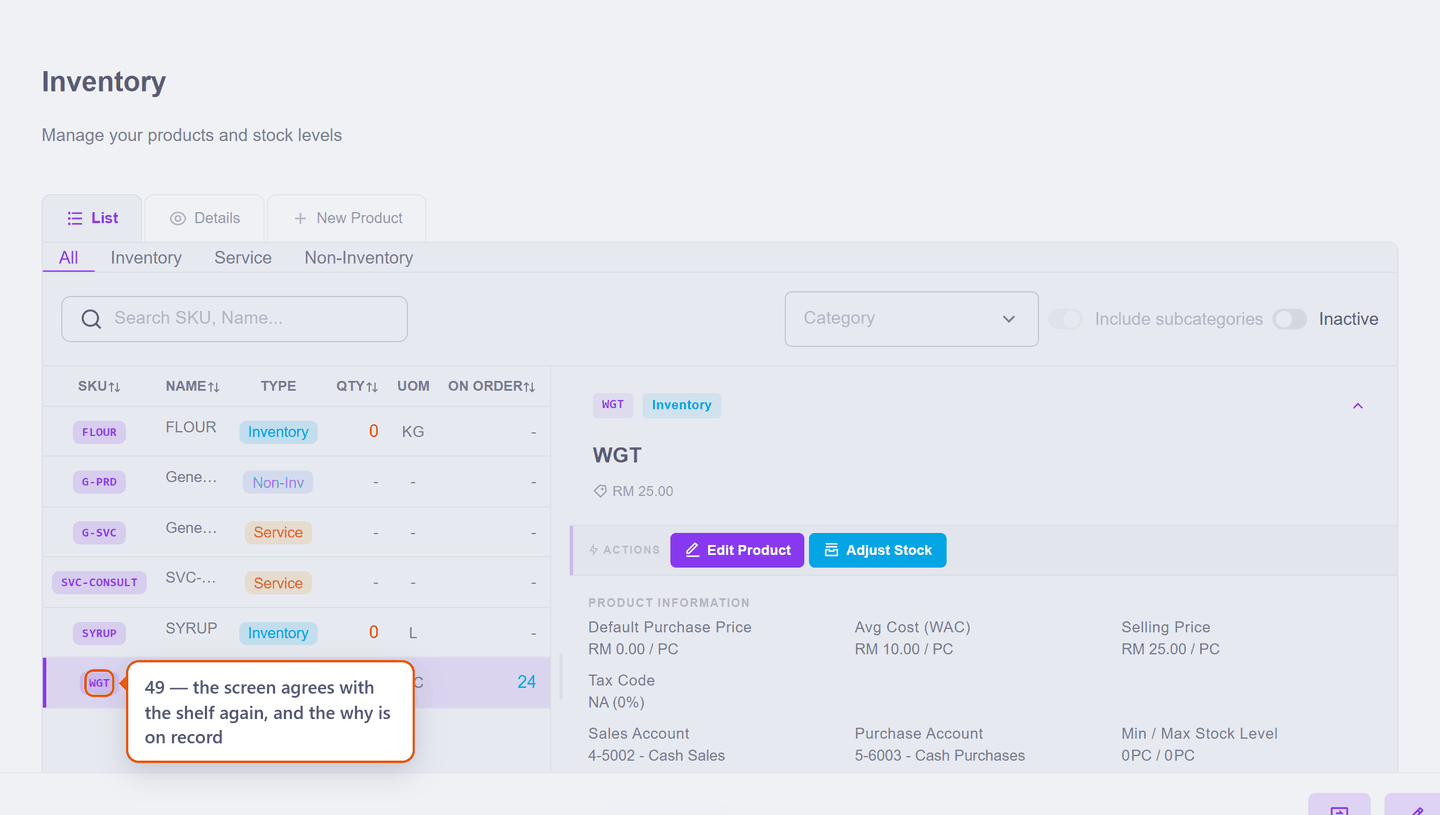
Press Confirm — and if this is the product's first ever stock movement, the familiar opening-balance lock question appears first, one last time. The screen then agrees with the shelf again, and the why is on record:
An adjustment is a last resort, not a shortcut
If goods moved because of a sale, a purchase or a return, record that document — the adjustment account is for genuine shrinkage, breakage and count variances. Books where every stock movement has its true reason are books your reports can be built on, which is exactly where the next page goes.
Next: How stock is valued.