
Appearance
Pay a supplier
Time to pay the bill you entered. Money going out takes one more step than money coming in, and the extra step is the point of this page.
Why paying is not just a mirror of getting paid
When a customer pays you, you record something that already happened. When you pay a supplier, you are about to spend money — so KiraKira+ makes it a Payment Voucher: raised, approved, then processed. Even alone, that habit catches the bill you nearly paid twice. In a business with staff it is the difference between an assistant requesting a payment and the owner releasing it.
1. Open the bill and choose Pay
Purchases → Purchase Invoice, click the bill, and the actions appear:
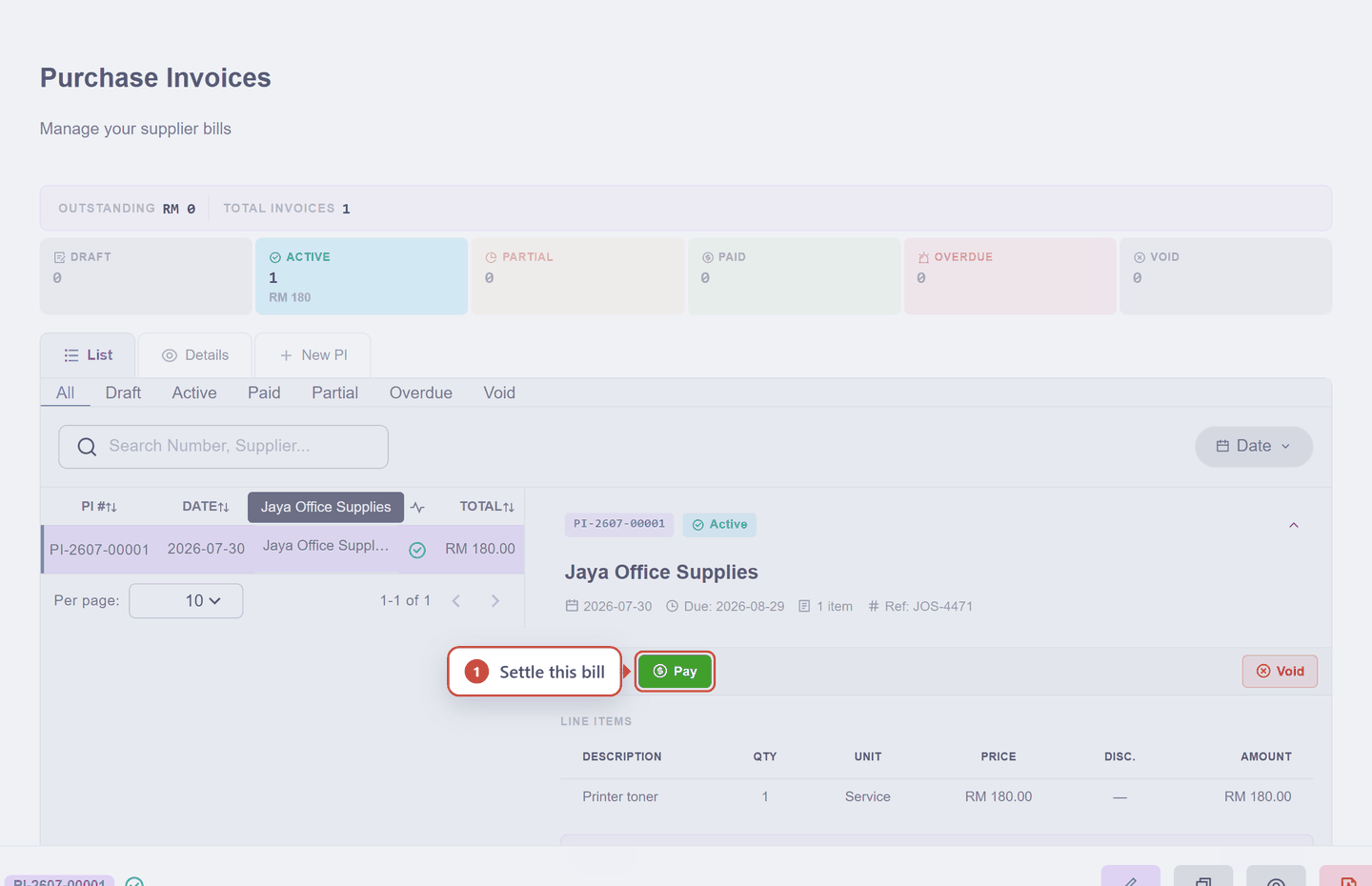
2. Say how much and how
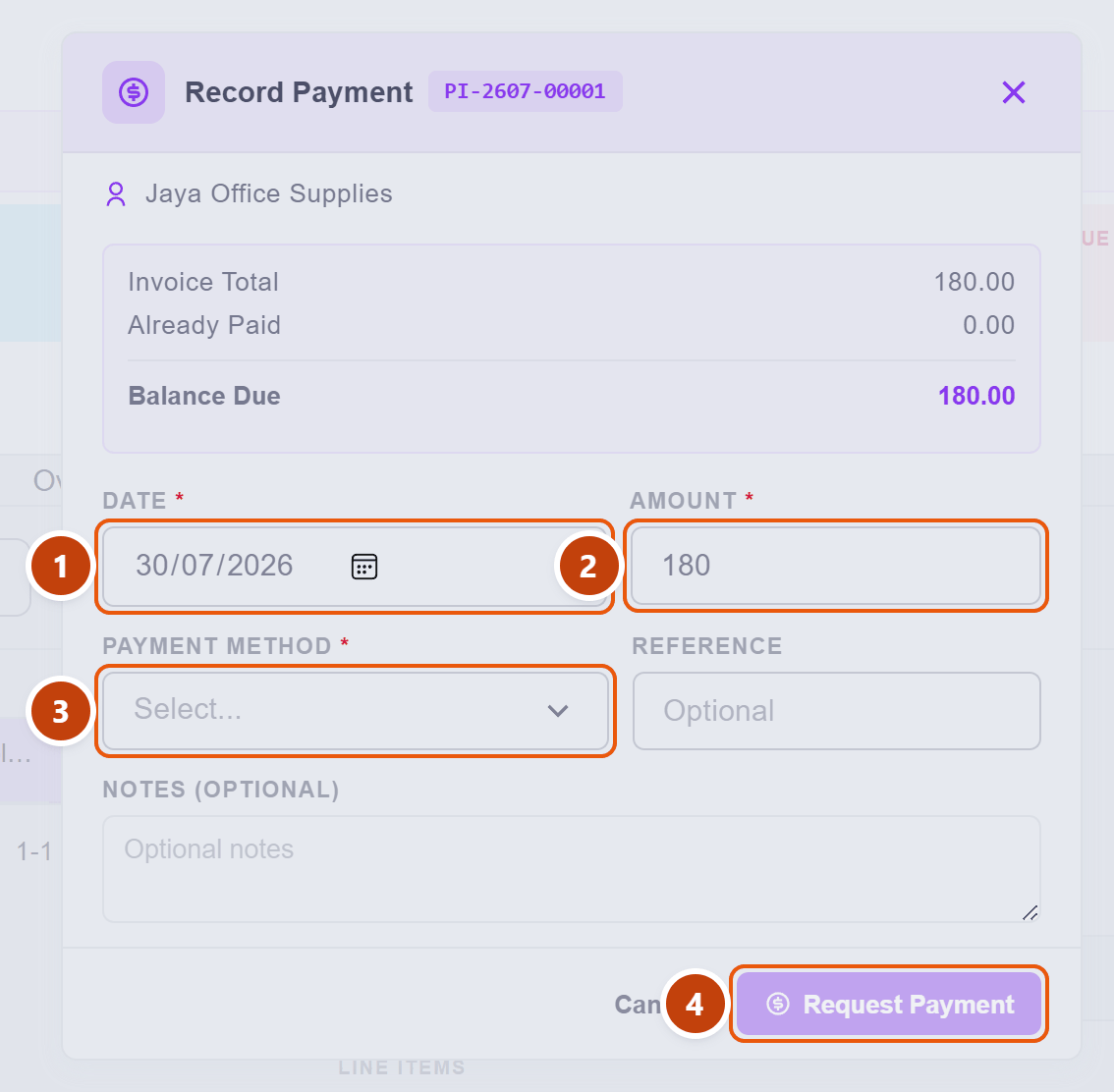
| Field | What to do | |
|---|---|---|
| 1 | Date | The day you are paying |
| 2 | Amount | Pre-filled with the full balance. Reduce it to pay part |
| 3 | Payment Method | Required. Which account the money leaves from |
| 4 | Request Payment | Stays greyed out until a method is chosen |
That greyed-out button is deliberate, and it is the same idea as the deposit account on a receipt: KiraKira+ will not let money move without knowing which account it moves from. Choose the method and the button comes alive.
Click Request Payment.
3. A Payment Voucher appears, waiting
You are now on Accounting → Payment Voucher, looking at PV-2607-00001 with the status Pending:
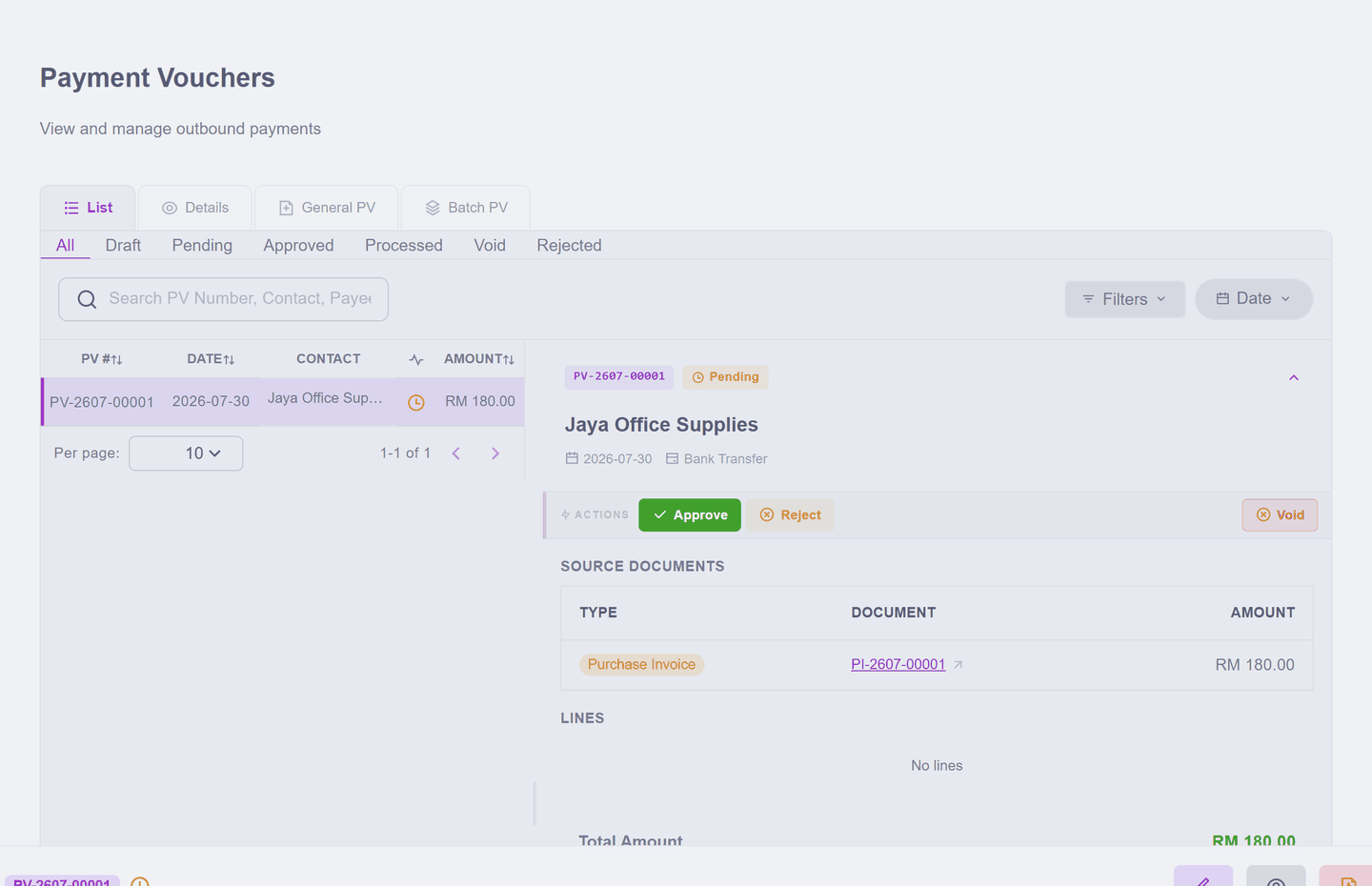
Notice what it carries: under Source Documents it names the bill it will pay (PI-2607-00001, RM 180.00). The voucher and the bill are linked, so neither can drift from the other.
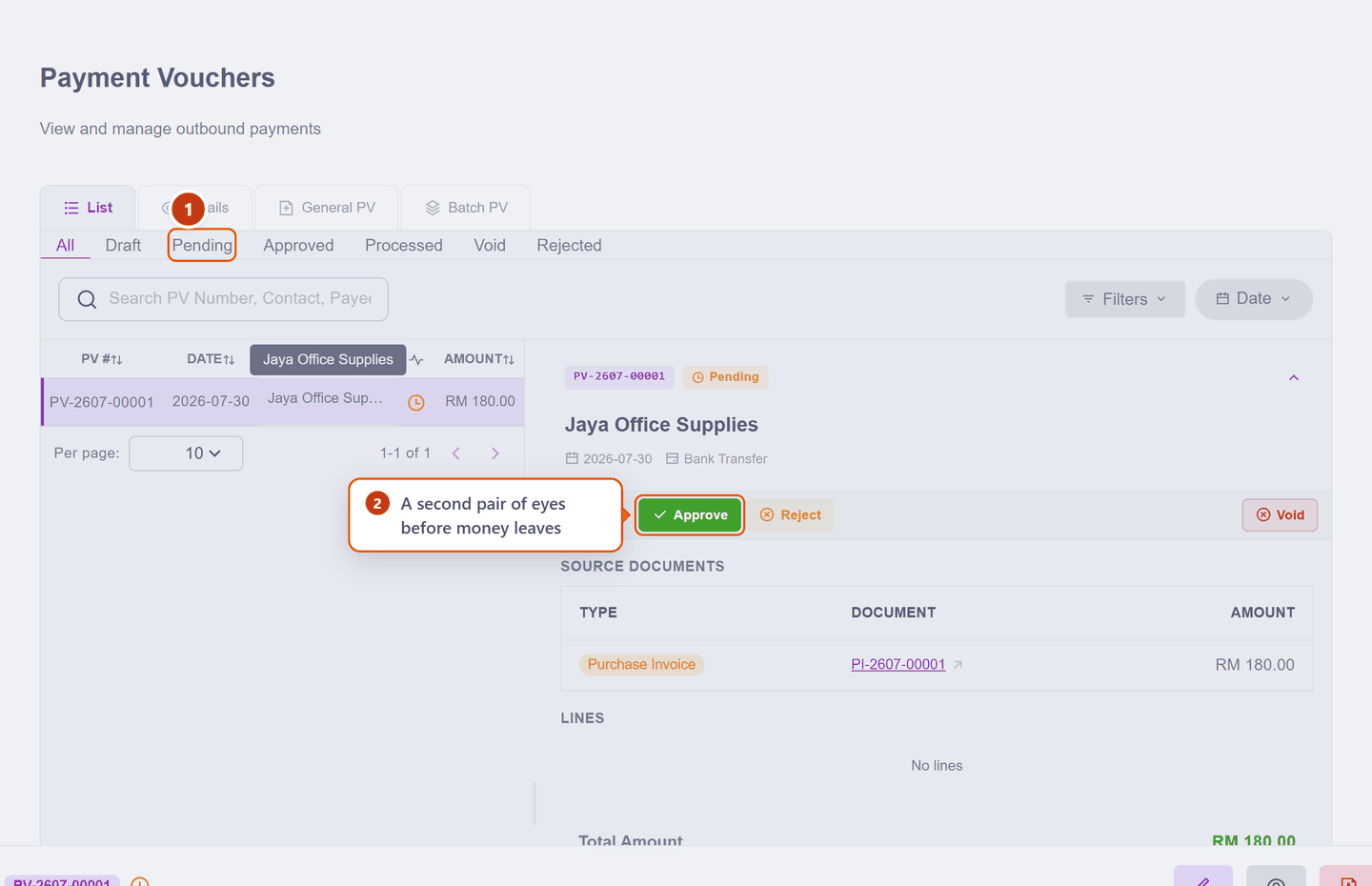
| What it means | ||
|---|---|---|
| 1 | Pending | Raised, but nothing has left your bank |
| 2 | Approve | The release decision. Reject or Void are the other ways out |
4. Approve it
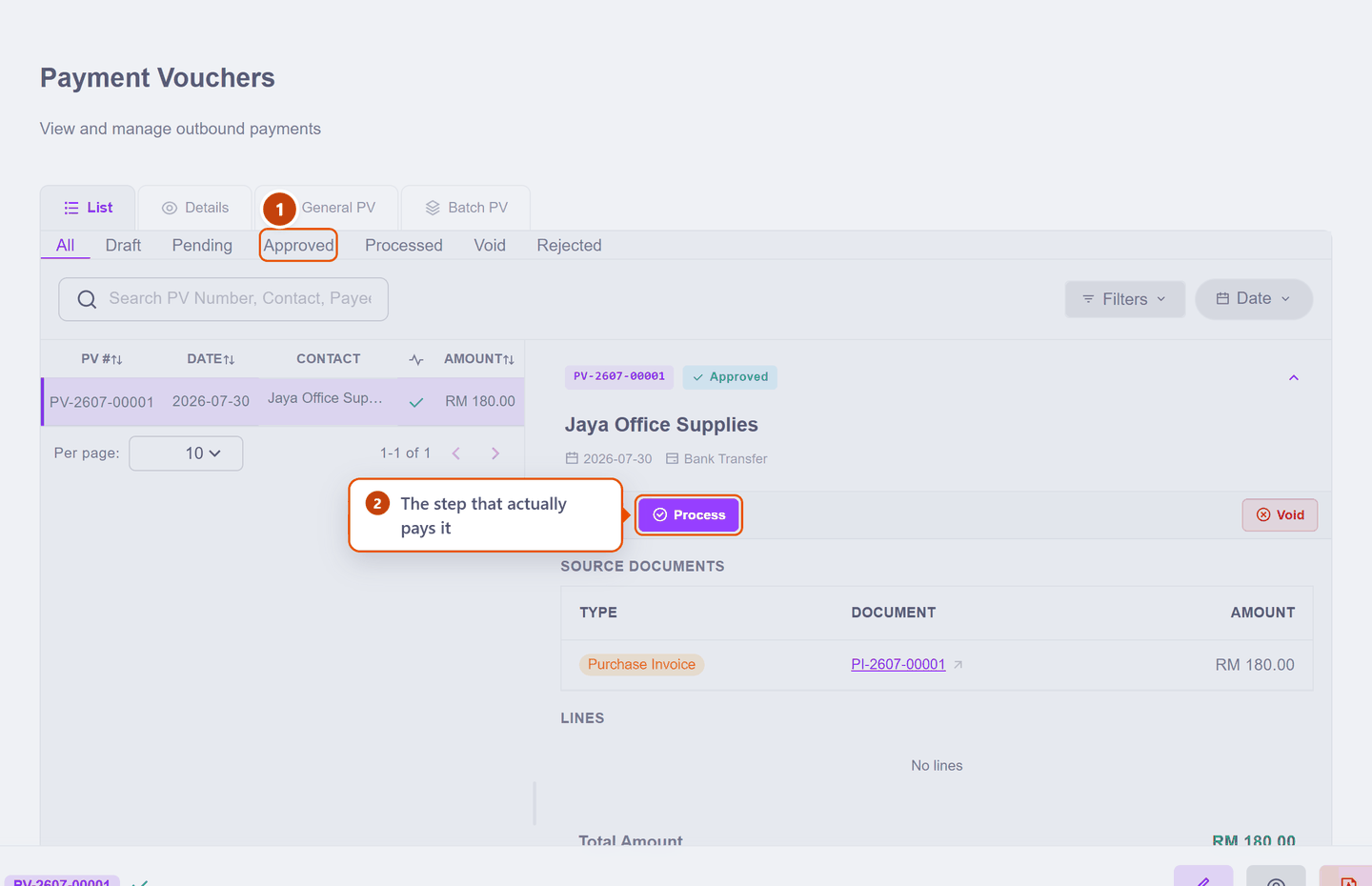
The status becomes Approved and the actions change: Approve is gone, and Process takes its place. Approval says "yes, pay this" — it has not paid it yet.
5. Process it — this is the moment money moves
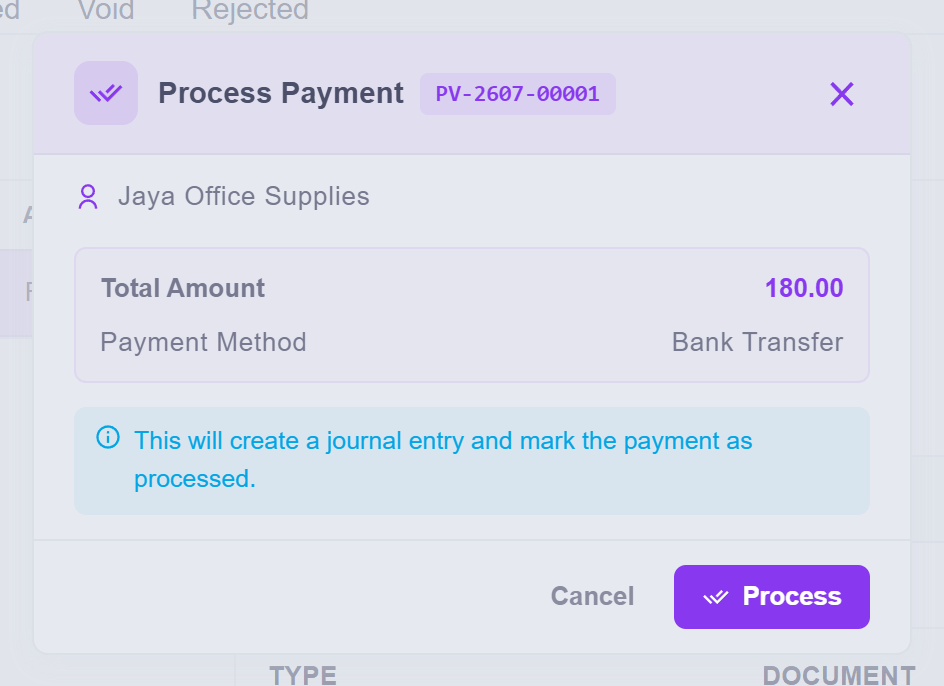
The dialog says exactly what it will do: "This will create a journal entry and mark the payment as processed." That is your confirmation that this click, not the earlier ones, is when the payment is recorded in your accounts.
Process, and the voucher is finished:
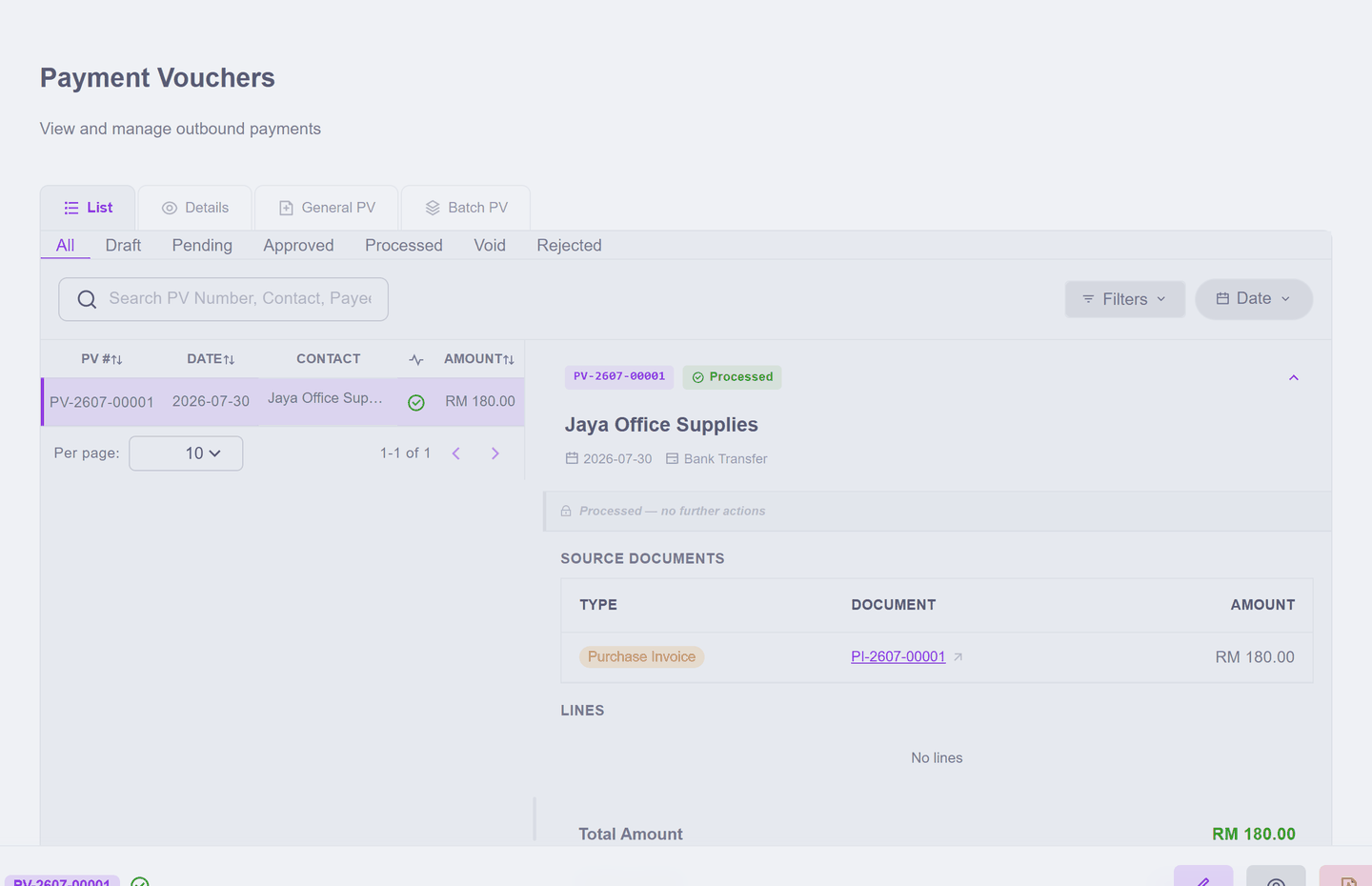
It now reads Processed — no further actions. A completed payment is history, not a document you keep editing.
Check it worked
The bill has moved from Active to Paid:
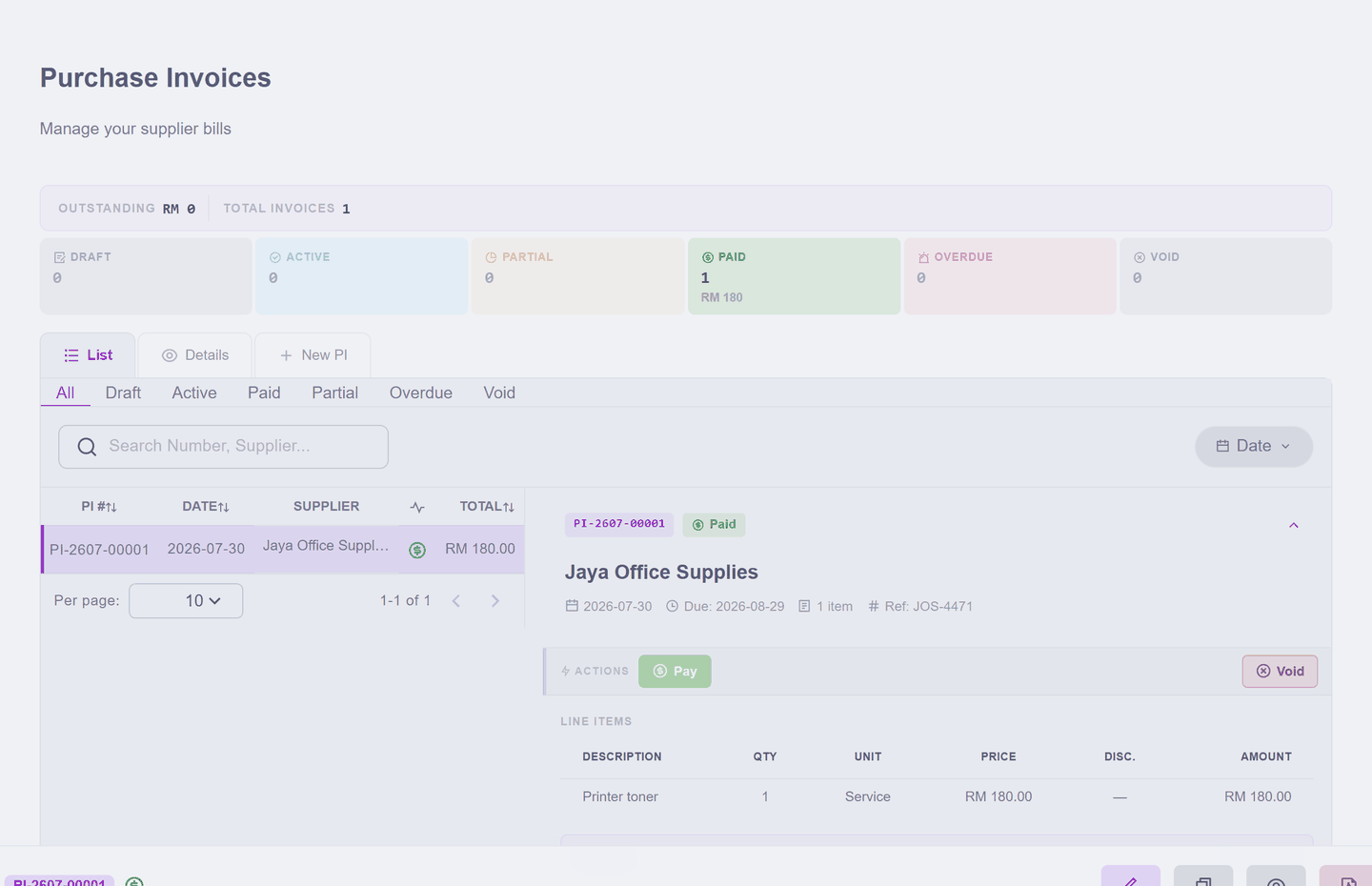
Two things settle at different moments
The bill is marked Paid as soon as you request the payment — its balance is now committed to that voucher, so you cannot accidentally pay it twice from somewhere else. The money itself leaves at Process. Both are useful: the first stops double-paying, the second keeps your bank balance honest.
What happened in your accounts
Only if you are curious: processing the voucher moved the money out of your bank and cleared the same amount from creditors — the list of people you owe. The expense itself did not move; it stayed on the day the supplier billed you, which is where it belongs.
Paying several bills at once
One cheque covering four bills? Use Batch PV instead of paying each separately — same workflow, one voucher covering the lot.
Next: Put something into stock — only needed if you sell goods you count.