
Appearance
Offsetting a customer who is also a supplier
Some businesses you sell to are also businesses you buy from. Borneo Trading buys widgets from Seri Maju — and Seri Maju buys packaging from Borneo Trading. Now Borneo owes Seri Maju RM 200 on an invoice, and Seri Maju owes Borneo RM 240 on a bill. Nobody wants to move RM 440 of real money in two directions to settle a RM 40 difference.
A contra cancels the two debts against each other on paper: RM 200 wipes out RM 200, the invoice is fully settled, the bill keeps RM 40 — and that RM 40 is the only money that ever needs to move.
Money moved? Wrong screen.
As the worksheet itself puts it: "Money moved? Use a Receipt, Payment Voucher or Supplier Refund. No money moved? This screen nets it." A contra is for the paper-only cancellation. The leftover difference still gets paid the normal way afterwards.
Turn the feature on
Contra is off until you ask for it. Go to Settings → Accounting features and switch on AR/AP Contra — the card that says "Offset a party who is both a customer and a supplier." Accounting → Contra appears in the menu.
Build the contra
Open Accounting → Contra and click the New Contra tab.
1. Pick the contact. Choose Borneo Trading in Select a contact... and the screen splits into their two faces: They owe you (the RM 200 invoice) and You owe them (the RM 240 bill), each with its outstanding amount.
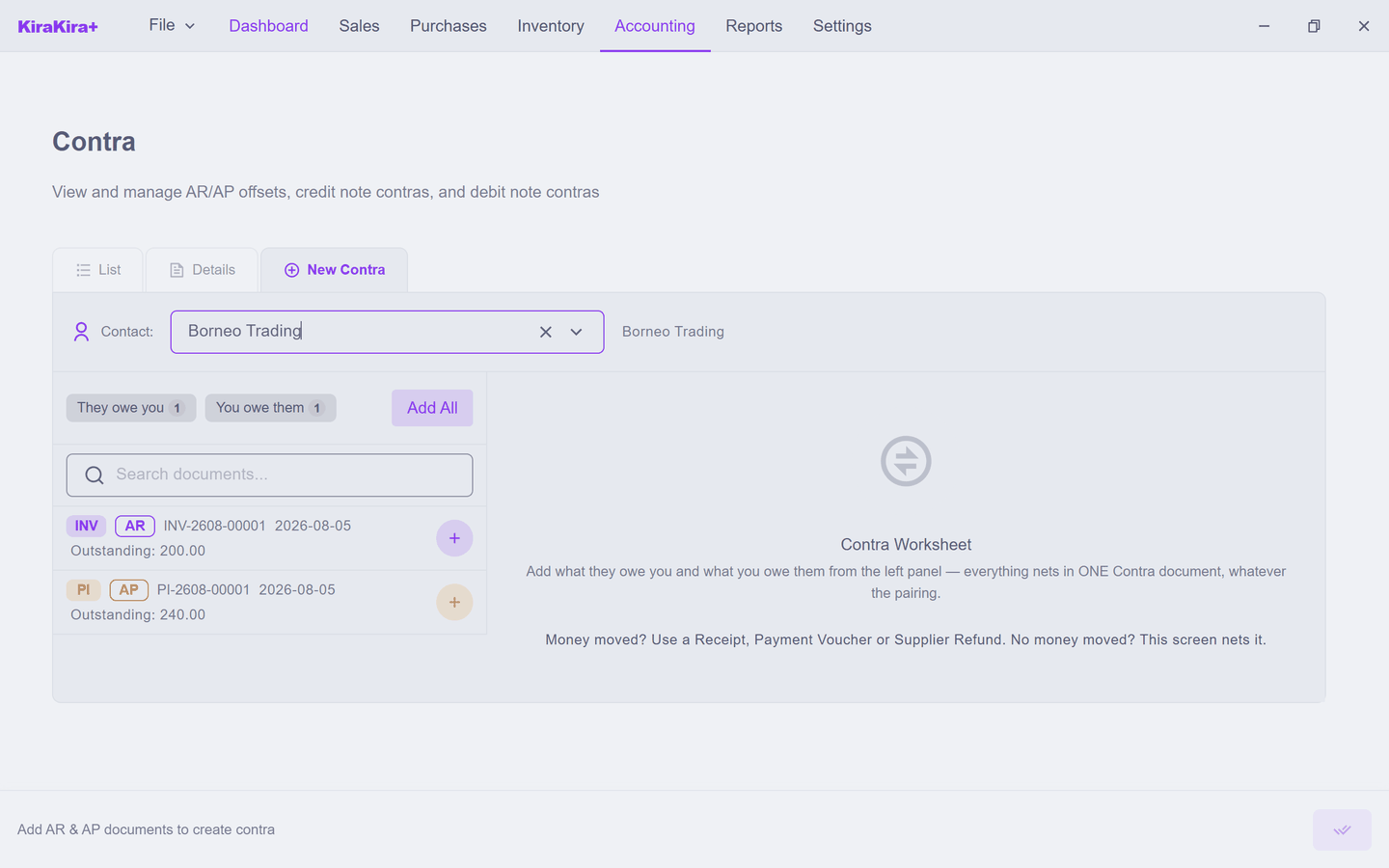
2. Add the documents. Click Add All (or the + on each document) to move them onto the Contra Worksheet.
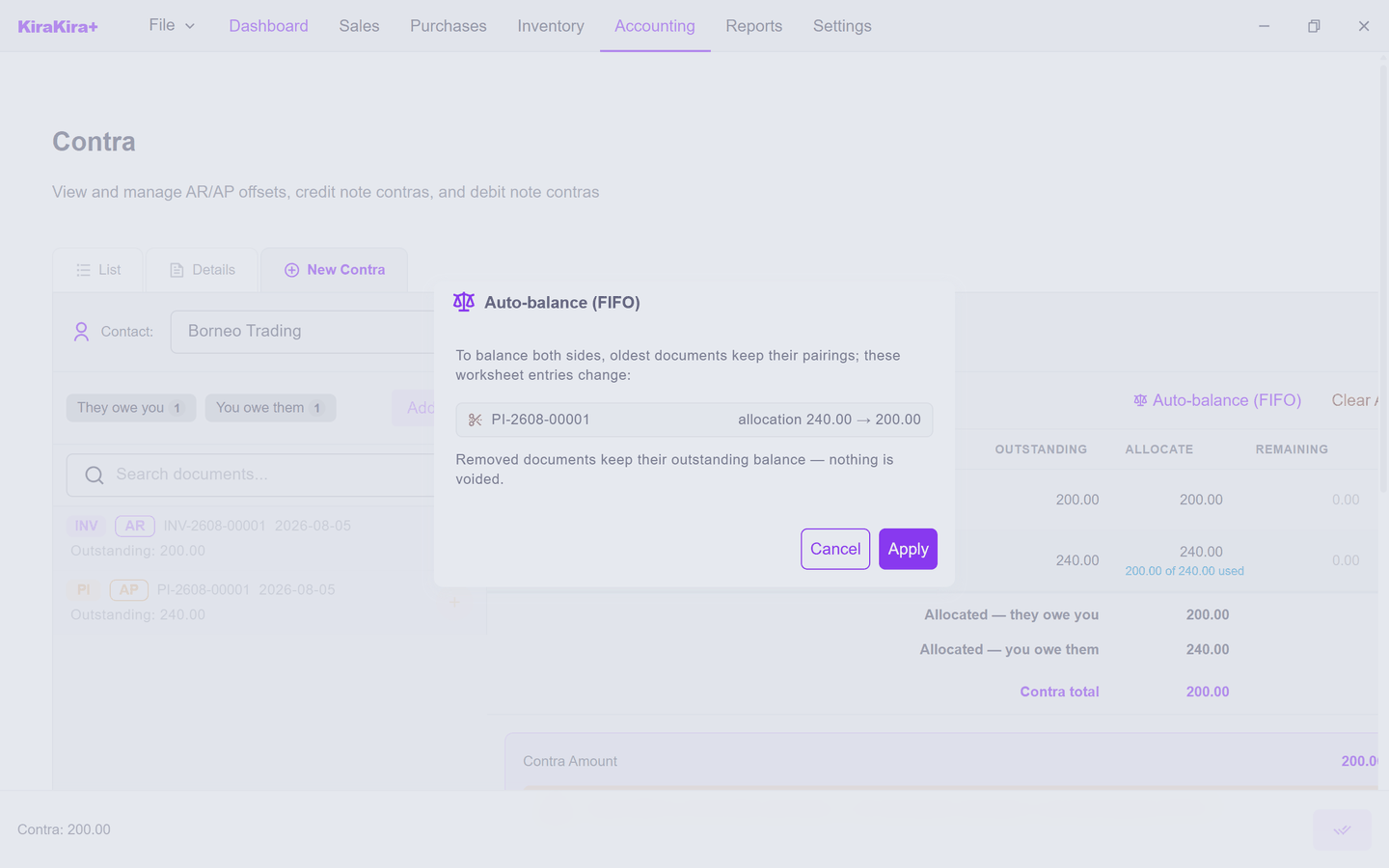
3. Balance the two sides. A contra can only cancel equal amounts, and Add All starts each document at its full outstanding — RM 200 against RM 240. The worksheet tells you so: "Sides differ by 40.00 — trim allocations manually or use Auto-balance (FIFO)." You can type a smaller amount into a row's Allocate box yourself, or click Auto-balance (FIFO) and let the app trim the bigger side. It shows exactly what it intends before touching anything:
Click Apply. The bill's allocation drops to RM 200, its Remaining column shows the RM 40 that stays owed, and the Contra Amount reads RM 200 — both sides matching:
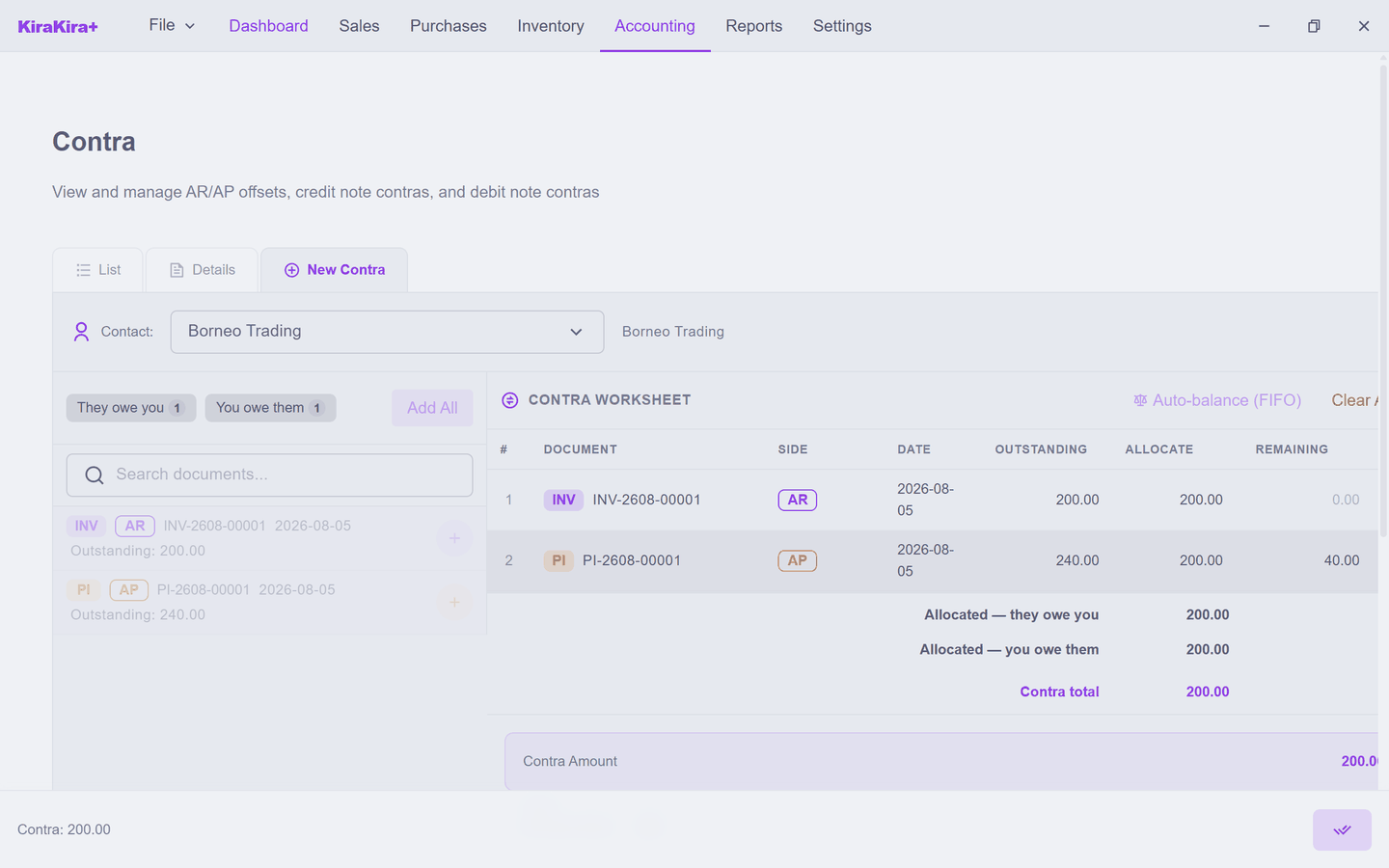
4. Save it. Click the double-check button at the bottom right (Save & Finalize). The contra lands on the list as CTR-2608-00001.
Approve it, then process it
A contra starts life as a Draft — nothing has touched the books yet. Because it settles debts without any money changing hands, it walks through an approval chain first:
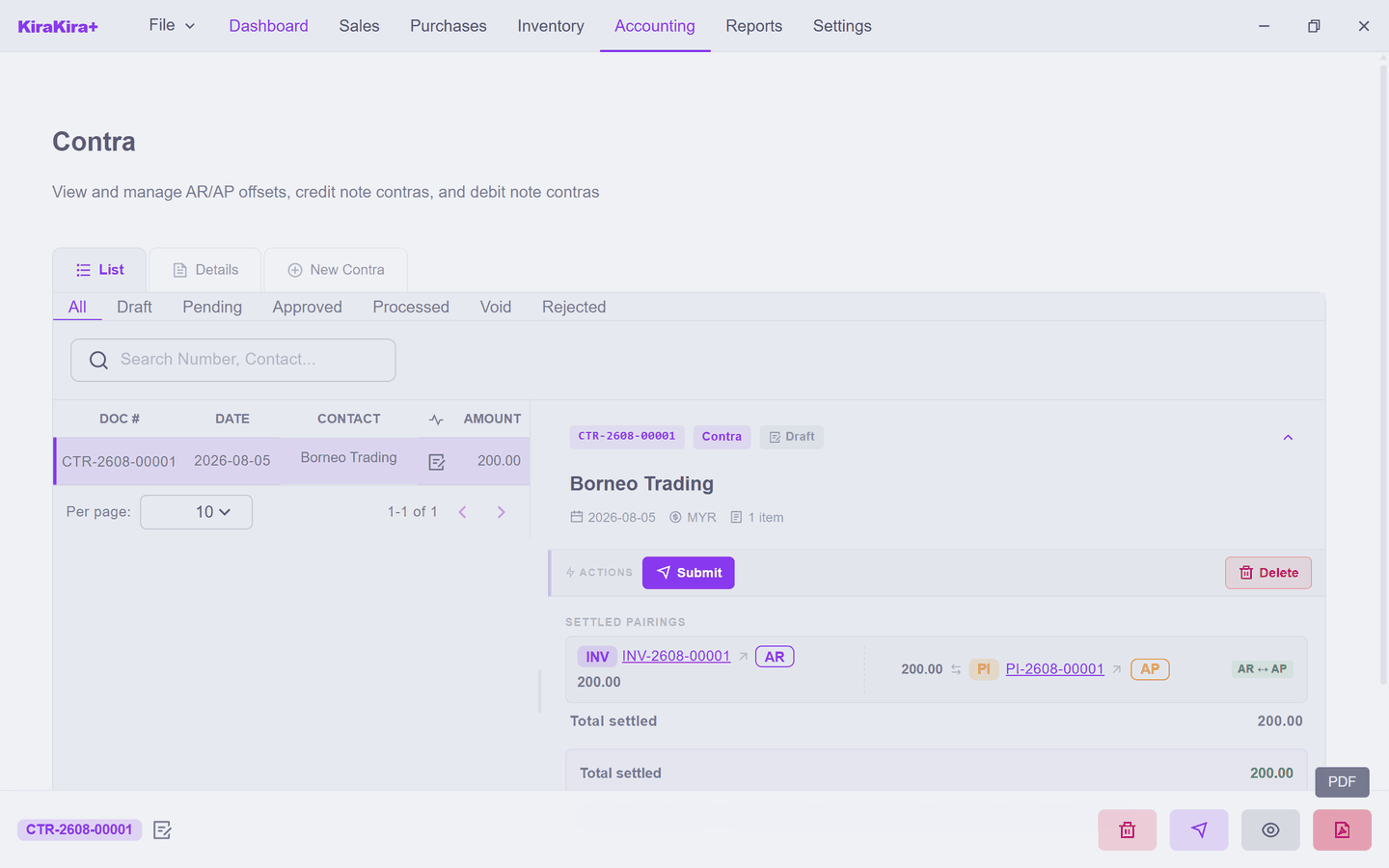
- Submit — the draft becomes Pending, waiting for a decision.
- Approve (or Reject) — a pending contra becomes Approved.
- Process — this is the moment the offset actually posts to your books.
While the contra is still travelling through Draft, Pending and Approved, the amounts show as reserved on the invoice and the bill — held safe so nothing else can settle the same money twice, but not yet applied.
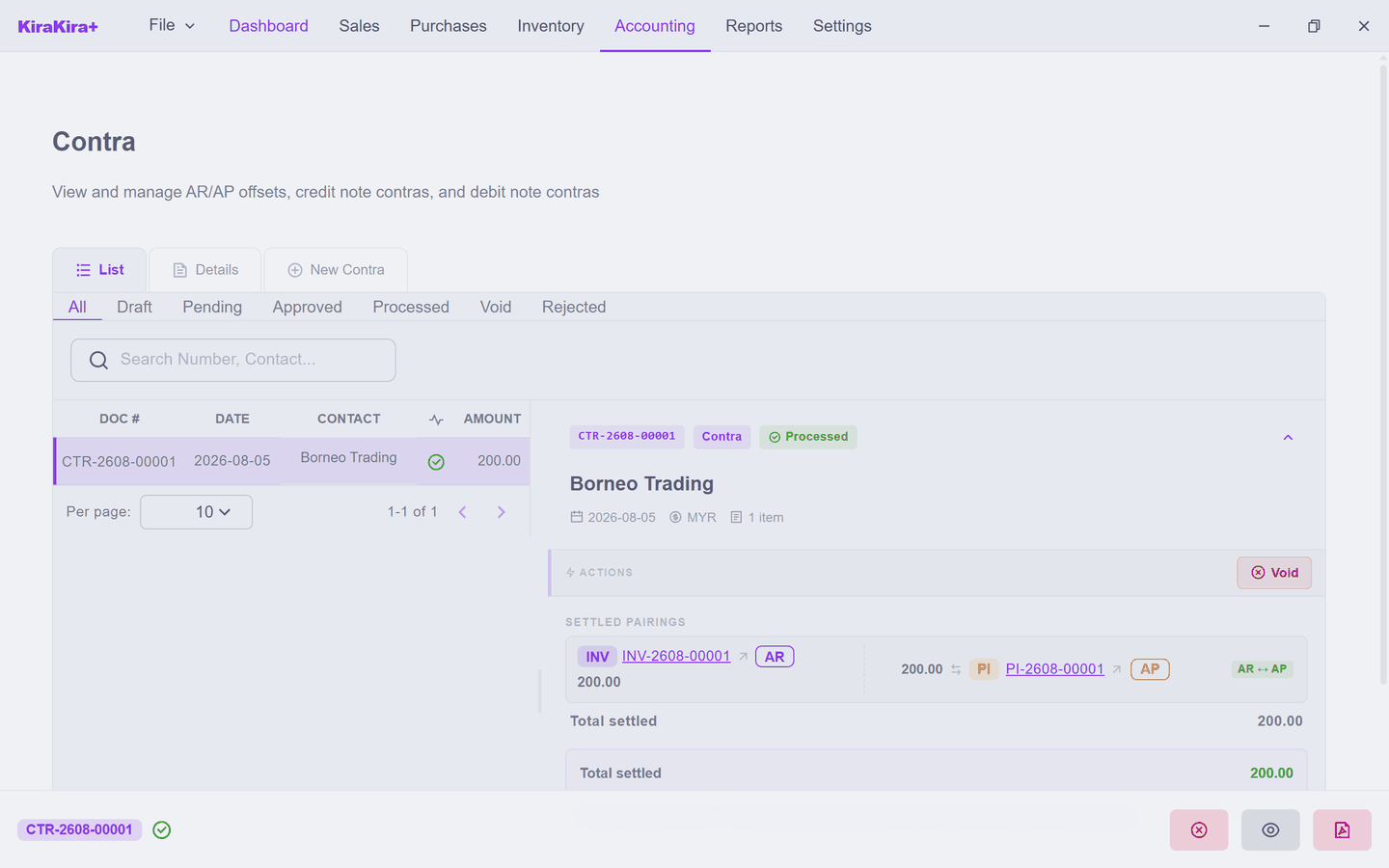
What changed
Check the two documents and the story is told:
- The invoice INV-2608-00001 is Paid — fully settled, though no cash ever arrived.
- The bill PI-2608-00001 is Partial — RM 200 applied, RM 40 still outstanding.
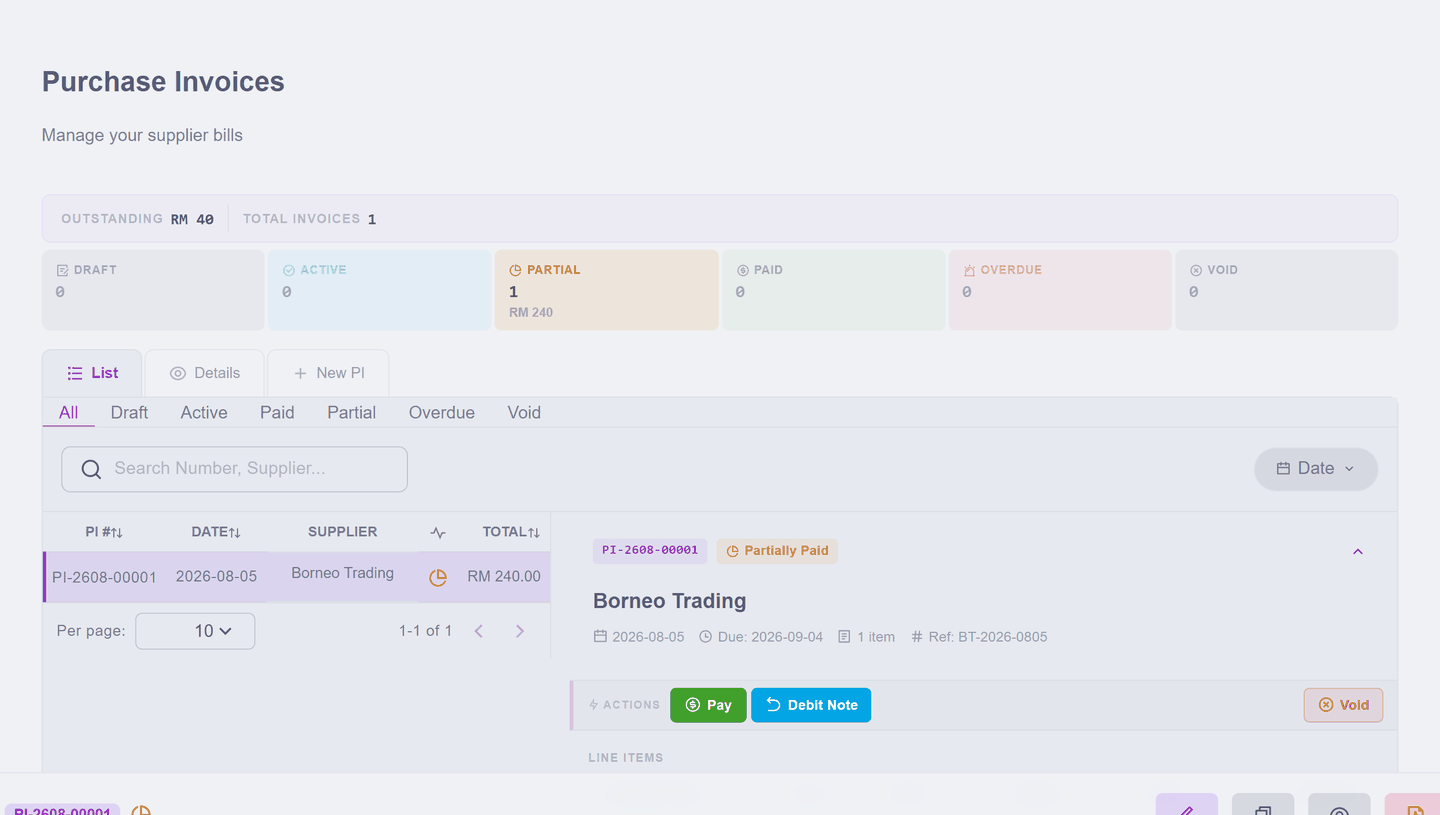
That RM 40 is real money you still owe Borneo Trading. Pay it with an ordinary Payment Voucher when the time comes.
Changed your mind?
A processed contra has a Void action. Voiding reverses the posting: the invoice goes back to owed, the bill's full RM 240 returns, and the paper cancellation is undone.
Contras the app makes by itself
The Contra list also collects credit note contras and debit note contras — documents the app creates automatically when credit is applied across documents. They arrive here on their own; the only contra you build by hand is the AR/AP offset on this page.
Next: Bank reconciliation.