
Appearance
Who owes me / who I owe
Reports → AR / AP Aging. The chasing-money report. Every unpaid invoice and bill, grouped by contact and bucketed by how overdue it is — Current, 1–30 days, 31–60, 61–90, 90+. The further right a number sits, the harder you should be chasing it.
Who owes me — Receivables
The Receivables (AR) tab opens first. The strip across the top is the minute-one summary: total outstanding, how many contacts, and how much sits in each bucket:
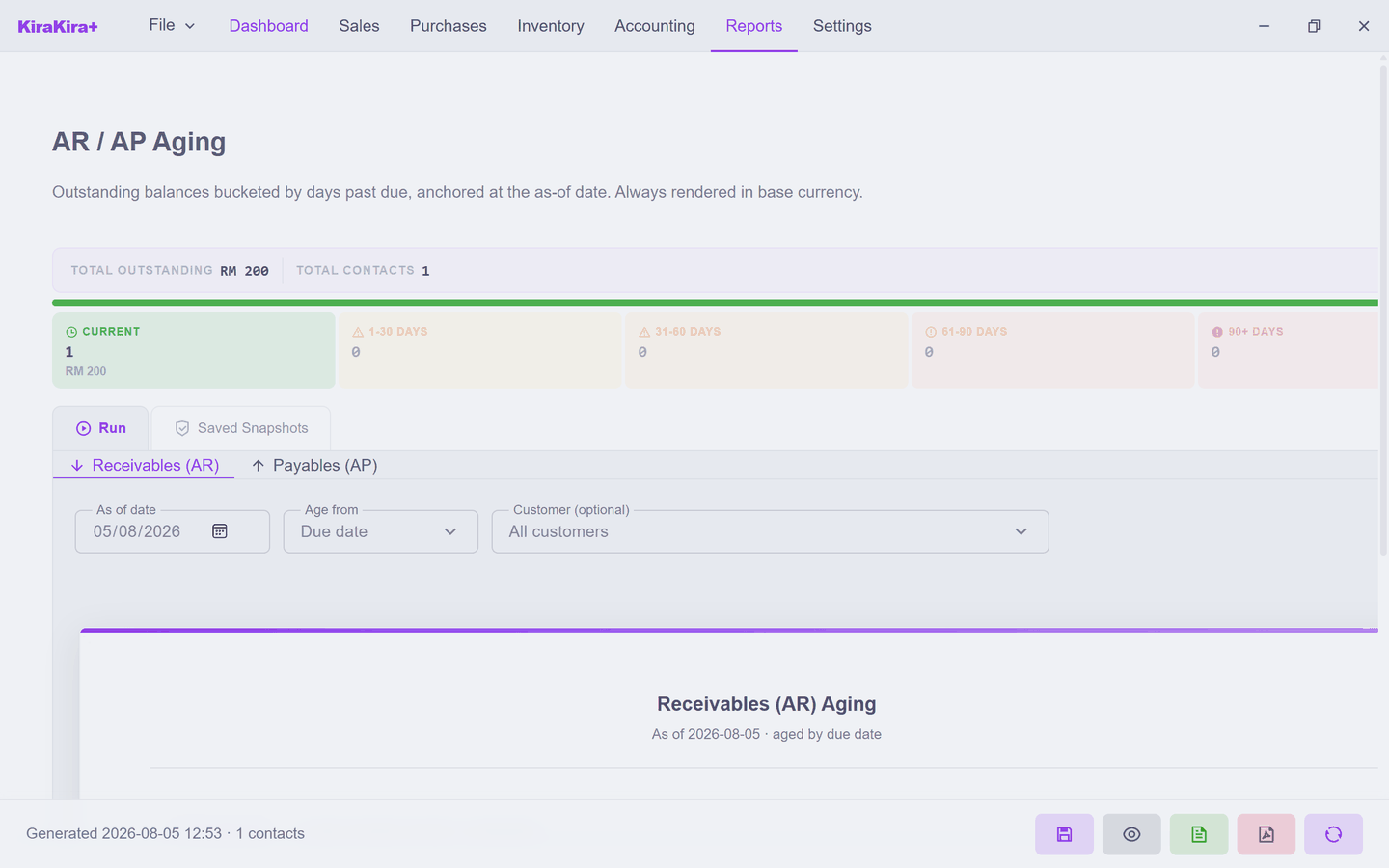
Seri Maju is owed RM 200 by one customer, and it is still Current — inside its payment terms, nothing to chase yet. Click a customer row (or Expand all) to open the individual invoices behind the total.
Who I owe — Payables
Click Payables (AP) and the same report turns around — now it is your unpaid bills, bucketed the same way, so you know what to pay first:
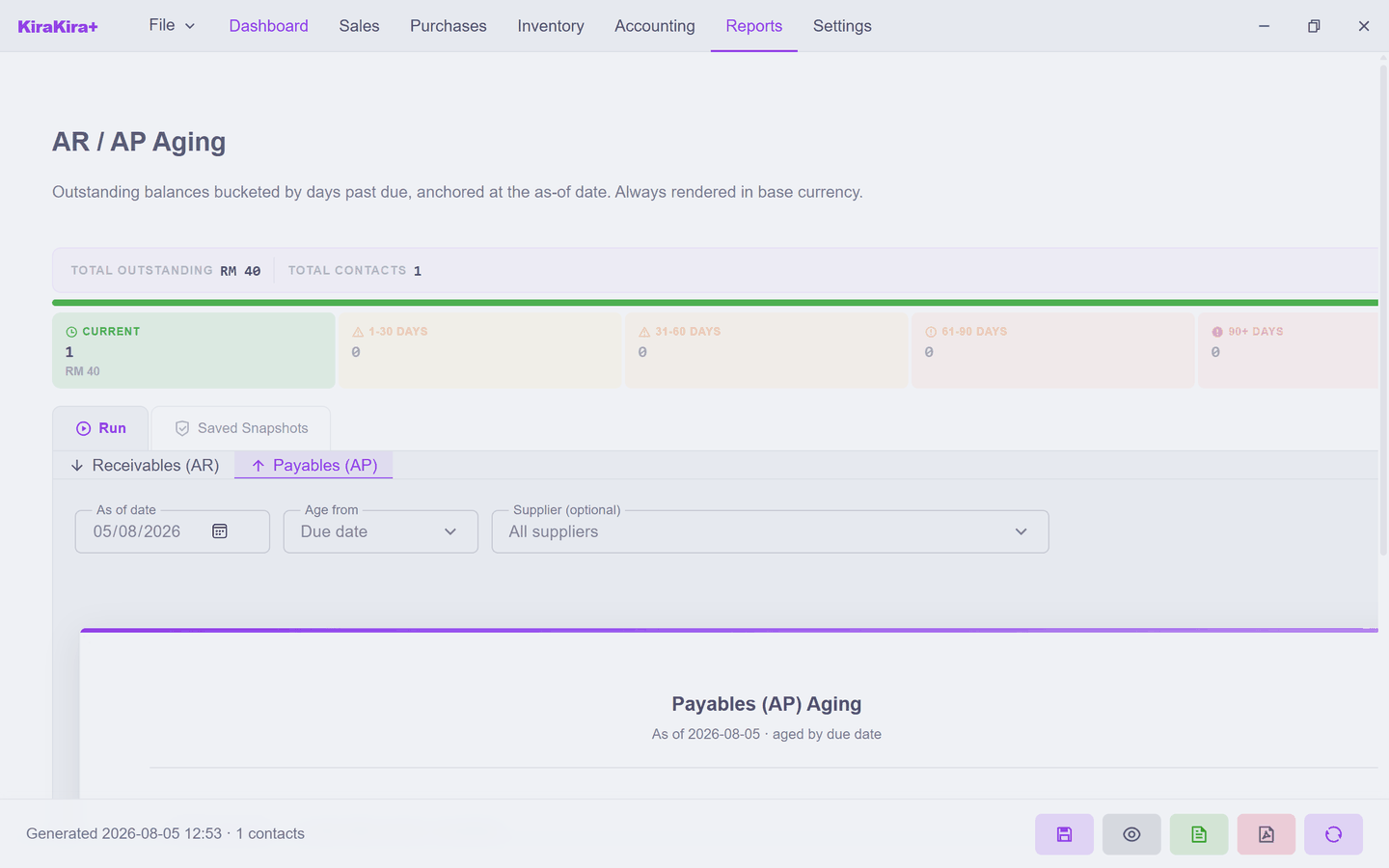
The controls
- As of date — the report anchors at any date, not just today. Run it as of month-end for a statement that matches your other month-end reports.
- Age from: Due date / Document date — by default an invoice only starts aging once it is past due. Switch to document date to age from the day it was issued instead.
- Customer (optional) — narrow to a single contact.
The buckets tell you where the risk is
"RM 10,000 outstanding" is fine if it's all Current — and alarming if half sits in 90+. It is the distribution, not the total, that this report exists to show.
Run reads the live books; Saved Snapshots keeps frozen copies (see Profit & Loss and Balance Sheet).
Next: General Ledger.