
Appearance
General Ledger
Reports → General Ledger. One account's complete history: every transaction that touched it, in date order, with a running balance down the right-hand side. When a number on another report looks wrong, this is where you come to see exactly how it got there — the bank statement's book-side twin, for any account in the chart.
Pick an account from the Account picker (and a From / To range if the default year isn't what you want) — the ledger loads on the spot:
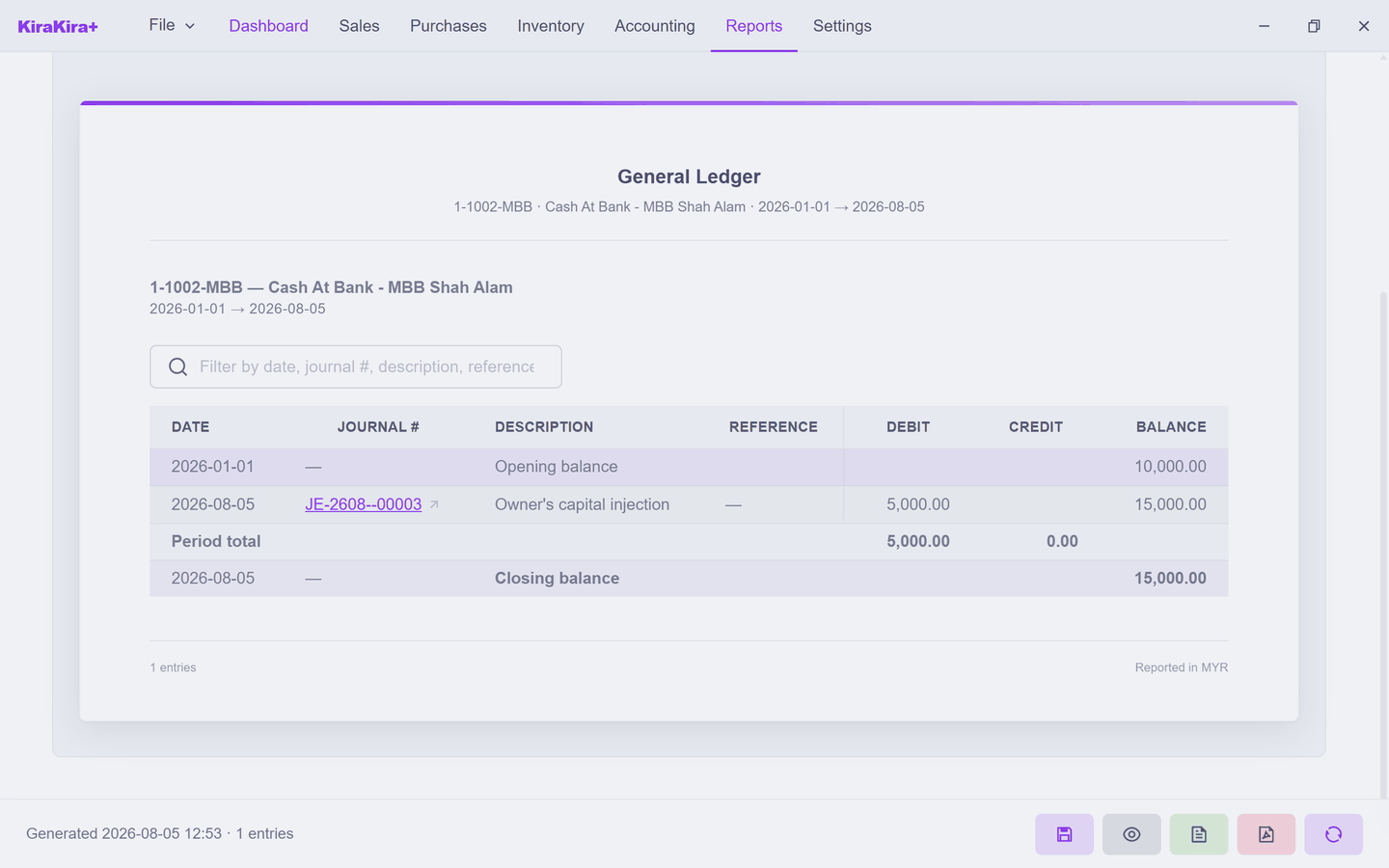
Seri Maju's bank account tells its short story in two lines: the 10,000.00 opening balance, then the owner's capital injection (JE-2608-00001) taking the running balance to 15,000.00 — the same figure the Balance Sheet and Trial Balance show, because it is the same books.
Each row carries the journal # it came from — finalized documents post their own journals, so following a ledger row leads you back to the invoice, bill or entry that caused it. The filter box narrows long ledgers by date, journal number, description or reference.
- Only accounts with activity (on by default) keeps the account picker free of never-used accounts.
- The footer's buttons export the ledger — save it as a snapshot, or take it out as CSV / PDF.
When to reach for it
The other reports summarise; this one itemises. "Why is my Inventory 420?" — open Inventory's ledger and watch it move 500 → 420 as goods were sold. Any total, anywhere, decomposes here.
Next: Stock Valuation.