
Appearance
Categories
Settings → Inventory. A category is a label that groups products so lists and reports can be broken down — Electronics, Consulting, Packaging.
Not under the Inventory menu
Categories are configured in Settings → Inventory, not on the Inventory screen where the products live. That trips almost everyone once.
Entirely optional
A product with no category works exactly like one with a category. Reach for this only when your product list has grown enough that grouping earns its keep.
What you are looking at
Fifteen categories ship with KiraKira+, covering goods, services and costs. They are marked System and are there to be used as-is.
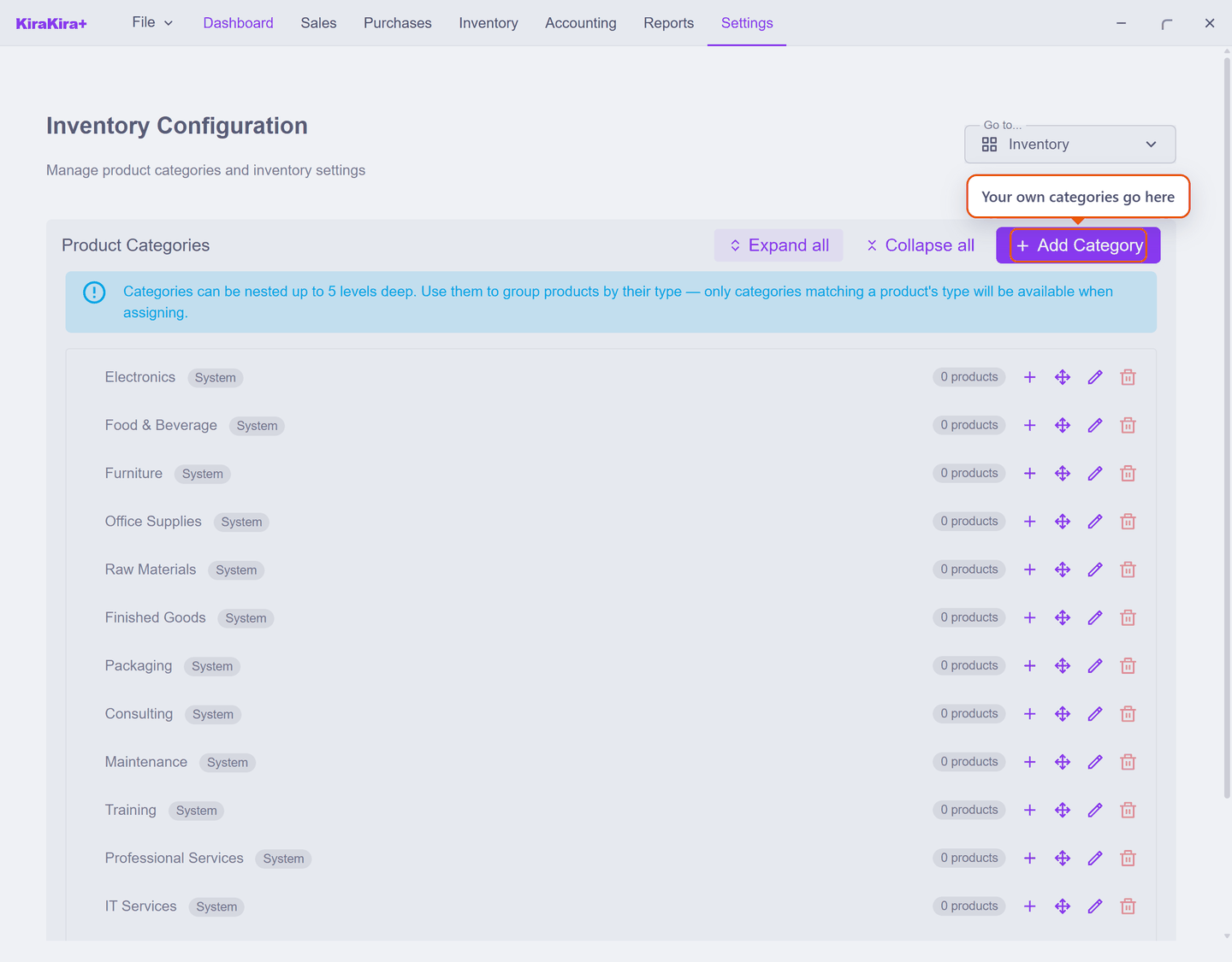
Each row shows how many products are in it, so you can see at a glance which are pulling their weight.
Categories are typed — and that is why yours may not appear
This is the one rule worth knowing, and the screen states it:
Categories can be nested up to 5 levels deep. Use them to group products by their type — only categories matching a product's type will be available when assigning.
So a category built for goods will not be offered on a Service product, and vice versa. If a category you just made is missing from a product's picker, the product's Product Type is almost always the reason — not a bug, and not something you fix on the product.
Pick the product's type before the category
On the New Product form, Category stays greyed out until a Product Type is chosen — the app cannot know which categories are valid until it knows what kind of product it is dealing with.
Nesting
Categories can sit inside one another, up to five levels. Raw Materials → Packaging → Cartons is a legitimate shape.
Use Expand all / Collapse all to work through a deep tree, and Add Category to create your own — choosing a parent is what puts it inside another.
Do not build the tree first
It is tempting to design a full hierarchy before adding products. Resist it: one flat level is enough for most businesses, and a category is easy to add later when a real grouping makes itself obvious.
Scenario — Seri Maju leaves them alone
Seri Maju sells widgets and consulting time — two products. Grouping two things into folders would be busywork, so the categories are left exactly as shipped and neither product is assigned one.
Both still appear on invoices, in the product list, and in stock reports. Nothing is lost by skipping this screen.
Come back to it when the list reaches the point where finding a product takes longer than typing its name.
Next: Opening balances — before you trade, record what you already own and owe.