
Appearance
Credit Notes (reducing an invoice)
Sales → Credit Note. A credit note records that an invoice you issued got smaller: the customer sent goods back, or you agreed to knock money off. A finalised invoice cannot be edited — the correction becomes its own document, pointing at the invoice it reduces. It is the exact sales-side twin of the Debit Note.
One table decides which document you need, and it is the whole art of this corner of the app:
| The situation | What you raise |
|---|---|
| Invoice not fully paid, customer is a business | a Credit Note — reduce what they owe |
| Invoice already paid | a Refund Note — money back is cash |
| The customer is a person, not a business | a Refund Note — always |
The app enforces both redirects itself, as the end of this page shows.
Start from the invoice
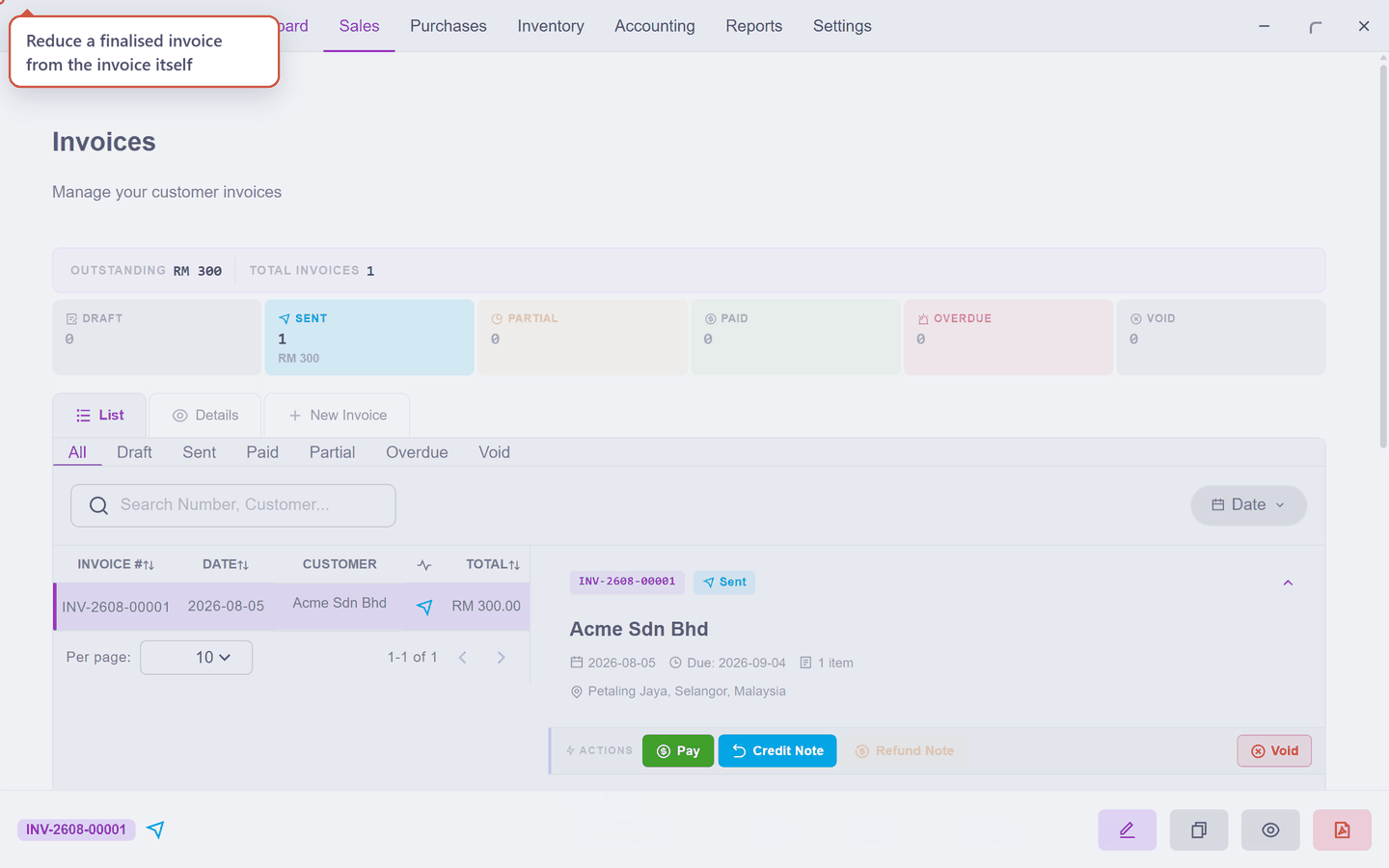
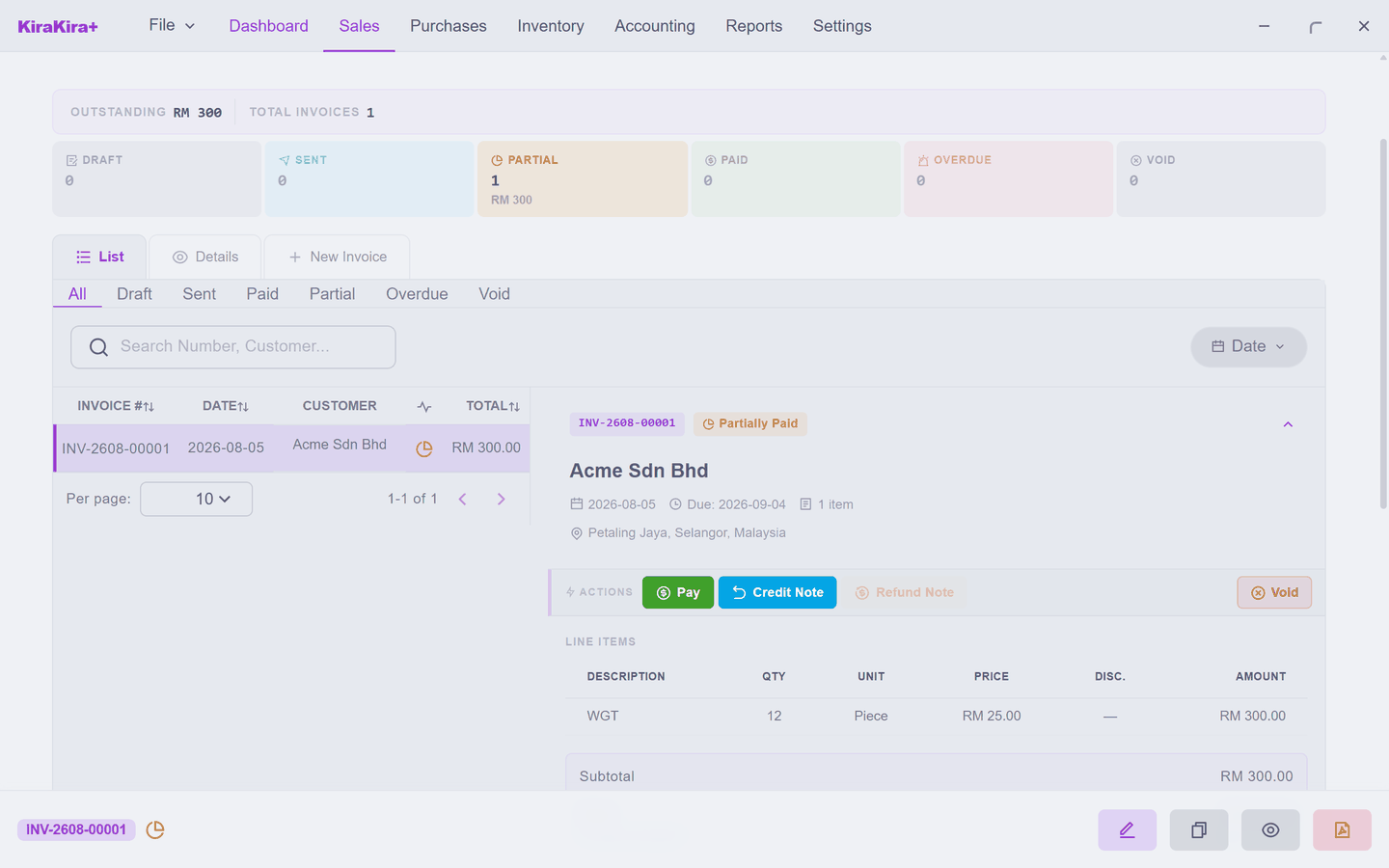
Open Sales → Invoice, click the invoice, press Credit Note:
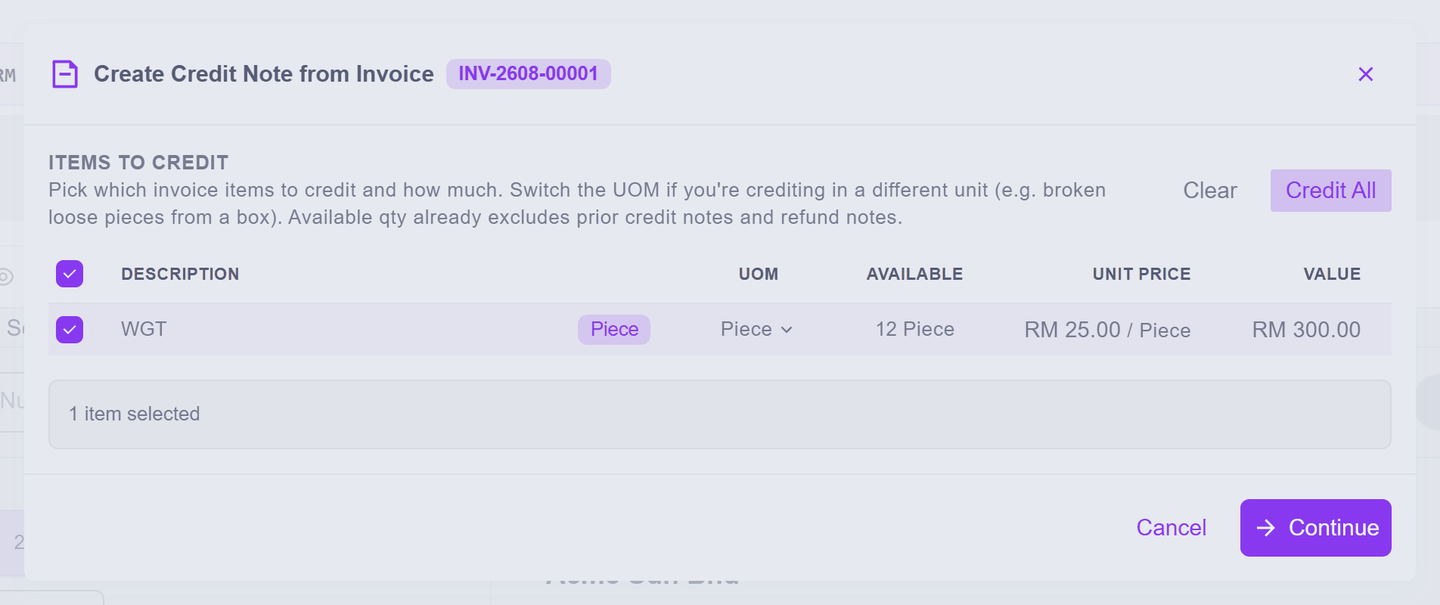
A picker lists the invoice's lines — tick what is affected, or Credit All for everything. Nothing is imported unless you tick it:
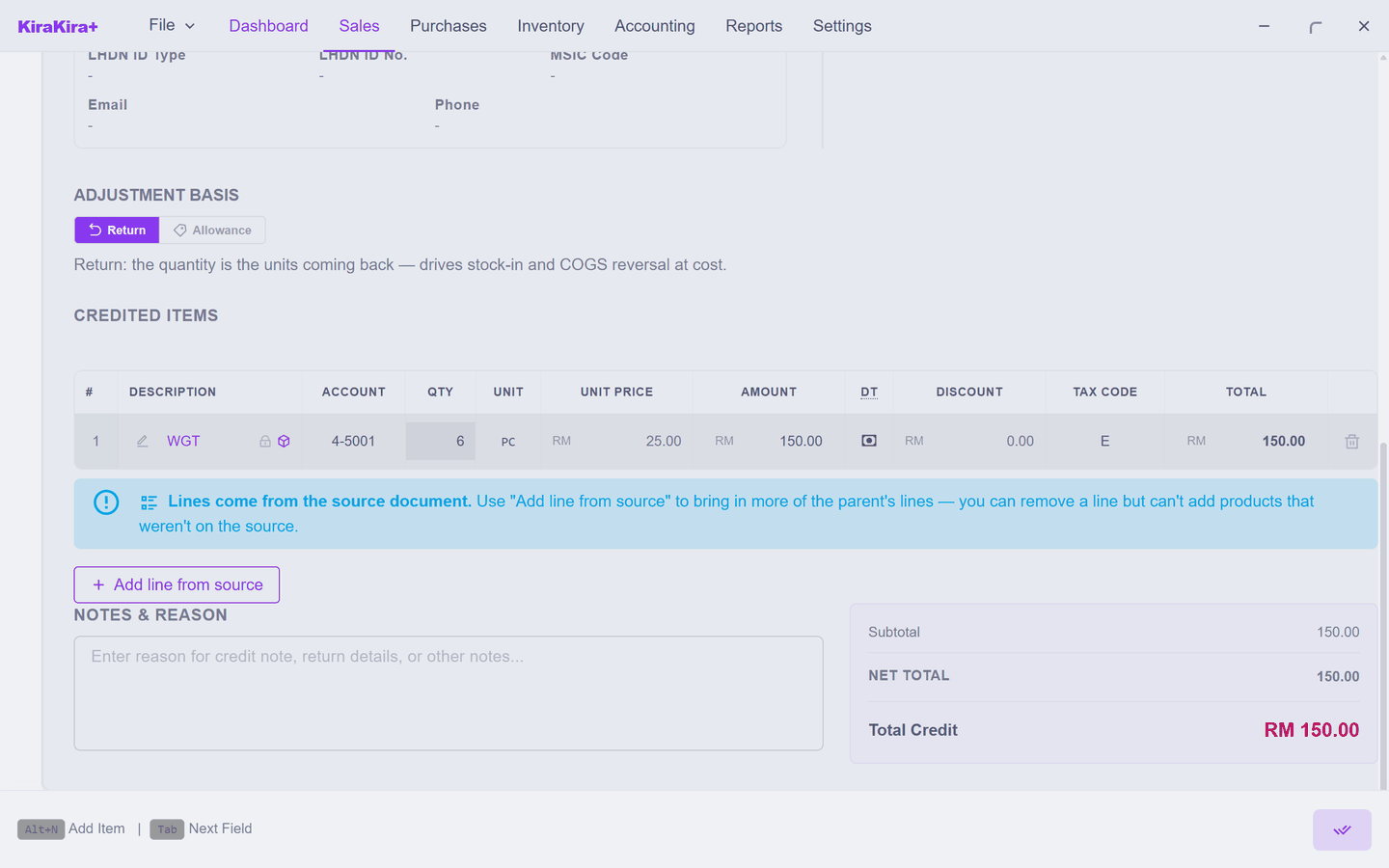
Press Continue, and the credit note arrives filled in from the invoice. The quantity is yours to trim here: Acme bought twelve widgets and is returning six, so type 6 over the 12 and the note totals RM 150.00, not 300:
Sent back, or knocked off?
The form asks the same Adjustment Basis question the Debit Note page explains, and it means the same thing in mirror image: Return — the goods physically come back, so your stock rises; Allowance — the customer keeps them and you reduce the price, stock untouched.
Finalising, and what it does
Finalise (the double-tick), answer the lock warning if it appears, and the note takes its CN- number:
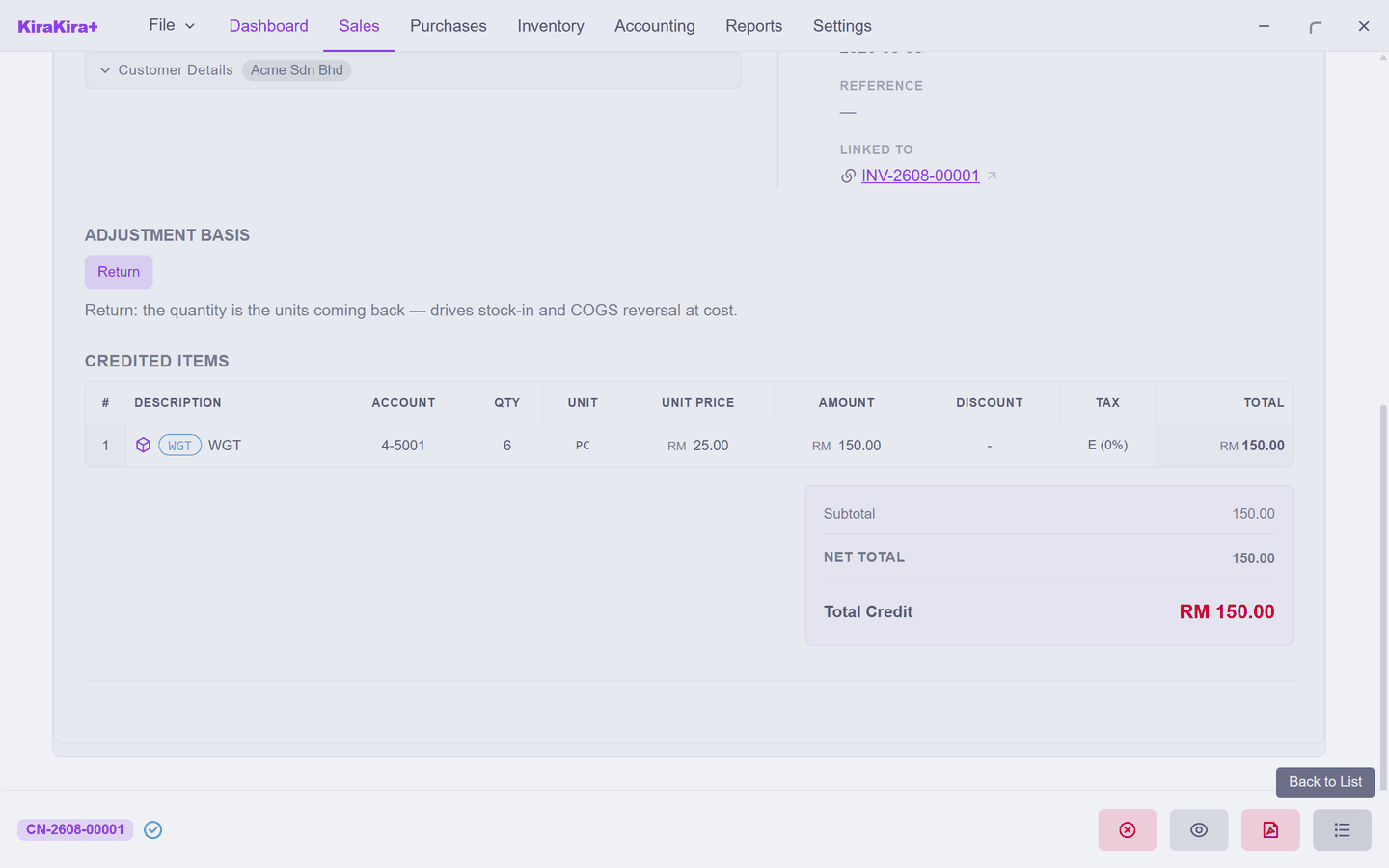
Three things are now true, and the invoice's own panel shows all of them:
- The invoice's balance fell by the note's total — Acme now owes RM 150, not 300.
- The six pieces are back on the shelf — a Return is real stock, at the cost your books already carry.
- Both documents survive, each pointing at the other. A correction leaves a trail; nothing is deleted.
And the ceiling is the same as the debit note's: a credit note is capped by what the invoice still has open — the total, minus what is paid, minus any earlier credits. Which leads to the interesting part.
When the app steers you to a Refund Note
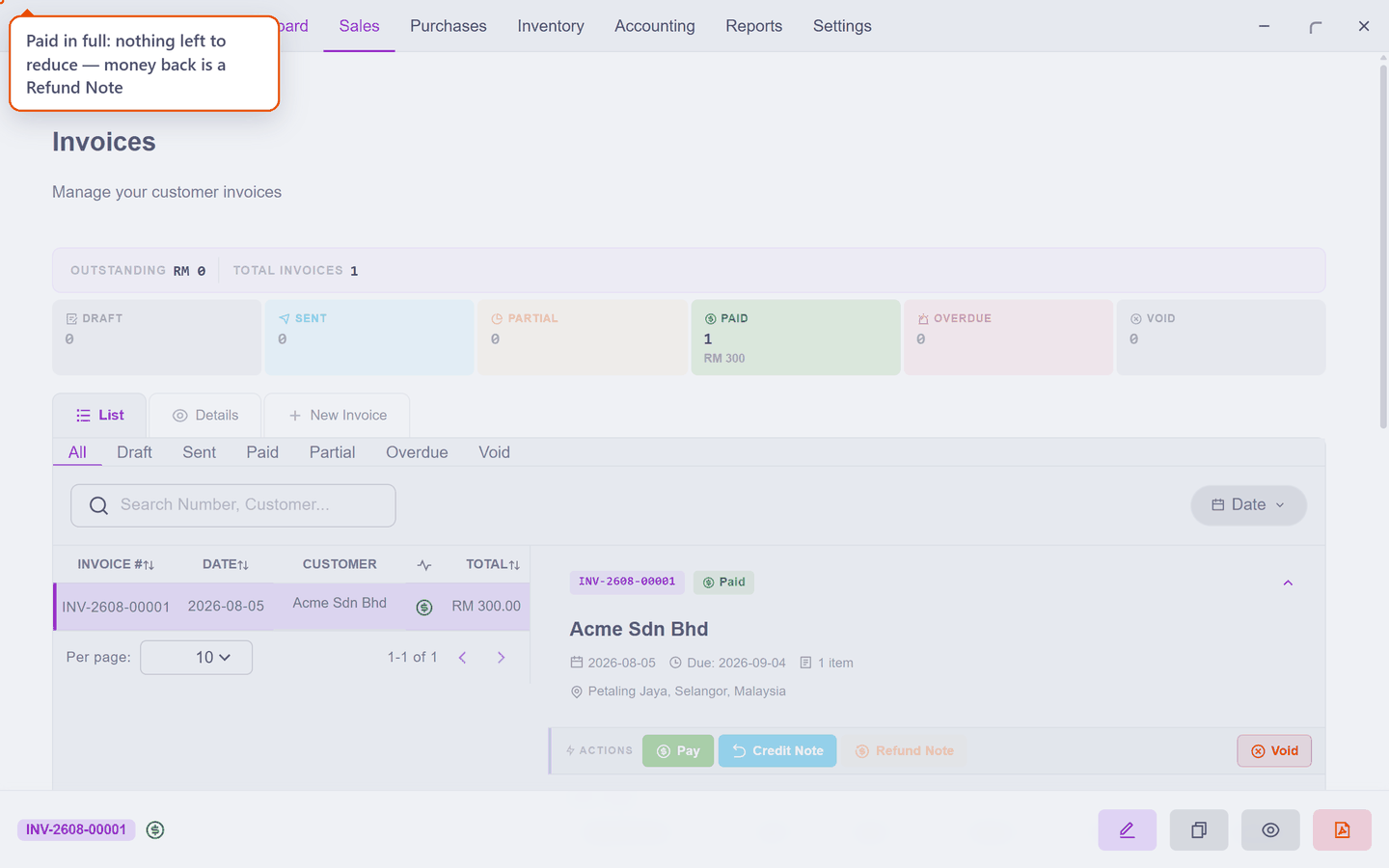
Collect the remaining RM 150 and look at the invoice again. Credit Note is still there — but greyed out, and hovering it says why: no open balance available. A fully-paid invoice has nothing left to reduce; the money is in your bank now, so giving it back is a cash act:
And on an invoice for Ali — an Individual, not a company — the Credit Note button does not exist at all. A person does not carry an account with you that a credit can sit against; money back for a person is cash, every time, and Refund Note is offered as exactly that path:
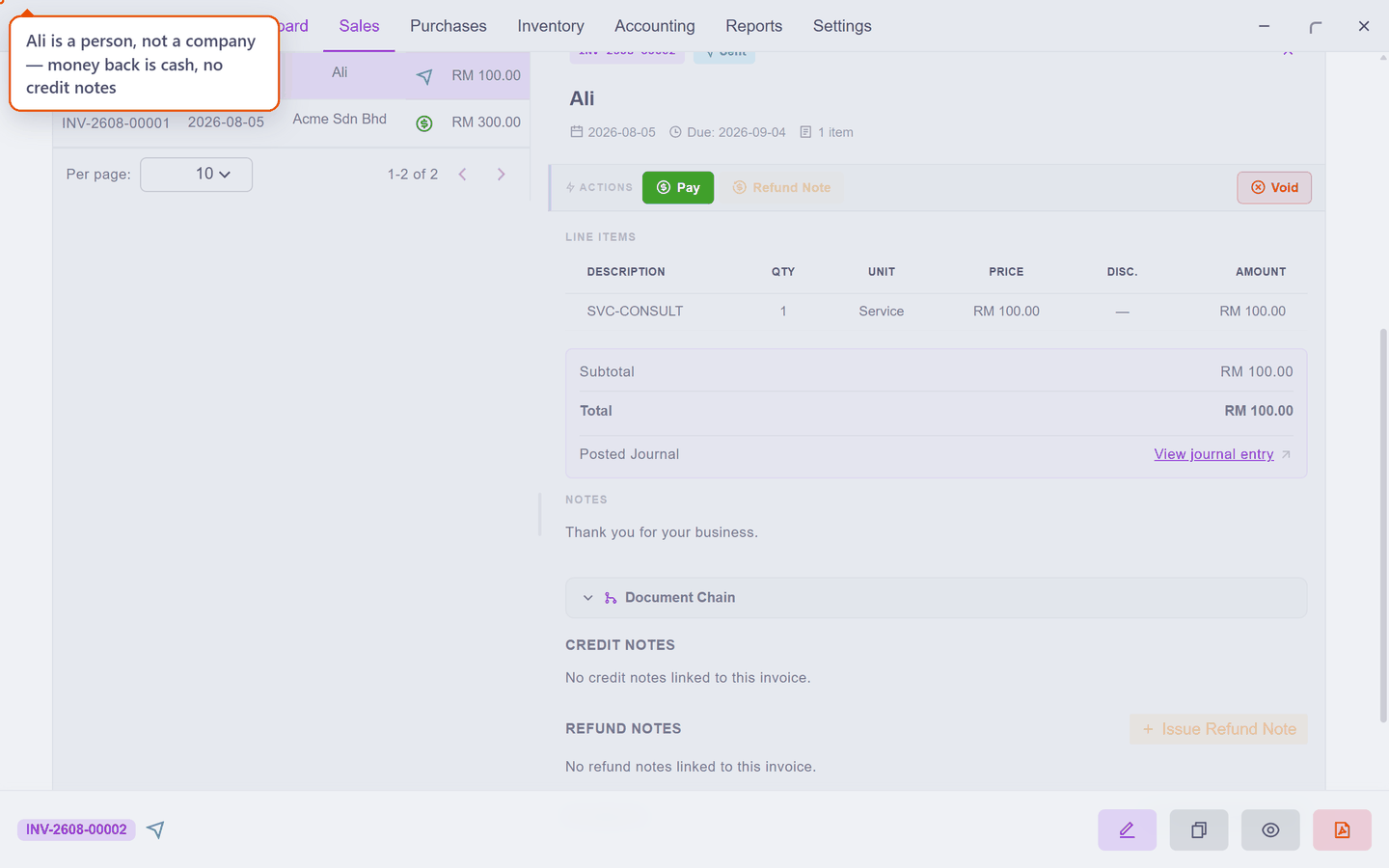
Neither of these is a malfunction. They are the fork table at the top of this page, enforced.
Scenario — Acme returns half the widgets
Six of the twelve widgets from INV-2608-00001 (RM 300.00) come back — wrong spec, agreed return. Nothing has been paid yet.
1. Sales → Invoice, click the invoice's row, press Credit Note.
2. In the picker, tick the WGT line and press Continue.
3. The credit note opens prefilled with all twelve — type 6 into Qty. The note totals RM 150.00, basis Return: the goods really are coming back. Finalise it.
Check it worked.
| Where | What you see |
|---|---|
| Sales → Credit Note | CN-2608-00001, RM 150.00 |
| The invoice's panel | balance due RM 150.00, the credit note listed |
| Inventory | WGT back up to 44 pieces |
4. Acme pays the RM 150. The invoice flips to Paid — and the Credit Note button greys out with it. From here on, anything else Acme is owed comes back as cash, which is the next page.