
Appearance
Journal entries
Accounting → General Journal. Here is a secret this manual has been keeping badly: every document you have finalised — every invoice, bill, receipt and note — wrote a journal entry for you. The View journal entry links you have seen on documents all lead here. So this page is not about learning bookkeeping; it is about the handful of things that have no document: the owner putting money in, a bank charge that just appears on the statement, a correction between accounts.
The form knows most people are not accountants, and offers two doors.
Guided — plain words
New Entry → Guided asks three things: which way the money went (Money In / Money Out), which pocket (FROM — select the payment method, e.g. Bank), and what it was (TO — select the expense category). Seri Maju's bank helped itself to its RM 5 monthly service charge:
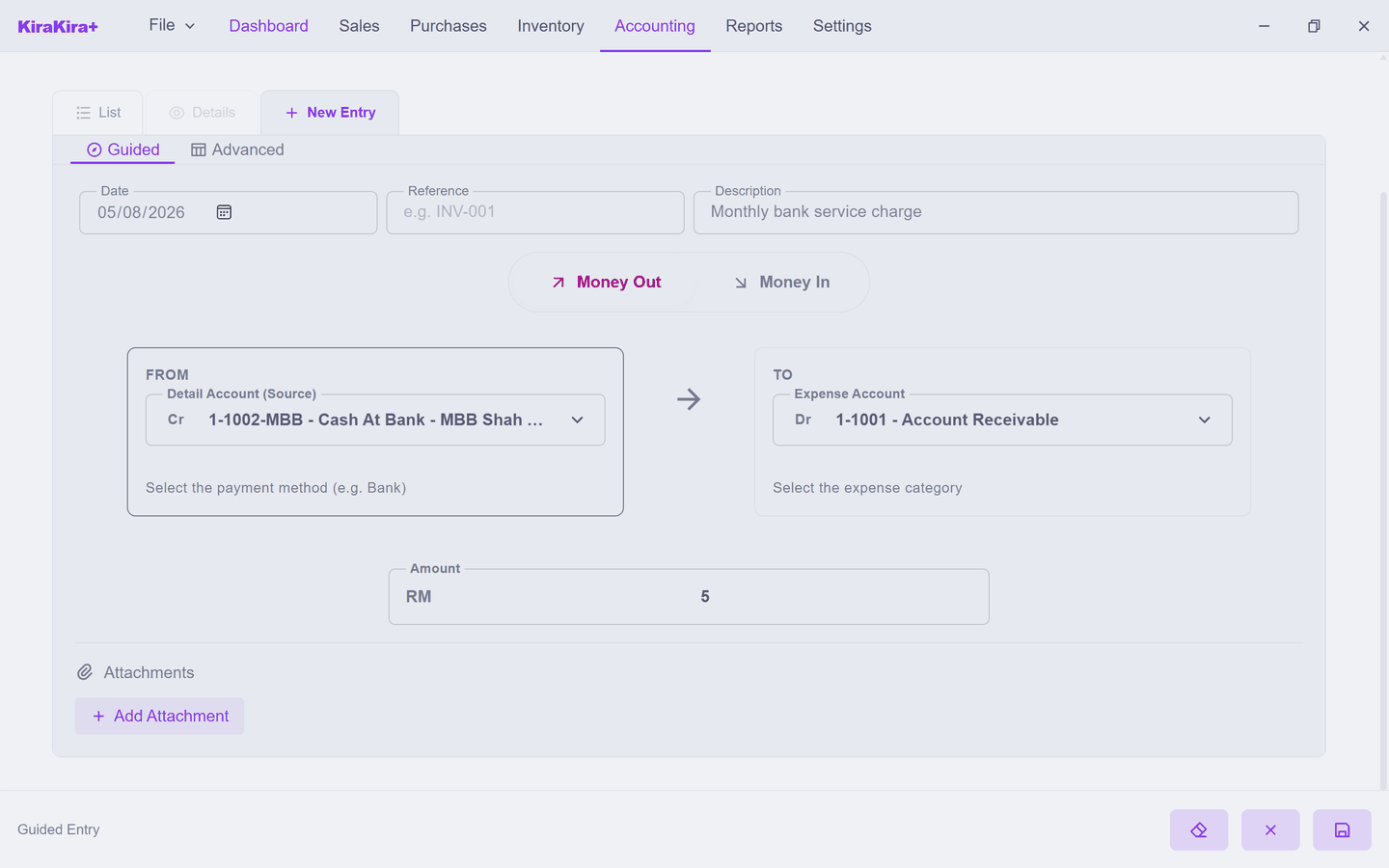
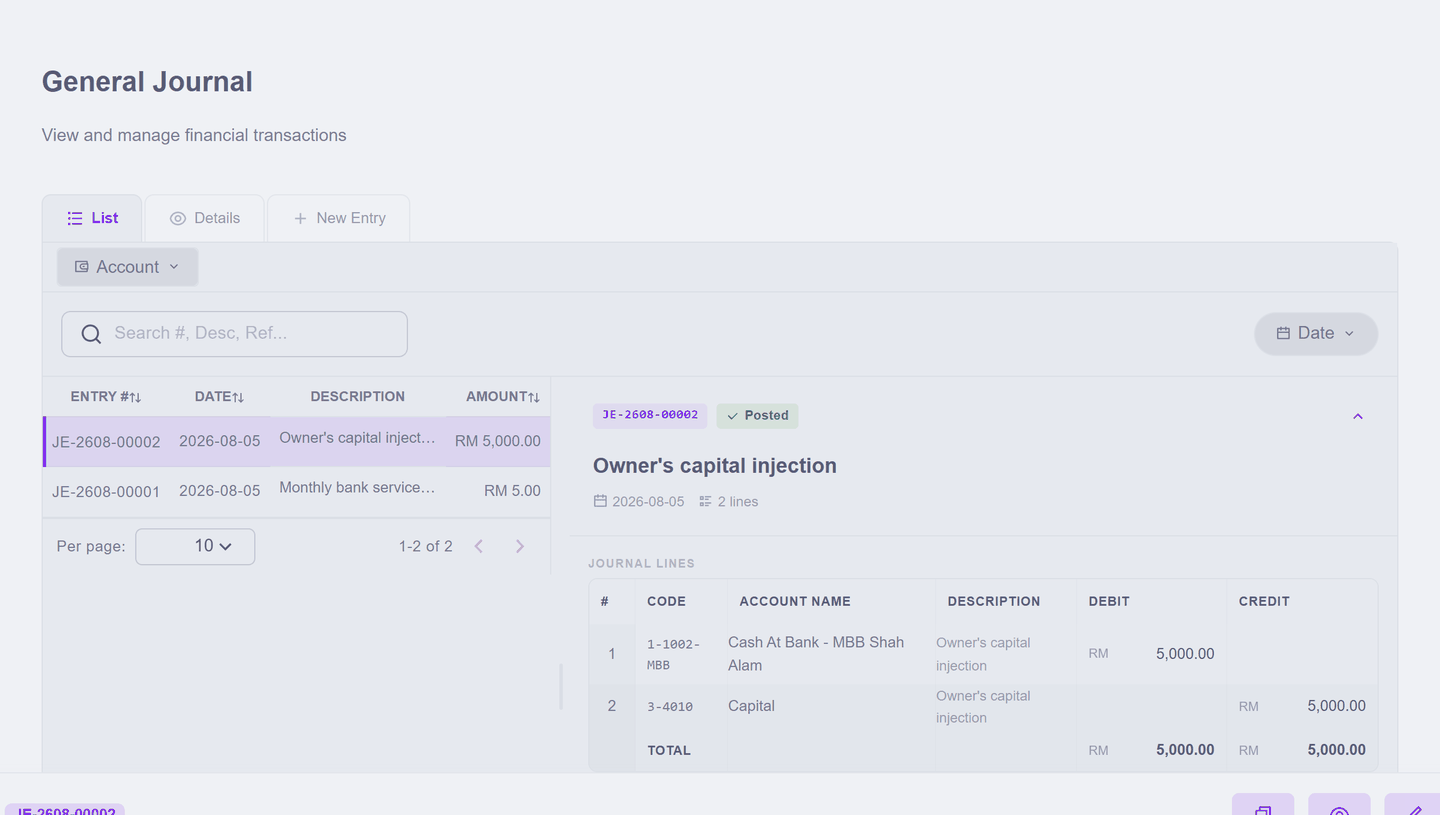
Press Save Transaction. The form clears for the next one, and the entry appears on the list — numbered, posted, RM 5.00. Behind the plain words the app wrote a proper two-line entry; the little Cr and Dr letters on the form quietly show where each side went.
Advanced — debits and credits in the open
Some things Guided cannot say, because they are neither income nor expense. The classic: the owner puts RM 5,000 of their own money into the business bank account. That is not income — the business did not earn it; it is capital. New Entry → Advanced gives you the raw grid — account, debit, credit, line by line:
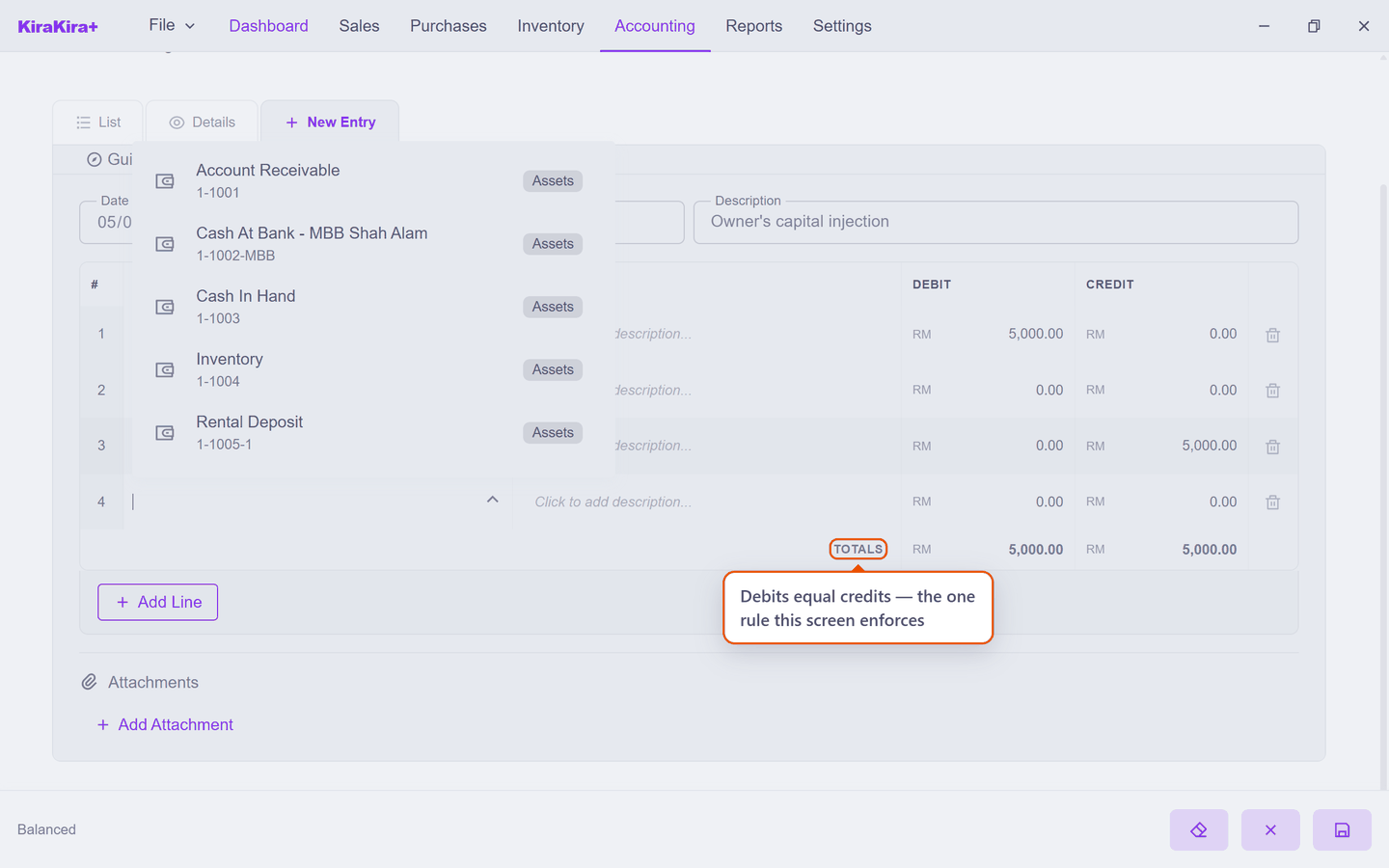
Money arriving in the bank is a debit to Bank; the matching credit goes to Capital — where the books record what the business owes its owner. The one rule this screen enforces is at the bottom: TOTALS — debits must equal credits, or Save refuses. That rule is the whole of double-entry bookkeeping, and the app has been obeying it silently on your behalf since your first invoice.
Which door, when?
If what happened fits "money in for a reason" or "money out for a reason", Guided says it faster. Reach for Advanced when neither side is income or expense — capital, transfers between your own accounts, corrections your accountant dictates. And if what happened involves a customer, a supplier or stock — stop: it wants a document, not a journal.