
Appearance
Units of measure
Settings → Units of Measure. A unit of measure is how you count a thing — pieces, kilograms, litres, hours. A unit group collects the units that measure the same thing and records how they convert.
Most businesses never touch this page
KiraKira+ ships with groups for weight, volume, length, area, pieces, services and time. If you sell in pieces, kilograms or hours, everything you need is already here — skip to Products and services and come back only if you need a unit the app does not have.
What you are looking at
The screen has two tabs. Units lists every individual unit. UOM Groups is the one that matters: it shows which units belong together and how they convert.
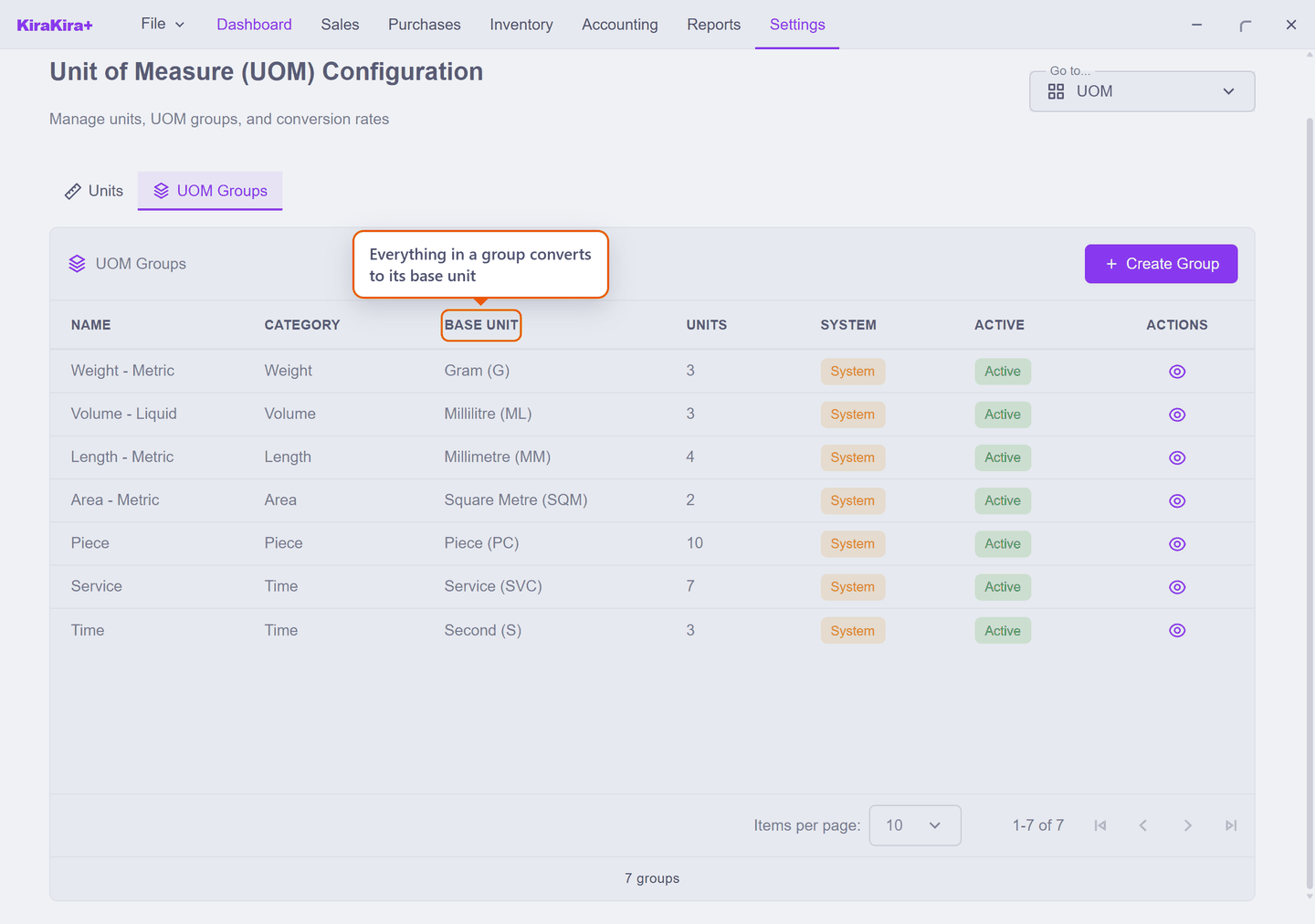
Every group has a base unit — the smallest unit it counts in. Every other unit is defined as a multiple of it. In the built-in weight group the base is the gram, so a kilogram is ×1,000 and a tonne is ×1,000,000.
That is what makes mixed units work: you can buy in one unit and sell in another and the stock figures still agree, because both are stored as the base unit underneath.
You cannot add units to a built-in group
Open one of the groups that came with the app and there is nothing to press:
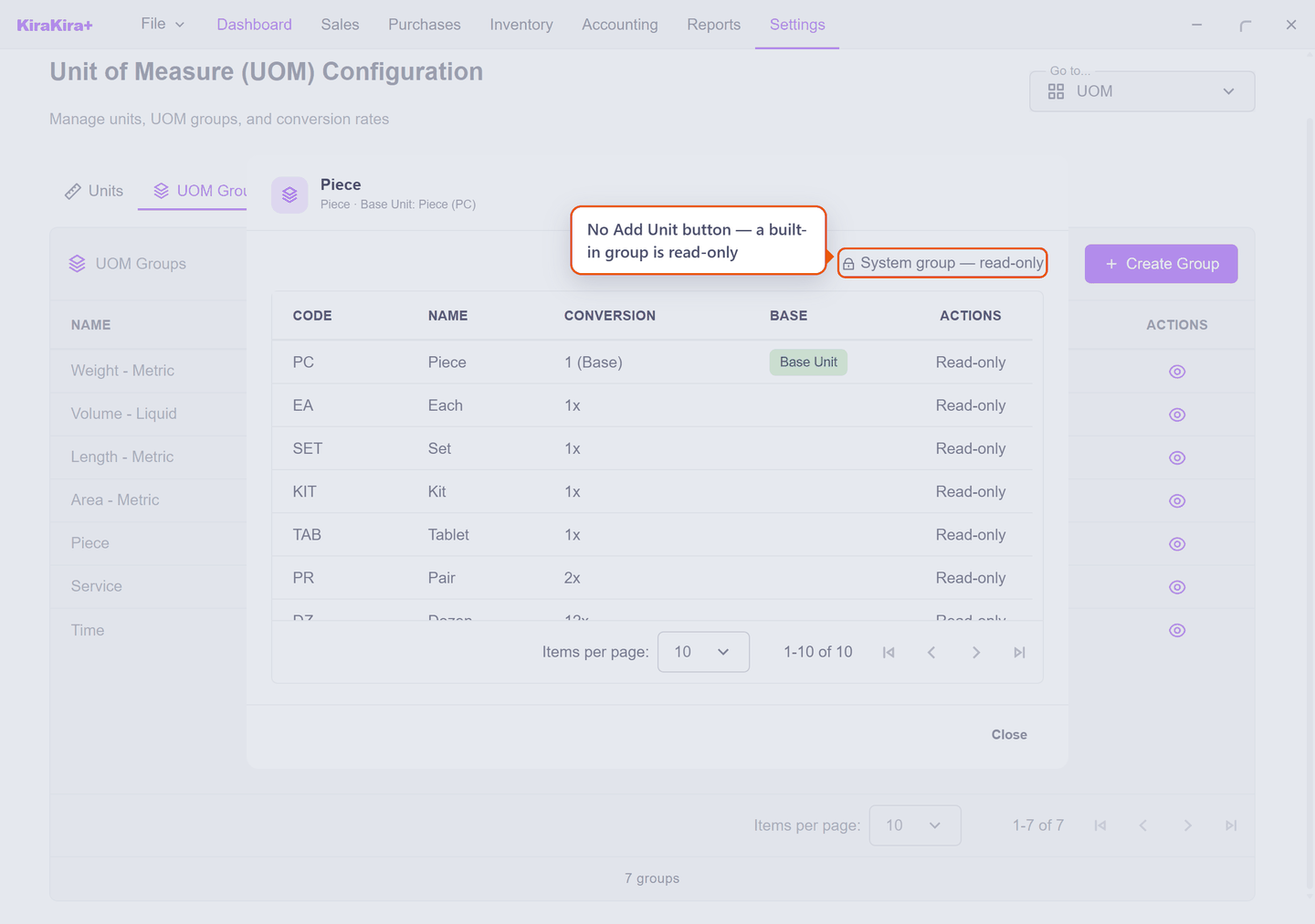
The built-in groups are locked so an update cannot quietly change what your old documents meant. To add a unit of your own, make your own group. That is the supported path, not a workaround.
One line holds 999 of its own unit
This is the practical limit you will actually meet, and it is why units matter.
A document line accepts up to 999 of whatever unit that line is in. Go over and the app does not truncate the figure — it offers to move the line to a larger unit instead.
So the question is never "how much can I sell?" but "is there a unit big enough to say it in?":
| Selling 12,000 widgets | On one line |
|---|---|
in PC | ✗ over the 999 limit |
in BOX of 12 | ✓ 1,000 BOX — still over |
in CTN of 144 | ✓ 84 CTN — comfortable |
You can always split across several lines. The unit only decides whether you have to.
Choose the base unit carefully
The base unit is the one decision here you cannot easily undo, because no unit in a group may be more than 1,000,000 × its base.
That ceiling is real, and three built-in groups already sit exactly on it:
| Group | Base | Largest unit it can ever hold |
|---|---|---|
| Weight - Metric | gram | tonne (×1,000,000) |
| Volume - Liquid | millilitre | cubic metre (×1,000,000) |
| Length - Metric | millimetre | kilometre (×1,000,000) |
Nothing coarser than a tonne can be added to that weight group — ever. Combined with the 999-per-line limit, a gram base means 999 tonnes is the most one line can express.
For almost everyone that is irrelevant. It matters if you trade in bulk:
- Selling in kilograms? The gram base is fine — a tonne is still reachable.
- Trading in tonnes? Build your own group with the kilogram as base. A unit of ×1,000,000 kg — a thousand tonnes — is then available, and one line can carry 999 of those.
Changing the base later is not a small edit
The base unit is what every quantity is stored as. Pick it when you create the group, before any product uses it.
Scenario — Seri Maju buys widgets by the box
Seri Maju sells widgets singly but buys them from VendorCo in boxes of twelve. The built-in Piece group has no BOX, and cannot be given one, so Seri Maju makes a group of its own.
Settings → Units of Measure → UOM Groups → Create Group:
| Field | What Seri Maju enters | |
|---|---|---|
| 1 | Name | Piece - Packaging |
| 2 | Category | Piece |
| 3 | Base Unit | Piece — the smallest unit widgets are counted in |
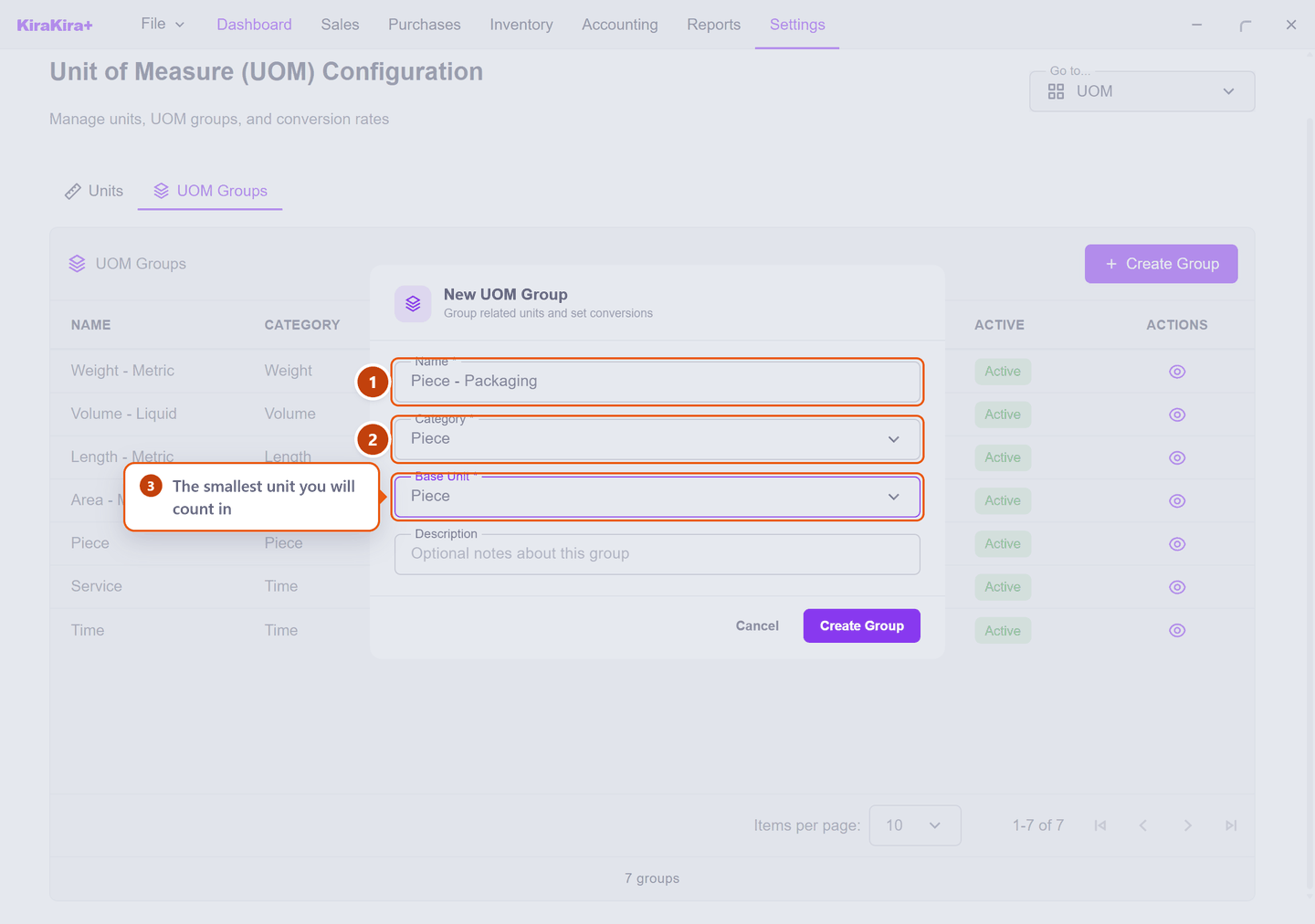
Press Create Group. Then open the new group with the eye icon, press Add Unit, choose BOX, and set the conversion to 12.
Check it worked. The group lists two units — PC as the base, and BOX at ×12.
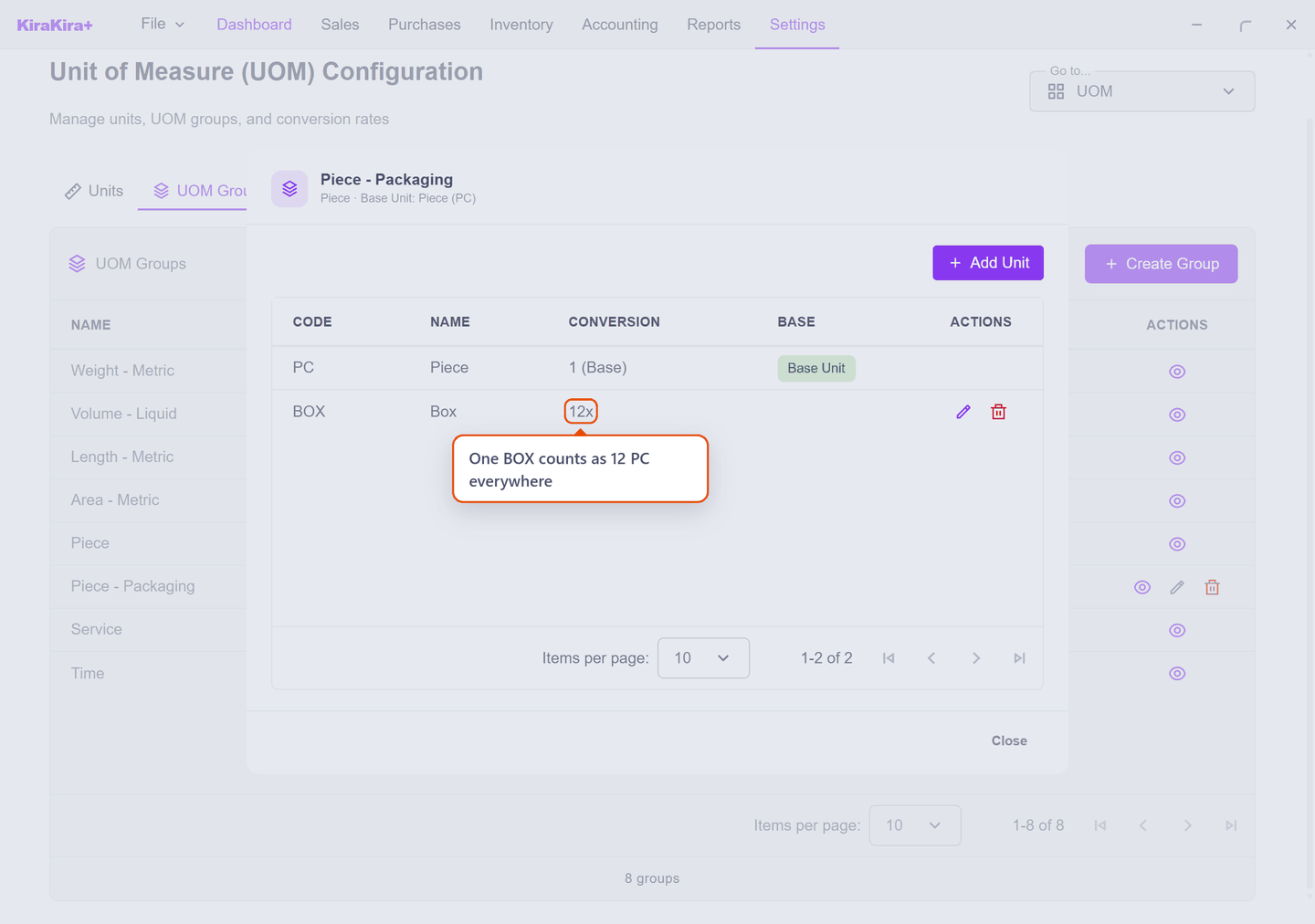
From now on a purchase of 4 BOX counts as 48 pieces in stock. You enter the number you actually handled; the app does the arithmetic.
The group belongs to the product, not the document
A product is given its unit group when you create it, and only units from that group are offered on its invoice and bill lines. That is why the group has to exist first.
Next: Products and services.