
Appearance
One-off items (the Generic product)
Sooner or later you need to invoice something that will never happen again — a delivery charge, a repair, a favour for a customer. Creating a permanent product for it would clutter your list forever.
That is what a generic item is for: a placeholder product whose description, price, tax and account you fill in on the document itself.
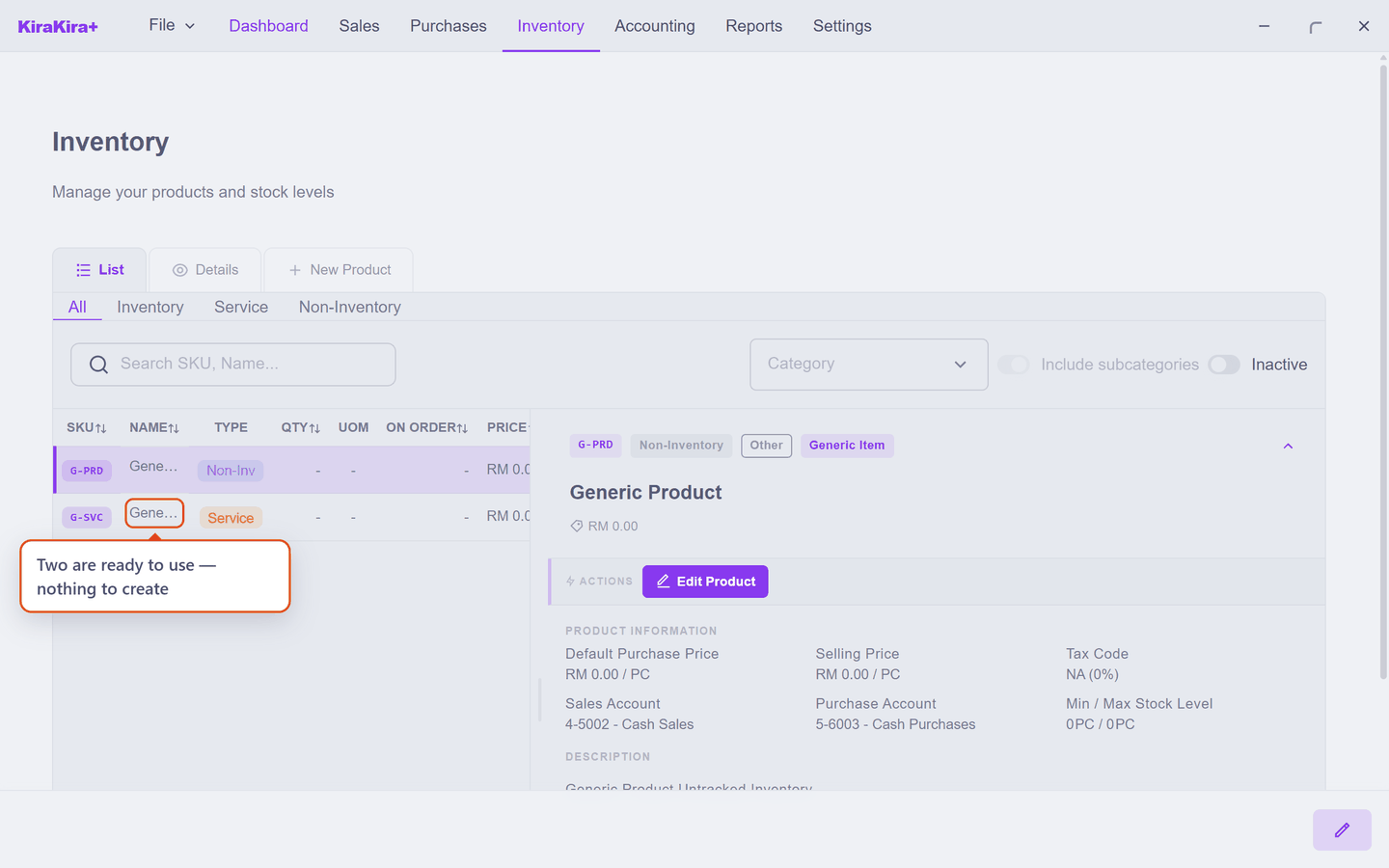
Two are already there — you may never need to make one
KiraKira+ ships with Generic Product (G-PRD) and Generic Service (G-SVC). Pick one on the line and type over it. Read on only if you want your own, or want to know why the app insists on a product at all.
Why a line needs a product at all
On an invoice, quantity, price, account and tax stay locked until the line has a product on it. That is deliberate: those four decide what lands in your accounts, and the app will not guess them from free text.
A generic item is the escape hatch. It satisfies "this line has a product" while leaving everything about it editable.
What "generic" changes
The switch is on the ordinary New Product form, and it explains itself:
Generic Item — Description, Price, Tax, and Account can be changed on invoices. Inventory is NOT tracked.
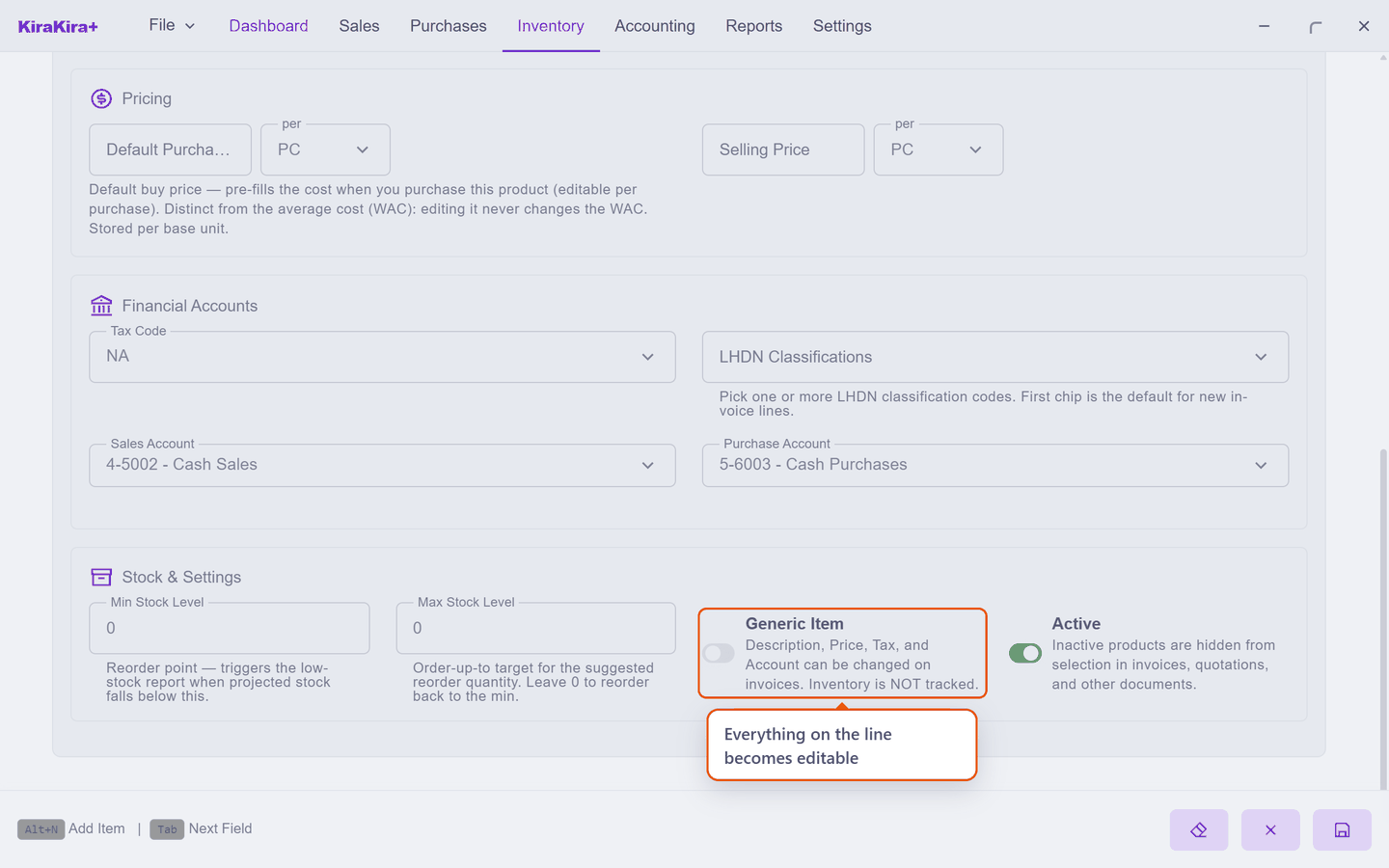
The second sentence is the real constraint. Turn the switch on and Inventory disappears from the Product Type list — a generic item can only be a Service or a Non-Inventory item:
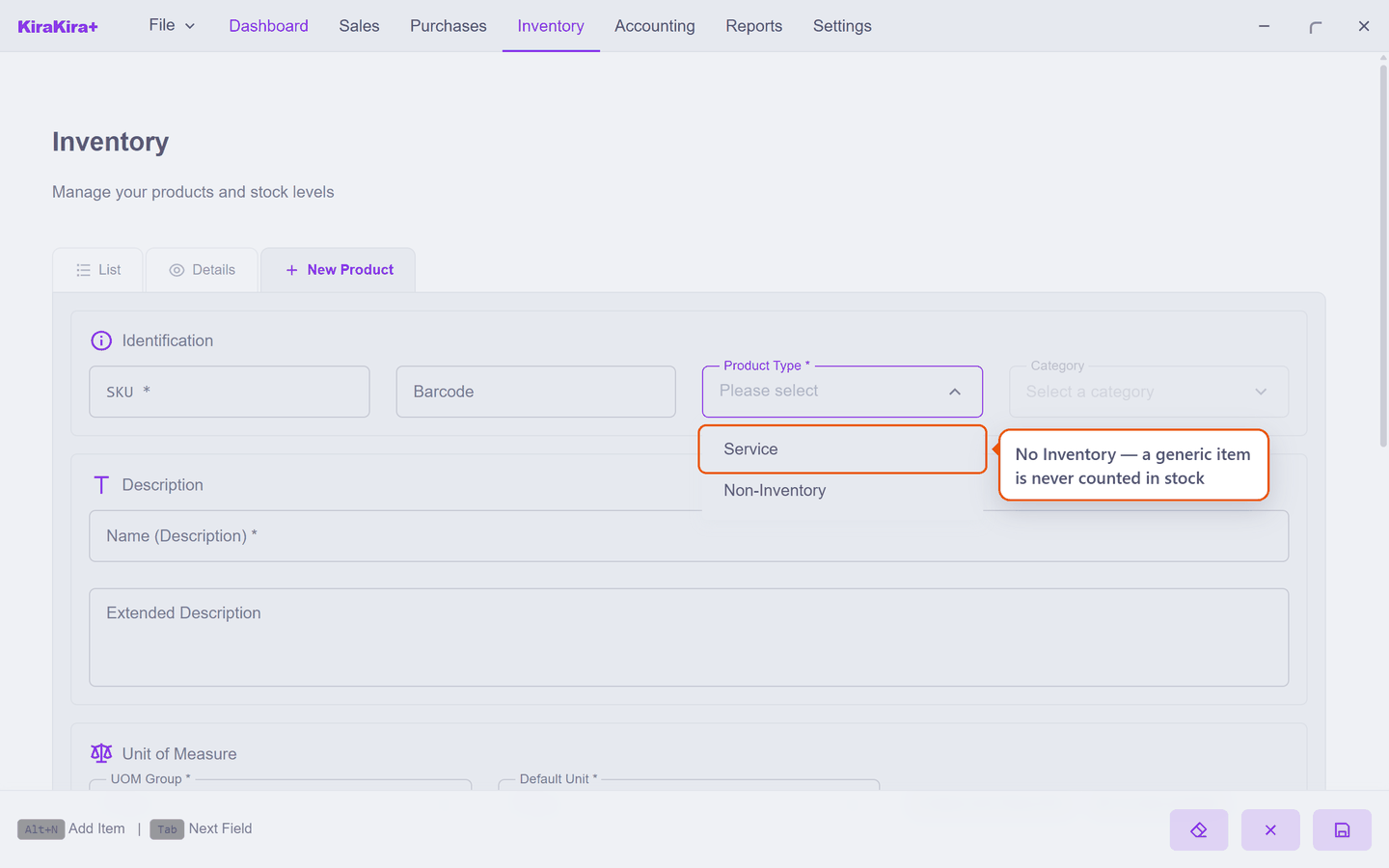
That follows from what it is. Stock is counted per product; an item whose description changes on every document is not one thing to count.
Flipping the switch clears Product Type and Category
Both are re-chosen from a different list once the switch moves, so the form empties them rather than leave a choice that is no longer valid. Set the switch first, then the type.
Scenario — billing a one-off delivery charge
A customer asks Seri Maju to courier an order across town. It is a one-time favour, not something they sell.
On the invoice line, Seri Maju picks Generic Service and types over it:
| Field | What Seri Maju enters |
|---|---|
| Description | Courier to Johor Bahru |
| Quantity | 1 |
| Price | 35.00 |
No product is created. The invoice reads Courier to Johor Bahru — RM 35.00, and the product list is exactly as it was.
When to make your own instead. If that courier charge becomes a monthly occurrence, create a real product for it — you will get a consistent description, a price that does not need retyping, and it can be reported on.
Making your own generic item
Worth doing when you want a distinct name on the picker — say Site Visit or Ad-hoc Repair — rather than reaching for the same G-SVC every time.
- Inventory → New Product.
- Turn on Generic Item.
- Choose Service or Non-Inventory.
- Give it a SKU and a name. Leave the price at
0— you will type it on the document anyway.
Next: Categories.