
Appearance
Quotations
Sales → Quotation. A quotation is an offer: this is what it would cost. It commits nobody to anything — no stock moves, no account changes, nobody owes anybody a sen. Its whole job is to become an invoice the moment the customer says yes, with nothing retyped in between.
You may not have this yet
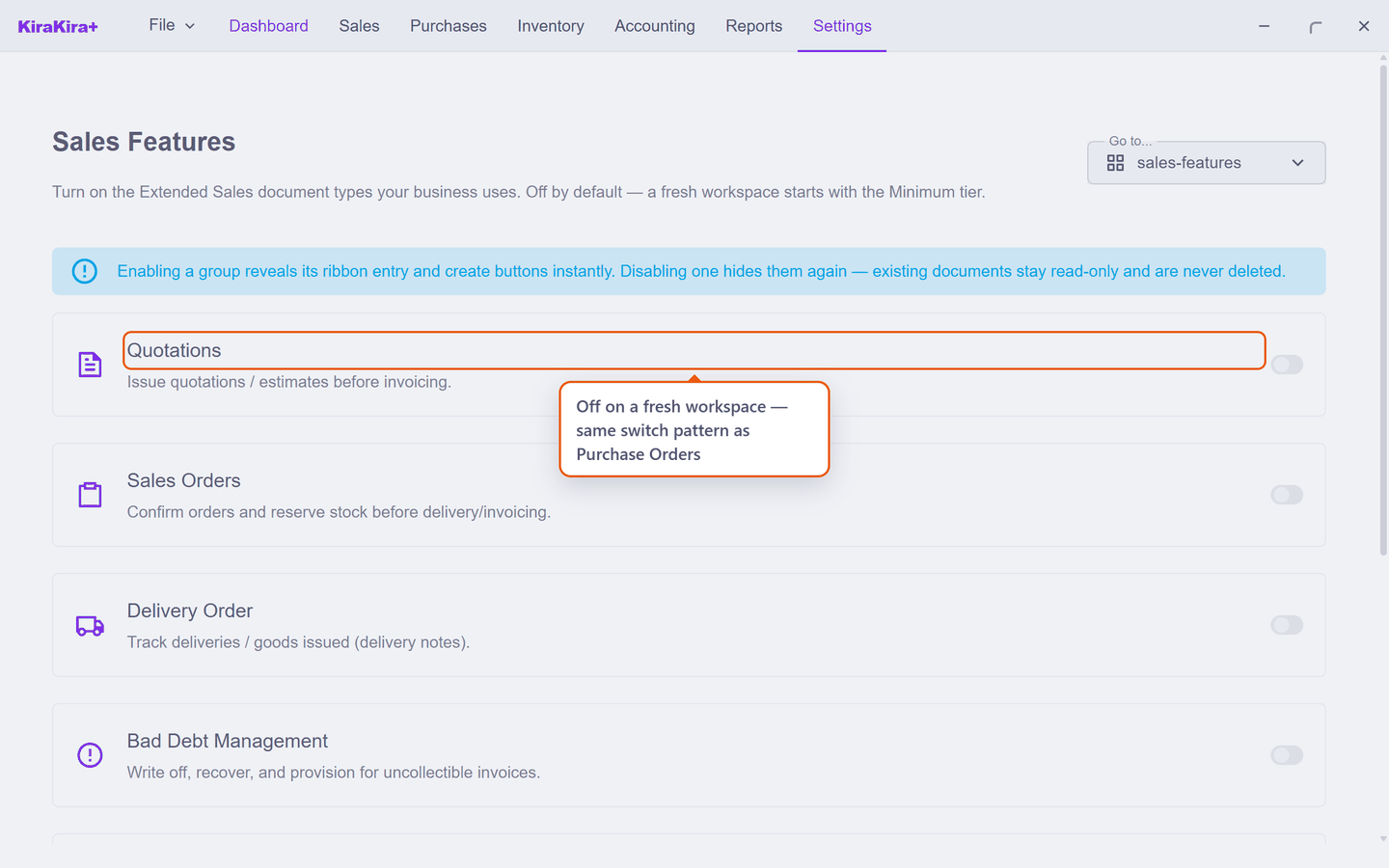
Like Purchase Orders, quotations start switched off on a new set of books. Go to Settings → Sales Features, switch on Quotations — issue quotations / estimates before invoicing — and press Save. Sales → Quotation appears.
An offer is not a sale
The same distinction the buying side draws between an order and a bill:
| A quotation | An invoice |
|---|---|
| What it would cost | What they now owe |
| Moves no stock | Takes the goods off your shelf |
| Changes no accounts | Records the debt |
| Can be rejected, or lapse | Locked once finalised |
That is why the quotation screen's headline figure is called a pipeline — money that might arrive, kept deliberately apart from money you are owed.
One consequence worth noticing: a quotation never checks your shelf. You can quote goods you have not bought yet, because quoting takes nothing off it. The you-cannot-sell-what-you-do-not-have check happens where reality happens — at the invoice.
Quote it
The form is the invoice form in every way that matters — pick the customer, add lines, prices prefill from the catalogue and stay yours to change:
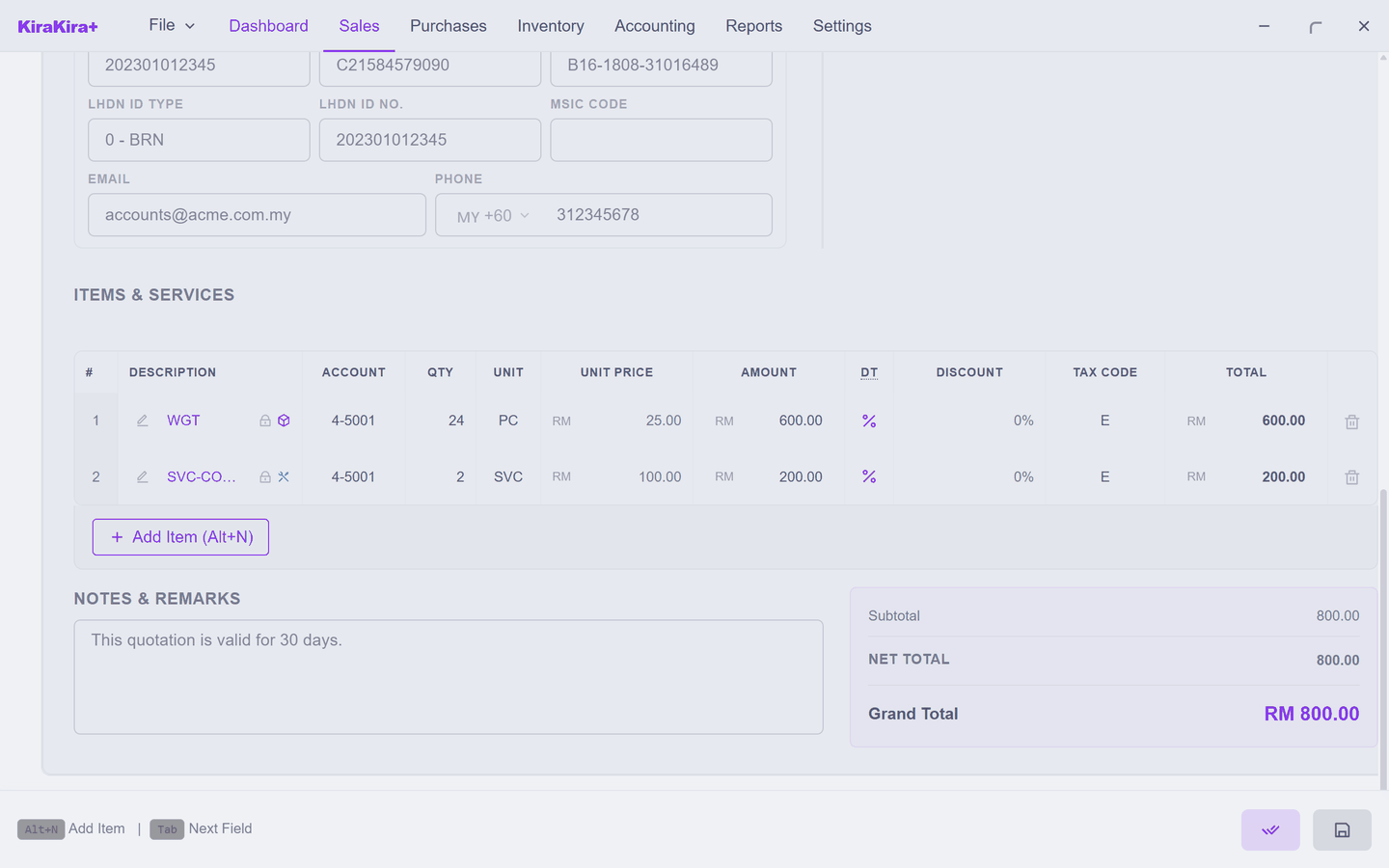
Save keeps a draft. Finalise turns it into the version you actually send — status Sent, carrying its own QTN- number:
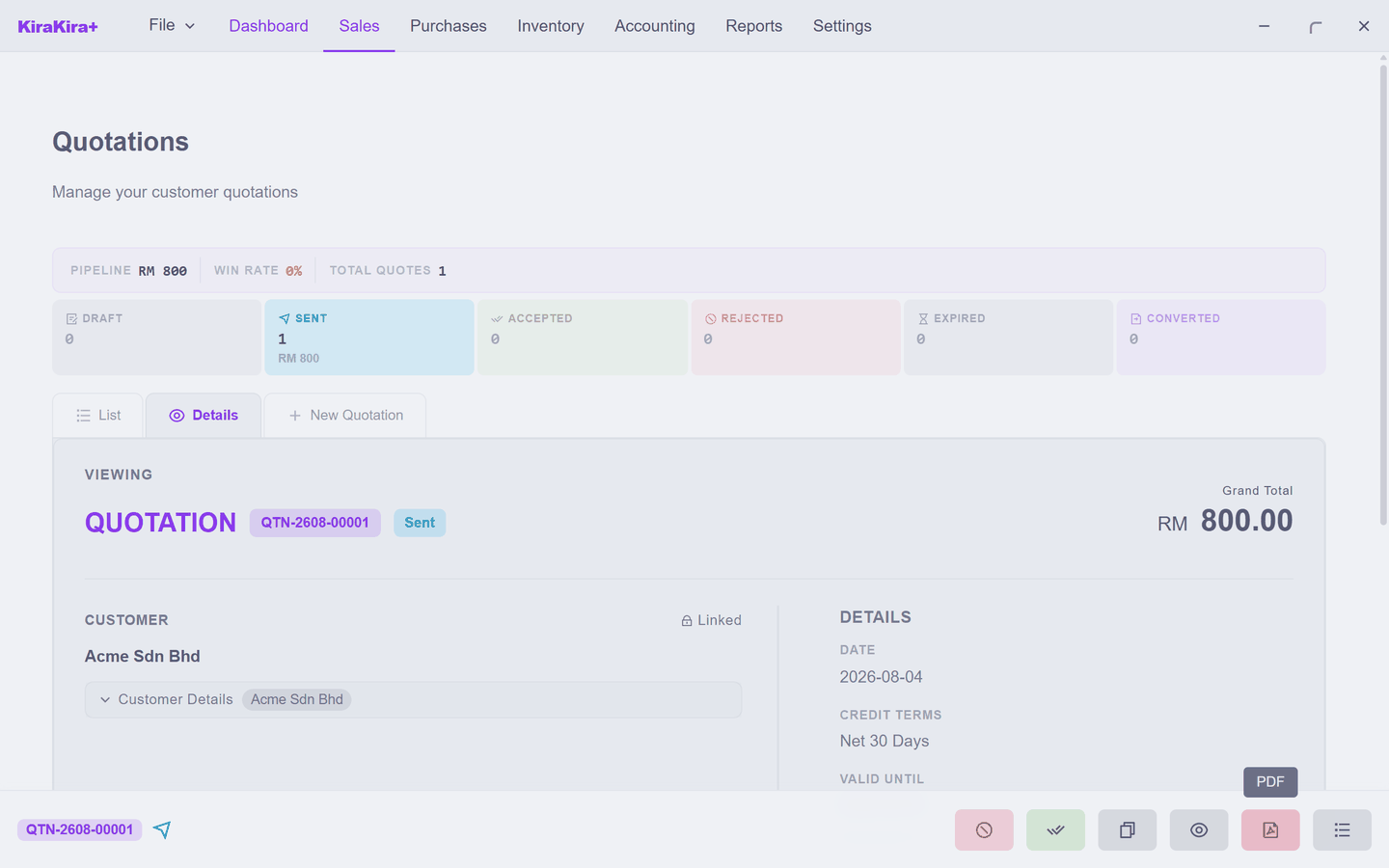
Still, at this point, nothing has reached your accounts.
An offer has a shelf life
Every quotation carries a Valid until date (a month out by default). One that passes it unanswered lapses to Expired — the price stops being promised, which is the polite way out of last year's quote.
The customer answers
Press Accept when they confirm — the app asks once, in its own words: "Accept this quotation? It will become available for conversion to Invoice." Reject when they decline; a rejected or lapsed quote closes with nothing to reverse, because it never touched anything.
Back on the quotation list, the quote's panel now offers To Invoice:
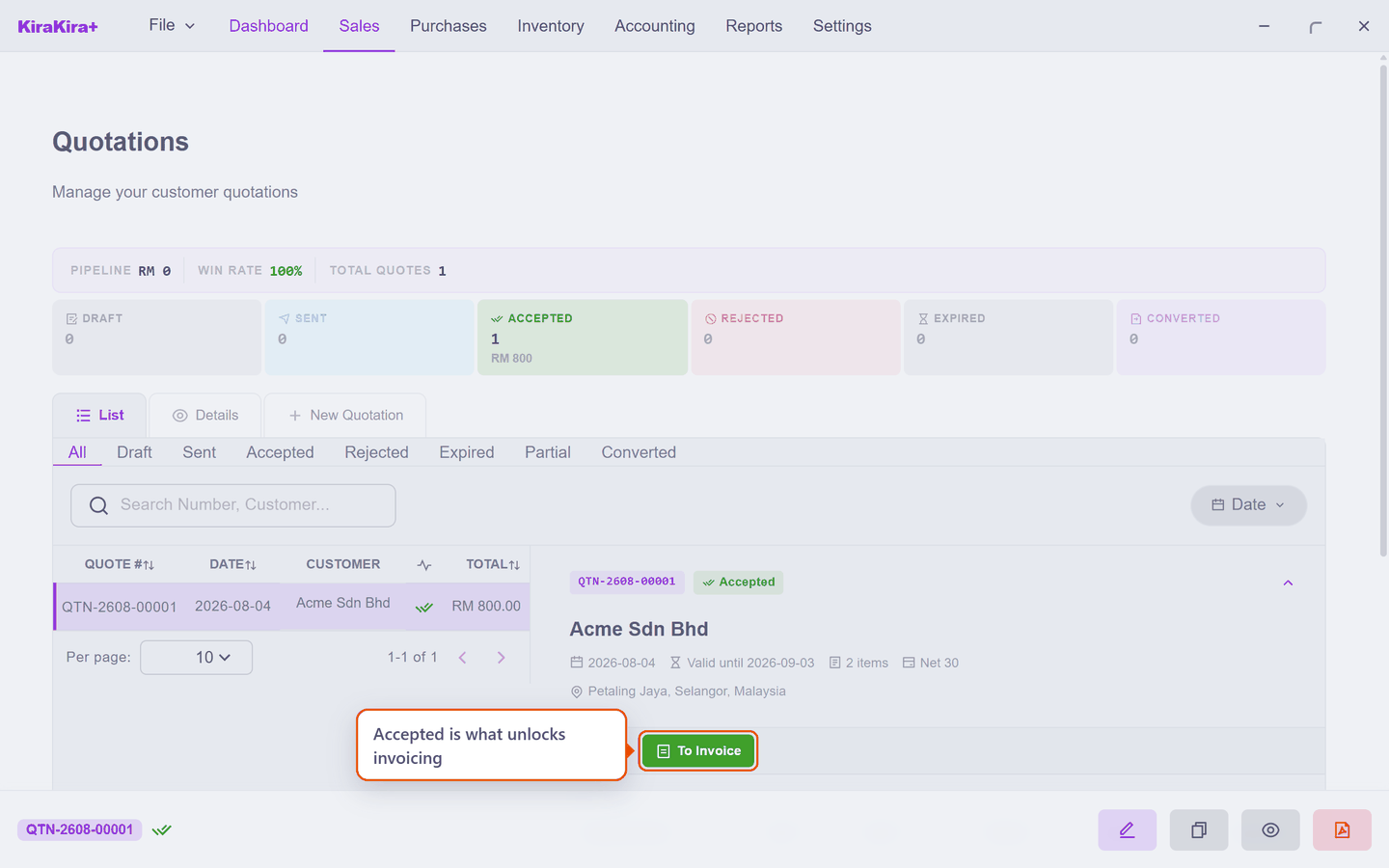
Accepted is what unlocks invoicing
Exactly like a purchase order: you cannot convert a quote the customer has not accepted.
Yes — now make it real, a line at a time
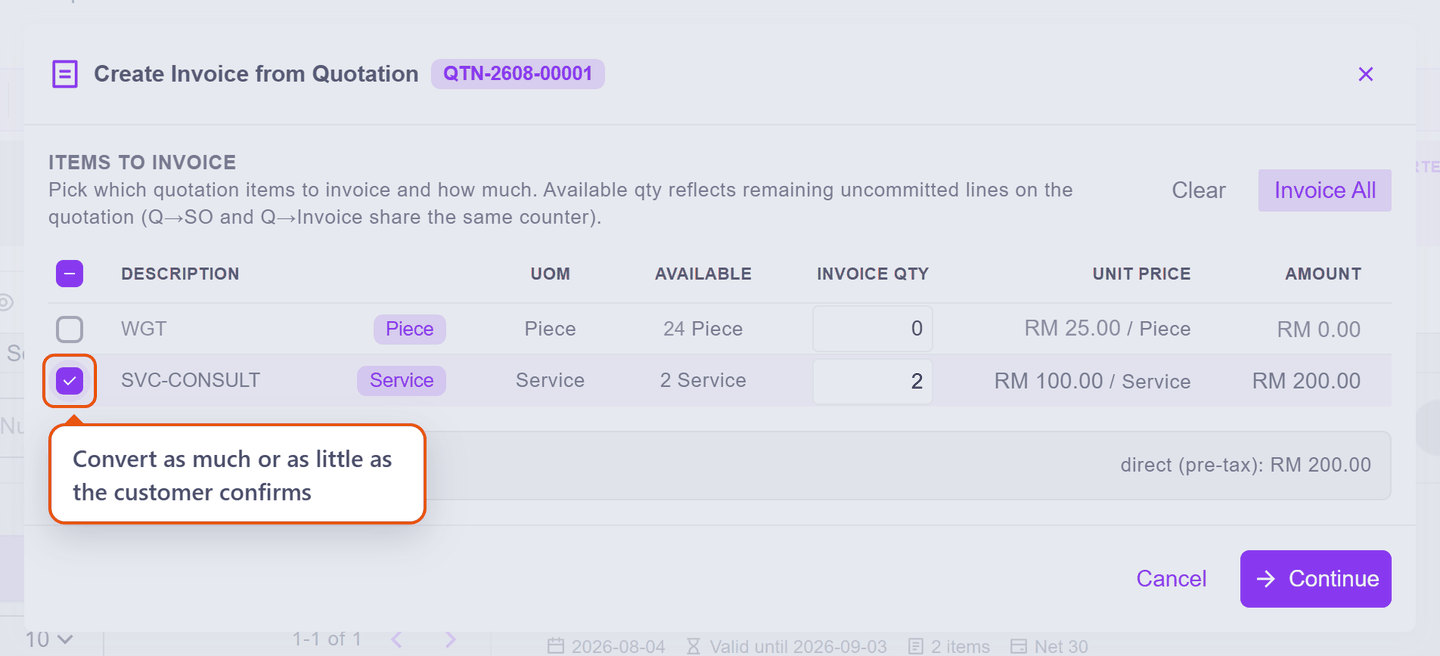
Press To Invoice and a picker asks which lines — and how much of each — because customers say yes in pieces. Here the consulting goes ahead first, so only that line is ticked:
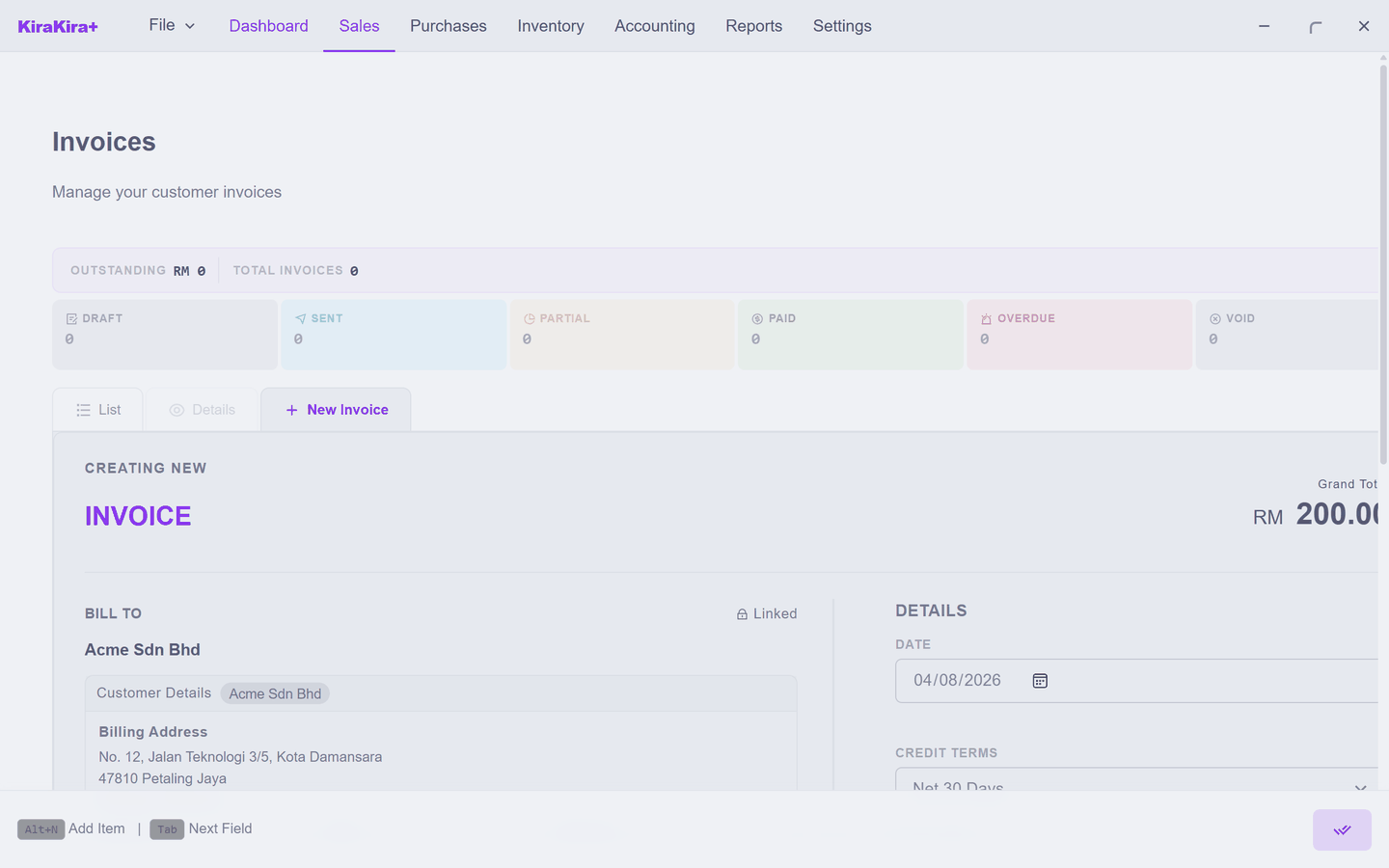
Continue, and the invoice arrives already filled in — same line, same price, locked to the quote it came from. Check it and finalise; there is no draft stage, because the quote already was the draft:
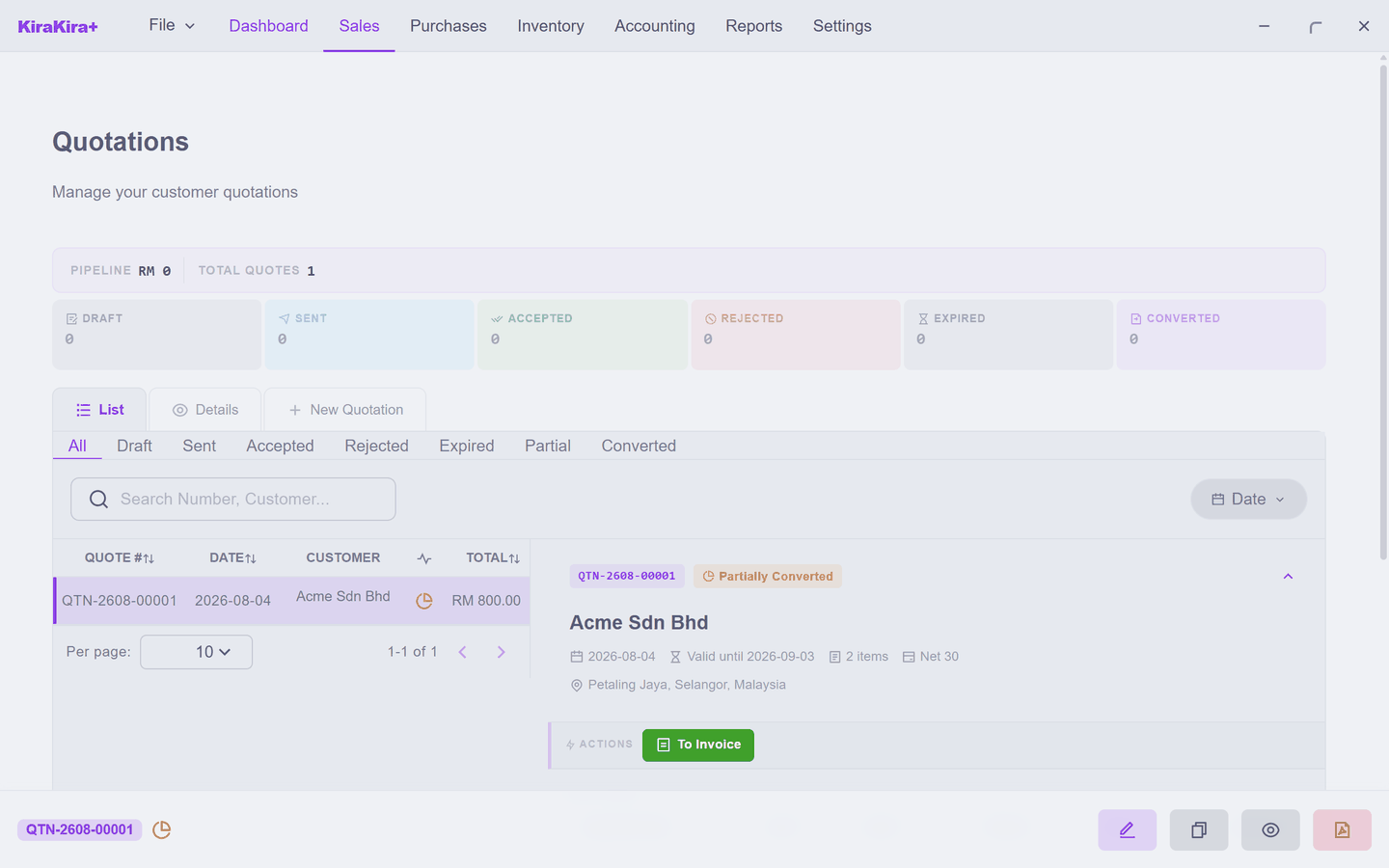
The quote keeps score. With one line converted it reads Partially Converted, and To Invoice stays available for the rest:
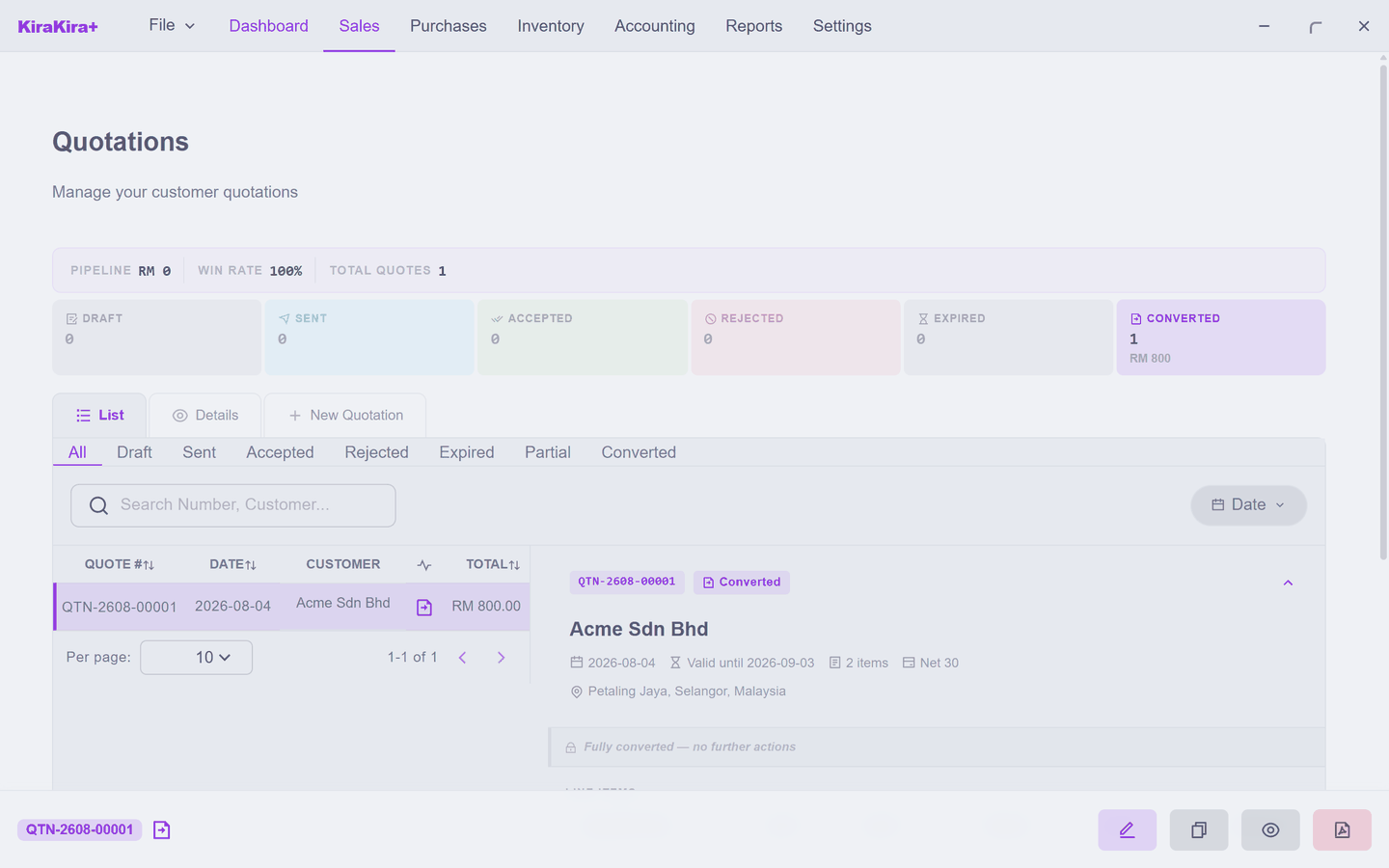
Convert the goods line the same way and the quote closes as Converted:
Only that second invoice touched the shelf — and being Seri Maju's first sale of WGT, it is also where the opening-stock lock question appeared. On the quotation itself: never.
Scenario — Seri Maju prices a package for Acme
Acme asks what twenty-four widgets plus two consulting sessions would cost.
1. Sales → Quotation, then New Quotation. Pick Acme Sdn Bhd.
2. First line: WGT, Qty 24 — the catalogue 25.00 prefills, RM 600. Add Item, second line: SVC-CONSULT, Qty 2 at 100.00, RM 200. Grand Total: RM 800.00.
3. Save, then Finalise. The quote becomes Sent as QTN-2608-00001 — print it or PDF it for Acme. Check Inventory if you like: WGT still shows 50. Offering is free.
4. Acme confirms the consulting but wants the widgets "next month". Press Accept and confirm — the whole quote is agreed, even if it will be delivered in pieces. Open the quote's row on the List tab:
5. Press To Invoice and tick only the SVC-CONSULT line. Continue opens the prefilled RM 200 invoice — finalise it.
6. The quote now reads Partially Converted:
7. Next month, To Invoice again — only the widget line is left. Tick it, Continue, finalise. This one is the first real sale of WGT, so the opening-stock lock question appears — answer Finalize.
Check it worked.
| Where | What you see |
|---|---|
| Sales → Quotation | QTN-2608-00001 Converted, RM 800 out of the pipeline |
| Sales → Invoice | two invoices — RM 200.00 and RM 600.00 |
| Inventory | WGT at 26 pieces — stock moved only when invoiced |
One conversation, one quote, two invoices, and nothing typed twice.