
Appearance
Recording payment (Receipt)
Sales → Payments. A receipt records money a customer has already paid you. You go to the payment, pick the invoice it settles, and the receipt is written for you — that link is what keeps every ringgit tied to the sale it belongs to.
Just been paid for one invoice?
Record a payment you received walks the ordinary case field by field. This page is the reference — partial payments, the refusal that protects you, and settling several invoices at once.
Money in has no approval step
Paying a supplier takes three states — someone asks, someone approves, the money leaves. A receipt is one step, and the difference is the direction: a payment voucher causes money to move, so it earns a pause; a receipt records money that has already arrived. There is nothing to approve about a fact.
So the waiting list is the whole workflow — every invoice still owed money, in one place:
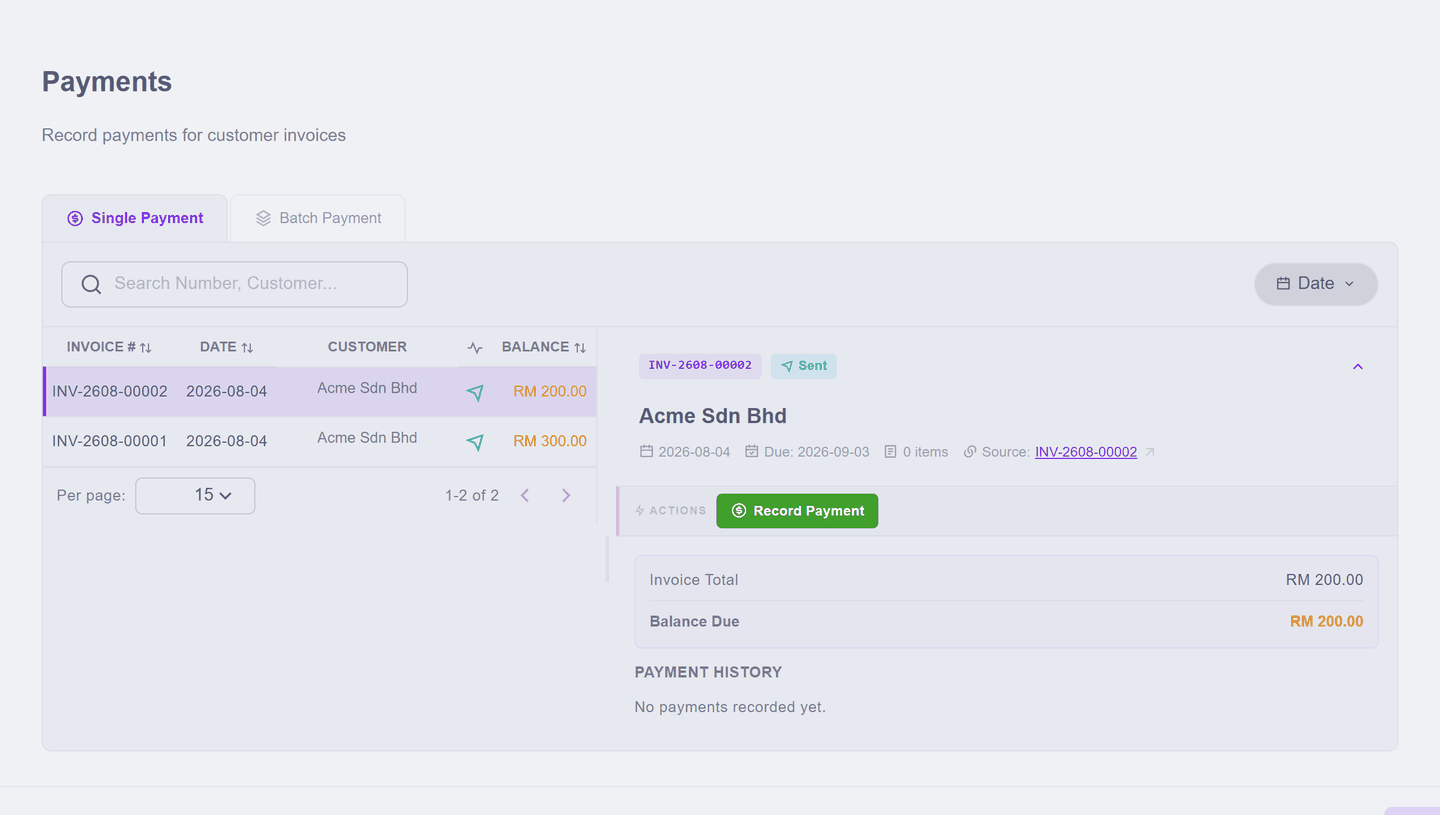
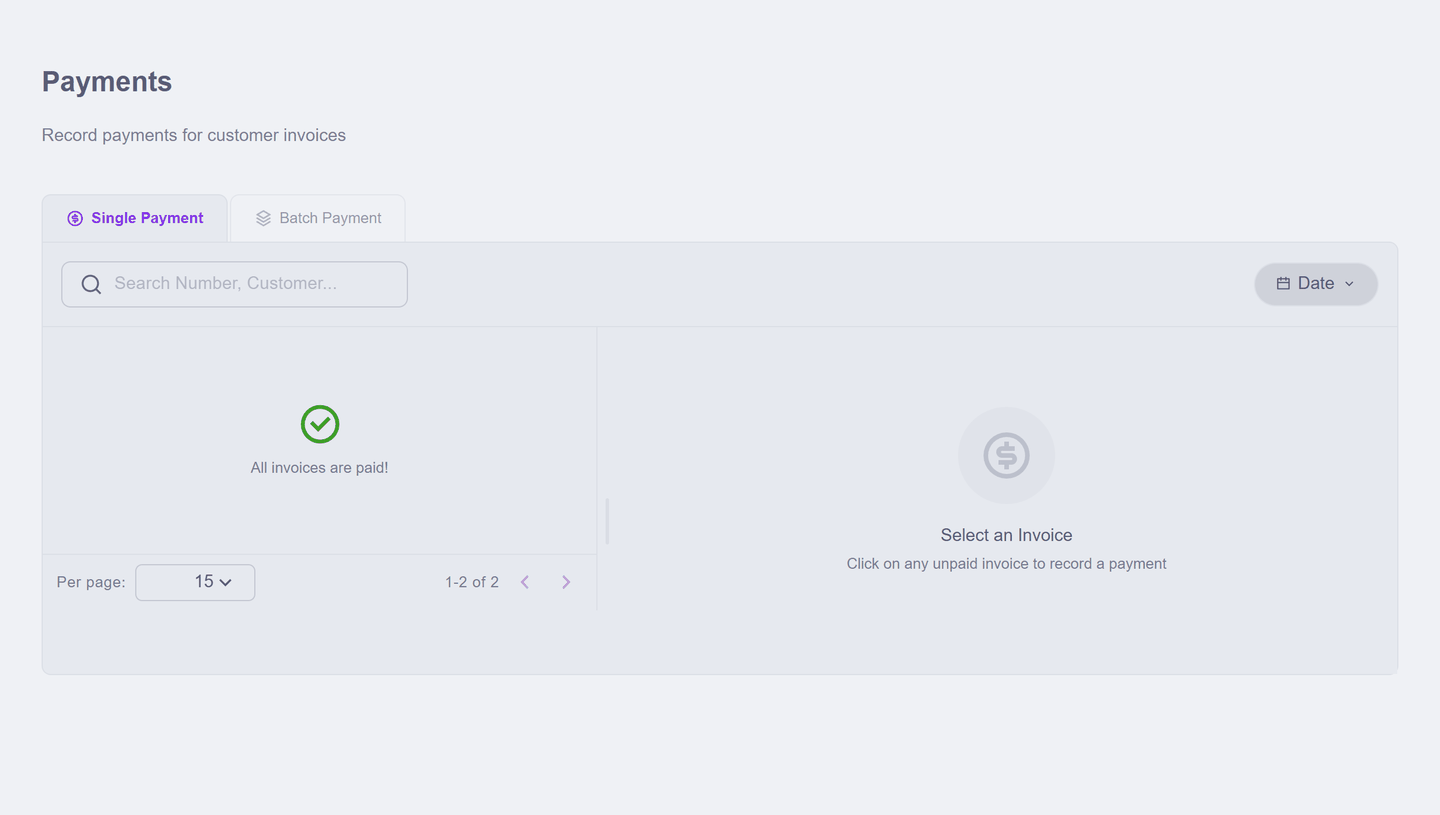
When this screen says "All invoices are paid!", that is the goal state, not an error.
Receiving part of an invoice
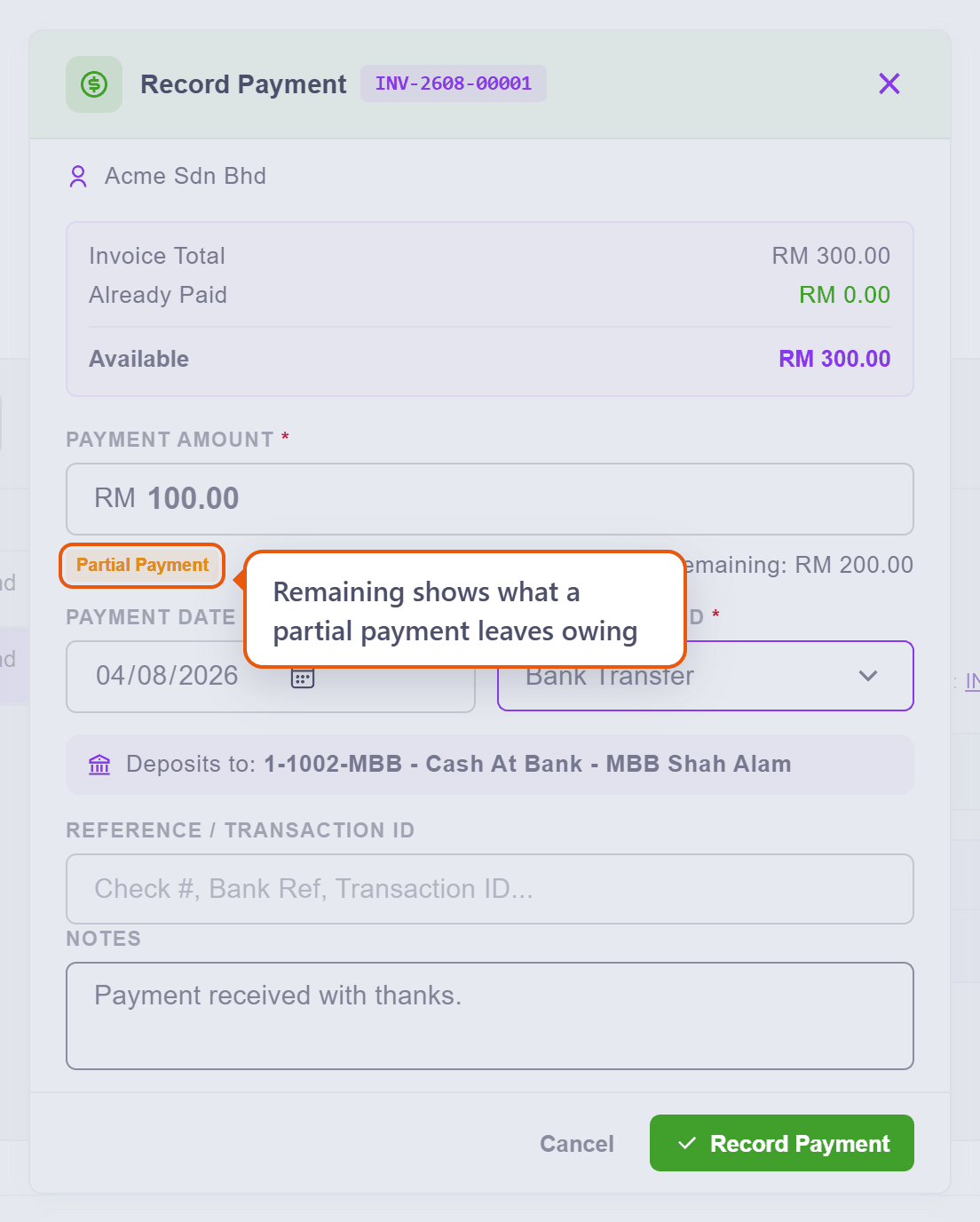
Customers pay in pieces, and the dialog is built for it. The amount arrives prefilled with the full balance — type what they actually paid, and Remaining shows what that leaves owing:
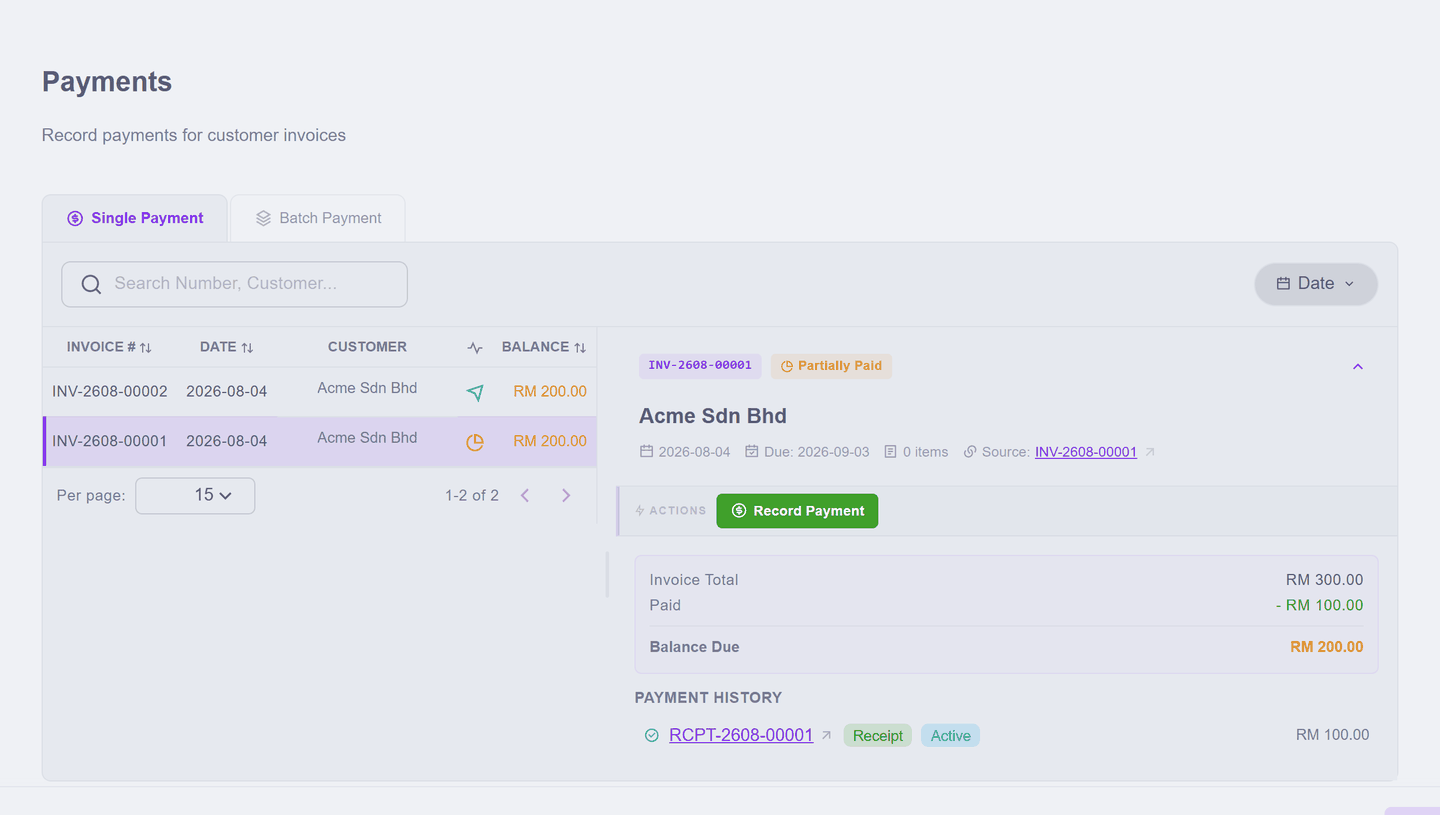
Record it, and the invoice does not leave the list — it becomes Partially Paid and keeps showing what is still due. The next payment is simply recorded the same way, and the invoice's payment history shows them all:
You cannot receive more than is owed
The dialog does its arithmetic in front of you — invoice total, already paid, and Available, the most this payment can be:
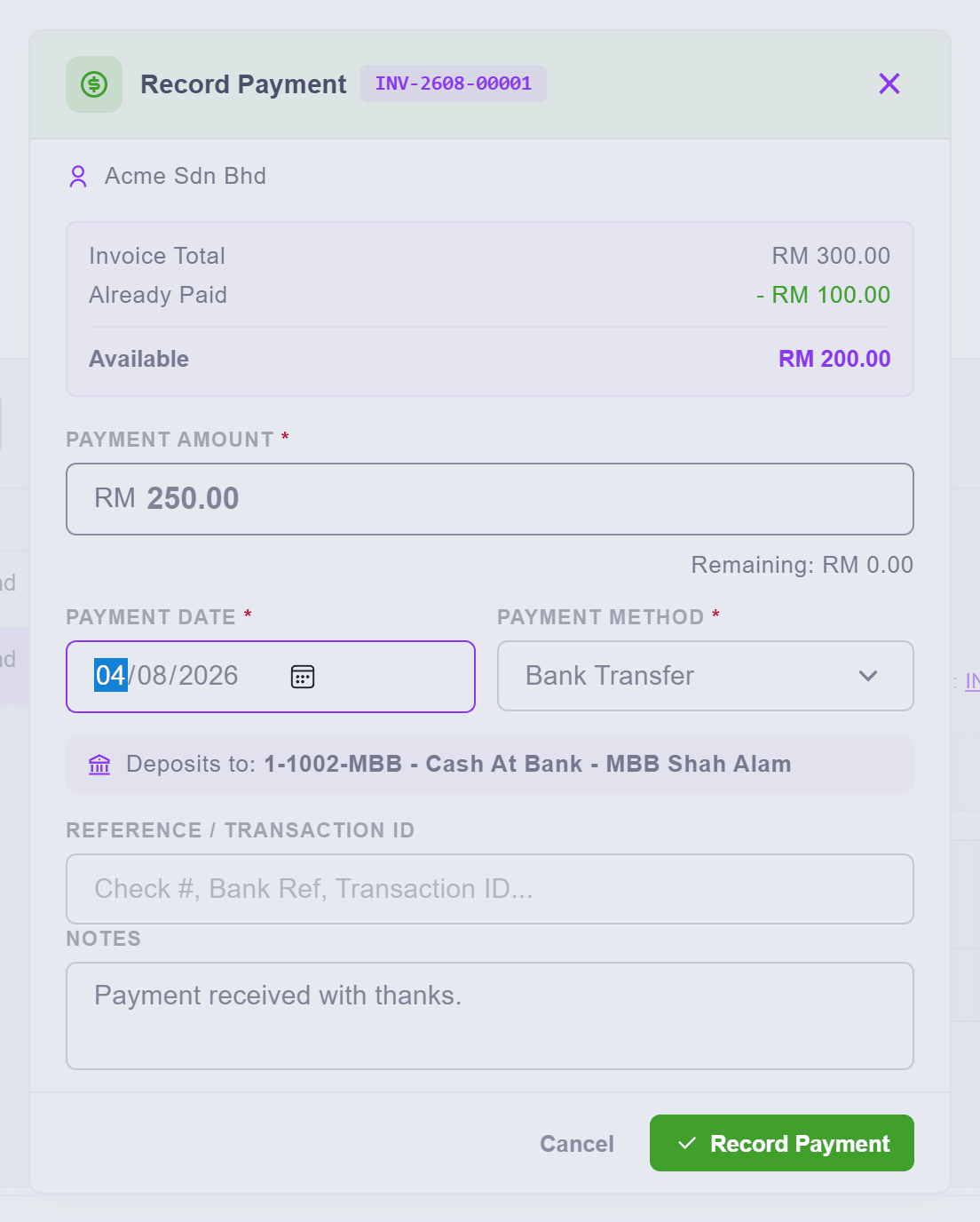
Type more than that anyway — RM 250 against the RM 200 available here — and Record Payment refuses, saying exactly why, right there in the dialog: Amount cannot exceed the available balance of RM 200.00.
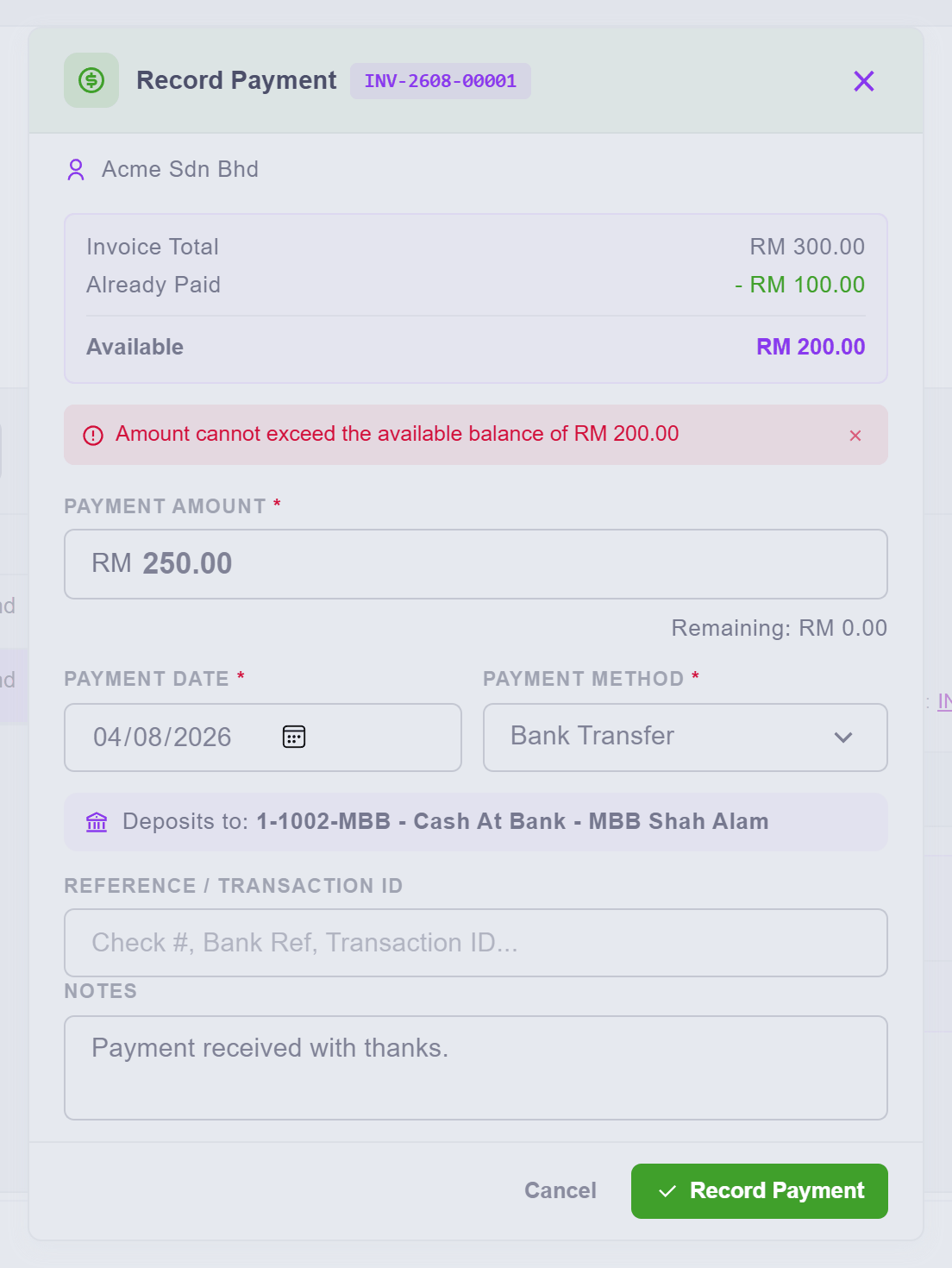
Nothing is recorded; fix the amount and record again. If a customer genuinely sent you too much, the excess is not payment for this invoice — record the available amount here, and treat the rest as what it is (payment toward another invoice, or money to send back).
One transfer covering several invoices
A customer who owes several invoices usually settles them together. The Batch tab is built for that — the mirror of the supplier side's Batch PV:
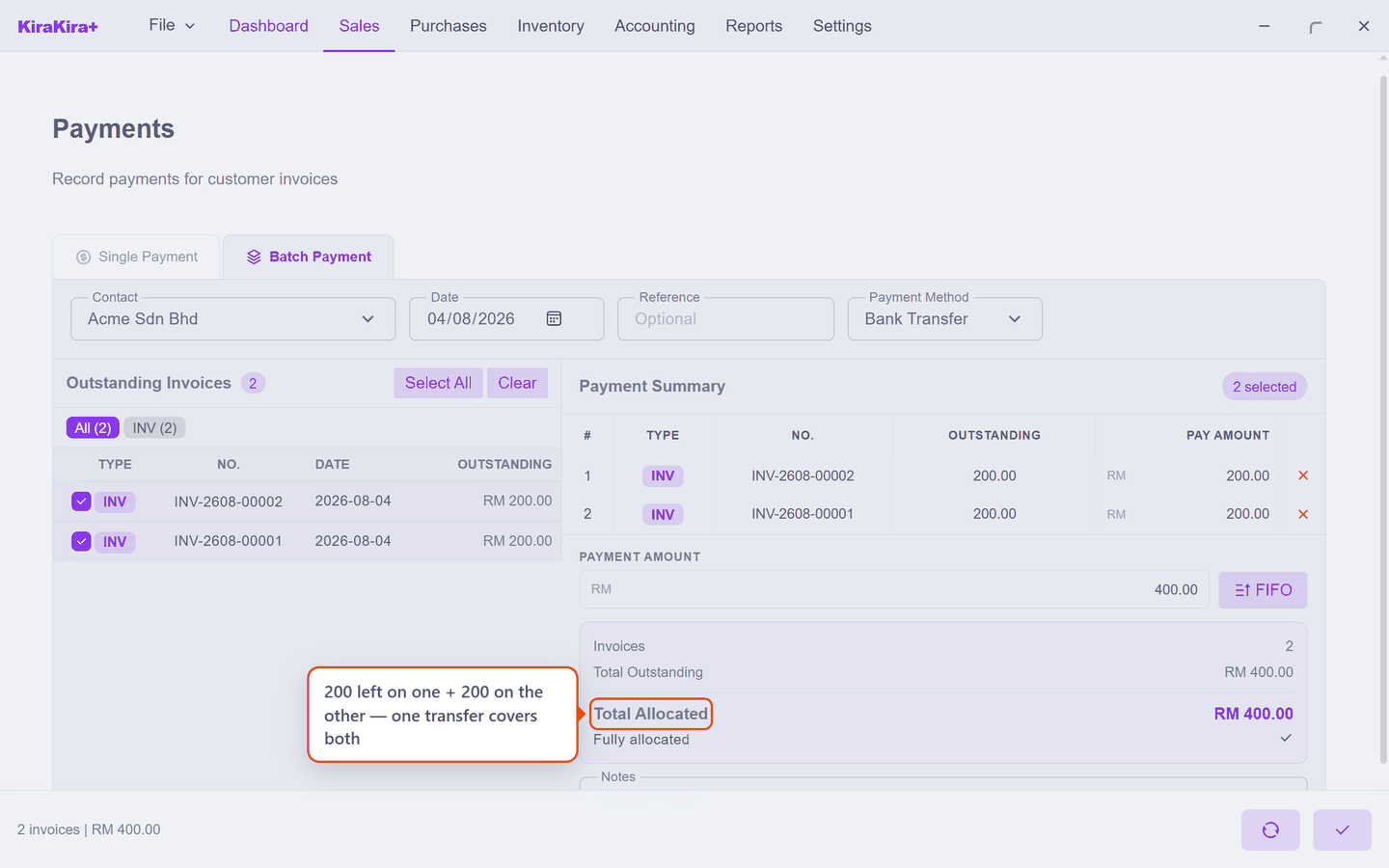
It asks who paid before it lists anything, because one payment comes from one customer. Tick what the transfer covers, type the amount that actually arrived, and check Total Allocated matches it before confirming.
Two extras worth knowing:
- Credit notes net off. If the customer holds a credit note, the list offers it alongside the invoices — tick it and the credit reduces what the transfer needs to cover.
- FIFO. Type a lump sum and press FIFO, and it spreads oldest-first — for the customer who pays "RM 2,000 off the account" rather than specific invoices.
Every payment becomes a receipt
Each recording — single or batch — mints its own RCPT- document under Sales → Receipts, tied to the invoices it settled:
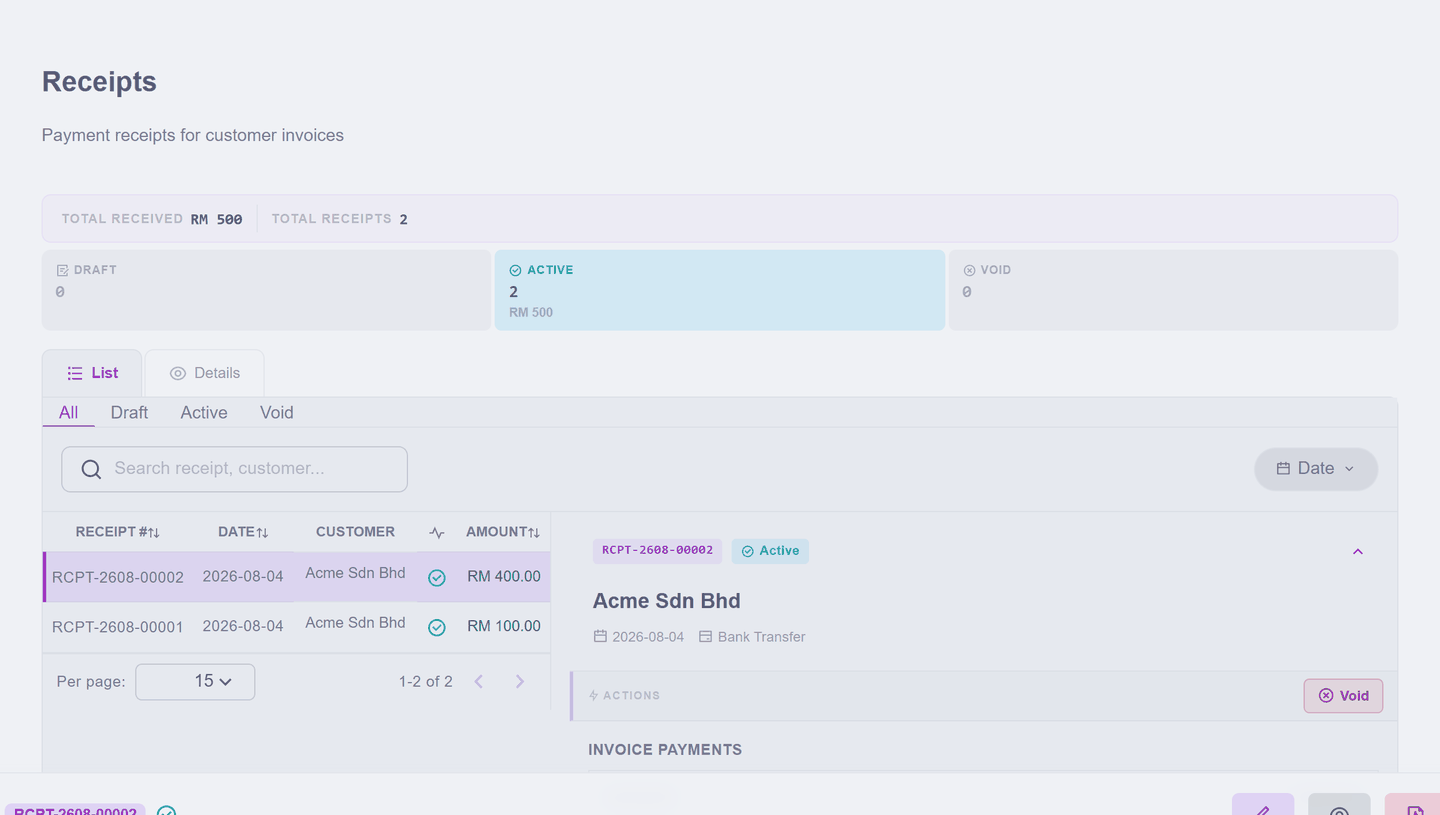
Like every official document it is not edited afterwards — a receipt recorded wrongly is voided, which puts the invoice's balance back where it was, and you record it again correctly.
Scenario — Acme pays, their way
Acme owes two invoices: INV-2608-00001 for RM 300.00 (the widgets) and INV-2608-00002 for RM 200.00 (the consulting). They pay RM 100 on account first, then clear the rest with one transfer.
1. Sales → Payments. Both invoices are on the waiting list:
2. Click INV-2608-00001, press Record Payment, and type 100 over the prefilled 300 — Remaining shows the 200 that will stay owing. Set Payment Method to Bank Transfer and record it.
3. The invoice stays on the list at 200.00 still due:
4. A week later Acme transfers RM 400 for everything. Switch to the Batch tab, choose Acme Sdn Bhd, set the method, press Select All, and type 400 into the payment amount. Total Allocated reads RM 400.00 — 200 left on one invoice, 200 on the other.
5. Press the double-tick to record it.
Check it worked.
| Where | What you see |
|---|---|
| Sales → Payments | "All invoices are paid!" |
| Sales → Invoice | both invoices Paid |
| Sales → Receipts | two receipts — the RM 100 single and the RM 400 batch |
Every ringgit is attributable: which customer, which invoice, which transfer, into which account.
Next: Quotations.