
Appearance
Correcting mistakes
One rule sits behind every fix in this chapter: you never edit history. A finalised document stays exactly as it was issued, and every correction is a new document — or a void — that says what changed and why. That is not the app being stubborn. It is what makes your books trustworthy: anyone, including you in six months, can replay exactly what happened, mistake included.
Which correction you reach for depends on what went wrong:
| What went wrong | What you do |
|---|---|
| It is still a Draft | just edit it — or delete it. Drafts cost nothing |
| You entered the same bill twice | Void the duplicate — Scenario A |
| The goods went back to the supplier | a Return-basis Debit Note |
| The goods are fine but the price was wrong | an Allowance debit note for the difference — Scenario B |
| The whole bill is wrong, but Void refuses or the bill already left the building | a full Debit Note, then re-enter it right — see below |
| You requested a payment wrongly (not yet processed) | Void the voucher — Scenario C |
| The bill is already paid and money must come back | a Supplier Refund — the cash really moved |
| A typo in their invoice number | just fix it — it stays editable, it changes no figures |
Void is not delete
Void exists for a document that should never have existed — the same bill typed twice, the wrong supplier picked. The dialog says plainly what it will do — "Voiding will reverse the journal entry and any inventory transactions. This cannot be undone." — and it always asks why. The Void button stays dead until you answer:
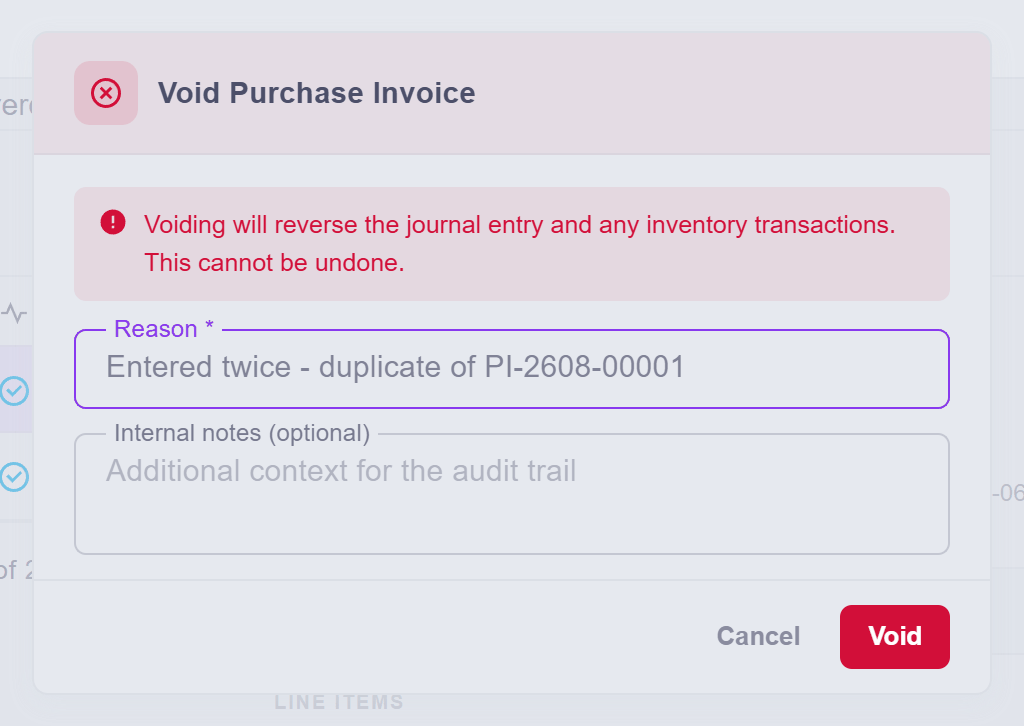
The reason goes into the audit trail, and the document stays on the record — struck out, not erased. Six months later, the void explains itself.
Scenario A — the same bill, twice
VendorCo's bill V-2026-0600 got entered twice — easy to do on a busy day. The app does not stop you: two identical bills are often perfectly legitimate (a recurring monthly charge looks exactly like this), so this catch is yours to make. Until you make it, the damage is real — stock and what you owe are both doubled.
The fix: open Purchases → Purchase Inv, click the duplicate, press Void, and say why — "Entered twice — duplicate of PI-2608-00001".
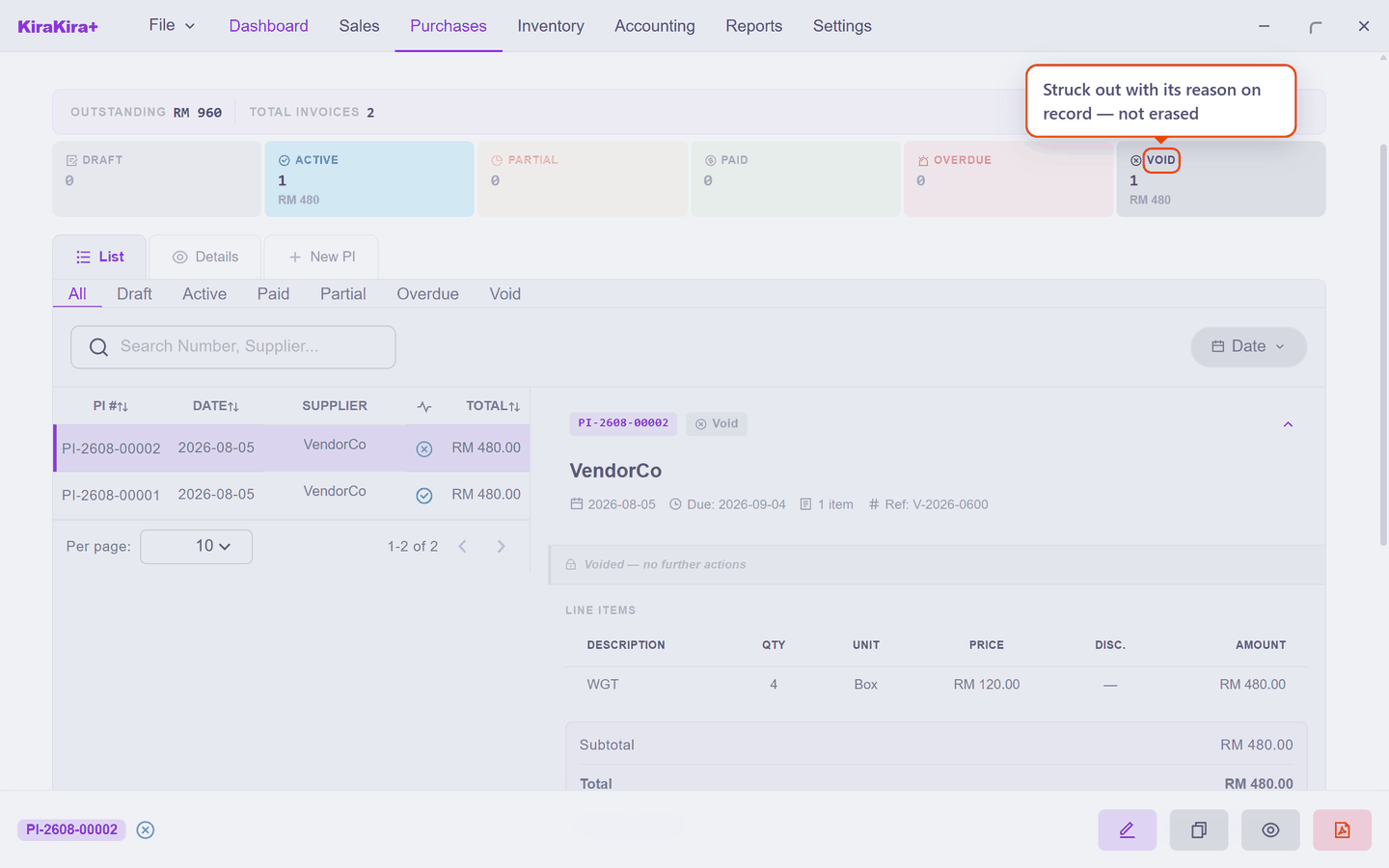
Stock walks back down, the debt walks back down, the real bill is untouched — and the void sits in the list with its reason, telling the story.
How do you spot a duplicate?
The same supplier, the same figure, suspiciously close dates. The supplier's own invoice number is your best friend here — it is why the bill page nags you to record it.
Scenario B — the price was wrong, the goods are fine
VendorCo billed 130.00 a box for the usual four boxes — the agreed price is 120. The delivery is fine; only the money is wrong, by RM 10 a box.
Do not return anything, and do not void a real delivery. This is what the Allowance basis on a Debit Note is for: a money-only correction. Raise the note from the bill, take the whole line, and switch the basis to Allowance — then the numbers change meaning:
- Quantity is how many units the concession covers — all 4 boxes;
- Unit price is the overcharge per unit — RM 10.00, not the price of a box.
Four boxes × RM 10 = a RM 40.00 correction:
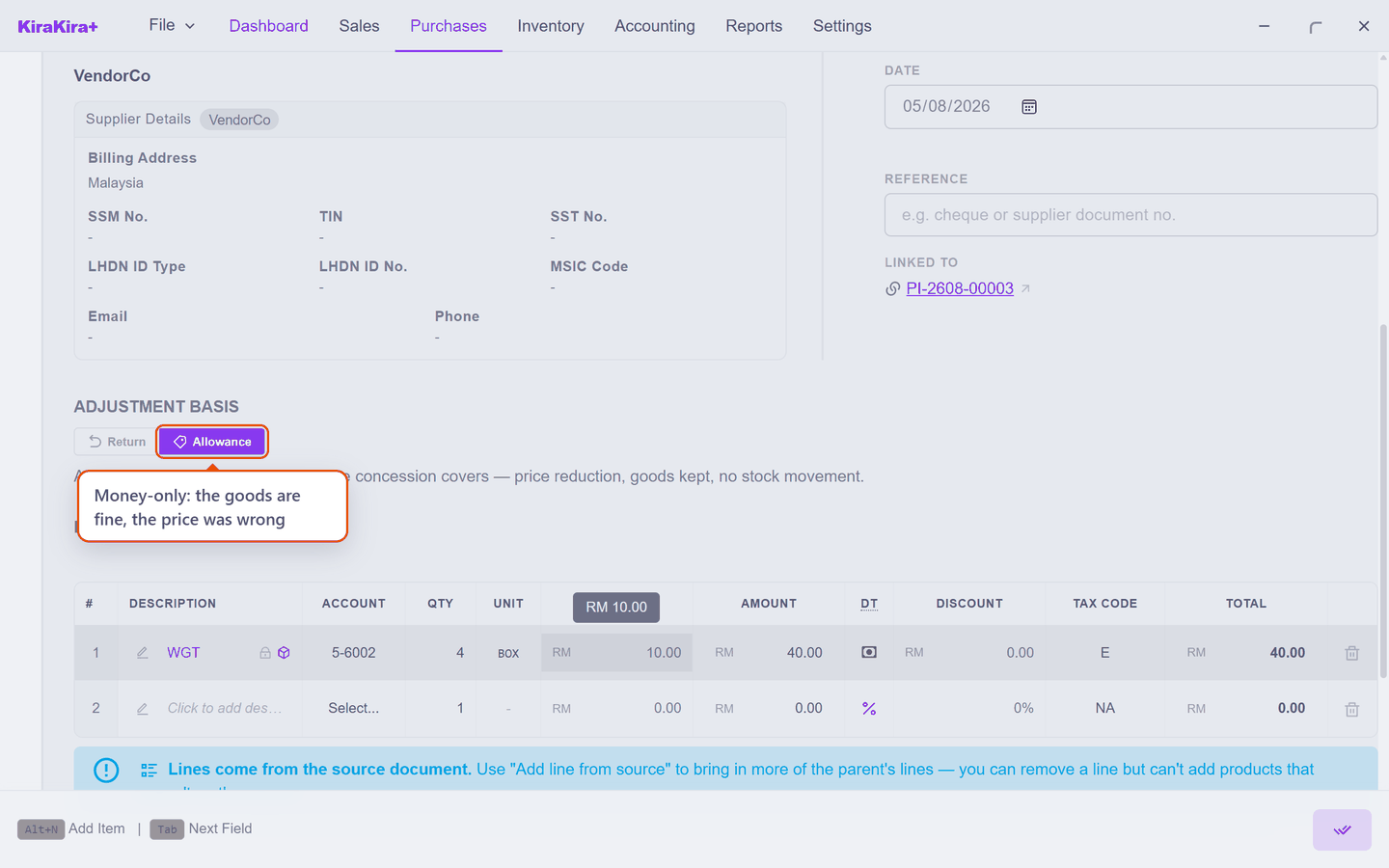
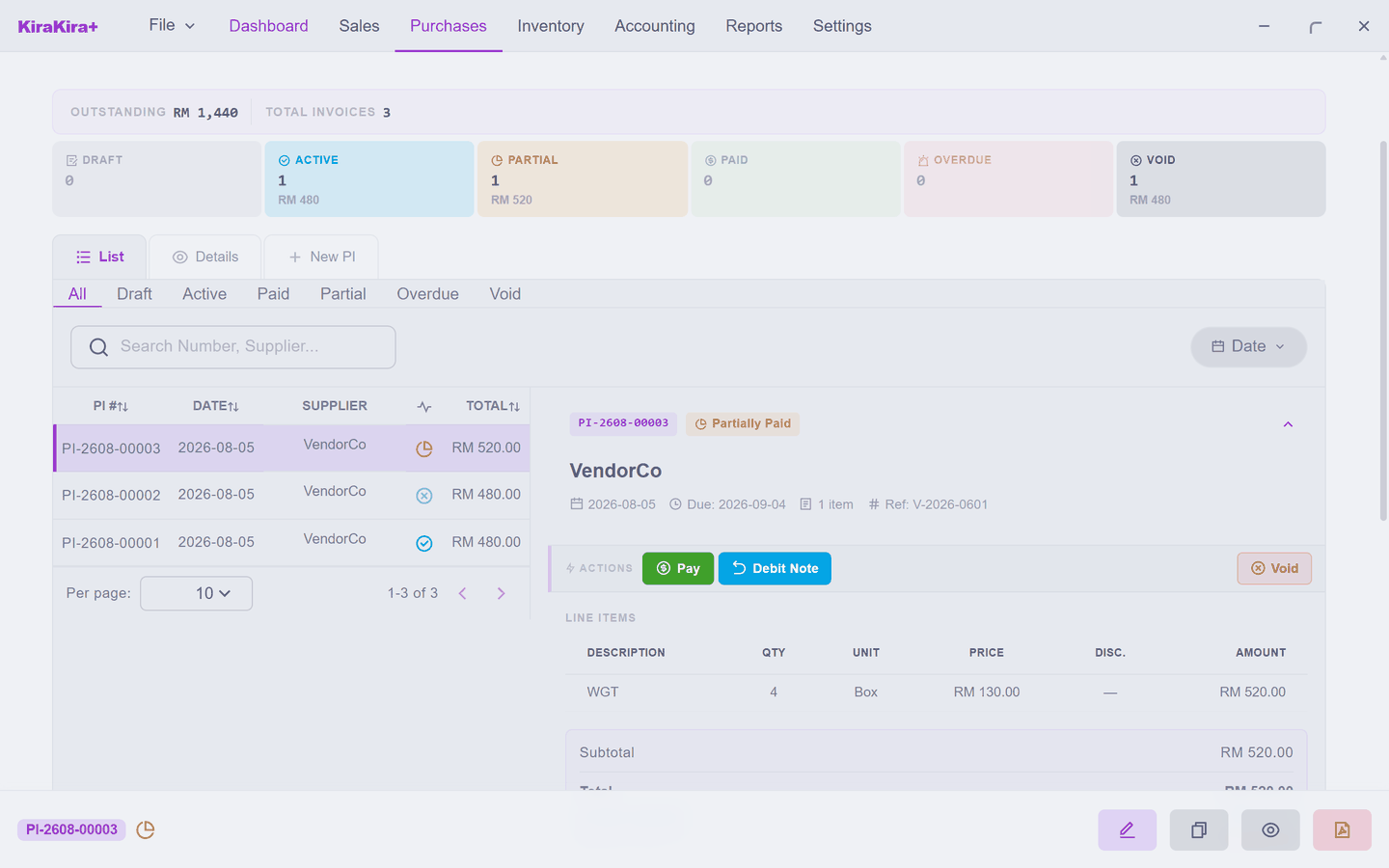
Finalise it, and the bill drops to the RM 480.00 it always should have been — and your stock has not moved a single piece, because nothing physical happened:
Scenario C — the payment request was wrong
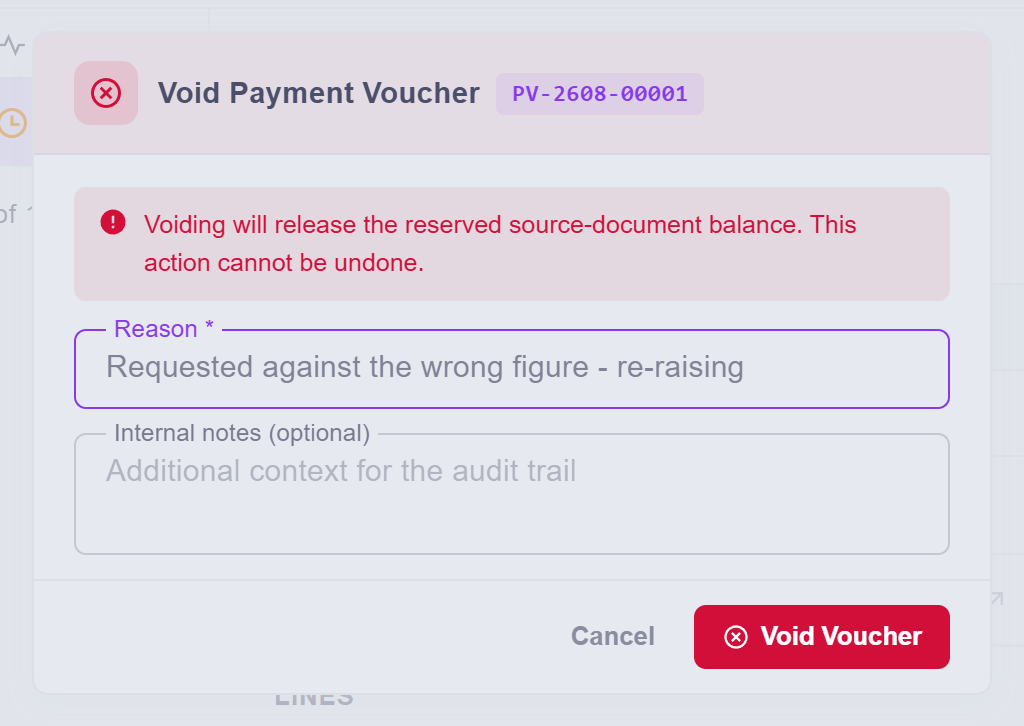
You pressed Pay on the bill, raised the voucher — and then noticed the figure was wrong, or it was the wrong bill entirely. As long as the voucher is still Pending (or Approved but not processed), nothing has actually left your bank: the request is just a request, and the fix is the same word as Scenario A. Open the voucher and Void it, with its reason:
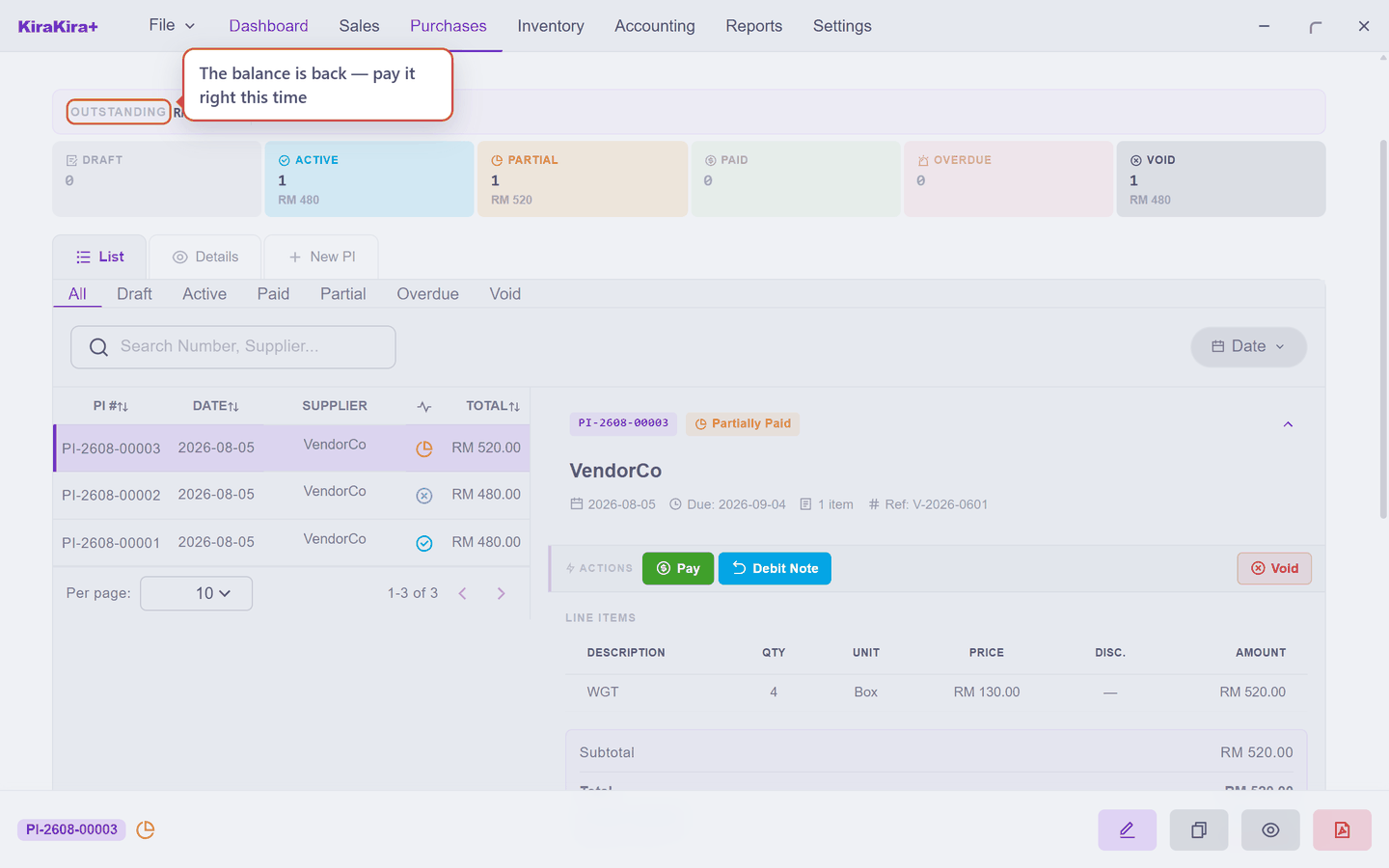
The bill's balance comes straight back, ready to be paid correctly:
Processed is different
A voucher that has been Processed cannot be voided — the app treats moved money as a fact, because it is one. If cash genuinely went out wrongly, the road back runs through the supplier returning it: a Supplier Refund.
Cancelling without voiding — the full debit note
Void suits a document that should never have existed. But sometimes the bill was real and still has to go — and Void is either refused (payments or other documents already hang off it) or simply the wrong tool, because the bill genuinely happened and was seen by the outside world.
The road for that case is a Debit Note for the whole bill, then a corrected bill built from a copy. Here it is end to end — VendorCo has re-issued their own invoice (V-2026-0700 said 4 boxes; only 3 were agreed, and V-2026-0700A replaces it), so the recorded bill must be cancelled on paper:
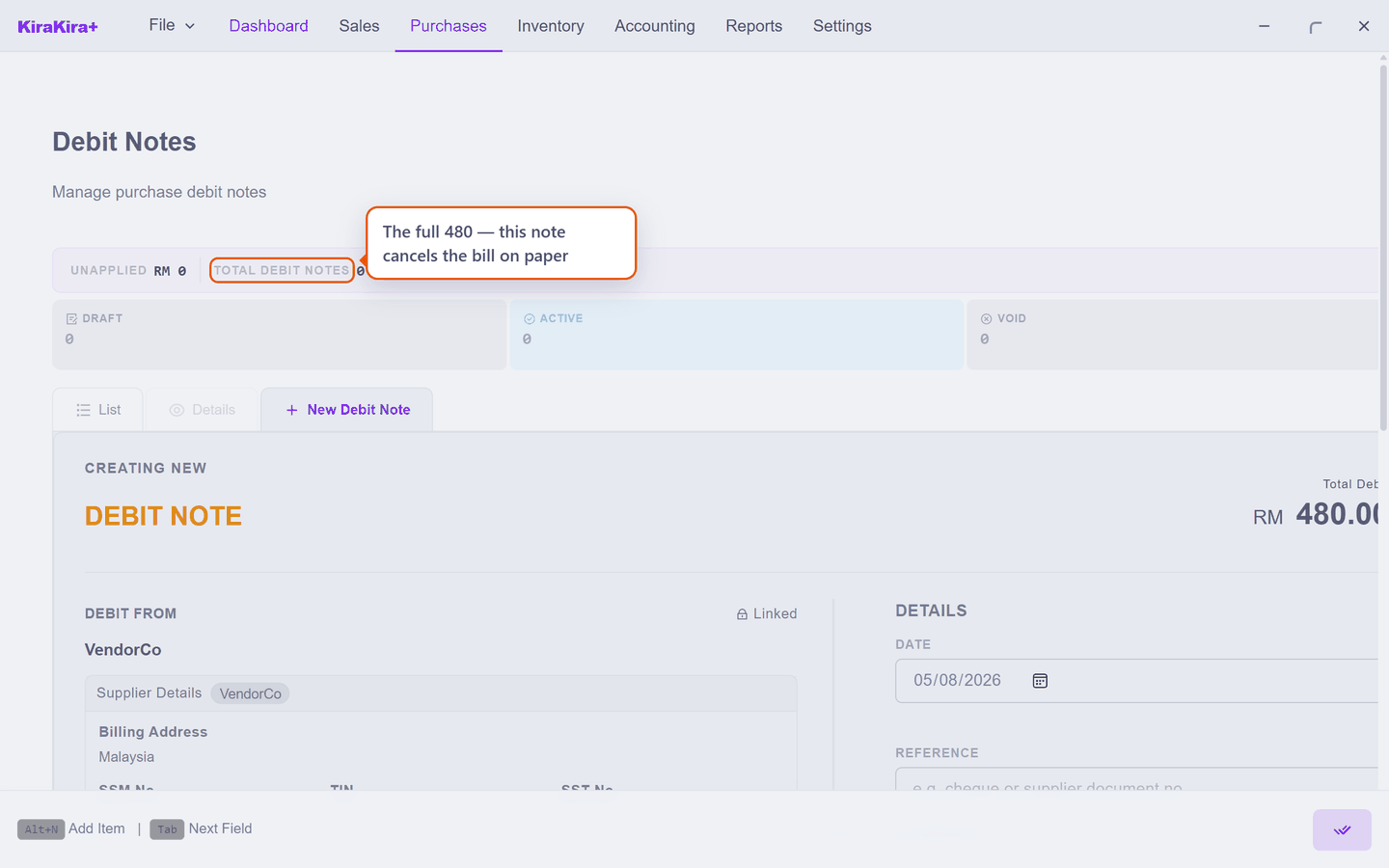
1. Open the wrong bill, press Debit Note, and in the picker press Debit All — every line, the whole RM 480:
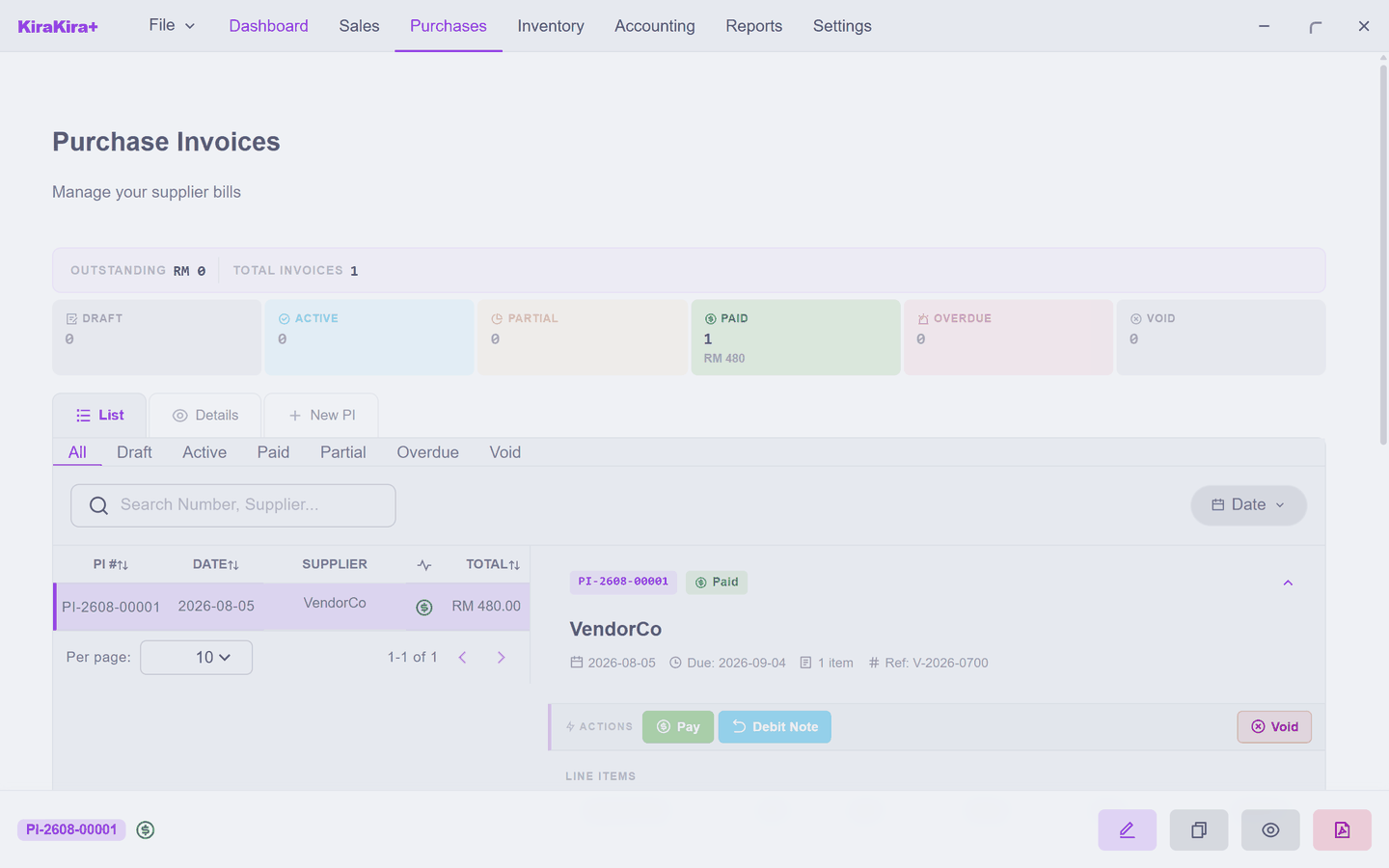
2. Finalise the note. The bill ends settled at RM 0, the 48 pieces walk back off the shelf, and both documents sit on the record, each explaining the other:
3. With the cancelled bill still selected, press Duplicate (the copy button). A fresh draft opens with every line carried over — fix only what was wrong: the quantity to 3, and their replacement invoice number:
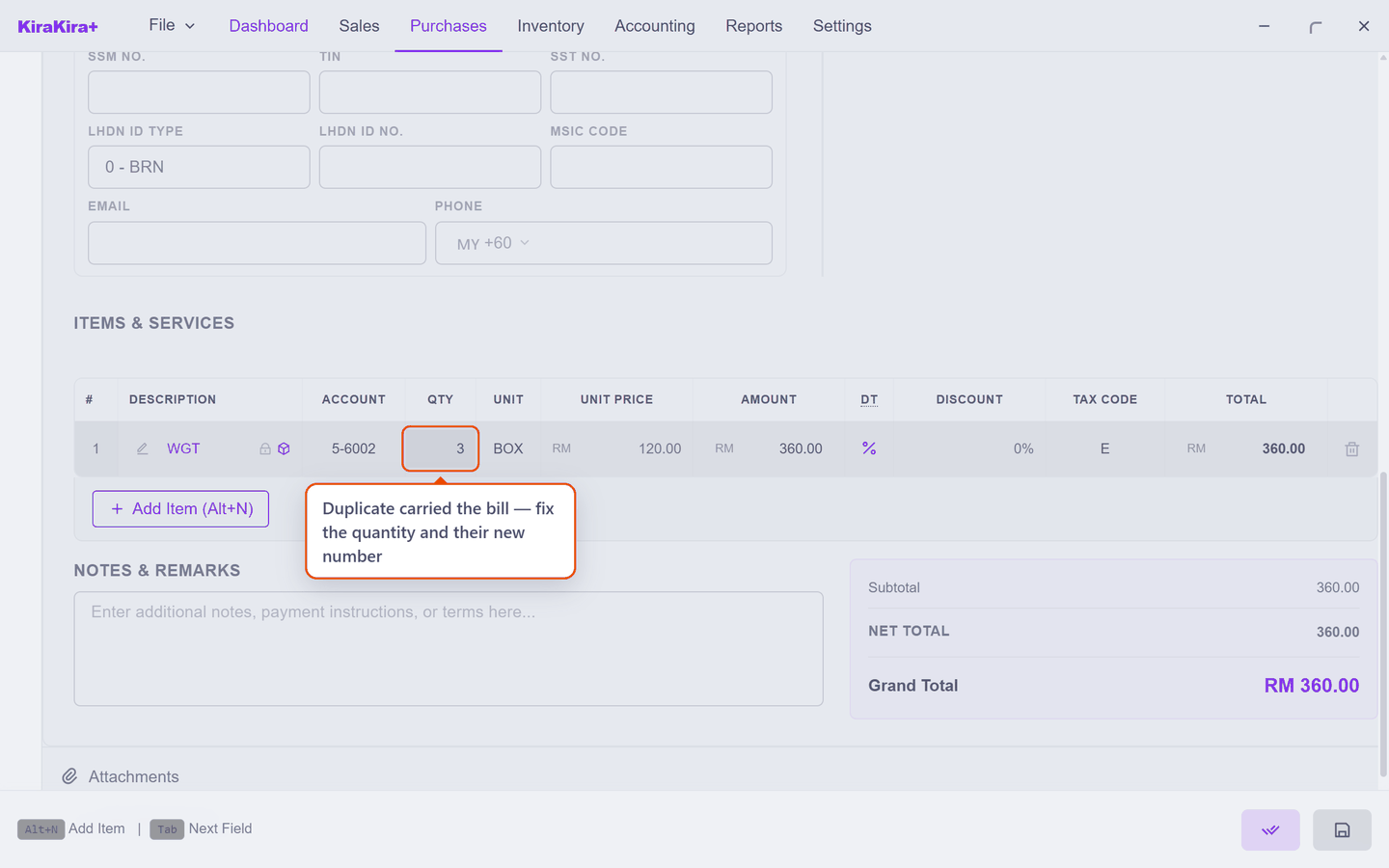
4. Finalise it. RM 360 owed, 36 pieces on the shelf — the numbers the deal always meant, with the whole correction readable in the record.
Void erases an entry error; a full debit note documents a cancellation. When in doubt about which you have, ask: did the outside world ever see this bill? If yes, cancel it on paper — do not pretend it never existed.
Why this matters more under e-invoicing
If your business falls under LHDN's e-invoice mandate, this stops being a style preference. A validated e-invoice can only be cancelled within 72 hours; after that window the document is permanent, and the only recognised correction is a debit note, credit note or refund note — followed by a fresh, correct document. In other words: the correct-by-new-document habit this chapter teaches is exactly what the tax system expects. Void is for documents that never left your books.
The pattern
Three mistakes, one shape: the fix is always its own document, with its own reason, and the mistake stays visible. Nothing in this chapter deleted anything. That is exactly what you want your books to look like when someone else reads them.
Next: Invoices.