
Appearance
Walk-in and one-off contacts
Not everyone you sell to is worth saving. A cash sale over the counter, a one-time job for someone you will never see again — for those, KiraKira+ lets you type a name straight onto the document instead of creating a contact.
You will not find this on the Contacts screen
There is no "walk-in" row to add. The choice lives on the document, at the top of the invoice or bill, and it is the first thing on the form.
Yes or No, at the top of the document
Every invoice, quotation and bill starts with the same small switch:
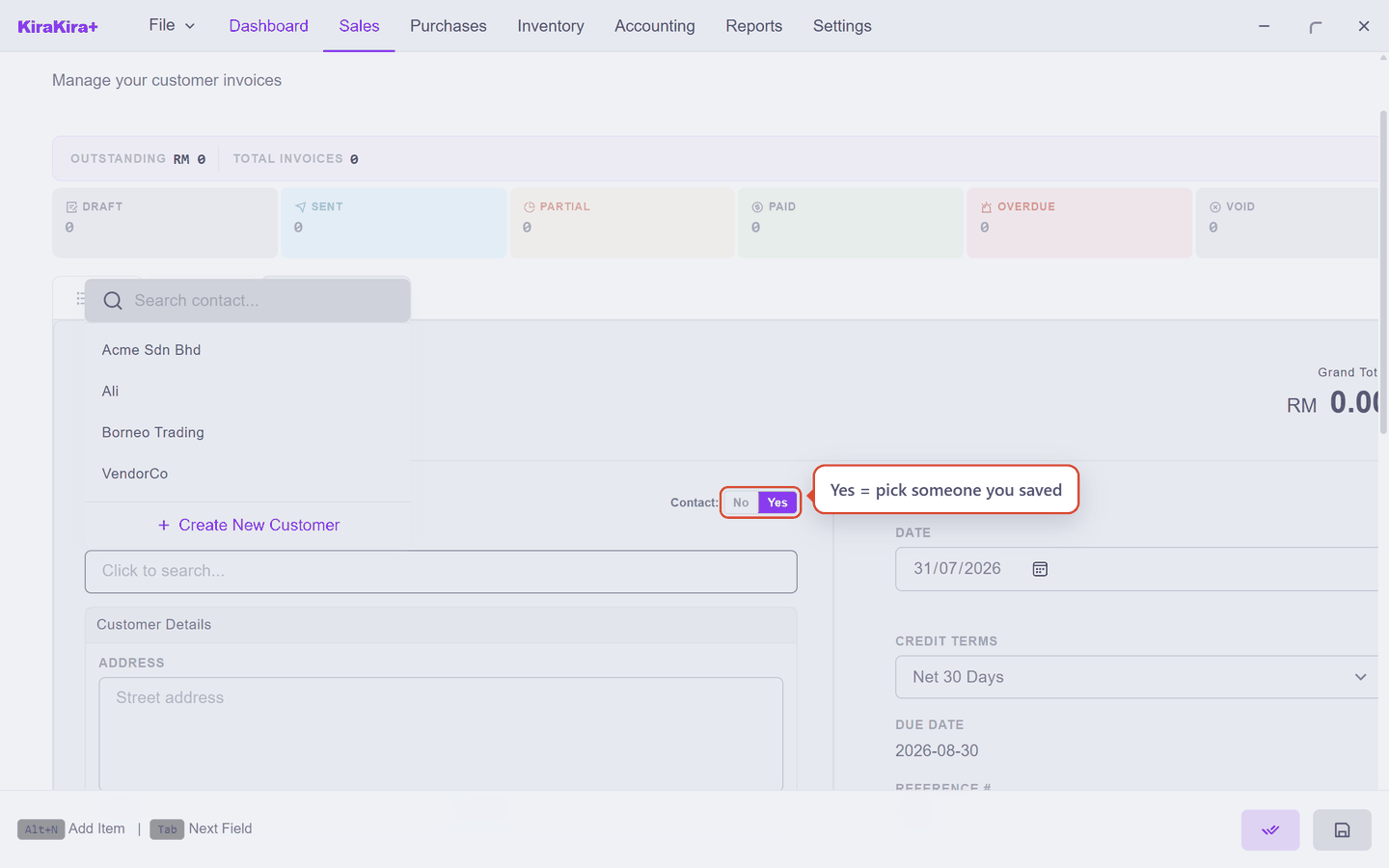
Yes is the normal path — search for someone you have already saved, or create them on the spot.
Switch it to No and the search is replaced by a plain name box:
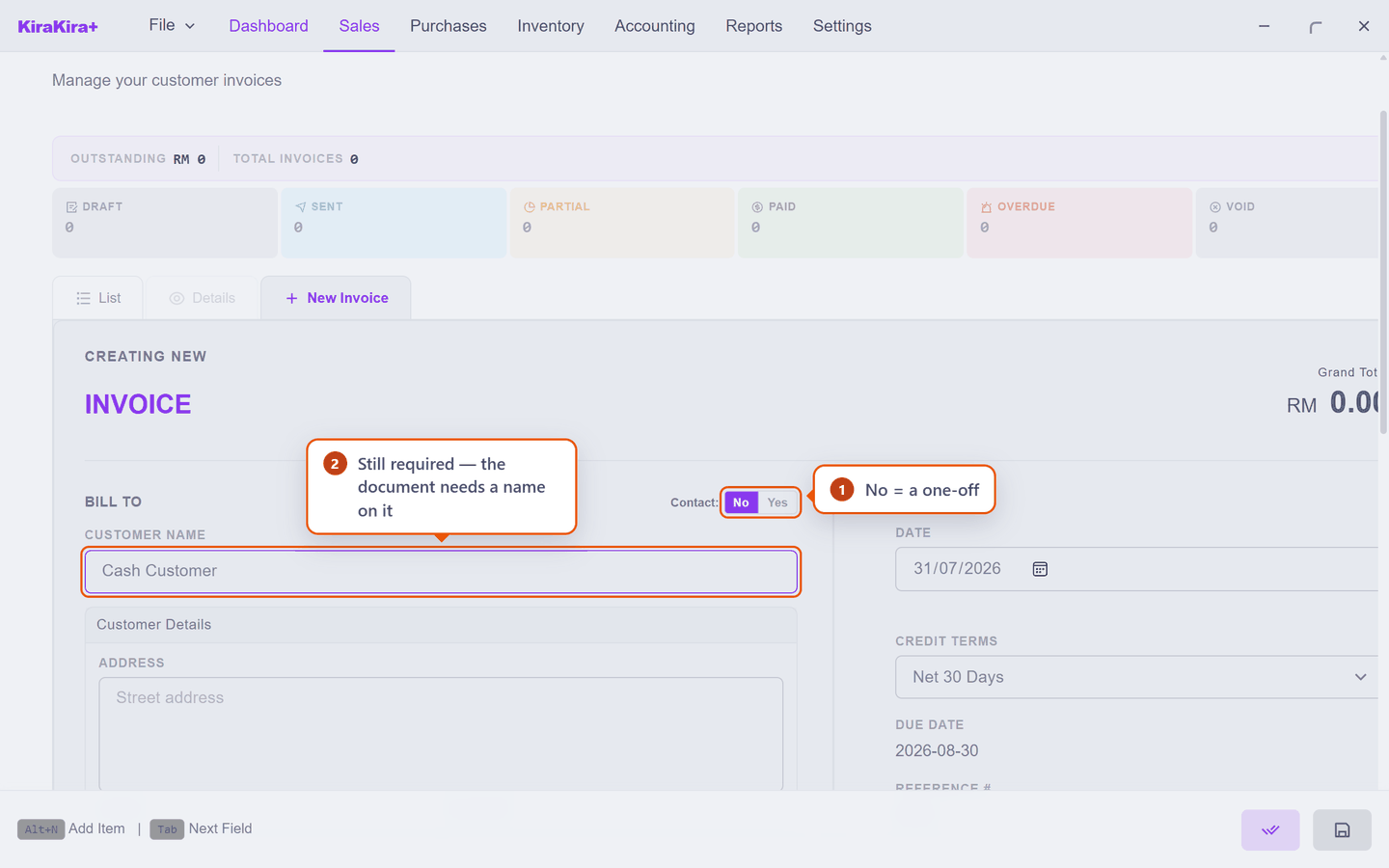
| What it means | |
|---|---|
| 1 | No — this is a one-off. Nothing will be added to your contact list. |
| 2 | You still have to type a name. A document has to say who it is for, even a cash sale. Anything sensible will do — Cash Customer, Walk-in, the person's actual name. |
Nothing is added to your contacts
This is the whole point. The name you type is recorded on that document and nowhere else. Your contact list is exactly as it was:
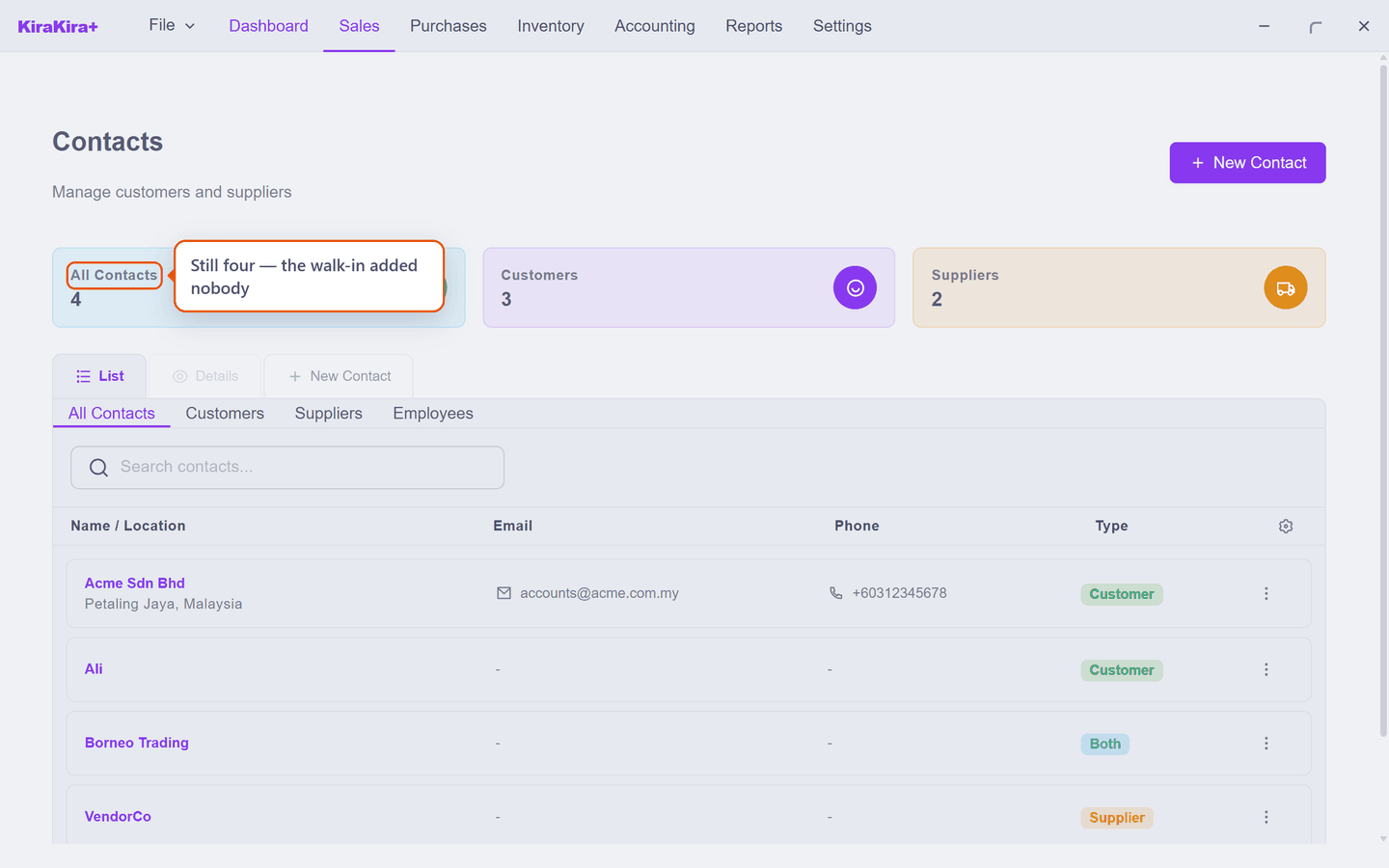
That is also the trade-off. Because there is no contact behind it, a walk-in name is not remembered, does not autocomplete next time, and gives you no history — you cannot look up "everything Cash Customer ever bought", because as far as the books are concerned each one was a different stranger.
Which one should you use?
| Use a saved contact when | Use walk-in when |
|---|---|
| They will buy again | It is a one-off |
| You need to chase payment later | They are paying now |
| You want their history in one place | There is no history to keep |
| The invoice needs their tax details | It is a plain cash sale |
Switching back to Yes clears what you typed
Going from No back to Yes empties the name, address and tax boxes so you can search cleanly. Going the other way — Yes to No — keeps what was already there. If you change your mind after typing a lot, change it before you type, not after.
Started as a walk-in, turned into a regular?
Nothing to undo. Add them properly on Adding a customer and use them from the next document onward. The earlier walk-in invoices stay exactly as they were issued — that is correct, and the accounts already balance.
Next: Tax and registration details.