
Appearance
Payment methods and bank accounts
Settings → Payment Methods. A payment method is the link between "the customer paid" and which account the money landed in.
This one blocks work if you skip it
You can raise invoices without touching this page, but you cannot record getting paid. A Receipt (money in) and a Payment Voucher (money out) both need a method backed by a real cash or bank account.
What ships already
Seven methods are set up for you, covering how a Malaysian small business normally gets paid:
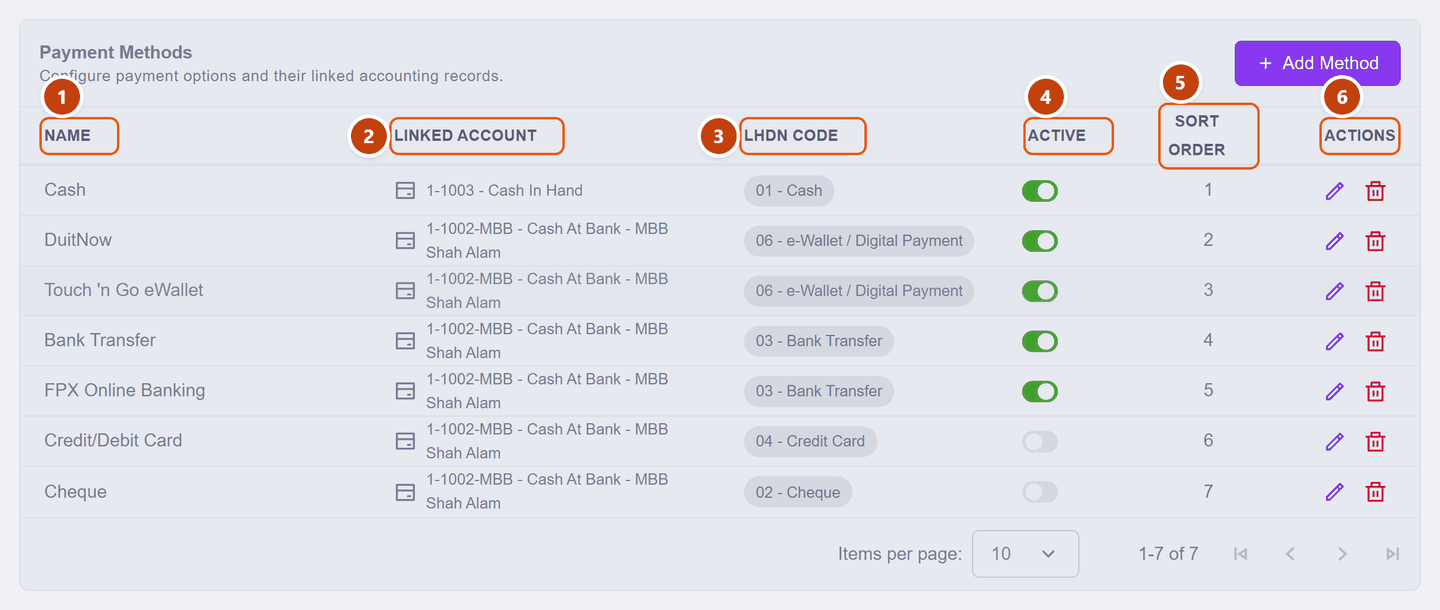
| Column | What it is | |
|---|---|---|
| 1 | Name | What you pick from when recording a payment |
| 2 | Linked Account | Where the money lands in your books — a cash or bank account |
| 3 | LHDN Code | The payment-mode number LHDN recognises (01 Cash, 02 Cheque, 03 Bank Transfer …) — relevant only to e-Invoice. Every method that ships already carries one |
| 4 | Active | Off = hidden when recording payments |
| 5 | Sort Order | The order they appear in the picker — put your commonest first |
| 6 | Actions | pencil edits the method · bin deletes it |
Switch off rather than delete
If you simply do not take a method, turn Active off — it disappears from the pickers but your history still reads properly. KiraKira+ will refuse to delete a method once a receipt, payment voucher or supplier refund has used it, and will tell you to make it inactive instead. Keep the bin for a method you added by mistake.
Credit/Debit Card and Cheque ship switched off. Turn them on if you take them.
The one thing you must change
Look down the Linked Account column: every bank-based method points at the same account, 1-1002-MBB — Cash At Bank — MBB Shah Alam. That is the demo company's bank account, just like the demo company name.
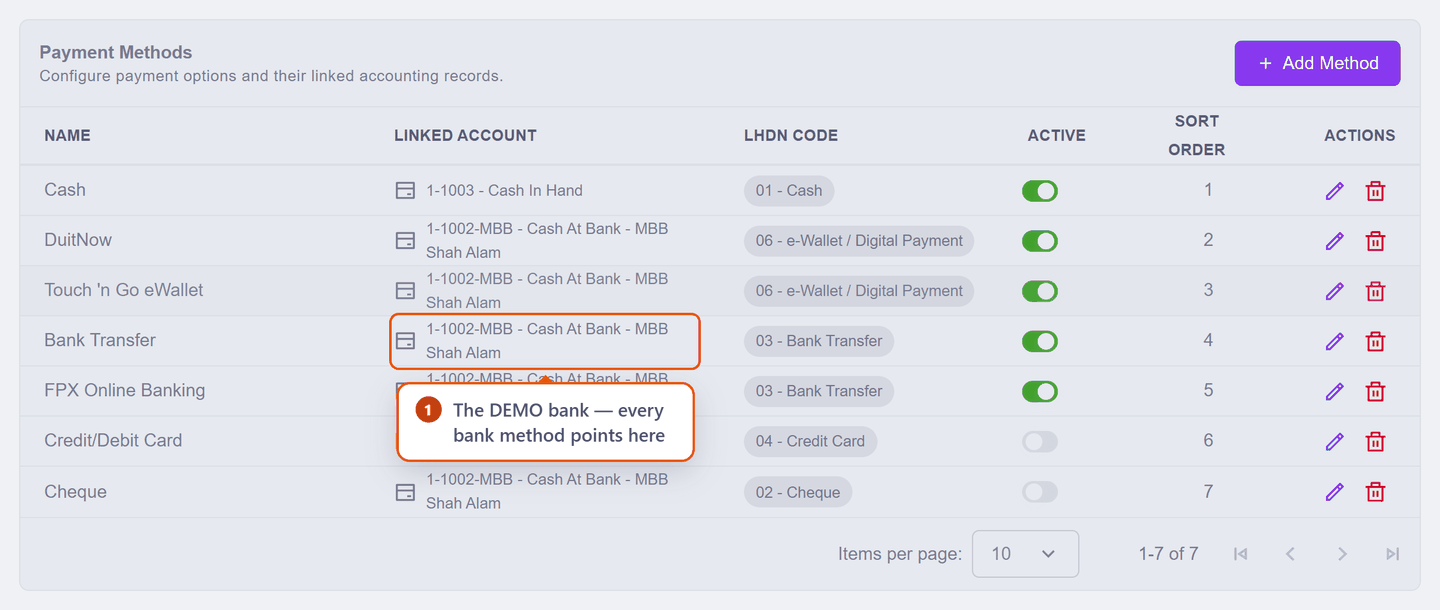
If you leave it, your receipts will be recorded against a bank you do not have.
Scenario — pointing the methods at your own bank
Seri Maju banks with CIMB, and also takes cash.
The easy way: rename the account. Because all six bank methods already point at the same account, renaming that one account fixes all of them at once.
Go to Accounting → Chart of Accounts. The list opens collapsed, so switch on Expanded to see individual accounts, then find 1-1002-MBB (it sits under 1-1002 — Cash At Bank) and click its pencil:
| Field | What Seri Maju enters | |
|---|---|---|
| 1 | Account Code | 1002-CIMB — the 1- in front is added for you |
| 2 | Account Name | Cash At Bank - CIMB |
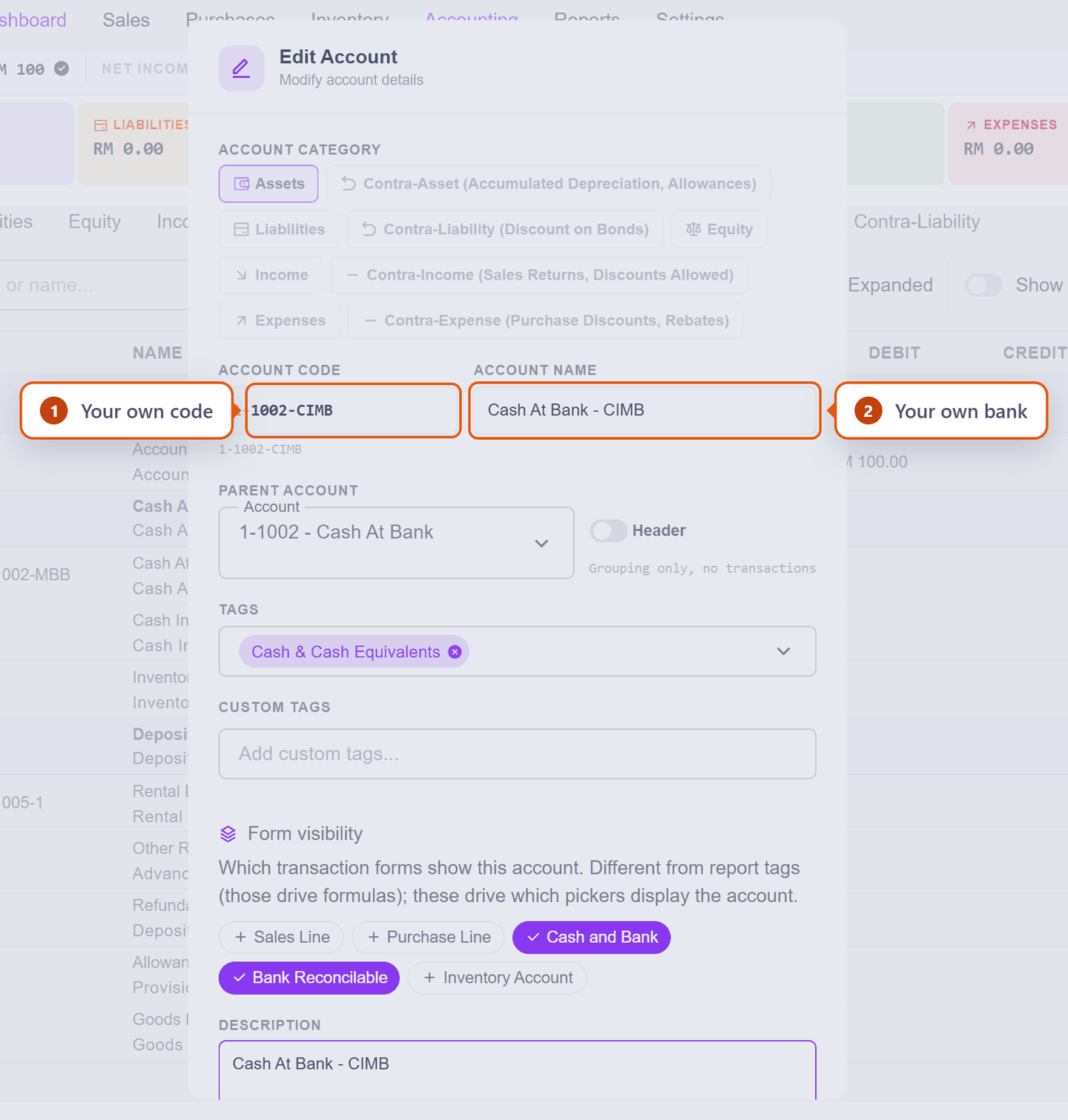
Leave Parent Account as 1-1002 — Cash At Bank and leave Header off — this account holds real transactions. Tidy the Description too, since it still names the old bank. Then Save Changes.
Check it worked. Back on Settings → Payment Methods, all six bank methods now read your own account. You only edited one thing:
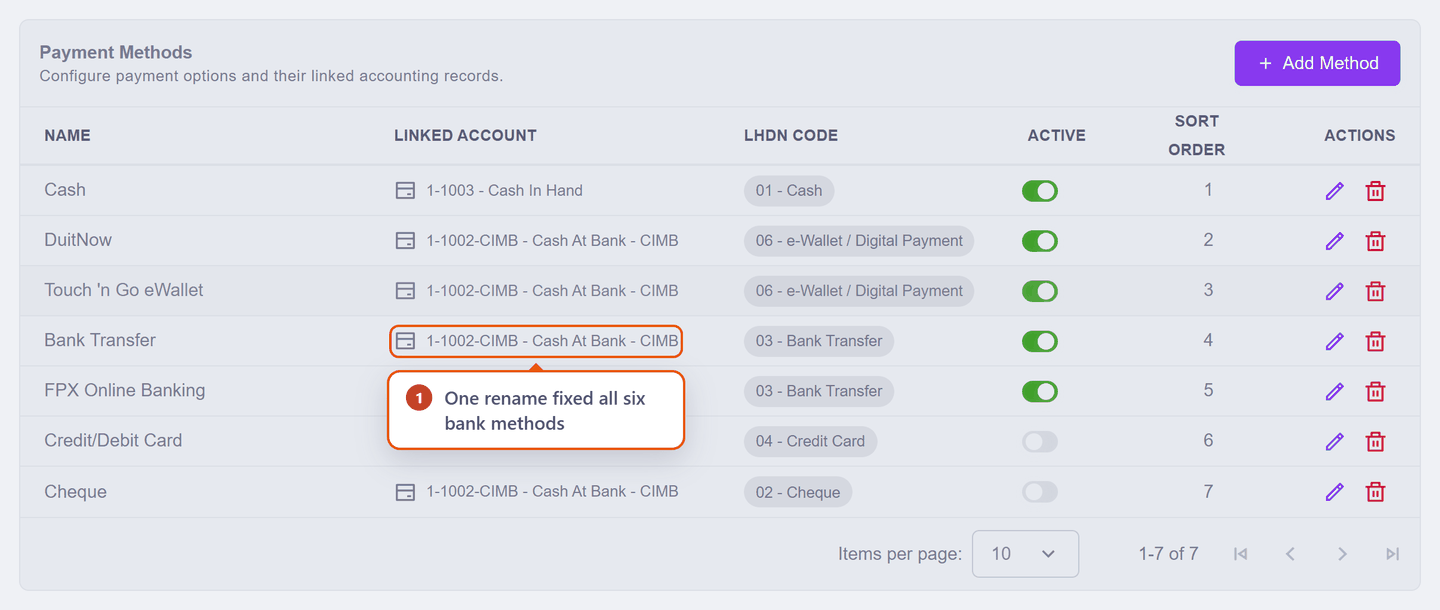
If you have more than one bank, add the second account in the Chart of Accounts, then come back here and point the relevant method at it with the pencil:
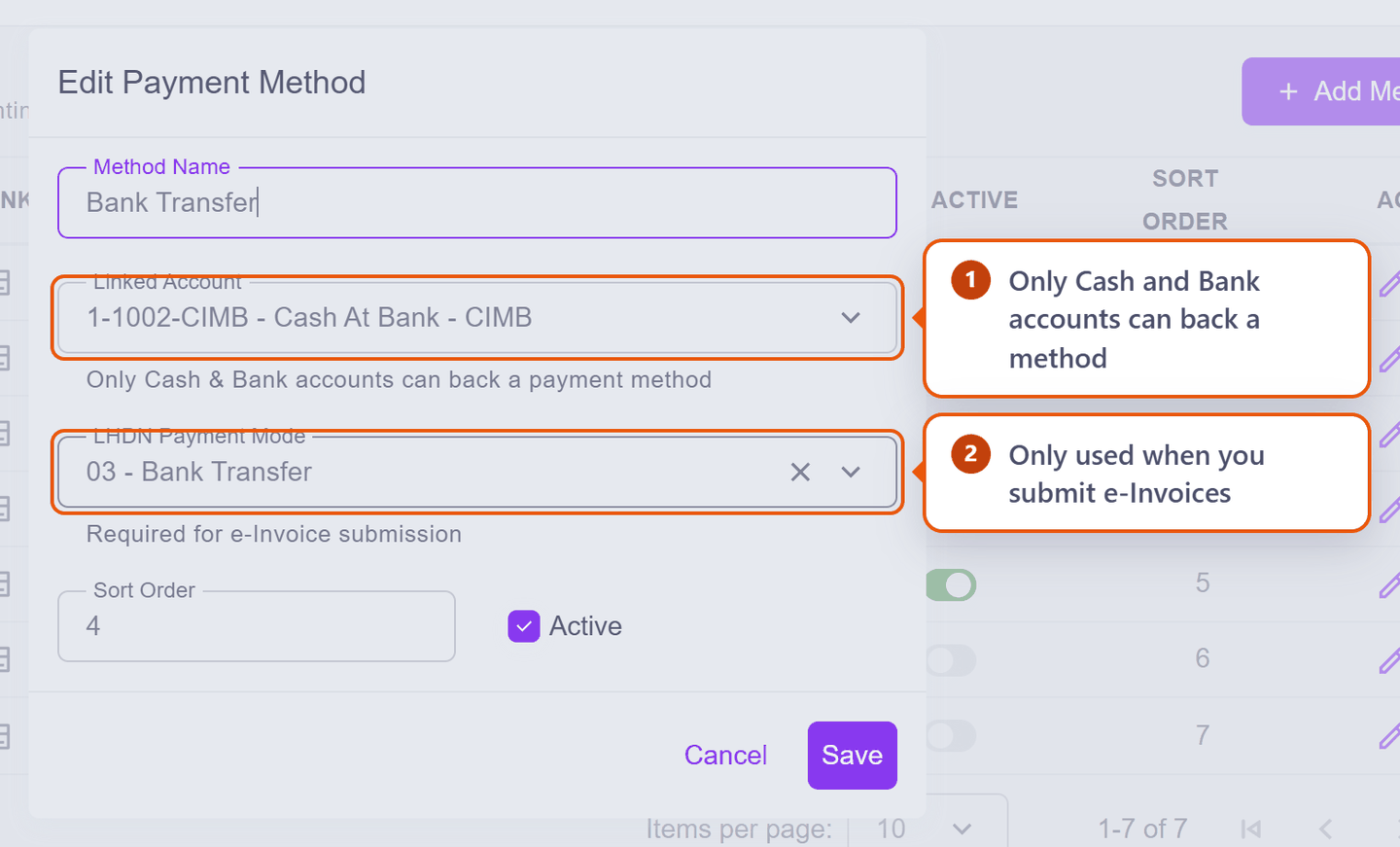
Only cash and bank accounts can back a payment method — the picker will not offer you anything else, which is a useful guard.
Then tidy the list. Switch off anything you never take (Cheque, perhaps FPX), and set the Sort Order so your commonest method is first. Recording a payment then takes one click.
How it is used day to day
When you record a Receipt you pick a method, and KiraKira+ knows which account to put the money into. Same for a Payment Voucher going out.
That is the whole point of this page: choose the method once when the money moves, and the bookkeeping follows.
Adding a new method
Take something the seven do not cover? Add Method opens New Payment Method. Say Seri Maju starts accepting GrabPay:
| Field | What to enter | |
|---|---|---|
| 1 | Method Name | GrabPay — this is what you will pick when recording a payment |
| 2 | Linked Account | Your own bank account. Only cash and bank accounts are offered — in this workspace that is two accounts out of 119, so you cannot accidentally point a payment at, say, Sales |
| 3 | LHDN Payment Mode | Pick from LHDN's eight codes (01 Cash … 08 Others). An e-wallet is 06 |
| 4 | Sort Order | Filled in for you as the next number. Lower numbers appear first in the picker |
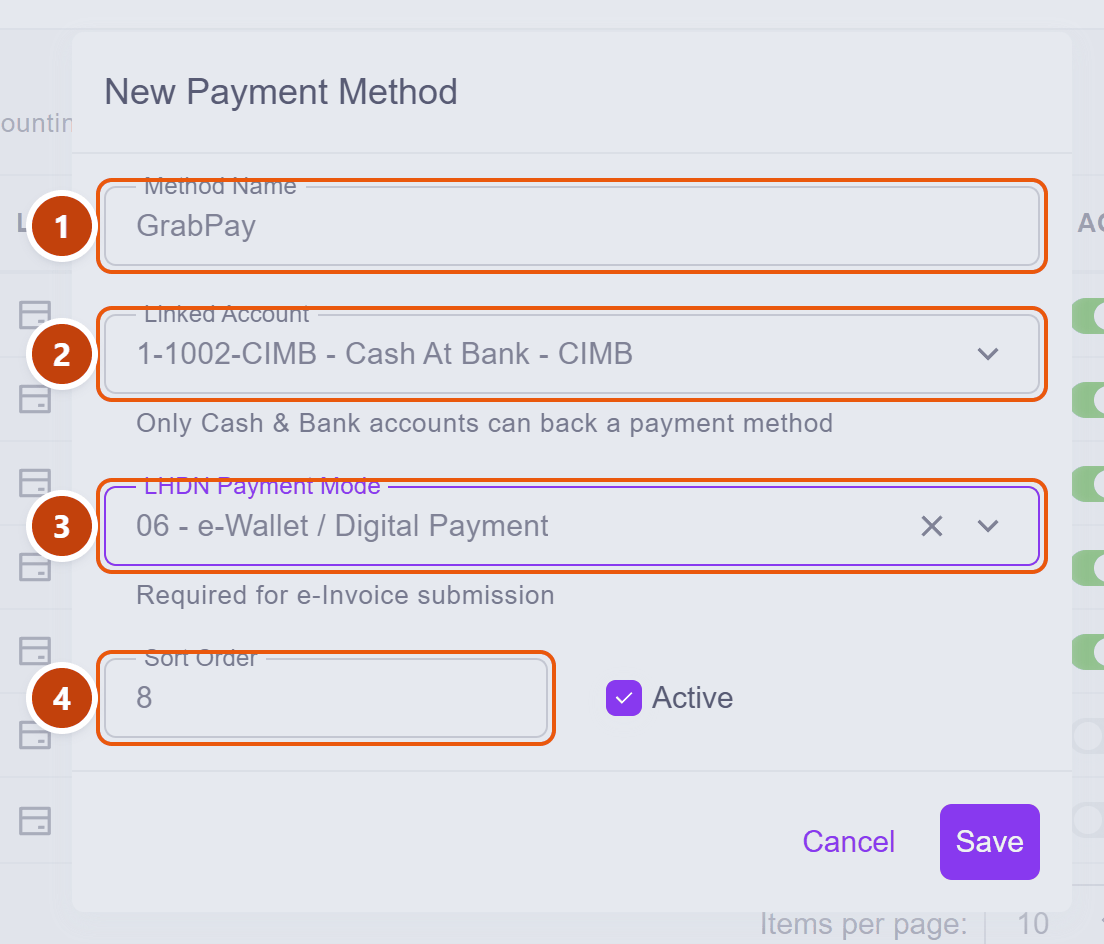
Save stays greyed out until you have given the method a name and a linked account — those two are the minimum a payment needs to be recorded properly. Active is already on.
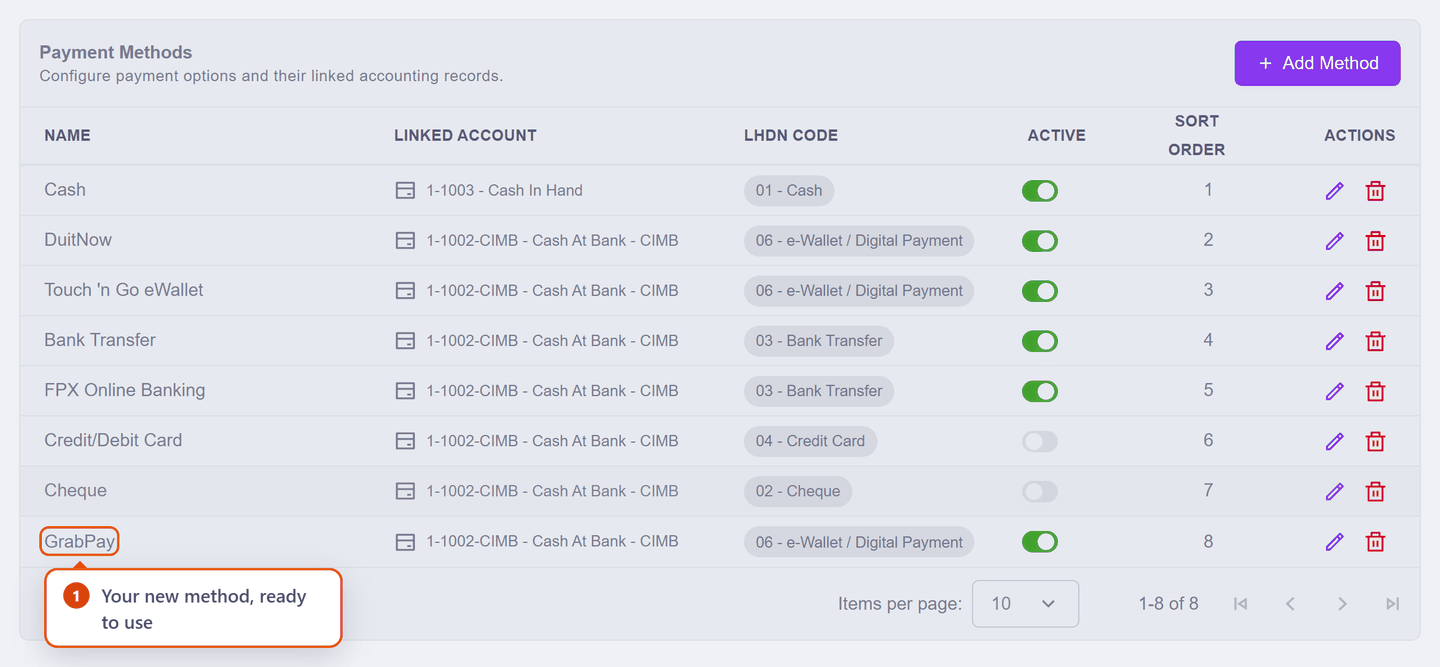
That is it — GrabPay now appears whenever you record a receipt.
Want to see the wallet balance separately?
We pointed GrabPay at the bank account for simplicity. If the money sits in the Grab wallet for days before settling, give it its own account — the Chart of Accounts scenario builds exactly that, and then this method points at the wallet instead.
Next: Chart of Accounts — where those bank and cash accounts actually live.