
Appearance
See how the business is doing
Everything you have entered so far was groundwork. This is the payoff: three reports that answer the three questions every owner actually asks.
| The question | The report |
|---|---|
| Am I making money? | Profit & Loss |
| What do I own and owe? | Balance Sheet |
| Who owes me, and how late are they? | AR / AP Aging |
Nothing to set up
Reports are worked out from the documents you already entered. There is no "closing the books" step to do first, and no figures to type — if the documents are right, the reports are right.
Am I making money? — Profit & Loss
Reports → Profit & Loss. Pick a period and press Run:
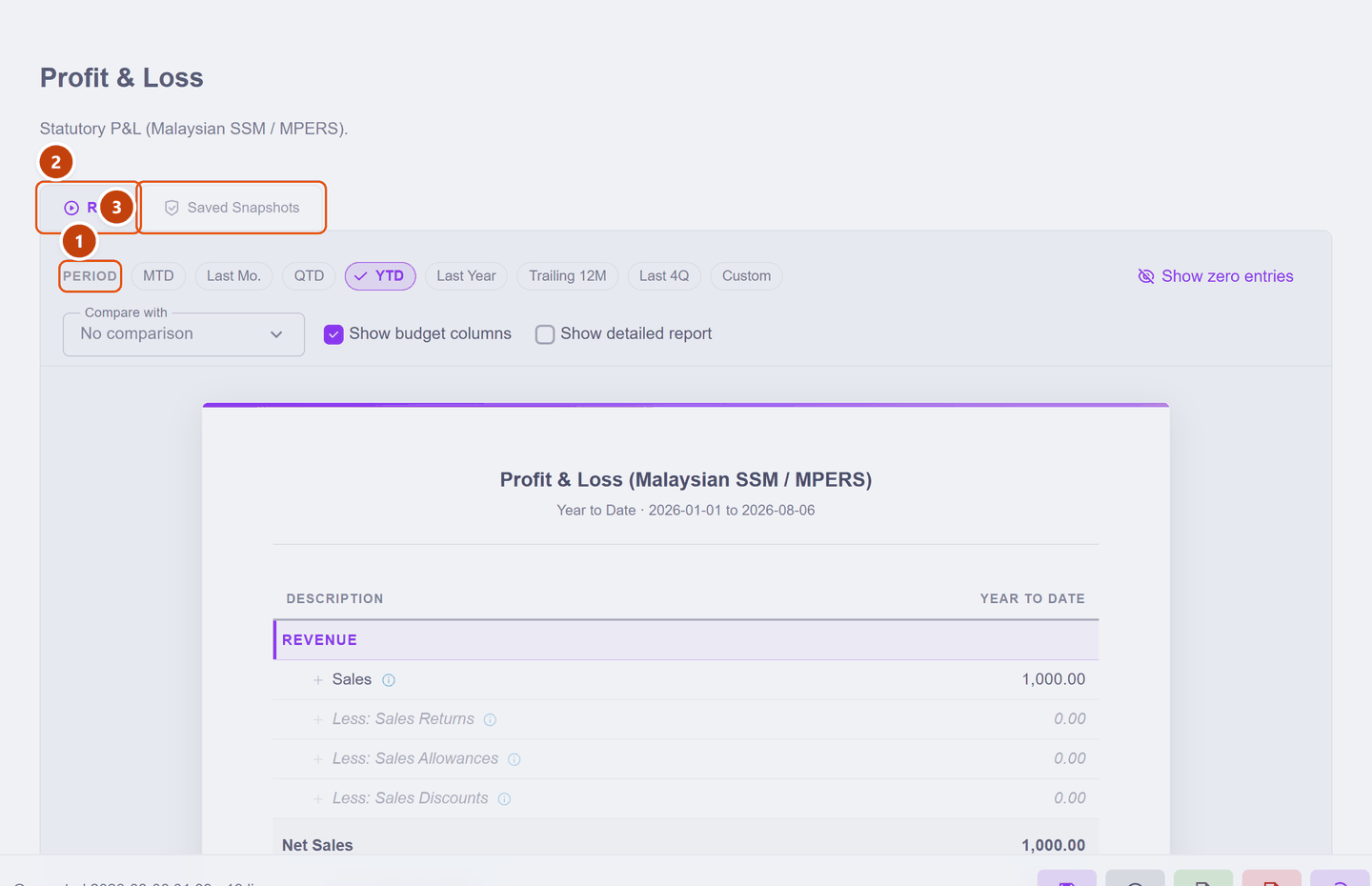
| What it does | ||
|---|---|---|
| 1 | Period | One-click ranges: MTD (this month so far), Last Mo., QTD, YTD, Last Year, Trailing 12M, Last 4Q, or Custom |
| 2 | Run | Recalculates from your documents |
| 3 | Saved Snapshots | Keeps a frozen copy — see below |
Read it top to bottom, and it tells a story:
- Sales — what you invoiced
- less Cost of Sales — what those sales cost you
- = Gross Profit — what the trading itself earned
- less Operating Expenses — rent, wages, the running of the business
- = Net Profit — what is actually yours
Here is the whole statement, zoomed in, with a month's trading behind it — one sale of RM 1,000 and one RM 180 purchase (click the picture to enlarge it):
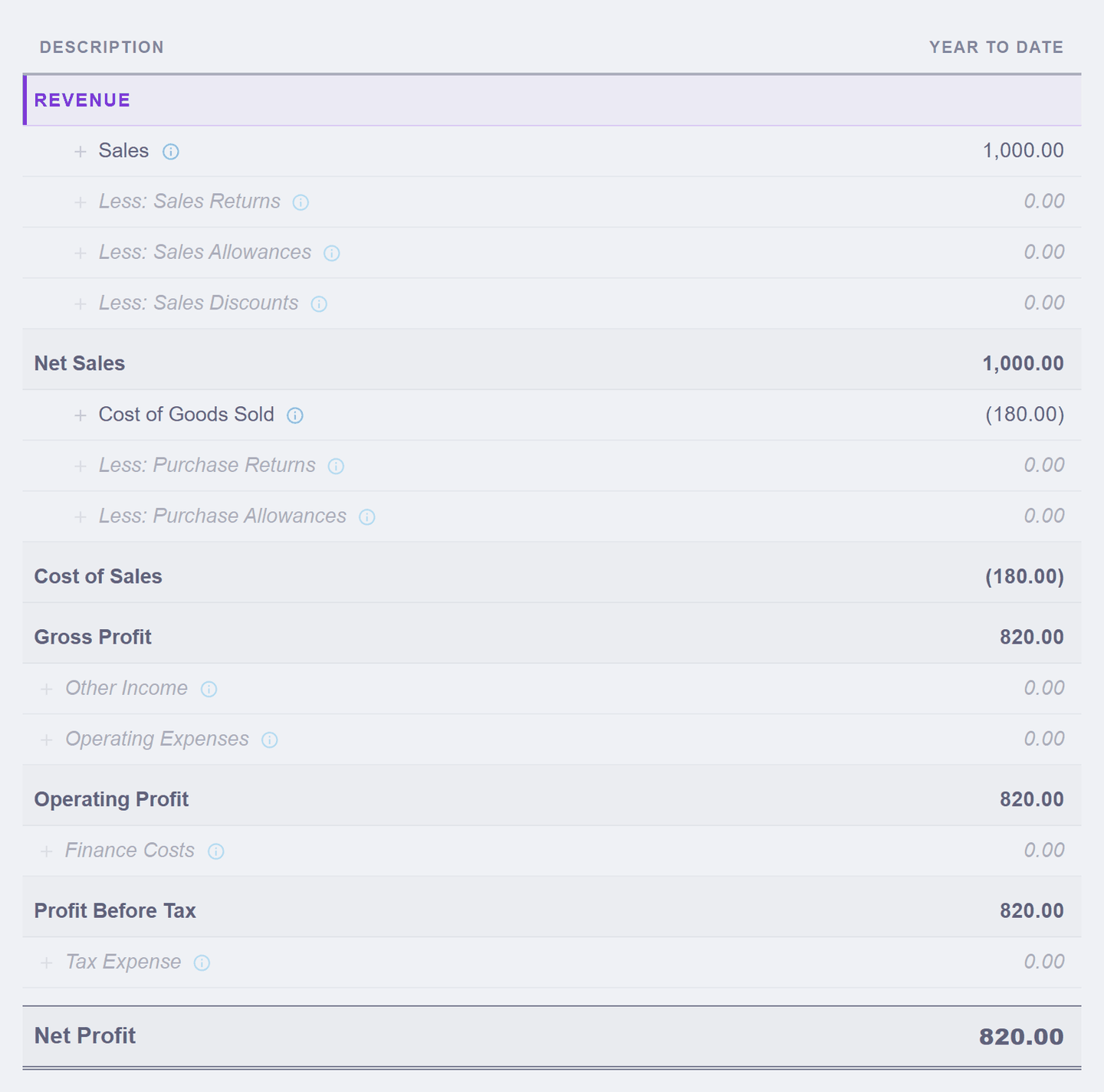
Follow the money down. RM 1,000 sold, less the RM 180 the goods cost, leaves RM 820 Gross Profit — and with no other running costs this month, that same RM 820 arrives at the bottom as Net Profit. Figures in brackets are amounts taken away, and the greyed 0.00 lines are simply waiting for the day you have returns, discounts or finance costs — showing them keeps the layout complete.
It is laid out to the Malaysian SSM / MPERS format, so it is the shape your accountant and the tax office expect — not a homemade summary. The in-app tour on this page walks these same lines one by one, on your figures.
Zeroes everywhere?
Two common reasons, both harmless. Nothing invoiced yet in that period — try YTD instead of MTD. Or your only activity was buying stock, which is not an expense at all: it is an asset until you sell it, exactly as the stock page explained. Turn on Show zero entries if you want to see the full statutory layout with the empty lines included.
What do I own and owe? — Balance Sheet
Reports → Balance Sheet is a snapshot on one day, not a period:
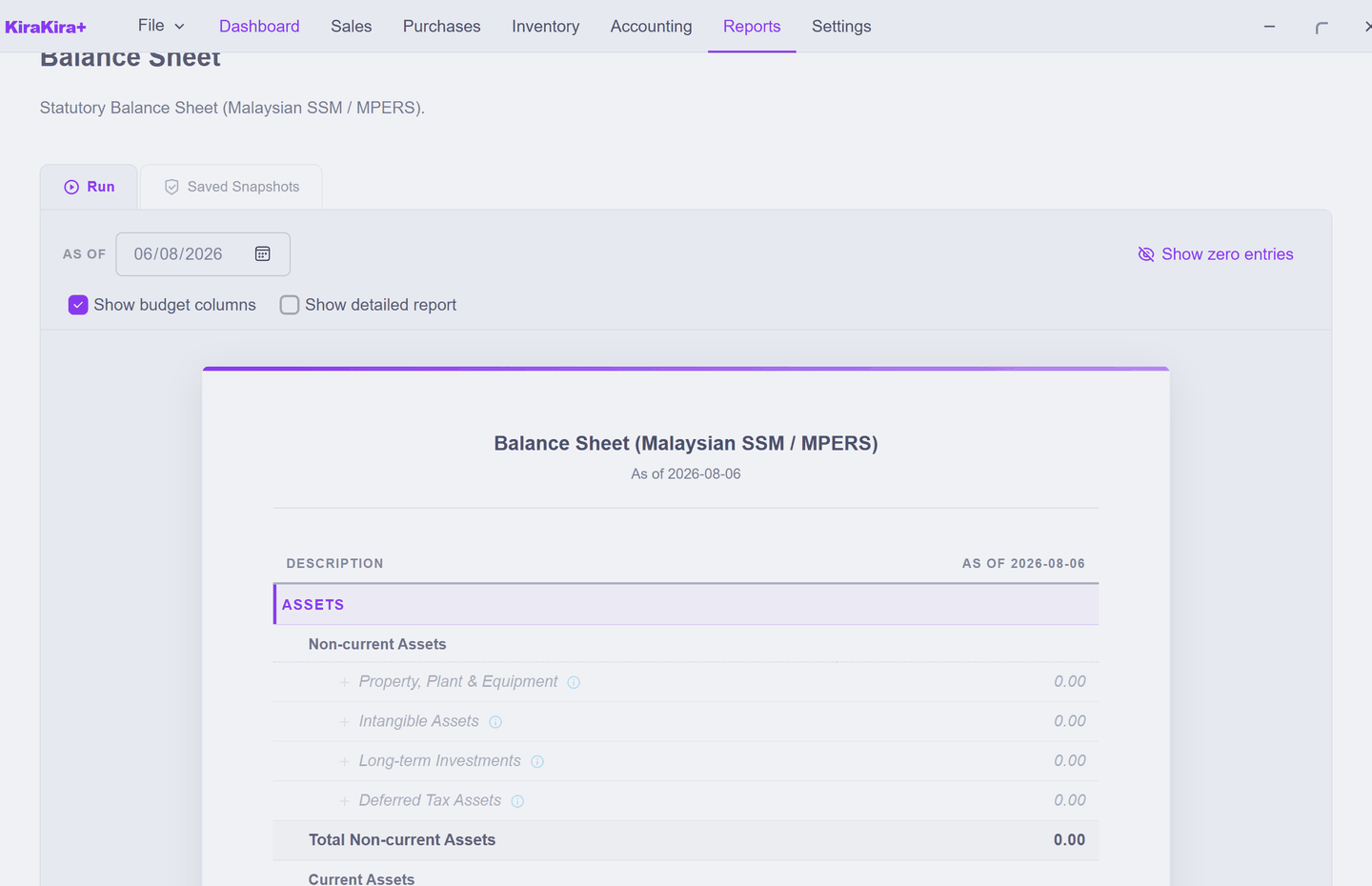
- Assets — what you have: money in the bank, stock on the shelf, and Trade & Other Receivables (money customers owe you)
- Liabilities — what you owe: suppliers, tax
- Equity — the difference, i.e. your stake, including Profit for the Period
That last line is worth a glance: it matches the Net Profit on your P&L. The two reports are built from the same documents, so they agree — and that is the built-in check that nothing has gone astray.
Who owes me? — AR / AP Aging
Reports → Aging is the one you will use most in practice, because it is a chase list:
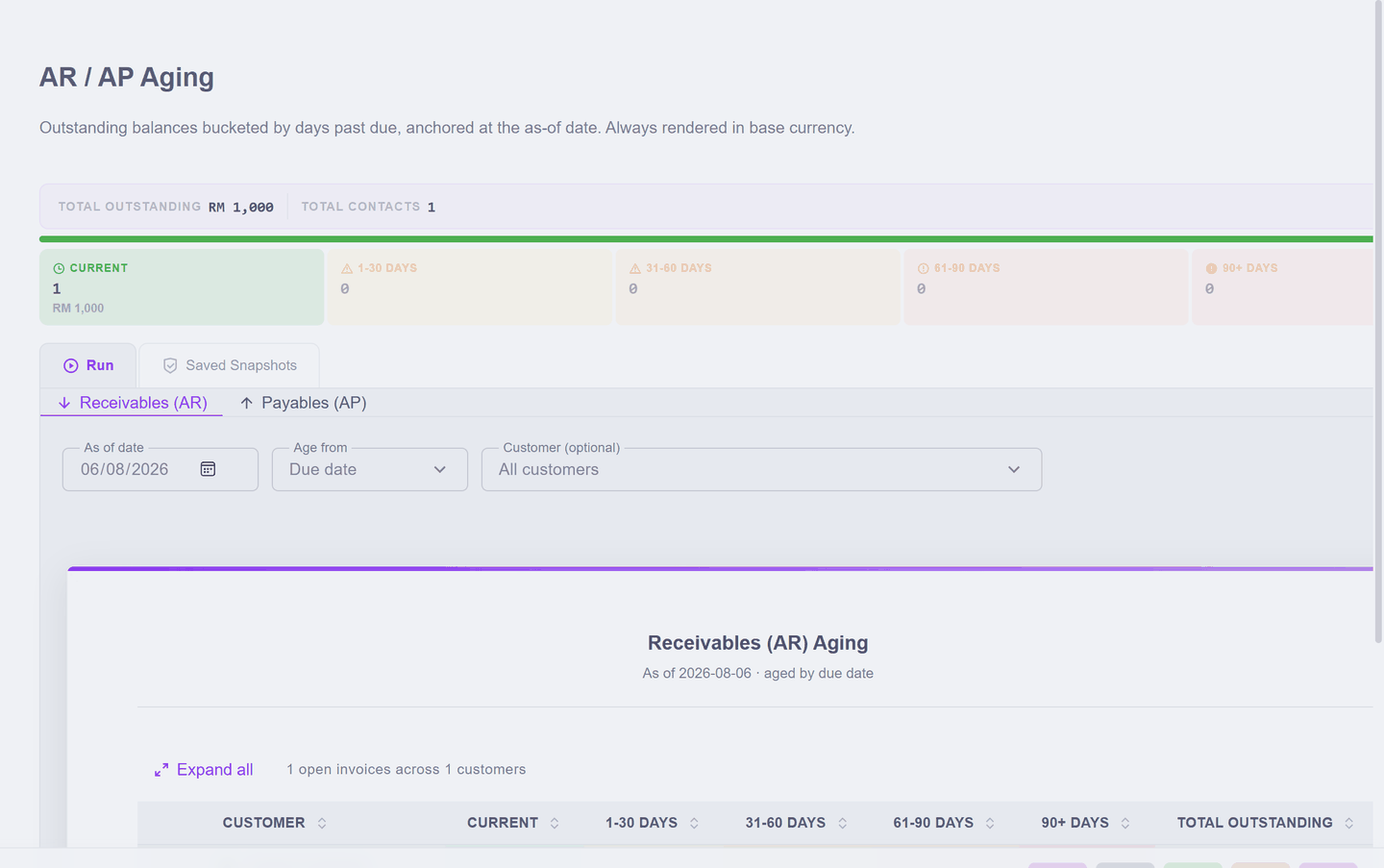
Every unpaid invoice is bucketed by how late it is — Current, then 1–30, 31–60, 61–90 and 90+ days. The Receivables (AR) tab is money owed to you; Payables (AP) is what you owe.
Recording a receipt removes an invoice from this list, which is the real reason to keep receipts up to date: this report is only as useful as it is current.
Walk-in sales group together
Sales made without a saved contact appear under one heading rather than by name. Once a customer becomes a regular, save them as a contact — then this report can tell you who to chase rather than just how much is owed.
Saved Snapshots
Run always recalculates from today's data — which is right for looking at the business, but means a report can change as you enter more documents. Saved Snapshots freezes a copy: the figures as they stood when you ran it, kept alongside the settings you used.
Use it when a number needs to stay put — the P&L you gave your accountant, or the month-end position you reported. Everyday checking needs nothing but Run.
That is the quick start finished
You have taken money in, paid money out, put goods on the shelf, and seen the result. From here:
| If you want to… | Go to |
|---|---|
| Set the business details properly | Set up your business |
| Stop retyping customer details | Adding a customer |
| Bring in balances from your old system | Opening balances |
| Keep your books safe | Saving, backups, moving your file |
One habit worth forming now
Your books are a single file. Save often, and keep a copy somewhere other than this computer — a finished set of accounts is worth more than the time it took to enter.