
Appearance
Supplier bills
Purchases → Purchase Inv. A supplier bill records something you have bought and now owe for. It is the document that puts stock on your shelf and money into what you owe.
Just want to enter one bill?
Enter your first supplier bill is the ten-minute version. This page is the reference — what each part does, and the two places people get caught.
Whose number is whose
A bill has two numbers, and only one of them is yours.
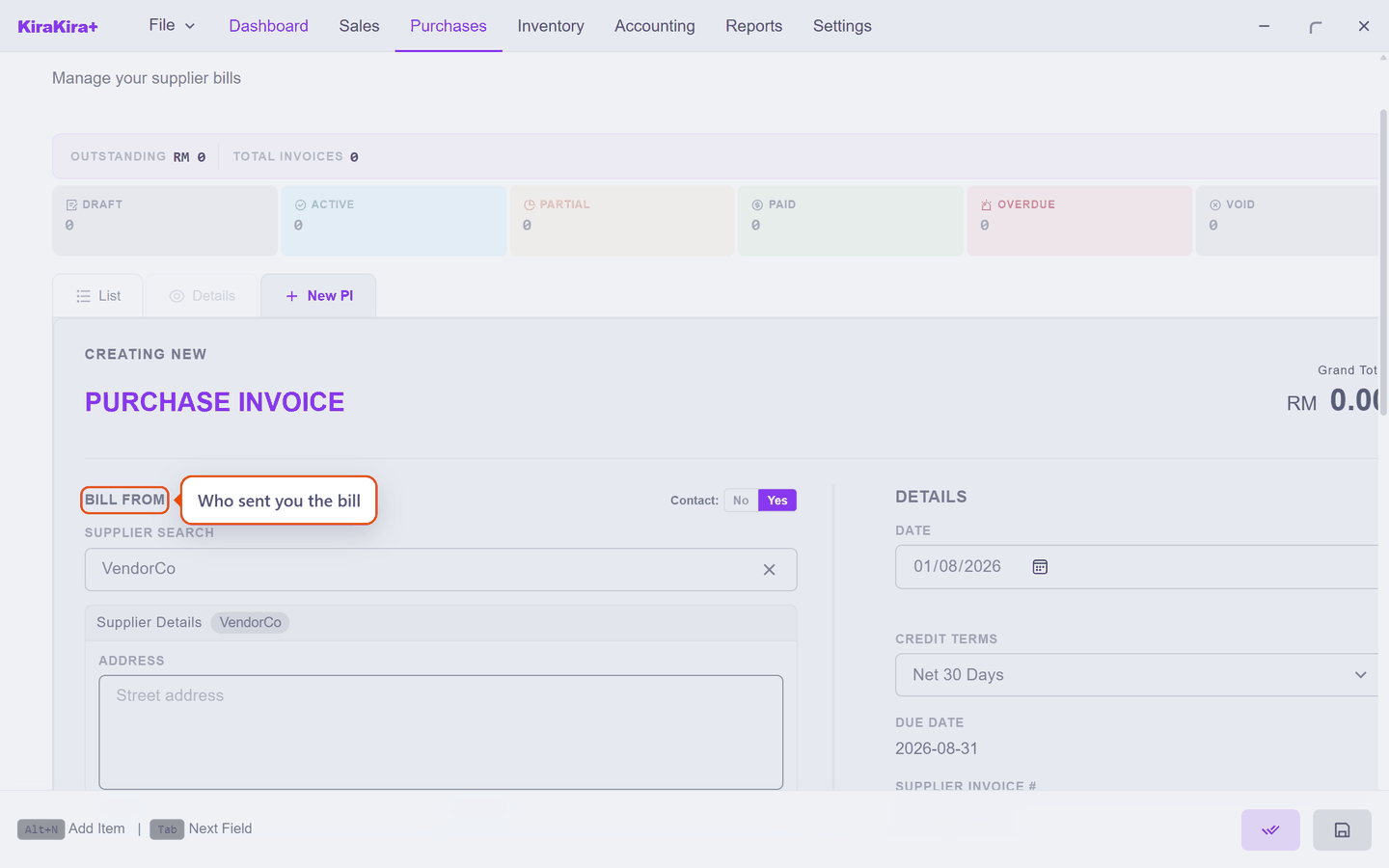
Bill From is the supplier. Pick a saved supplier, or switch Contact to No for a one-off.
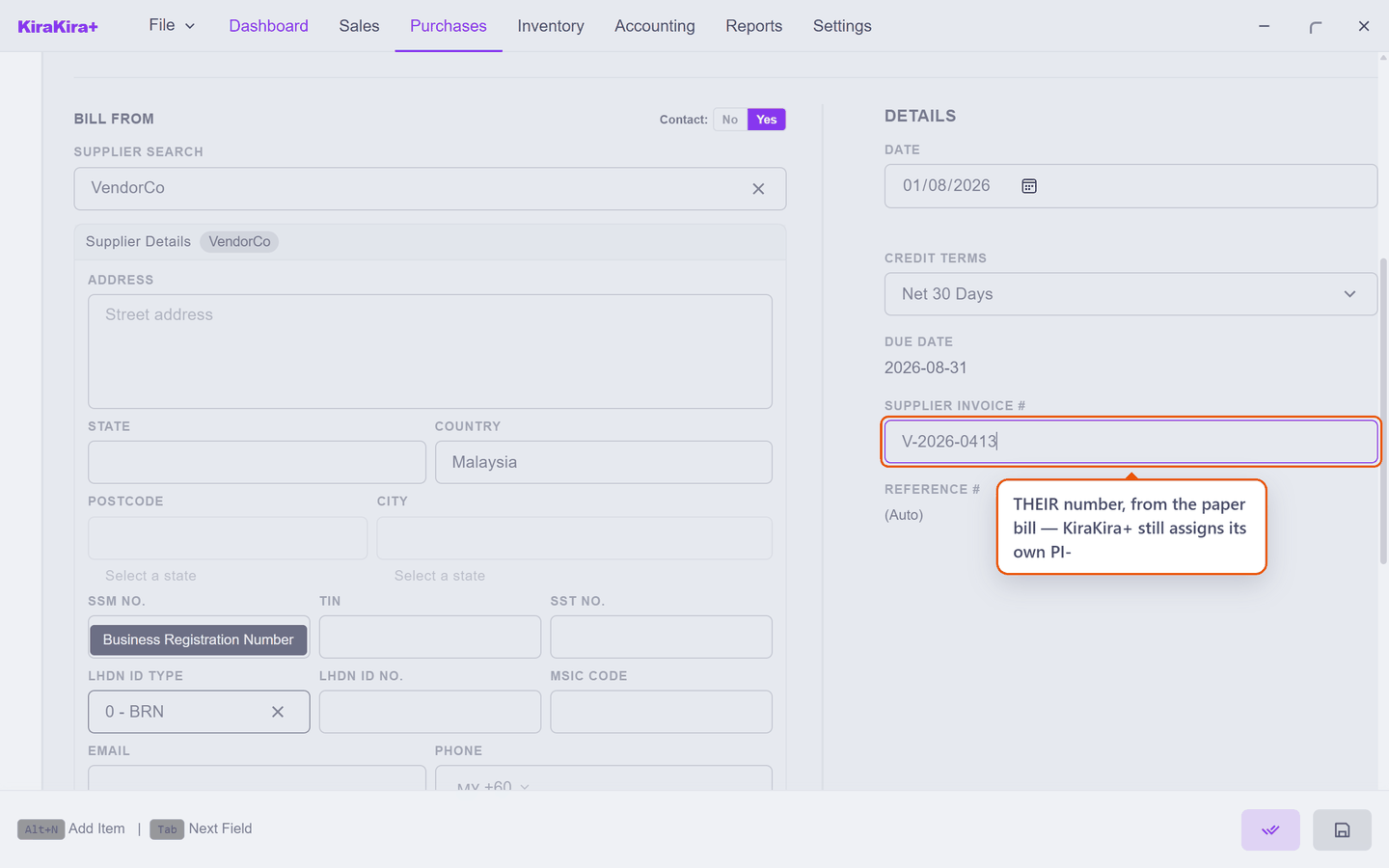
Supplier Invoice # is their number — the one printed on the paper bill they sent you. KiraKira+ still assigns its own PI- number regardless. Record theirs: it is how you find the bill again when the supplier phones about it.
It stays editable after finalising
Unlike the figures, the supplier's invoice number can be corrected later — it changes nothing in your accounts.
The price does not fill itself in
This is the one that catches people.
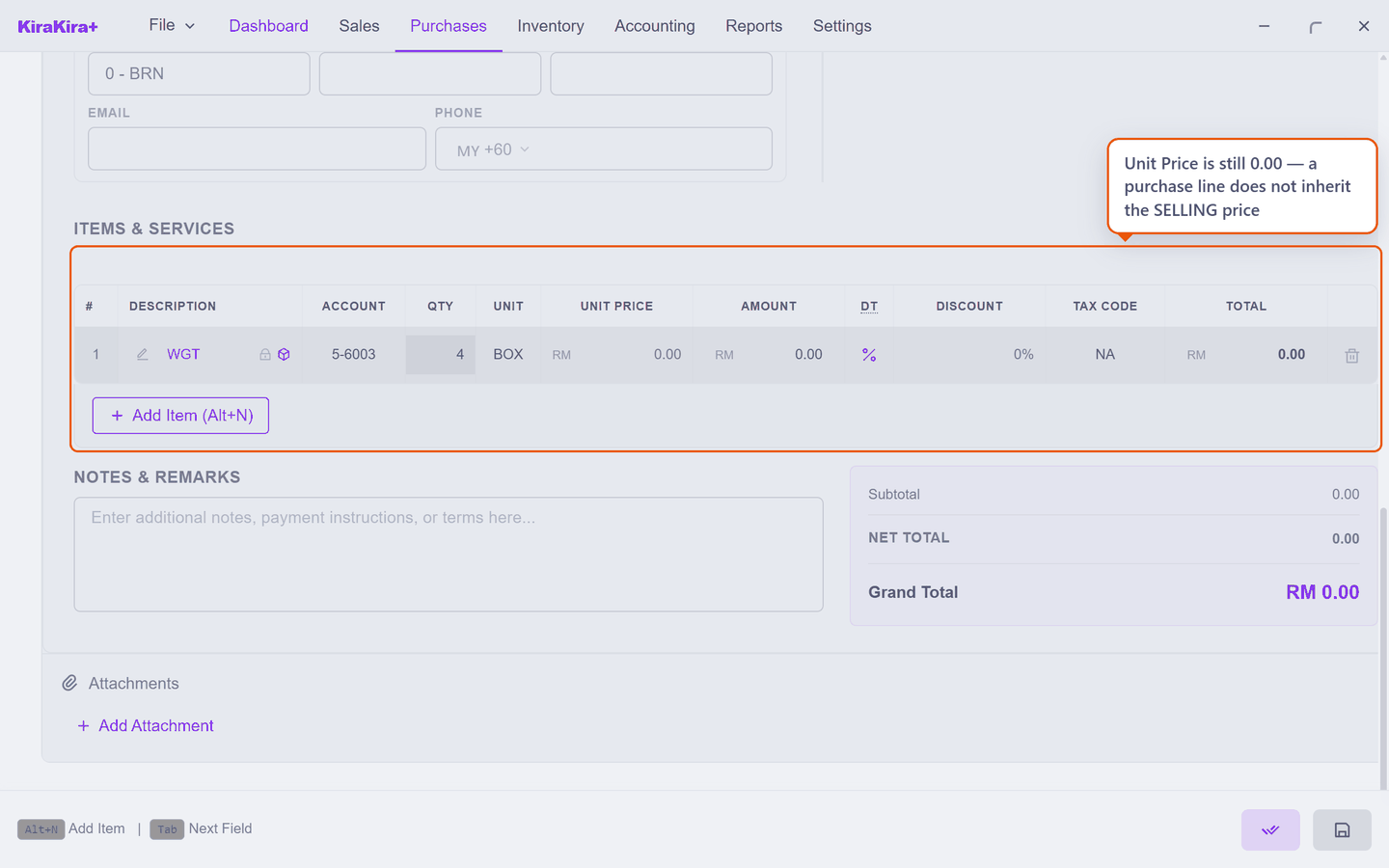
A selling price belongs to the product. A buying price does not — it is whatever this supplier charged you this time, and the app will not guess it. So a line you have just added sits at 0.00 until you type the price, and a bill you finalise without noticing totals RM 0.00.
Type what the supplier actually charged:
Buy in the unit the supplier sells in
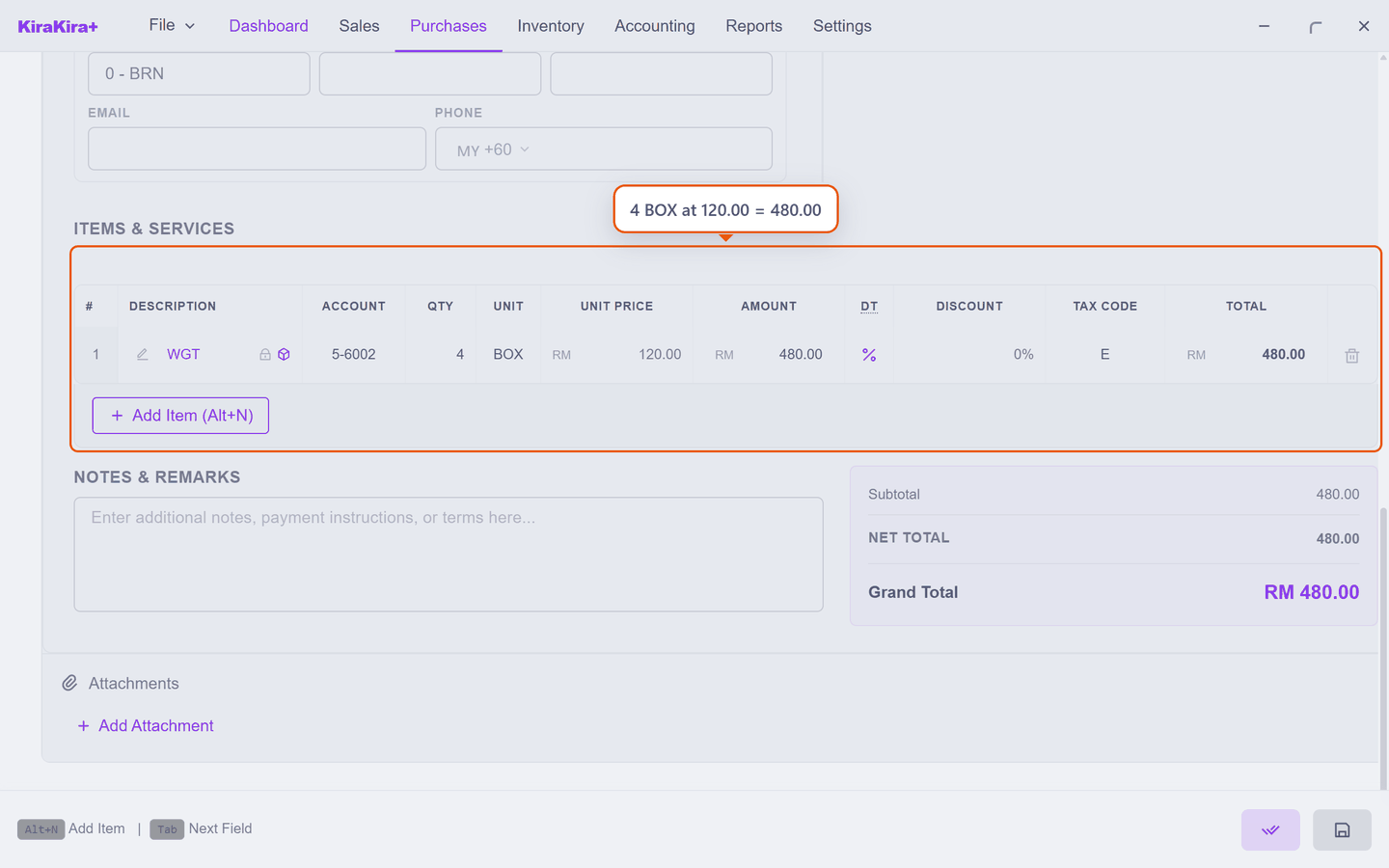
The line above is 4 BOX at 120.00, not 48 pieces at 10.00. Enter what you actually handled and let the app convert — see Units of measure.
Finalising is what makes it real
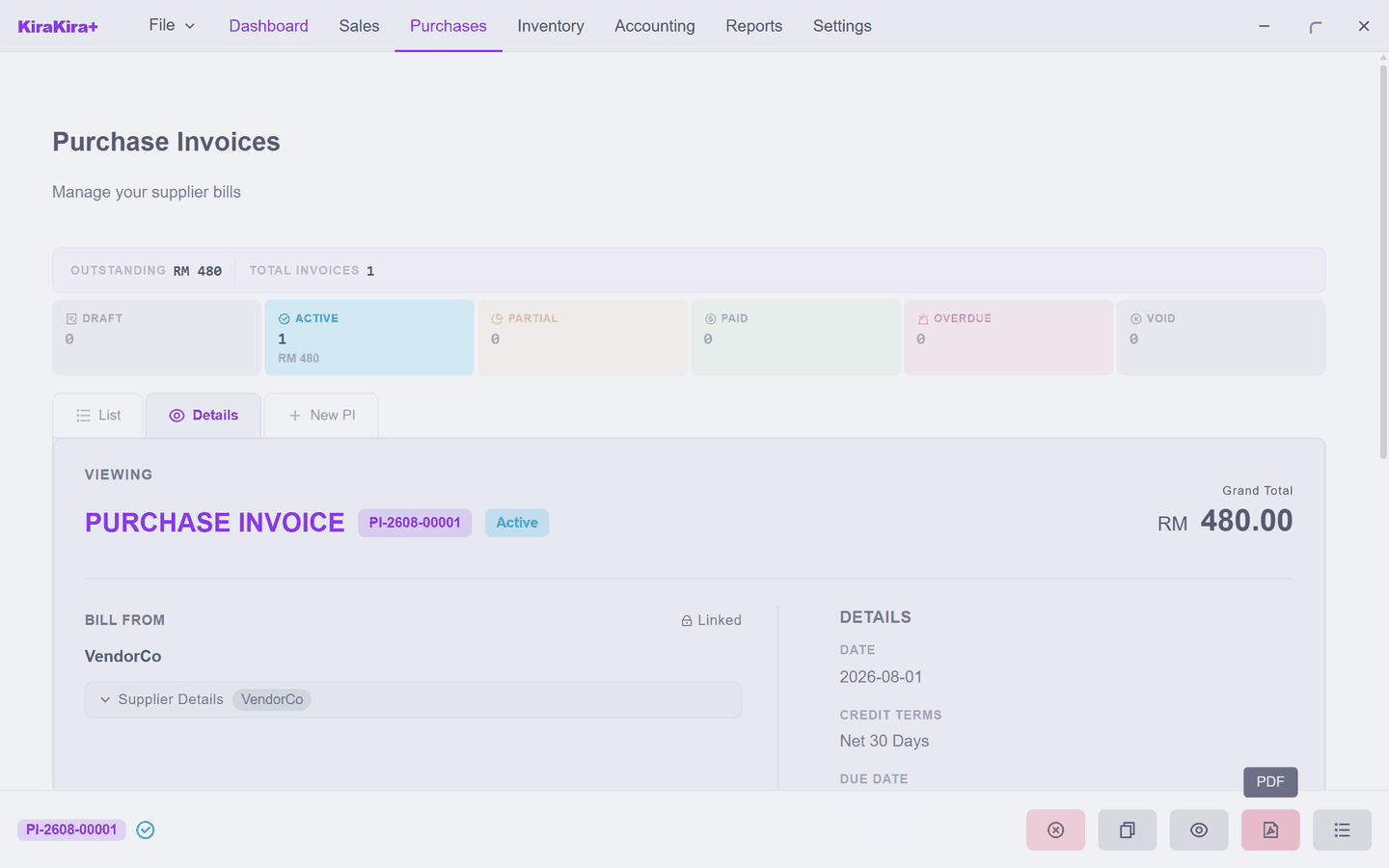
A draft bill changes nothing. It moves no stock, and it adds nothing to what you owe. Finalising does three things at once:
| It | Effect |
|---|---|
| Puts the goods on your shelf | stock rises by the line quantities |
| Records the debt | the supplier is now owed the bill total |
| Gives the bill its number | the PI- number replaces the draft placeholder |
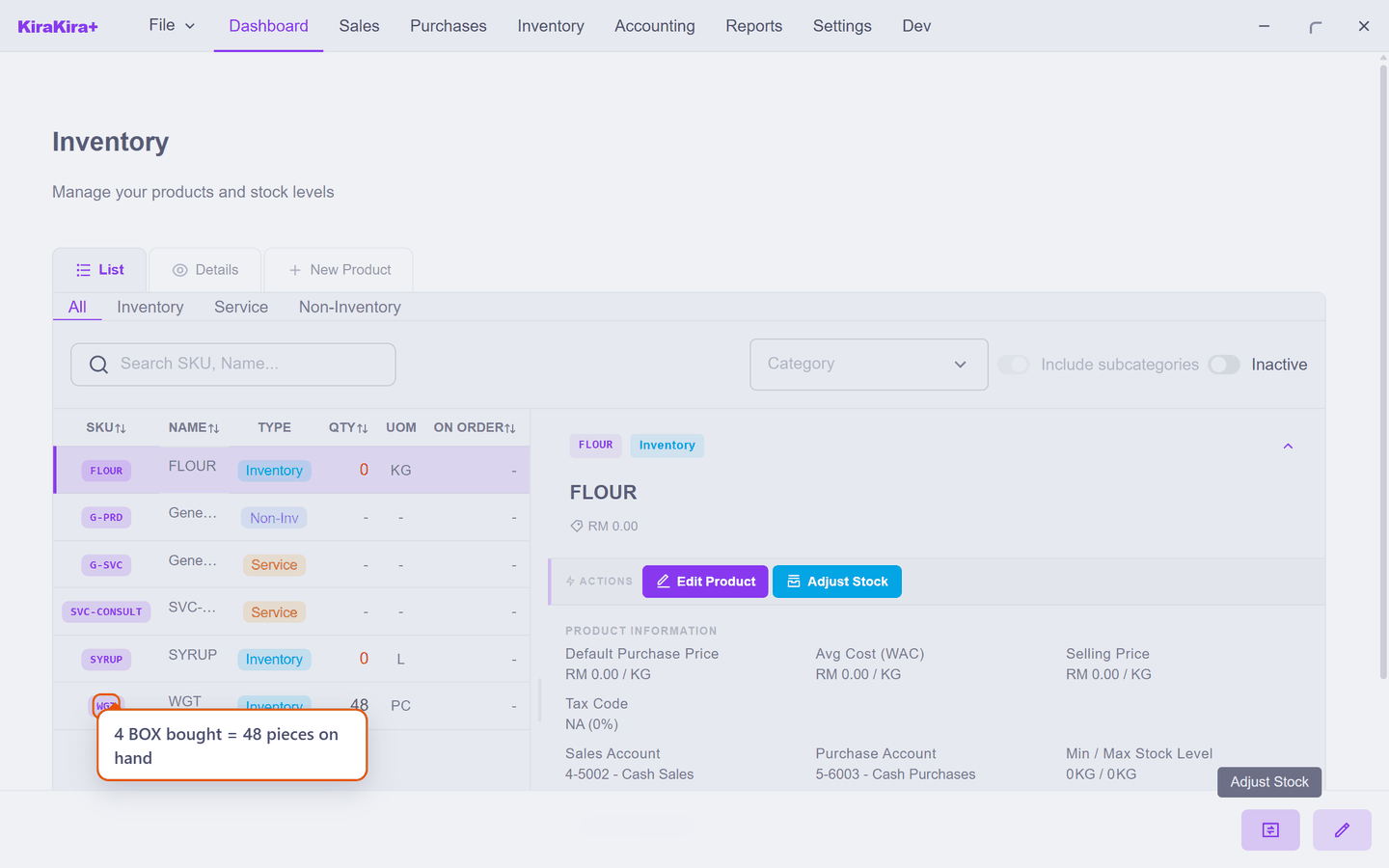
And the stock is genuinely there — 4 BOX bought, 48 pieces on hand:
A finalised bill is not editable
The figures are locked once it is finalised, because your accounts now depend on them. To reduce a bill you have already finalised, raise a Debit Note — do not try to edit history.
Scenario — Seri Maju restocks widgets
VendorCo delivers four boxes of widgets and sends bill V-2026-0413. Here is the whole thing, click by click.
1. Purchases → Purchase Inv, then the New Purchase Invoice tab. In Bill From, click the Click to search… box and choose VendorCo. The box does not accept typing — it opens a list. (For a one-off supplier you would switch Contact to No and type a name instead.)
2. Scroll down to Supplier Invoice # and type V-2026-0413 — their number, off the paper bill. KiraKira+ still gives the bill its own PI- number.
3. Under Items & Services, click + Add Item, search for WGT and pick it. Click the Unit cell and choose BOX — the unit VendorCo actually sells in, not pieces. Click Qty and type 4.
The line now reads 4 BOX, and the price is still 0.00:
4. Click the Unit Price cell and type 120.
Do not skip step 4
Nothing fills a buying price in for you. Finalise without it and the bill totals RM 0.00.
5. Check Account shows a purchase or cost account and Tax Code matches what VendorCo charged. Grand Total should read RM 480.00 — four boxes at 120.00, which is 48 pieces at 10.00 each.
6. Save (the disk button, bottom right). You now have a Draft, which changes nothing at all.
7. Press Finalize. The bill takes its PI- number:
Check it worked. Only step 7 moves anything — WGT is genuinely on the shelf, 48 pieces from four boxes:
| Where | What you see |
|---|---|
| Inventory | WGT rises by 48 pieces |
| Purchases → Purchase Inv | VendorCo owed RM 480.00 |
Neither happens while the bill is still a draft — that is the whole difference between saving and finalising.
Next: Purchase Orders.