
Appearance
Your company details
Settings → Company. This is the first thing to do in a new workspace, and the shortest to finish.
Everything you print, save as PDF or send to a customer carries these details. They are also what the tax office expects to see on a tax invoice.
Why this comes first
A new workspace is not empty — it ships with a demo company so your books have something sensible in them from the start. That is deliberate, but it means the name on your invoices is not yours until you change it.
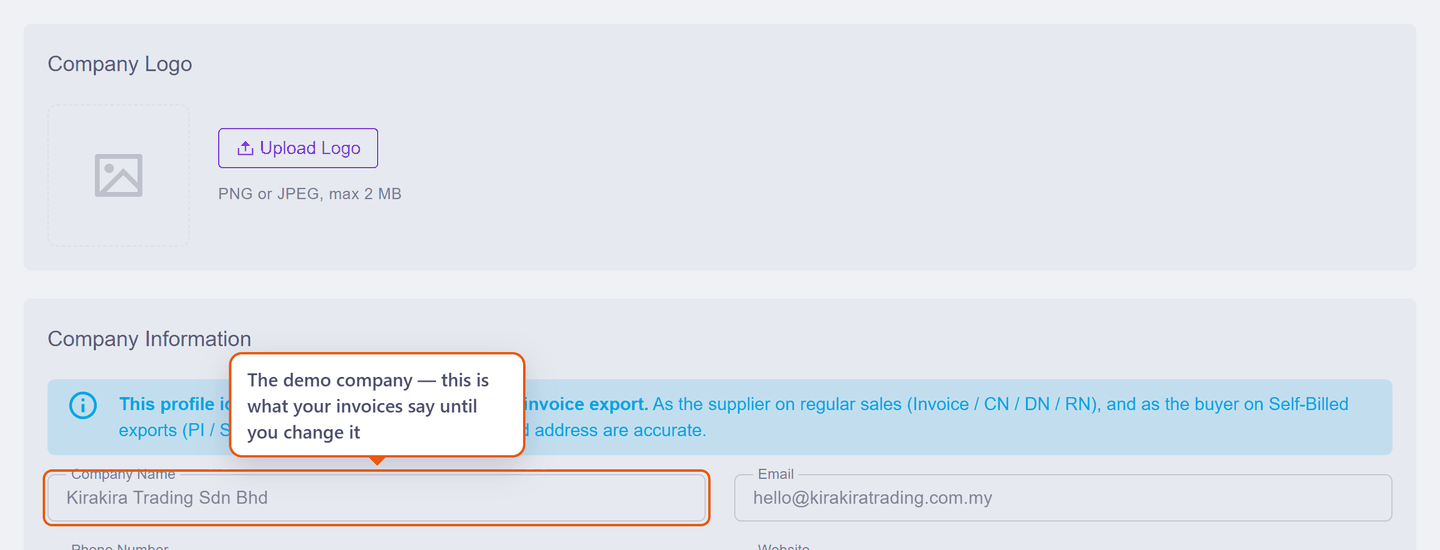
A finalised invoice keeps what it was issued with
Changing your company name later does not rewrite invoices you have already finalised — they keep the details that were current at the time. That is correct behaviour for an accounting record, and it is why this page comes before you issue anything.
What to fill in
The last column is the one to pay attention to: it says whether the field is actually printed on the documents your customers see.
| Field | Notes | On your documents |
|---|---|---|
| Company logo | Optional. PNG or JPEG, up to 2 MB | Yes — top of the page |
| Company name | Exactly as it should appear on an invoice — usually your SSM-registered name | Yes — the heading |
| Address, Postcode, City, State | Required on a tax invoice. Country is fixed to Malaysia | Yes — under the name |
| Phone Number | Pick the country from the flag, then type the number | Yes — header line |
| Yes — beside the phone | ||
| Website | Kept for your own records | No — never printed |
| SSM Registration No. | Your business registration number | Yes — as Reg: 202301234567 |
| TIN | Tax Identification Number. Needed for LHDN e-Invoice later; harmless to fill in now | Yes — as TIN: C12345678900 |
| SST Registration No. | Only if you are SST-registered — see Tax settings | Yes, when filled — as SST: … |
| MSIC code, business activity, LHDN state code, tourism tax | Only used for LHDN e-Invoice | No (MSIC can be switched on for PDFs) |
How the registration line reads
Those three numbers print together on one line, so a fully filled profile shows Reg: 202301234567 · TIN: C12345678900 · SST: W10-1808-32000015. Any you leave blank simply drop out — no empty labels are printed.
Scenario — a real business, filled in
Meet Seri Maju Enterprise: an SSM-registered sole proprietorship that is not SST-registered. Here is exactly what goes in each box.
| Field | What Seri Maju enters | |
|---|---|---|
| 1 | Company Name | Seri Maju Enterprise |
| 2 | Phone Number | 012 234 5678 — pick the country from the flag, then type the rest |
admin@serimaju.com.my | ||
| Website | https://serimaju.com.my | |
| LHDN ID Type | BRN — Business Registration Number | |
| 3 | SSM Registration No. | 202301234567 |
| Tax Identification No. (TIN) | C12345678900 | |
| 4 | SST Registration No. | left empty — not SST-registered |
| Address | No. 12, Jalan Perusahaan 3 | |
| Postcode / City / State | 81100 · Johor Bahru · Johor |
The numbers match the balloons on the screen:
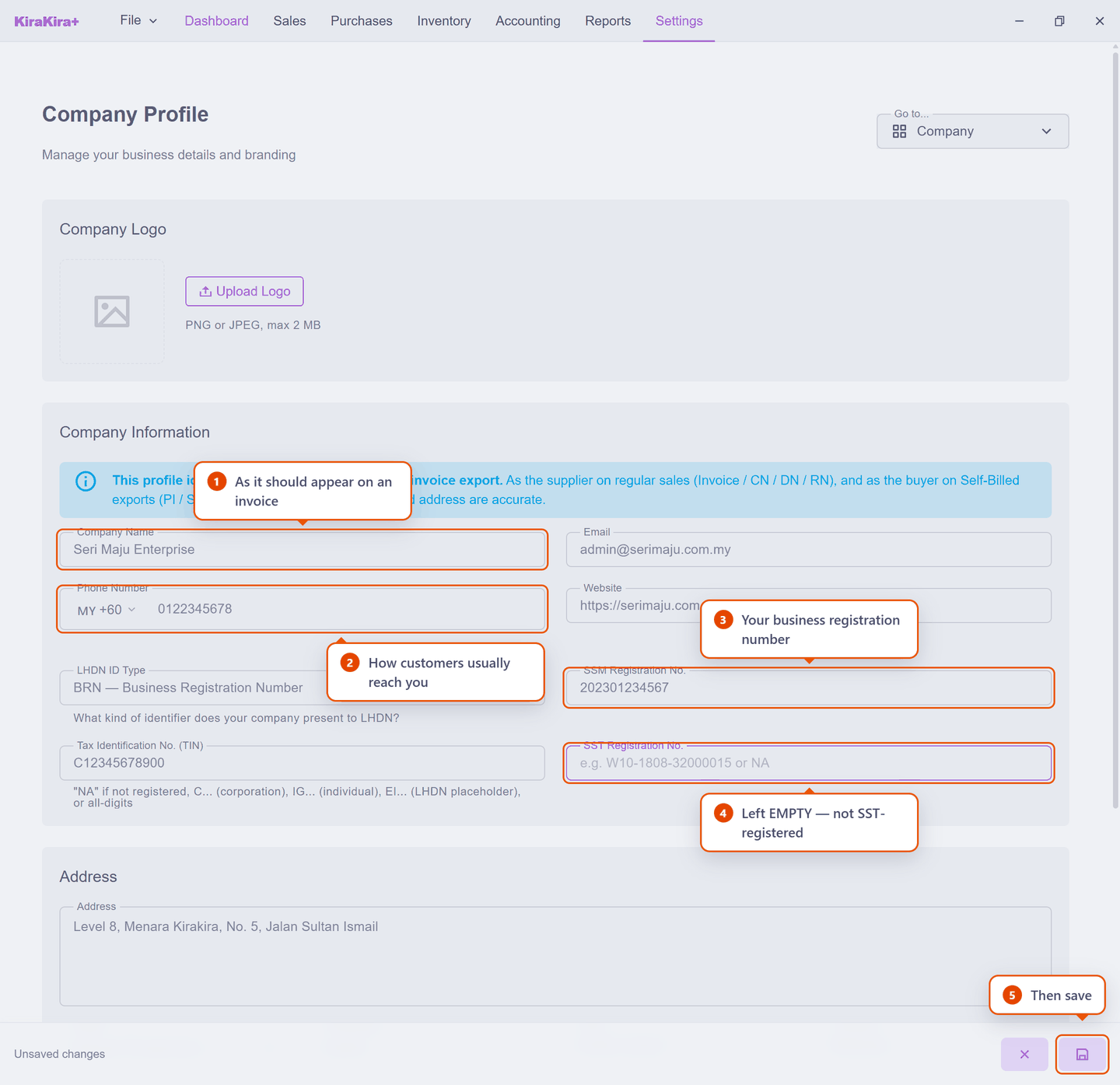
Then press save (5). Notice the footer says Unsaved changes until you do — nothing is stored until you press it.
Why SST is left empty
Seri Maju is not SST-registered, so the field stays blank. Putting a number there would print an SST registration on invoices that must not carry one. Registered instead? Fill it in, then set your rate in Tax settings.
Check it worked
Start a draft invoice and look at the top of the document: your own business name should be there, not the demo one. Delete the draft afterwards — nothing is committed to your accounts until you finalise.
Next: Tax settings (SST).