
Appearance
Invoices and bills already outstanding
Accounting → Opening Balance → AR / AP Documents. On the day you switch systems, some customers still owe you and you still owe some suppliers. This tab records those individual documents, so you can chase and pay them from KiraKira+ instead of keeping one eye on the old system.
The screen describes itself exactly:
Outstanding invoices, purchase invoices, credit notes, and debit notes from your previous system.
Only what is still OPEN
Do not re-enter your whole trading history. If an invoice was already paid in the old system, it is finished — it belongs in neither total. Enter only what was still unsettled on your changeover date.
What you are looking at
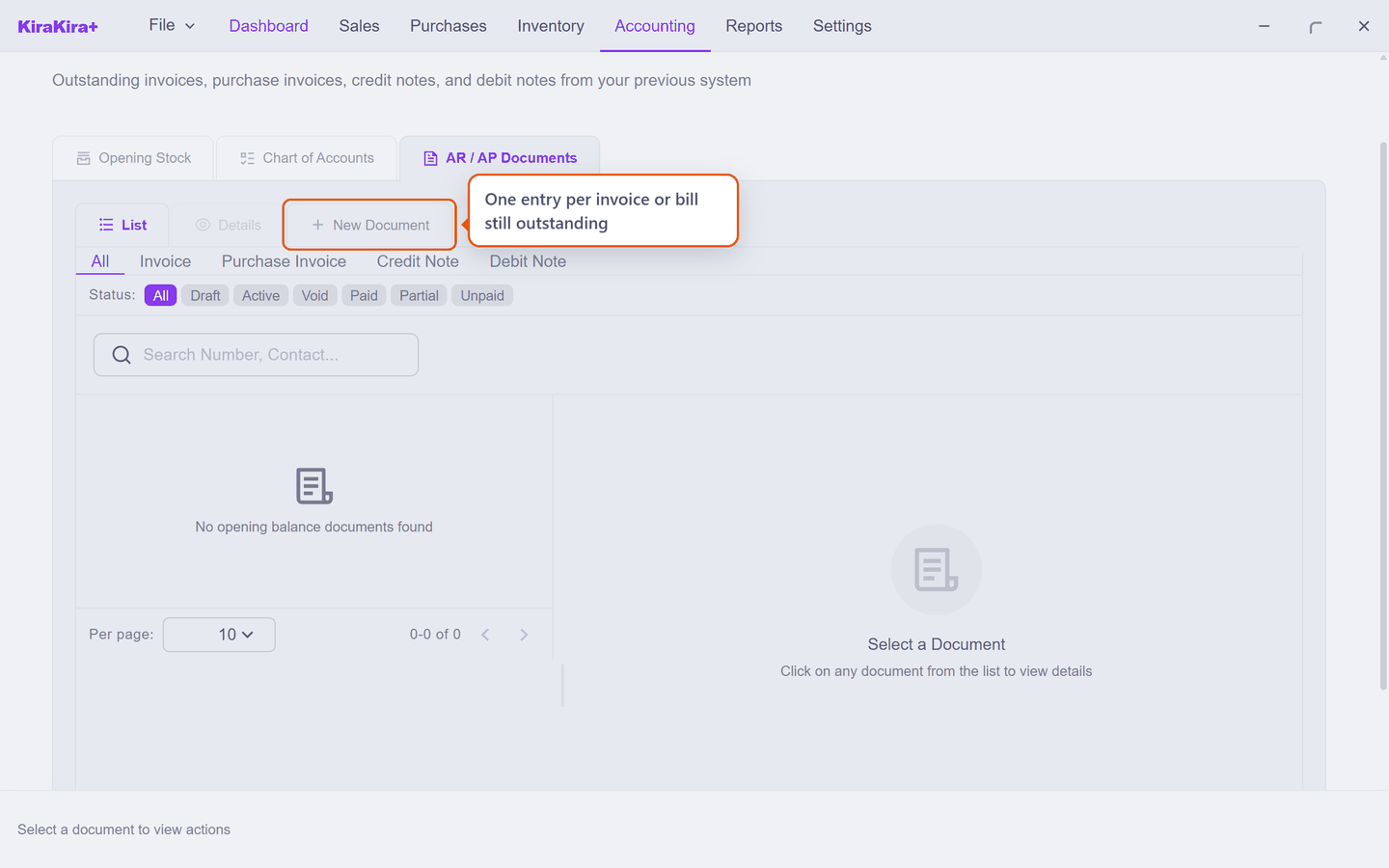
New Document creates one entry per outstanding document. Four kinds are supported, matching the four ways a balance can be open:
| Kind | Use it for |
|---|---|
| Invoice | A customer still owes you |
| Purchase Invoice | You still owe a supplier |
| Credit Note | A customer credit you had not yet applied |
| Debit Note | A supplier credit you had not yet used |
The status filters — Draft · Active · Void · Paid · Partial · Unpaid — work the same way as on a normal document list, so once these are in, you can see at a glance what is still open.
Why one entry per document, not one total
You could, in principle, record what customers owe you as a single figure on the Chart of Accounts tab. Do that and the balance sheet is right, but nothing else is: you cannot see who owes it, no receipt can be matched to an invoice, and nothing ages.
Entering the documents individually means the money behaves normally from day one — a customer pays, you record a receipt against their invoice, and it comes off the list.
They must agree with the Chart of Accounts
This is the same pairing rule as opening stock, applied to money owed:
| These documents | Must total |
|---|---|
| All opening Invoices (less credit notes) | the Account Receivable figure |
| All opening Purchase Invoices (less debit notes) | the Accounts Payable figure |
The app checks this for you. Get it wrong and a banner appears at the top of the screen naming the exact gap:
OB Document / COA Balance Mismatch — AR difference: 1,200.00 (Docs: 1,200.00, COA: 0.00)
That is the app telling you it has 1,200.00 of opening invoices but nothing on the Account Receivable line to match. Enter the documents first, add them up, and put those totals on the Chart of Accounts tab — the banner clears when they agree.
Enter these before you record any payment
A receipt needs an invoice to settle. If a customer pays you an old balance before you have entered the original invoice, there is nothing to match it to.
Scenario — an invoice Acme had not yet paid
On changeover day, Acme Sdn Bhd still owes Seri Maju RM 1,200 against invoice INV-0912 from the old system.
AR / AP Documents → New Document, and fill in four things:
| Field | What Seri Maju enters | |
|---|---|---|
| Document Type | Invoice — a customer owes us | |
| Bill To | Acme Sdn Bhd | |
| 1 | Original Reference | INV-0912 |
| 2 | Outstanding Amount | 1200.00 |
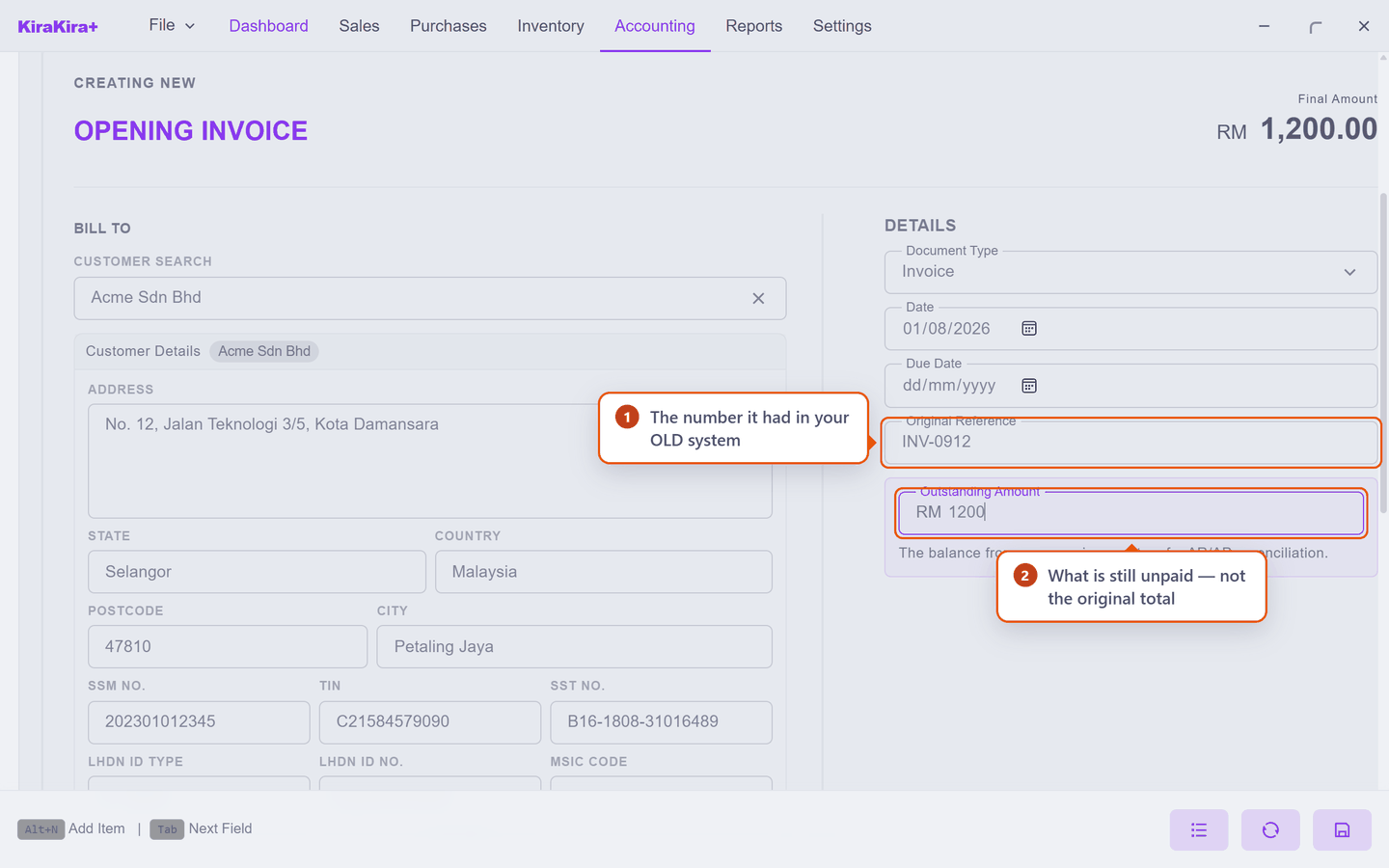
Two of those deserve a second look.
Original Reference is the number the invoice had in your old system — the number Acme will quote when they phone. KiraKira+ gives the entry its own number as well; this field is how you find it from theirs.
Outstanding Amount — the label already says it — is what is still unpaid, not what the invoice was originally for. If Acme has already paid half of a RM 2,400 invoice, enter 1200.00. You are recording a position, not re-entering history.
Check it worked. The invoice appears in the list against Acme, and behaves like any other unpaid invoice from here on.
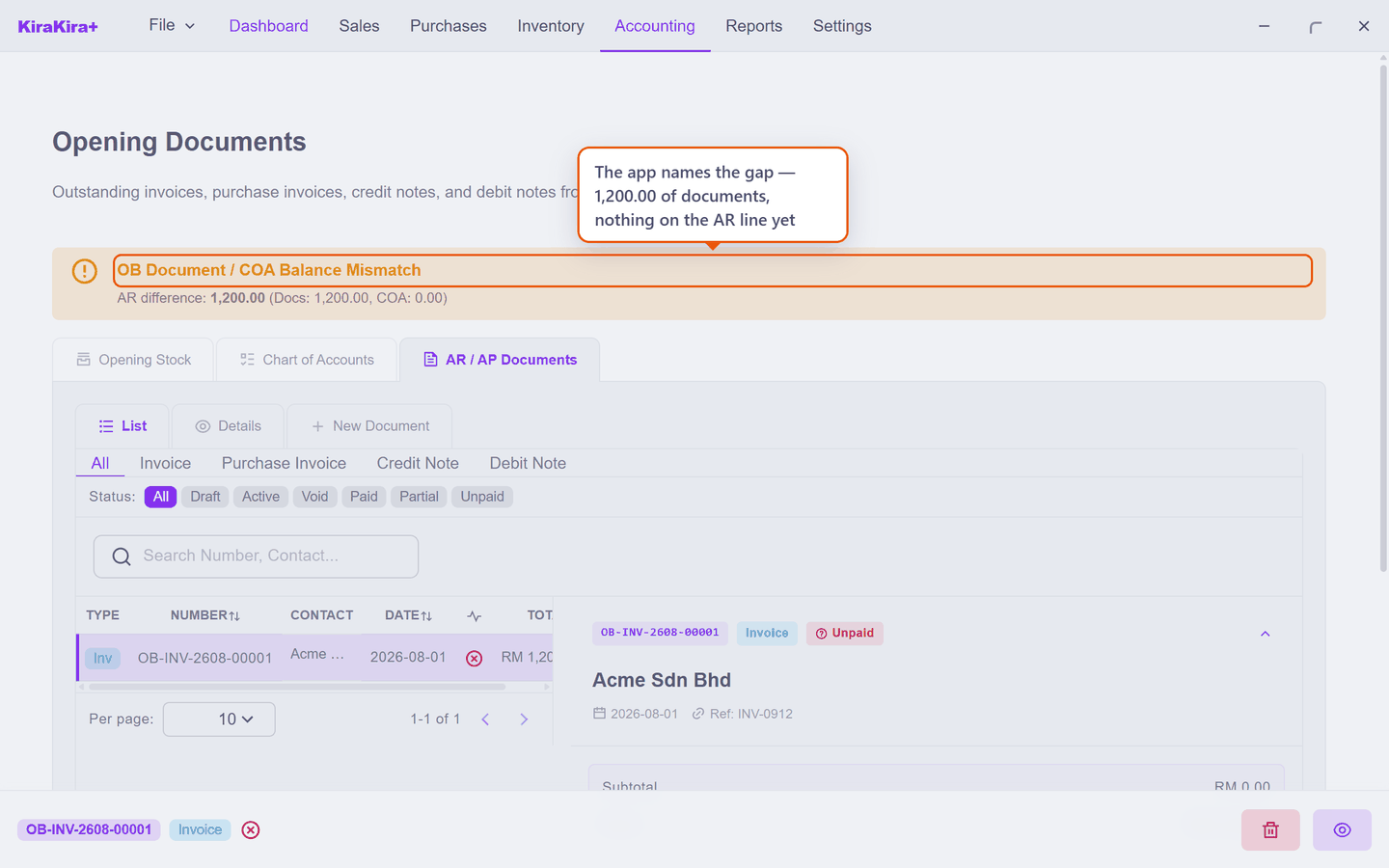
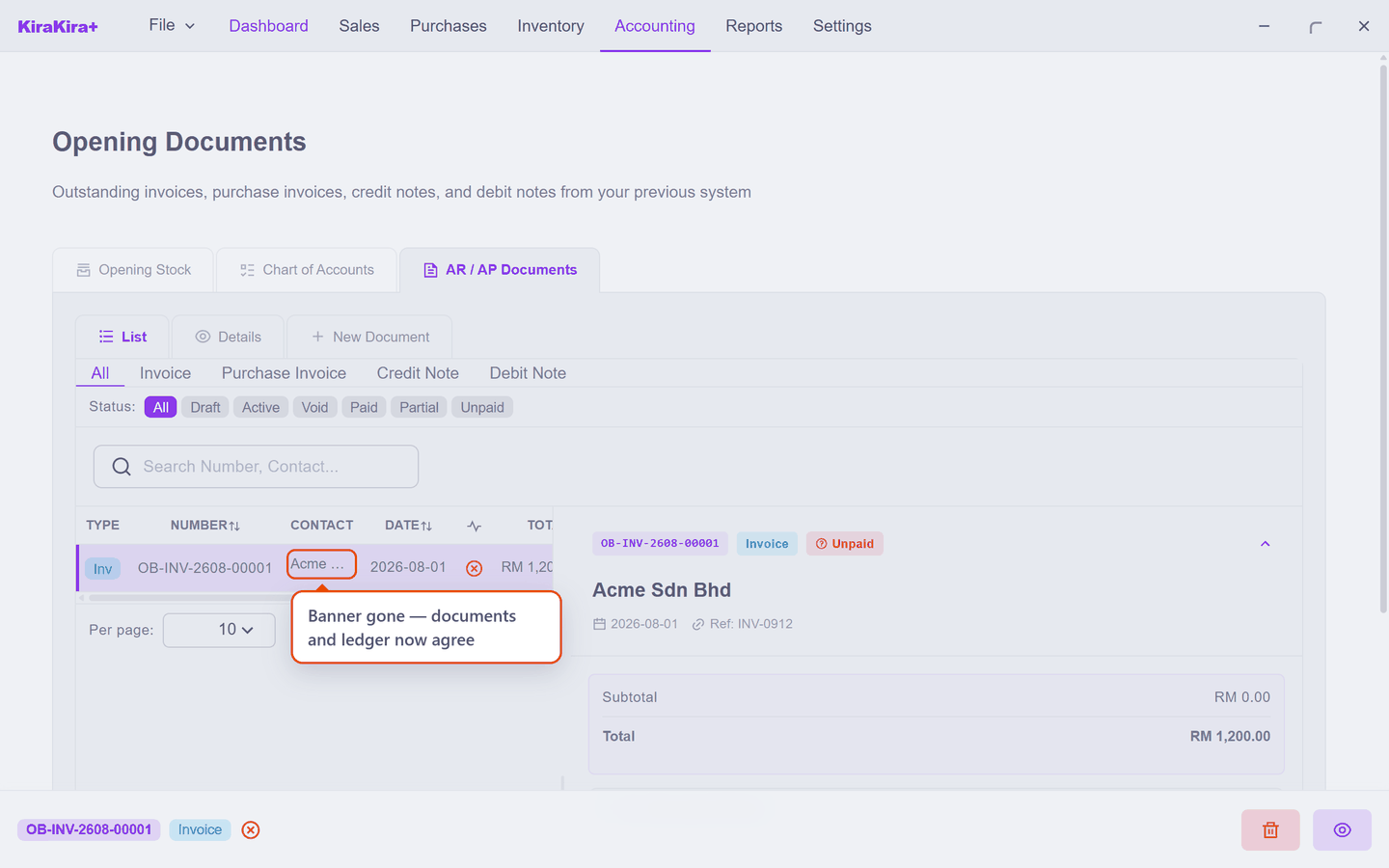
Notice it also picked up a number of its own — OB-INV-2608-00001 — while keeping INV-0912 as its Ref. Both numbers now find the same invoice.
Scenario — squaring that invoice with the ledger
The banner is the app asking for this step, so let us do it. One opening invoice of RM 1,200 means the opening Account Receivable is RM 1,200 — so that is what goes on the Chart of Accounts tab.
1 · Pick the account. Click the account cell on an empty line. Only Balance Sheet accounts are offered:
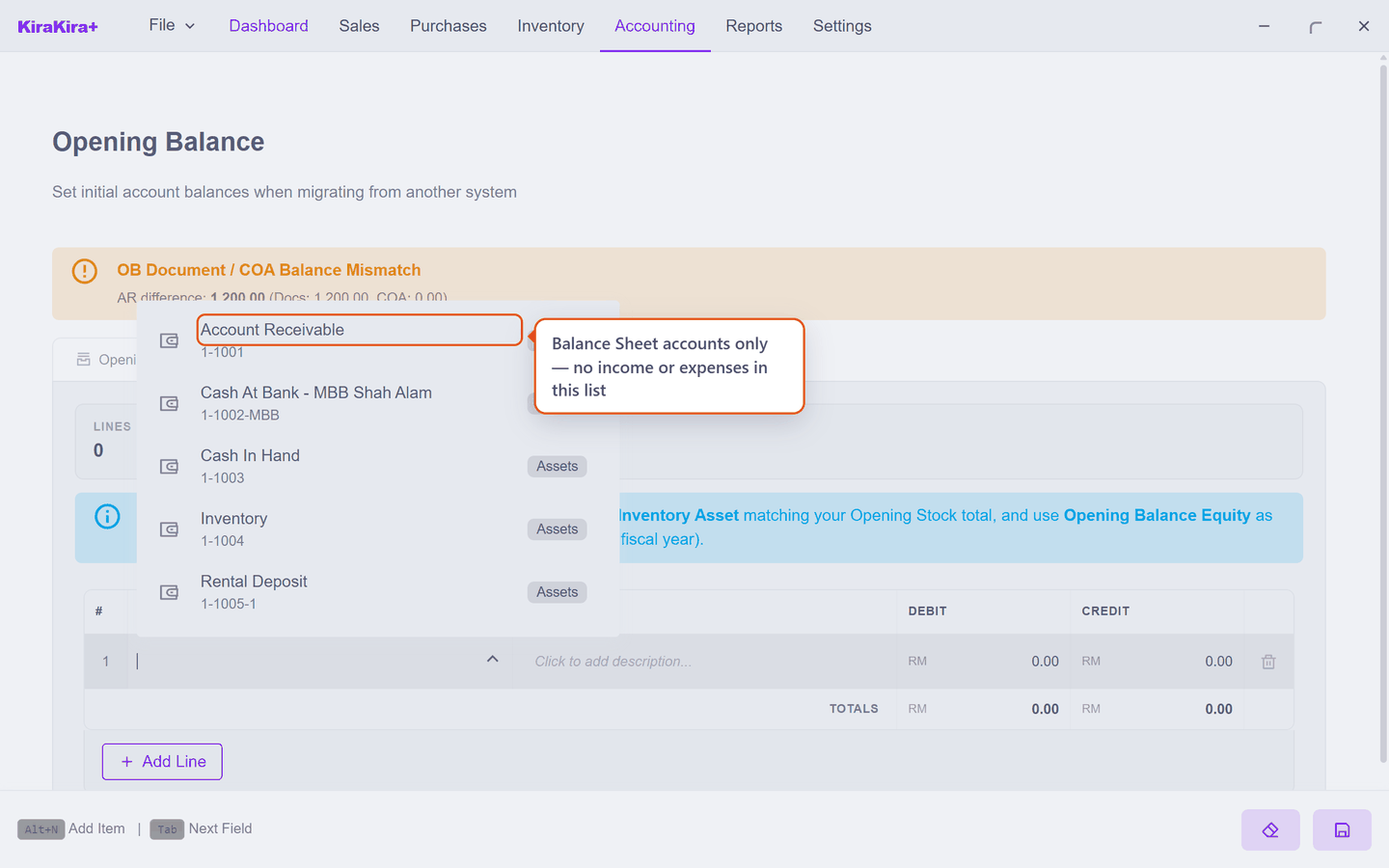
2 · Put 1,200 in Debit. Account Receivable is something you are owed, so it is a debit. The Status immediately says what is wrong:
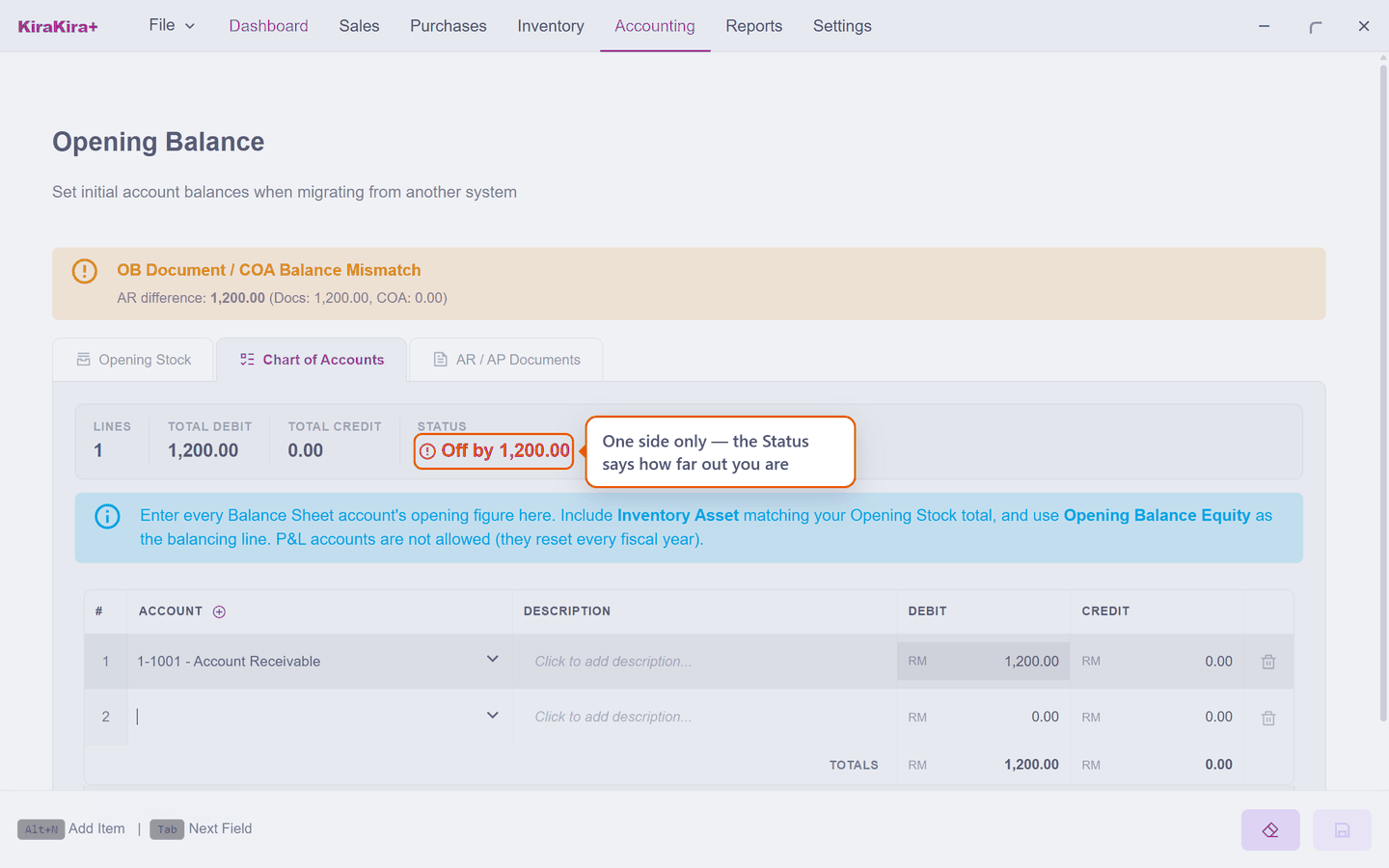
That is not an error — it is arithmetic. Every ledger entry has two sides, and so far you have entered one. Off by 1,200.00 is the app telling you the other side is missing.
3 · Enter the other side. What a customer owes you is part of what the business was worth on day one, so the balancing line is equity — Capital here, or Opening Balance Equity if you would rather your accountant sort it out later. Status flips to Balanced, and now it can be saved:
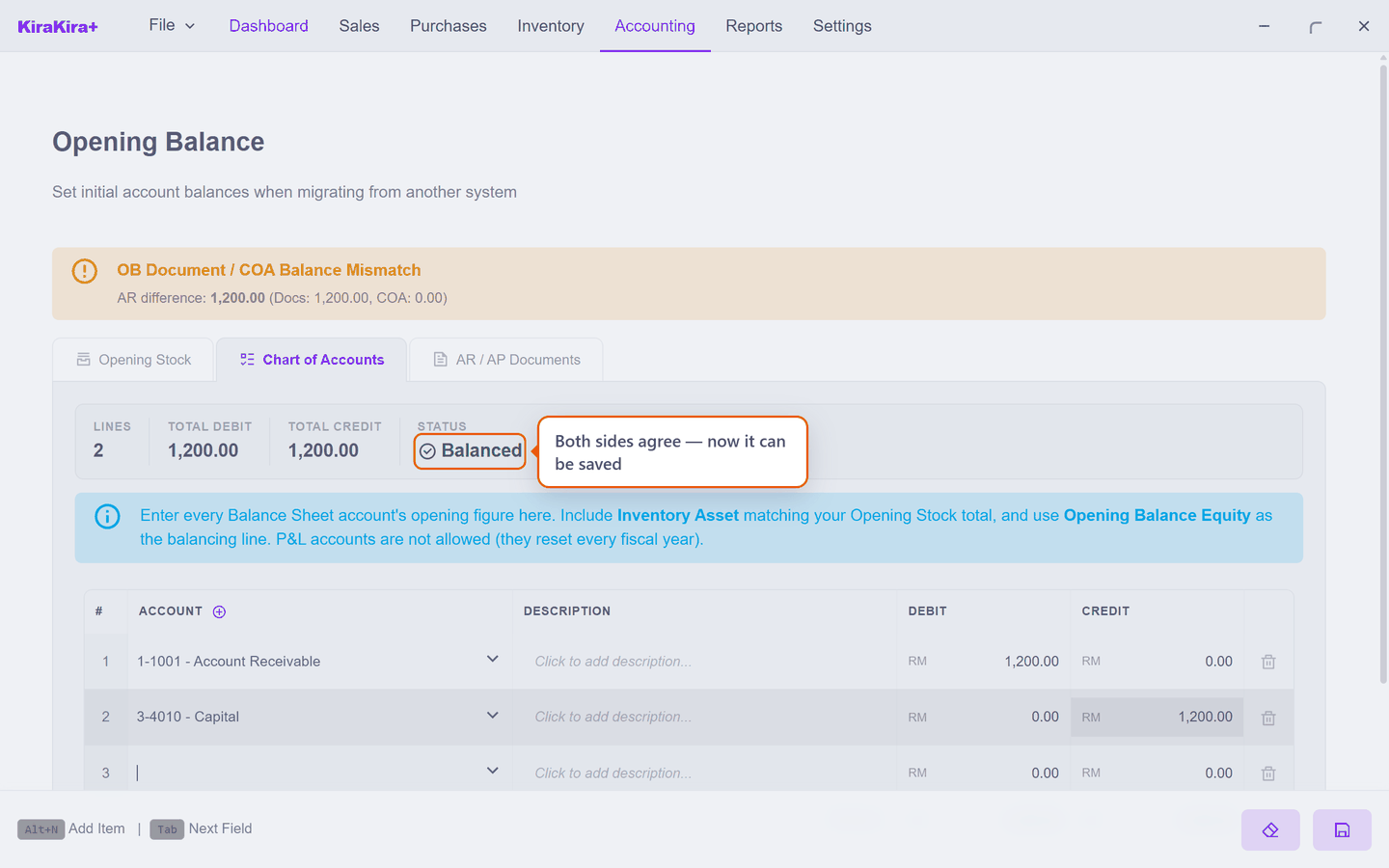
Check it worked. Save, return to AR / AP Documents, and the mismatch banner is gone:
With more than one document
The rule does not change, only the arithmetic. Suppose your changeover leaves you with three unpaid invoices, an unused customer credit, two unpaid bills and a supplier credit:
| On AR / AP Documents | Amount | |
|---|---|---|
| Invoice | INV-0912 Acme | 1,200.00 |
| Invoice | INV-0918 Bright Sdn Bhd | 800.00 |
| Invoice | INV-0921 Acme | 450.00 |
| Credit Note | CN-004 Acme | −150.00 |
| Account Receivable | 2,300.00 | |
| Purchase Invoice | V-8821 VendorCo | 600.00 |
| Purchase Invoice | V-8830 VendorCo | 300.00 |
| Debit Note | DN-002 VendorCo | −100.00 |
| Accounts Payable | 800.00 |
So the Chart of Accounts tab gets two lines from this list — Account Receivable 2,300.00 as a debit, Accounts Payable 800.00 as a credit — and the individual documents stay individual, which is the whole point of entering them.
Let the banner do the checking
Do not add these up twice. Enter the documents, put your totals on the Chart of Accounts tab, and if you have fumbled a figure the banner tells you the exact difference. It is a faster proof-read than a calculator.
That is your opening position complete — books, stock and open documents. From here everything is ordinary trading.
Next: Supplier bills.