
Appearance
Profit & Loss and Balance Sheet
The two reports every business owner actually reads. Profit & Loss answers "did I make money this period?" — income minus costs, over a stretch of time. Balance Sheet answers "what is the business worth right now?" — what it owns, what it owes, on one date. Both live under Reports, both fill themselves straight from your books, and nothing on these screens can change your books — run them as often as you like.
Profit & Loss
Reports → Profit & Loss. The report runs the moment the page opens, year-to-date by default:
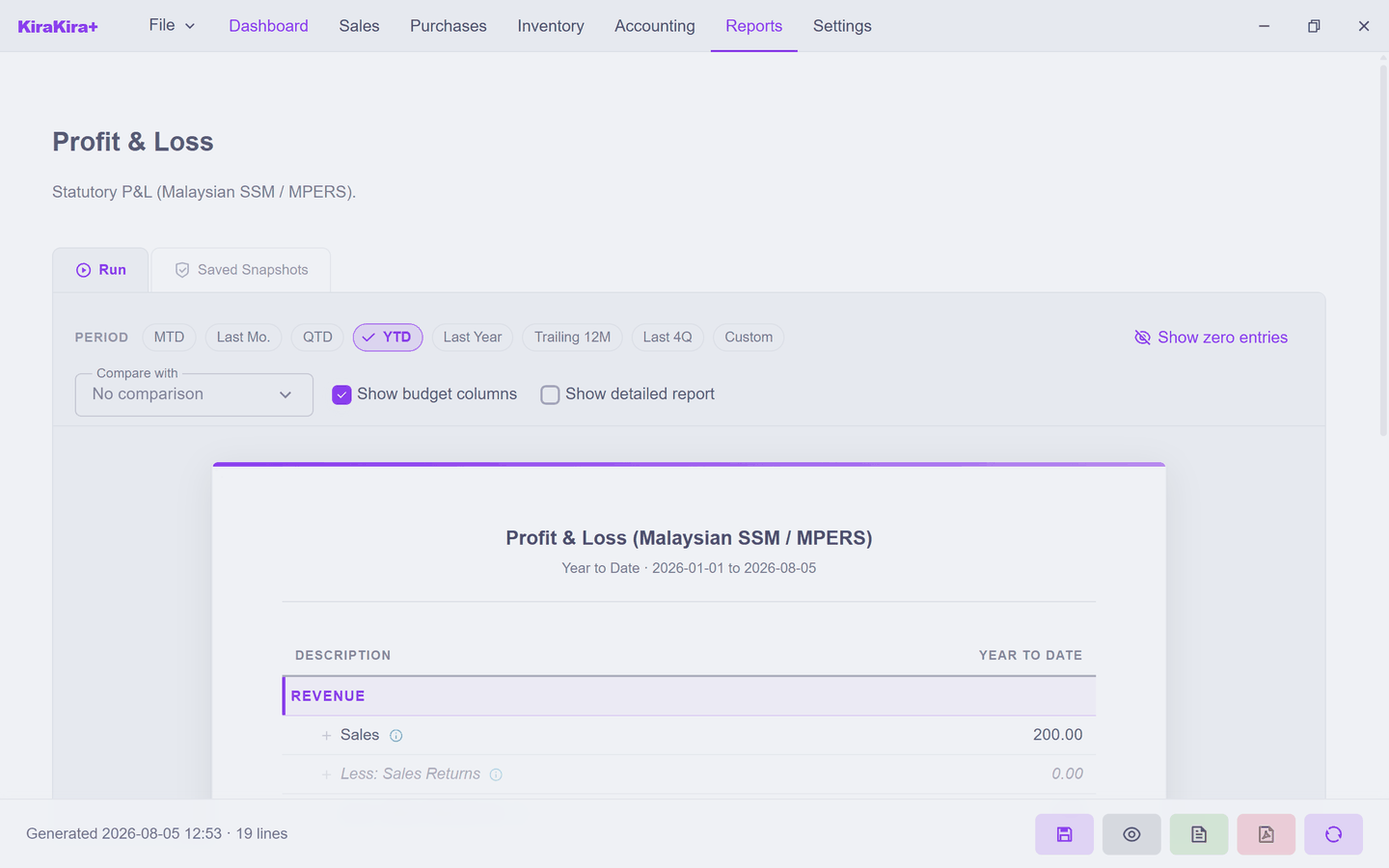
Seri Maju's story so far reads straight down the column: Sales 200.00, cost of the goods sold 80.00, the consulting bill 40.00 — profit RM 80. Every finalized invoice, bill and journal you have entered is already in here; there is nothing to post or refresh.
The Period pills re-run it over any stretch — MTD (this month so far), QTD, YTD, Last Year, Trailing 12M, or Custom dates. Three switches refine the view:
- Show zero entries — include lines that are 0.00 (off by default).
- Compare with — a second column for another period, side by side.
- Show detailed report — per-account detail instead of the summary rollup.
Balance Sheet
Reports → Balance Sheet. Same screen, different question — a snapshot as of a date rather than a stretch of time:
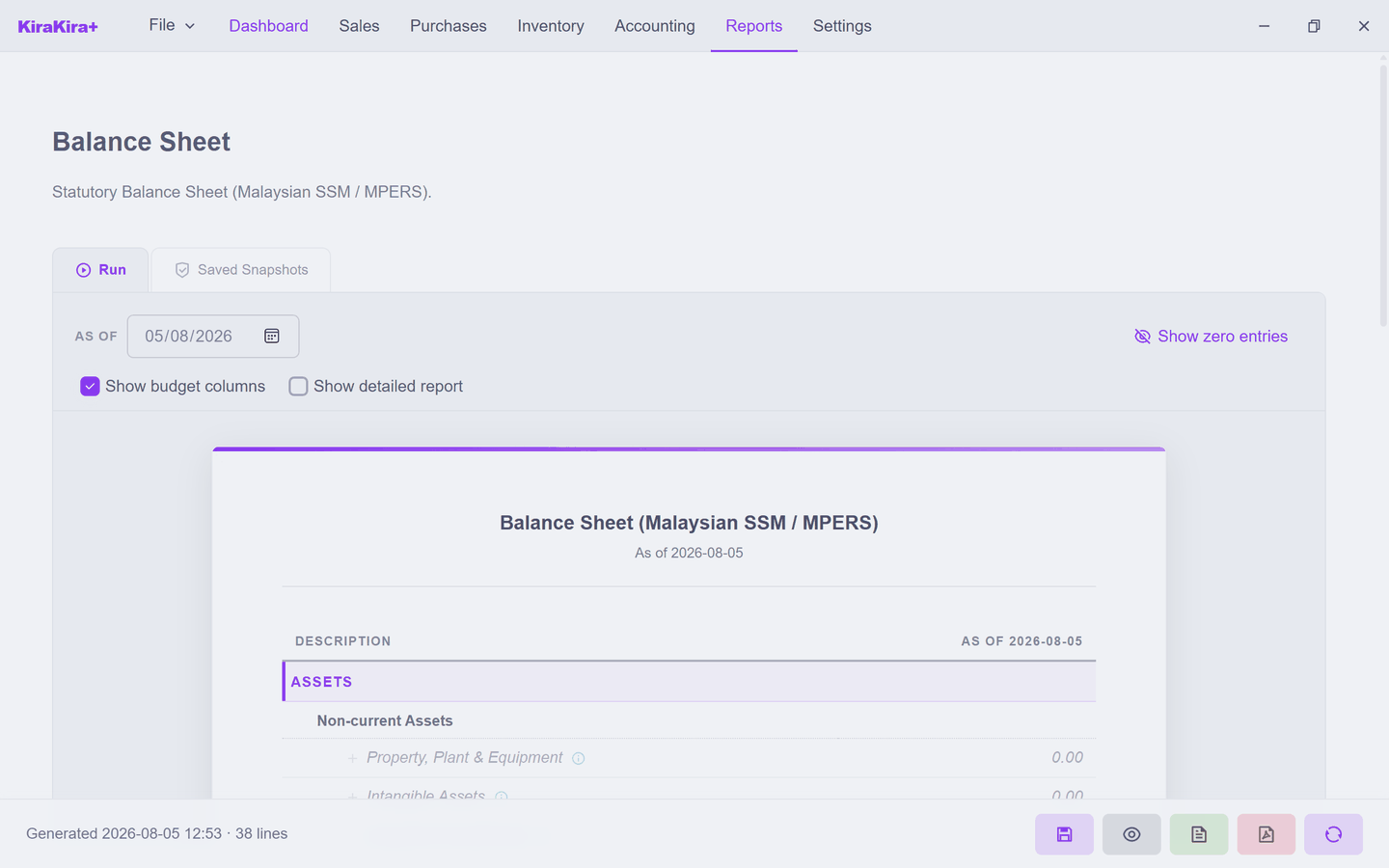
The same books, rearranged: the bank holds 15,000 (the 10,000 opening plus the owner's 5,000 capital), stock is worth 420, Borneo owes 200, the unpaid bill is 40 — and the difference between what's owned and what's owed is the owner's stake. It always balances; that is the point of the name.
Saving a snapshot
Every report page has two tabs: Run and Saved Snapshots. Run always reads the live books — run it next week and the numbers move with your books. A snapshot freezes a copy as-at the moment you saved it — month-end figures you can show your accountant later, exactly as they stood, even after corrections. Old snapshots never recalculate; that is their job.
These are statutory-format reports
The P&L and Balance Sheet follow the Malaysian SSM / MPERS presentation — the shape your accountant and SSM filings expect.
Next: Trial Balance.