
Appearance
Opening balances (switching from another system)
Accounting → Opening Balance. This is where you tell KiraKira+ what your business already owns and owes on the day you start using it.
Skip this if you are starting fresh
A brand-new business has nothing to bring in — go straight to your first invoice. This page is for moving from another system, from a spreadsheet, or from a paper book, where the story did not start at zero.
Pick your day, first
Choose the day you switch — the end of a month is easiest, and the end of your financial year is easiest of all. Everything up to that day stays in the old system; everything after it happens in KiraKira+. What you enter here is the photograph taken at closing time on that last day.
Three tabs, two different jobs
The screen has three tabs, and understanding the split is most of the battle:
| Tab | What it holds | Does it hit your accounts? |
|---|---|---|
| Chart of Accounts | One opening figure per Balance Sheet account | Yes — this is your books |
| Opening Stock | Quantity and cost per product | No — stock records only |
| AR / AP Documents | The individual unpaid invoices and bills | No — customer/supplier records only |
The two "No" tabs are lists, not bookkeeping. They exist so you can chase a specific unpaid invoice and see real stock counts. The Chart of Accounts tab is what your accounts read — which means you enter the totals in both places on purpose, and they have to agree. That mirrors how UBS, SQL Account and AutoCount work, so if your accountant has done a migration before, this will look familiar.
1 · Chart of Accounts — the figures that count
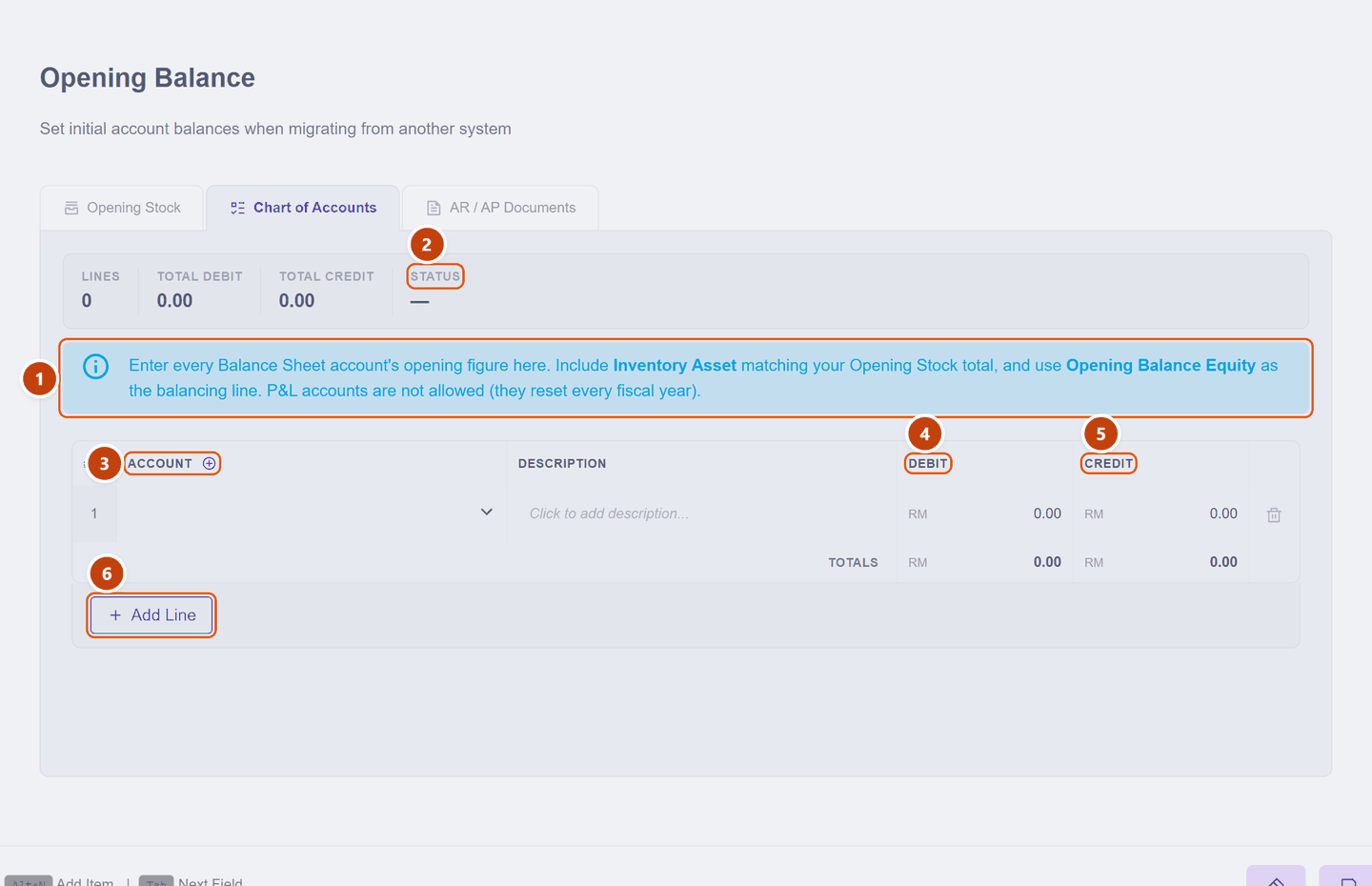
| What it does | ||
|---|---|---|
| 1 | Guidance banner | The rules, restated on screen — worth reading once |
| 2 | Status | Whether your debits and credits agree yet |
| 3 | Account | One line per account. Click to pick |
| 4 | Debit | Things you own or are owed |
| 5 | Credit | Things you owe, plus equity |
| 6 | Add Line | One line per account |
Only Balance Sheet accounts are offered — the picker simply does not list your income and expense accounts:
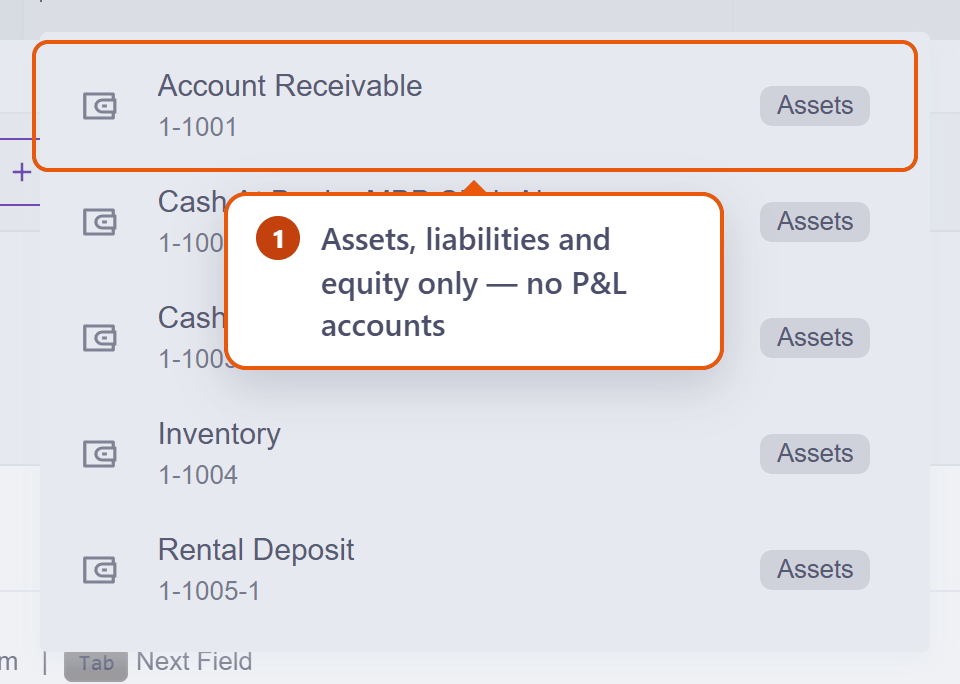
Why no income or expenses?
Profit and loss accounts start again at zero every financial year, so an "opening balance" for them is meaningless — last year's sales belong to last year's accounts. Your accumulated result comes in through Retained Earnings instead, as one equity figure.
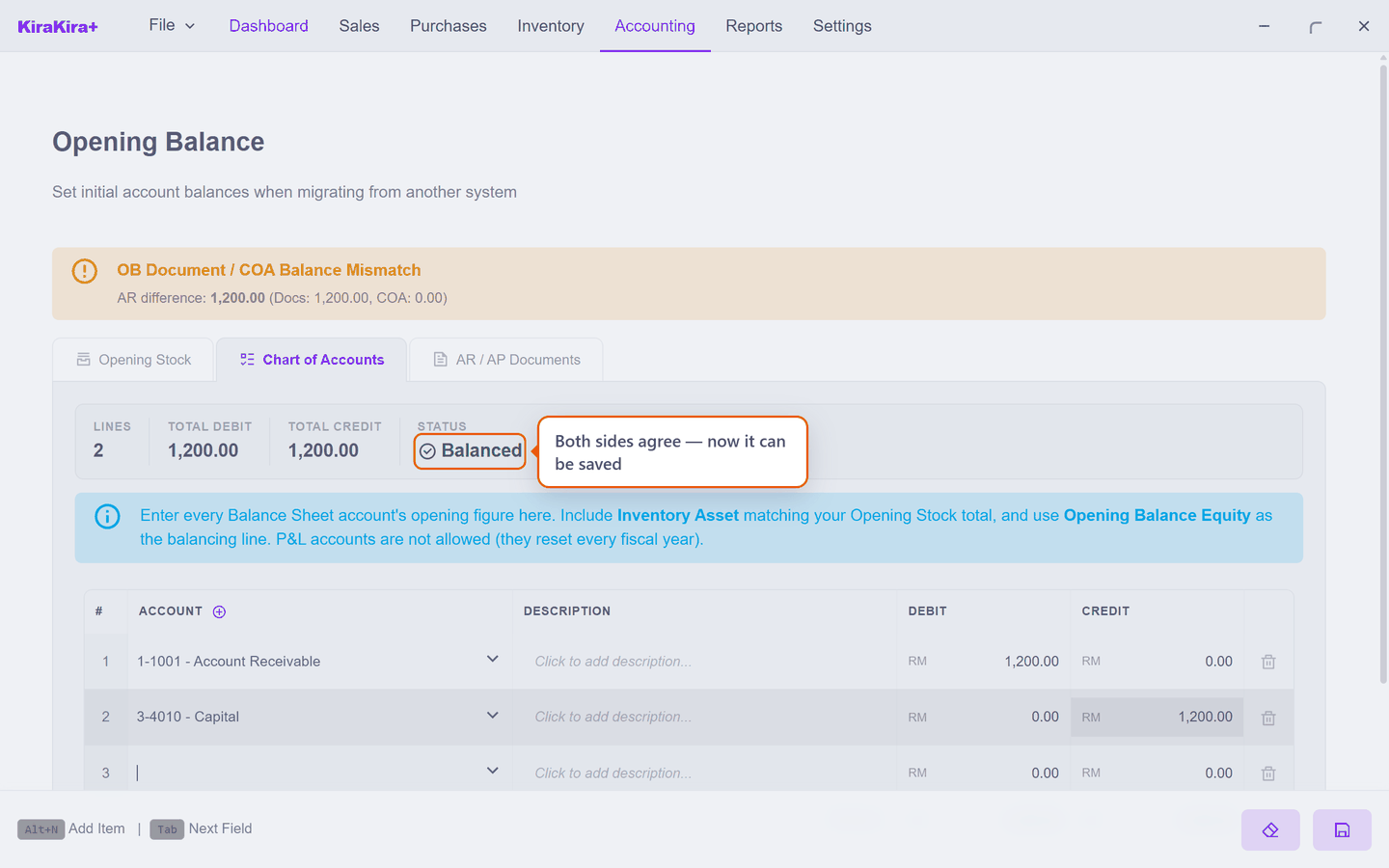
Debits must equal credits. They will not, at first — the difference is everything not yet accounted for, and the last line mops it up: Opening Balance Equity. That account exists for exactly this, and your accountant can reclassify it later. When Status says the two sides agree, you are done.
Scenario — Seri Maju's opening position
Seri Maju switches over on 30 June. From their old system's balance sheet at close of business that day:
| Account | Debit | Credit |
|---|---|---|
| Cash At Bank — CIMB | 18,400.00 | |
| Cash In Hand | 350.00 | |
| Account Receivable (control) | 12,750.00 | |
| Inventory | 9,200.00 | |
| Furniture & Fittings | 4,000.00 | |
| Accounts Payable (control) | 7,300.00 | |
| Sales Tax Payable | 480.00 | |
| Retained Earnings | 22,000.00 | |
| Opening Balance Equity (the plug) | 14,920.00 | |
| Totals | 44,700.00 | 44,700.00 |
Three of those figures are promises to the other two tabs:
- Inventory 9,200.00 must equal the Opening Stock total.
- Account Receivable 12,750.00 must equal the opening invoices you enter.
- Accounts Payable 7,300.00 must equal the opening bills.
The last line is arithmetic, not judgement: add up the debits, add up the credits, and put the difference in Opening Balance Equity. If your old system handed you a balance sheet that already balanced, this line will be small or zero.
Putting one of them in
Every line goes in the same way, so here is one start to finish. The pictures use a smaller two-line example than the table above, so the whole grid stays readable — the steps are identical whether you have two lines or twenty.
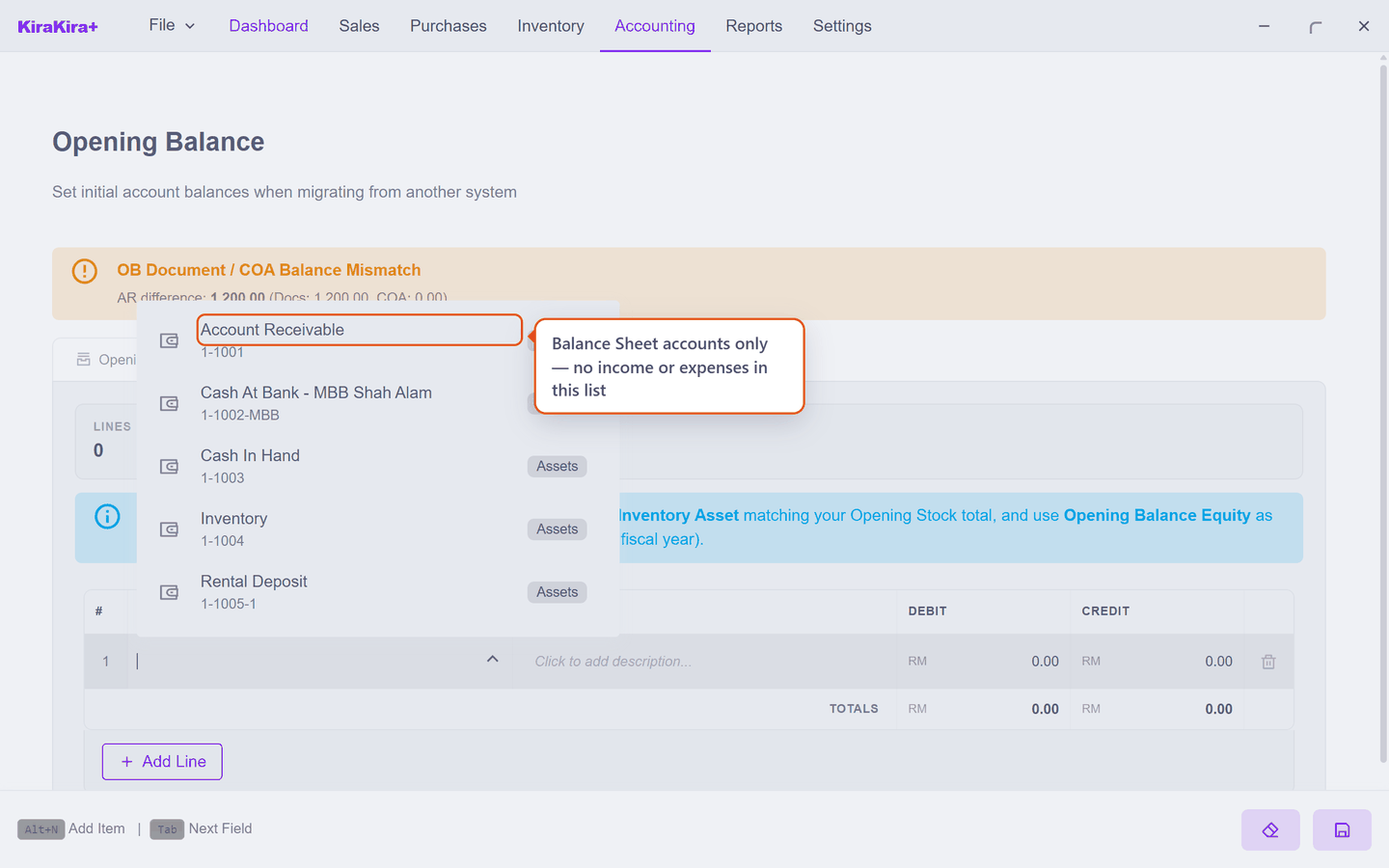
Click the account cell on an empty line. The picker lists Balance Sheet accounts only, by name and code:
Type the figure in Debit or Credit — never both. Assets and things you are owed are debits; what you owe, and equity, are credits. After one line the Status shows how far from balanced you still are:
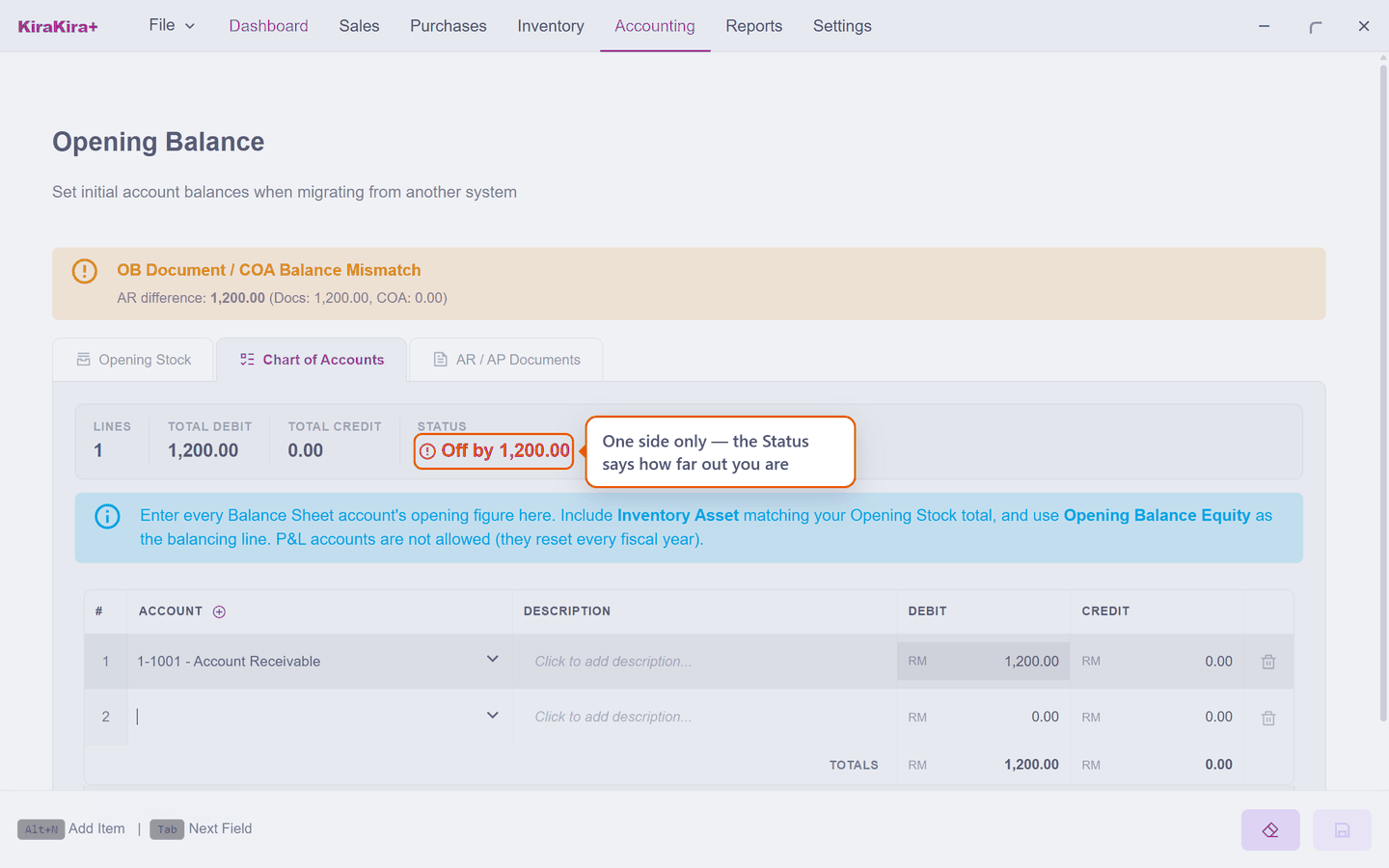
Off by is normal while you are part-way through — it only has to reach zero by the time you save. When the two sides finally agree, Status says Balanced and the save button comes alive:
Work down your trial balance
Enter the lines in the order they appear on your accountant's trial balance and tick each one off. Off by then doubles as your progress bar — it should shrink towards zero as you go, and if it jumps the wrong way you know which line to look at.
2 · Opening Stock — what is on the shelf
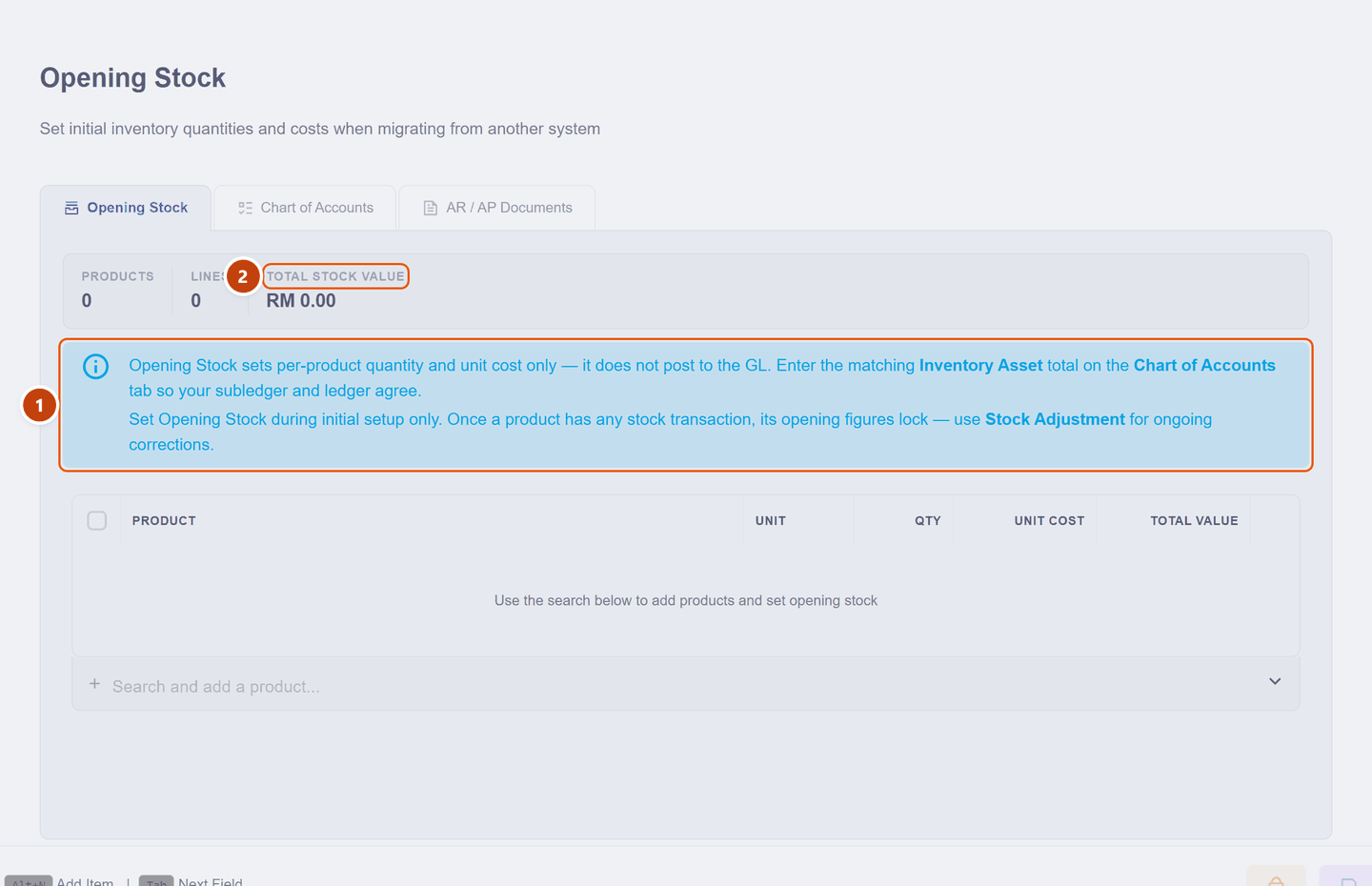
Add each product, its quantity, and what it cost you — not what you sell it for. The Total Stock Value at the top is the number that must match the Inventory line on the Chart of Accounts tab.
Set this during setup only
As the banner says: once a product has had any stock movement, its opening figures lock. From then on, corrections go through Stock Adjustment — which is right, because by then a change is a real event in your business, not a setup detail.
3 · AR / AP Documents — who owes what
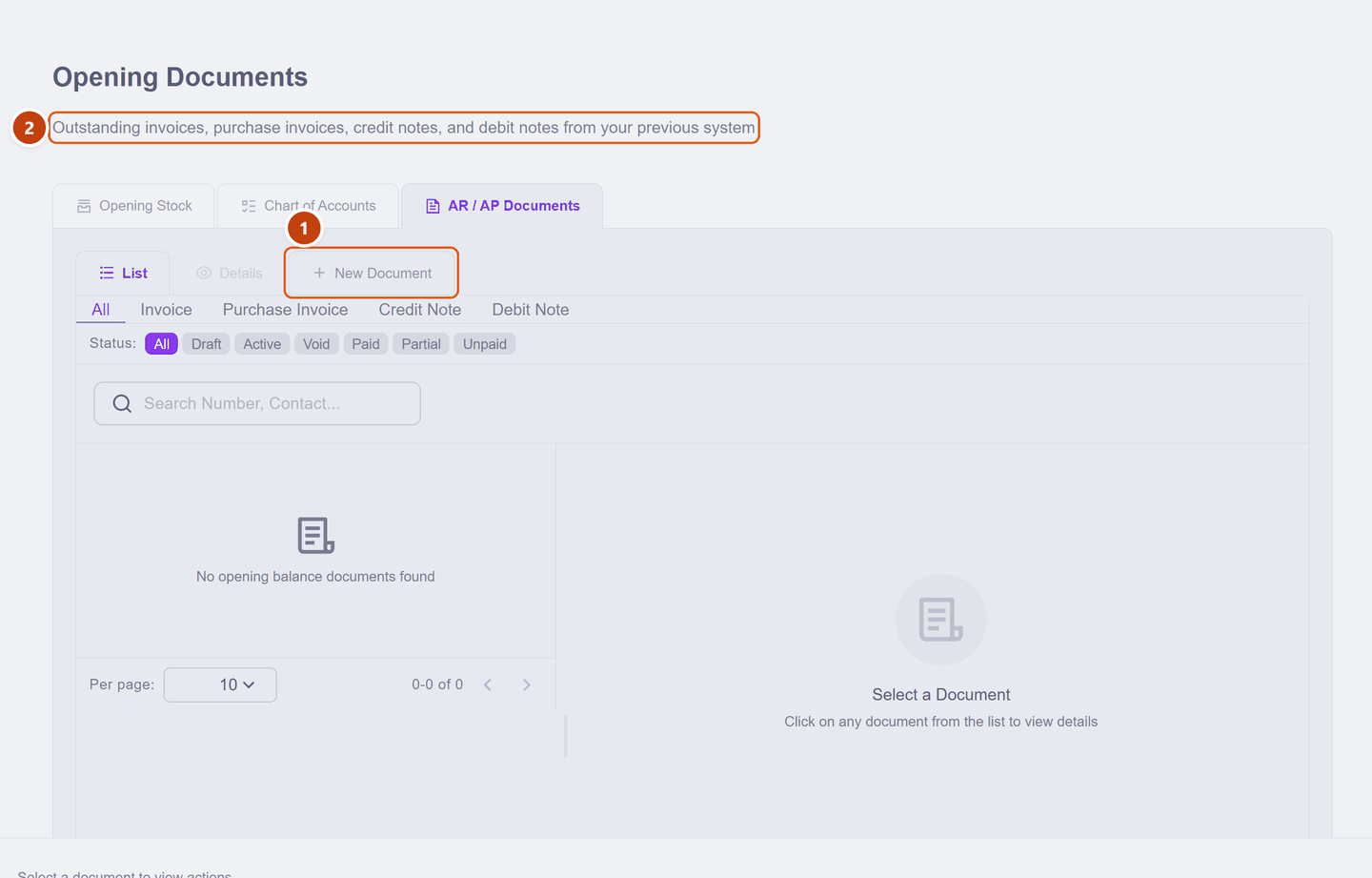
Enter each unpaid invoice your customers still owe you, and each unpaid bill you still owe suppliers, with New Document. Credit notes and debit notes that were still outstanding go here too.
This is the tab people are tempted to skip, and the one that pays off most. Enter the individual documents and you can:
- record a payment against that invoice when the customer pays,
- see a real aged-receivables report from day one,
- tell a customer exactly which invoice is outstanding.
Enter only the lump 12,750.00 on the accounts tab and you will know that you are owed money — but not by whom.
Check the three agree
| The total of… | must equal… |
|---|---|
| Opening Stock value | Inventory on the accounts tab |
| Opening invoices | Account Receivable on the accounts tab |
| Opening bills | Accounts Payable on the accounts tab |
KiraKira+ checks the AR and AP pairs for you and shows a banner if they drift. Stock you reconcile by eye — each of the two tabs carries a reminder pointing at the other.
Ask your accountant for one thing
If this page feels like heavy going, ask your accountant for a trial balance as at your switch-over date. That is a single page listing exactly these accounts and figures, and it is an entirely normal thing to ask for.
Next: Stock you already hold — the second of the three opening layers. The Inventory figure you entered above has to match what you record there.