
Appearance
Products and services
Inventory → New Product. A product is anything you put on an invoice line — a thing you stock, a service you perform, or a cost you pass on. Saving it once means the description, price, tax code and account fill themselves in every time you sell it.
A priced line needs a product
You cannot type a free-text line with your own price. Quantity, price, account and tax stay locked until the line has a product on it — so create the product first, even for something you will sell once. There is a ready-made one-off item for exactly that case.
What you are looking at
Four boxes are required — everything else can wait.
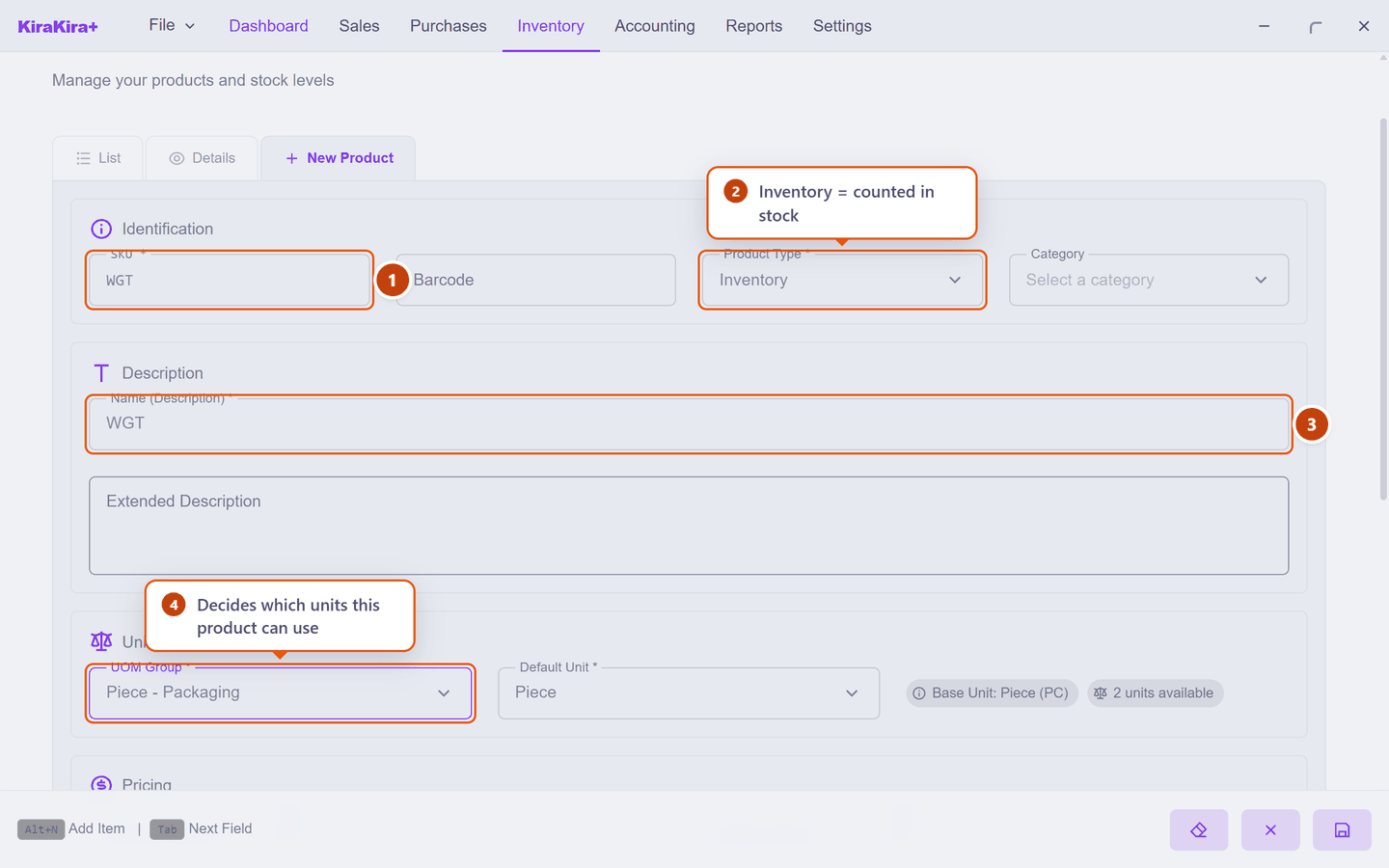
| Field | What it does | |
|---|---|---|
| 1 | SKU | Your own short code. It has to be unique — the app refuses a duplicate. |
| 2 | Product Type | Inventory is counted in stock. Service and Non-Inventory are not — see below. |
| 3 | Name (Description) | What the customer reads on the invoice. |
| 4 | UOM Group | Which family of units this product can be sold in. |
Product Type decides whether stock is counted
| Type | Counted in stock? | Use it for |
|---|---|---|
| Inventory | Yes — quantity and average cost are tracked | Goods you hold on a shelf |
| Service | No | Labour, consulting, delivery, repairs |
| Non-Inventory | No | Things you buy and pass straight on, and never count |
You cannot switch a type freely once it has been traded
An Inventory product carries stock and an average cost. Choose the type when you create the product.
Unit group, default unit and base unit
These three sound alike and are not.
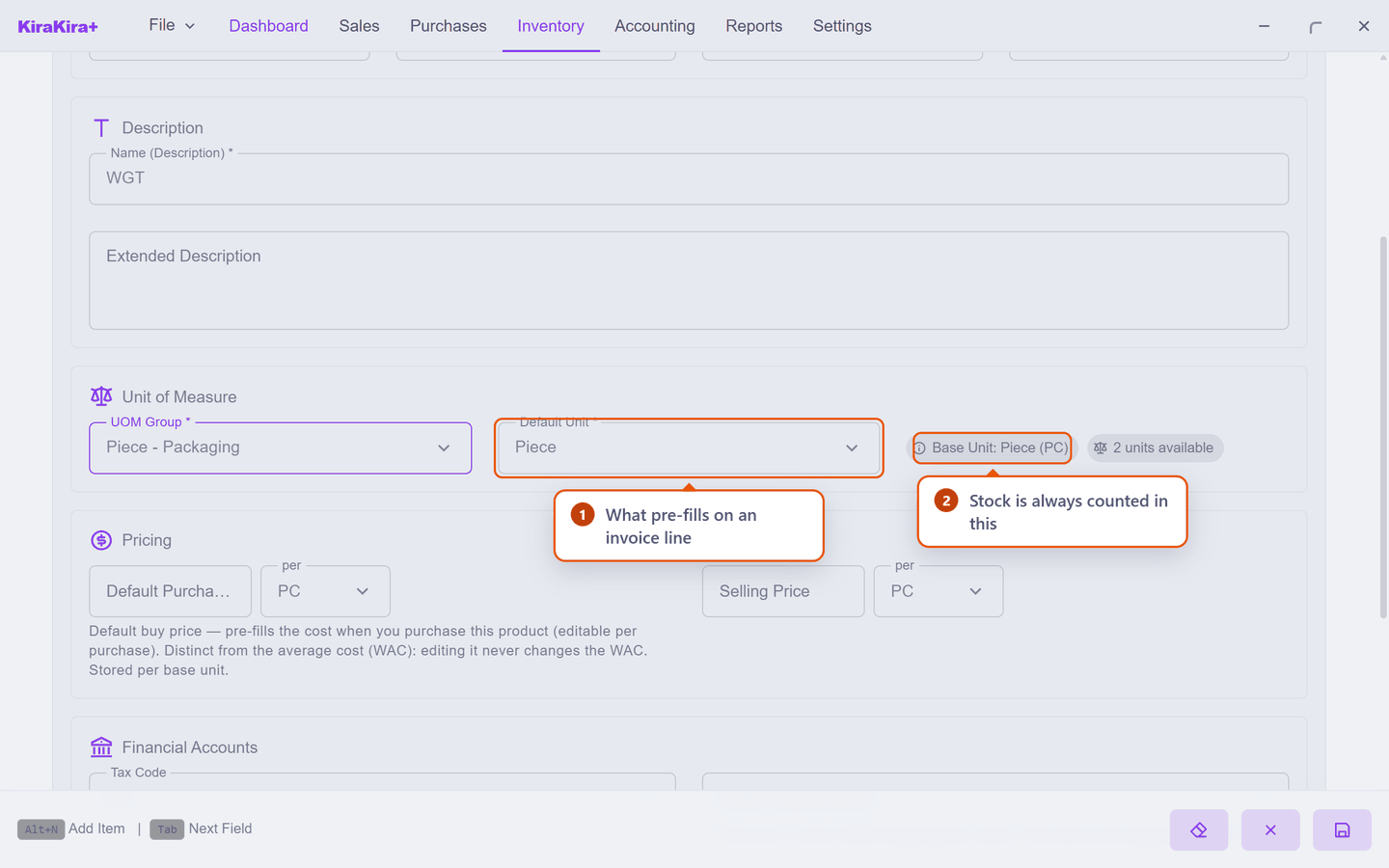
| Field | What it means | |
|---|---|---|
| 1 | Default Unit | Which unit pre-fills on a new invoice or bill line. Nothing more. |
| 2 | Base Unit | Fixed by the group. Stock is always counted and valued in this unit, whatever unit you type on a line. |
So a widget in the Piece - Packaging group is always counted in PC, even when you buy 4 BOX. The line says 4 BOX; stock moves by 48 PC. See Units of measure.
Price is quoted in whichever unit suits you
Beside each price is a small per box. It lists the units in the product's group, and it is independent of the Default Unit.
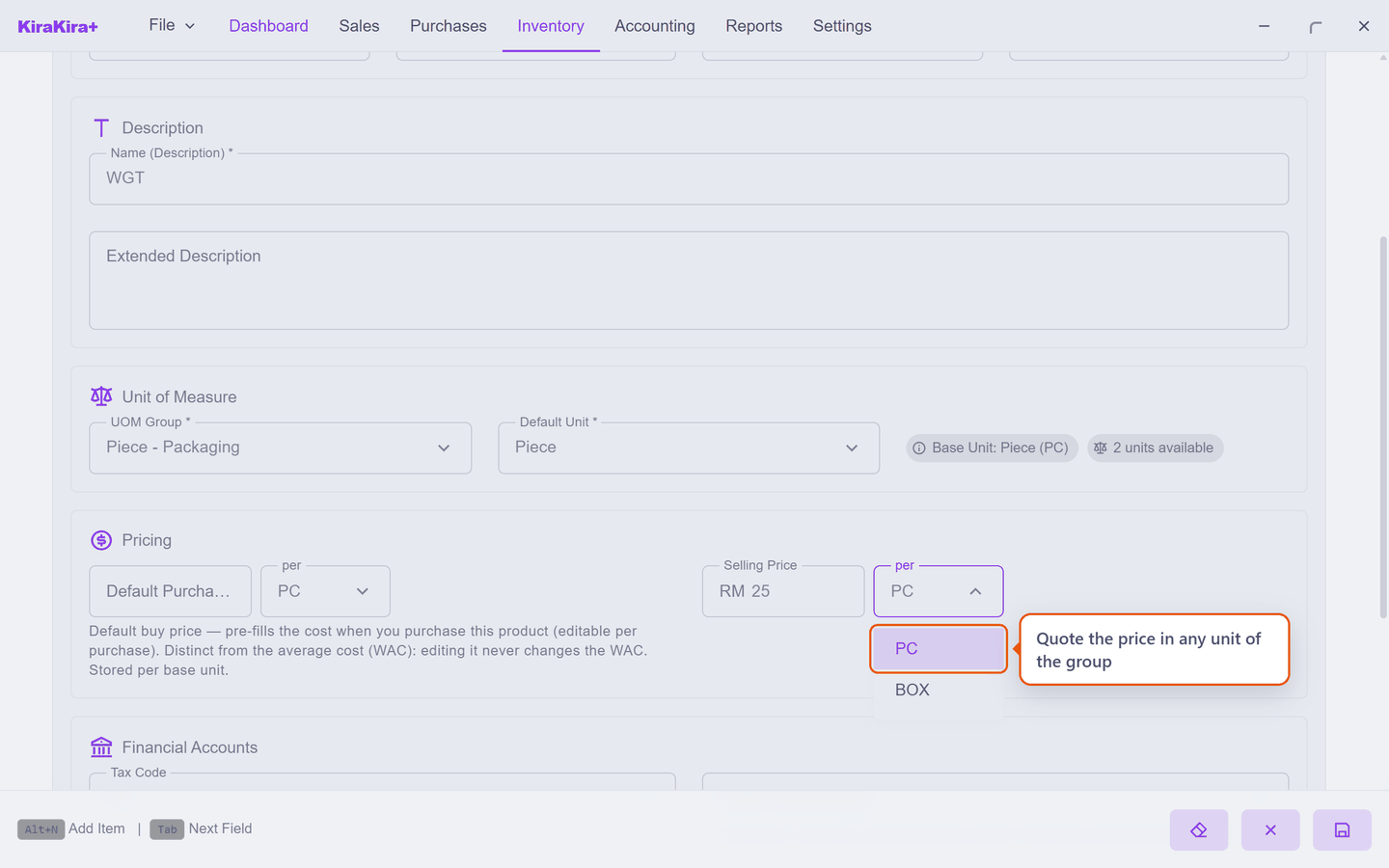
Change it and the app re-expresses the same price rather than reinterpreting what you typed:
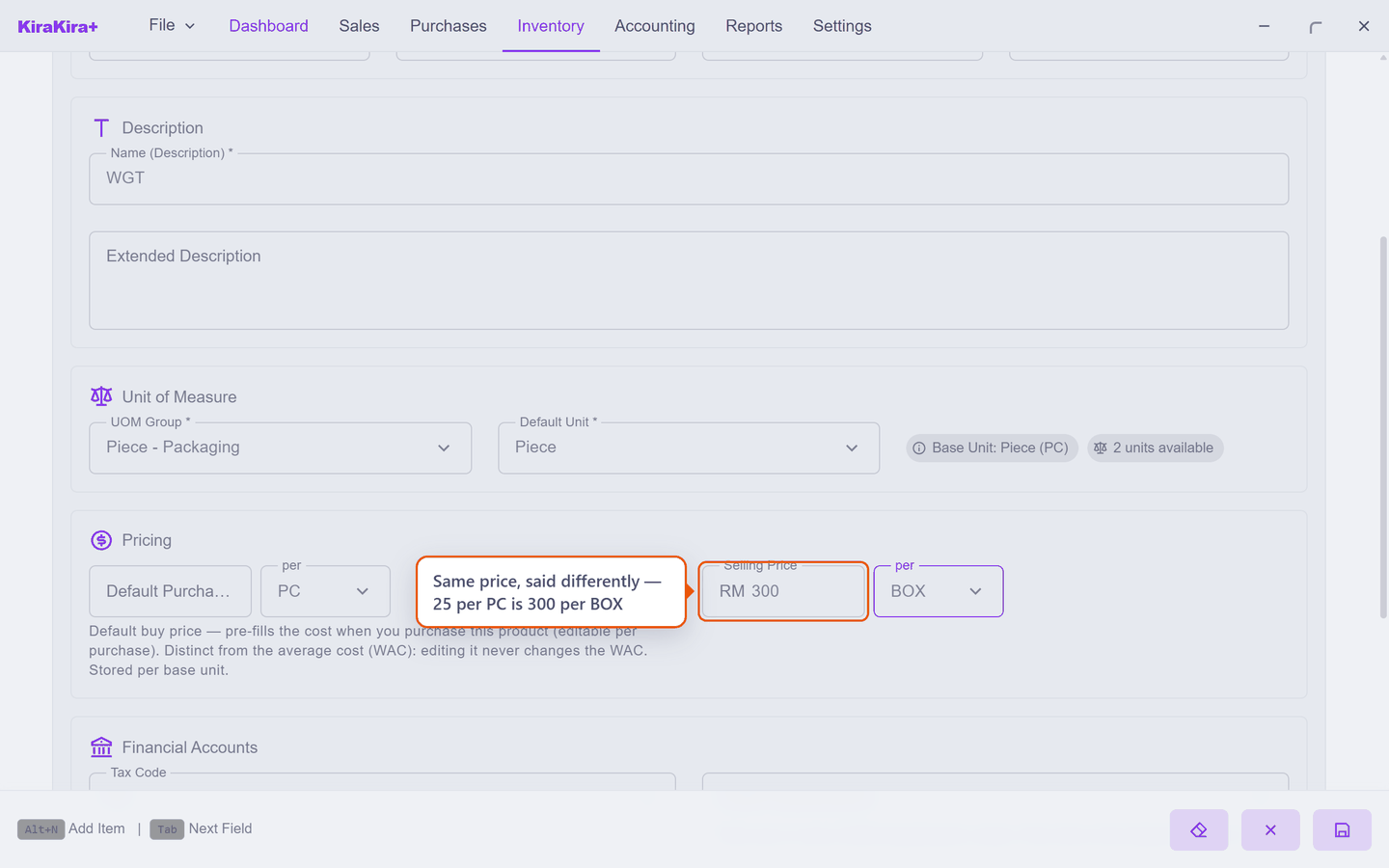
Type 25 per PC, switch to BOX, and it reads 300 — because twelve pieces at 25 is 300. Nothing changed except the unit you are saying it in. Enter the price in whatever unit you actually think in; the app stores one price underneath either way.
Scenario — Seri Maju adds its first widget
Seri Maju sells widgets singly at RM 25 and buys them by the box.
| Field | What Seri Maju enters | |
|---|---|---|
| 1 | SKU | WGT |
| 2 | Product Type | Inventory — widgets sit on a shelf |
| 3 | Name (Description) | WGT |
| 4 | UOM Group | Piece - Packaging — the group with BOX in it |
| Default Unit | Piece — most invoices are for single widgets | |
| Selling Price | 25 per PC |
Press the round save button, bottom right.
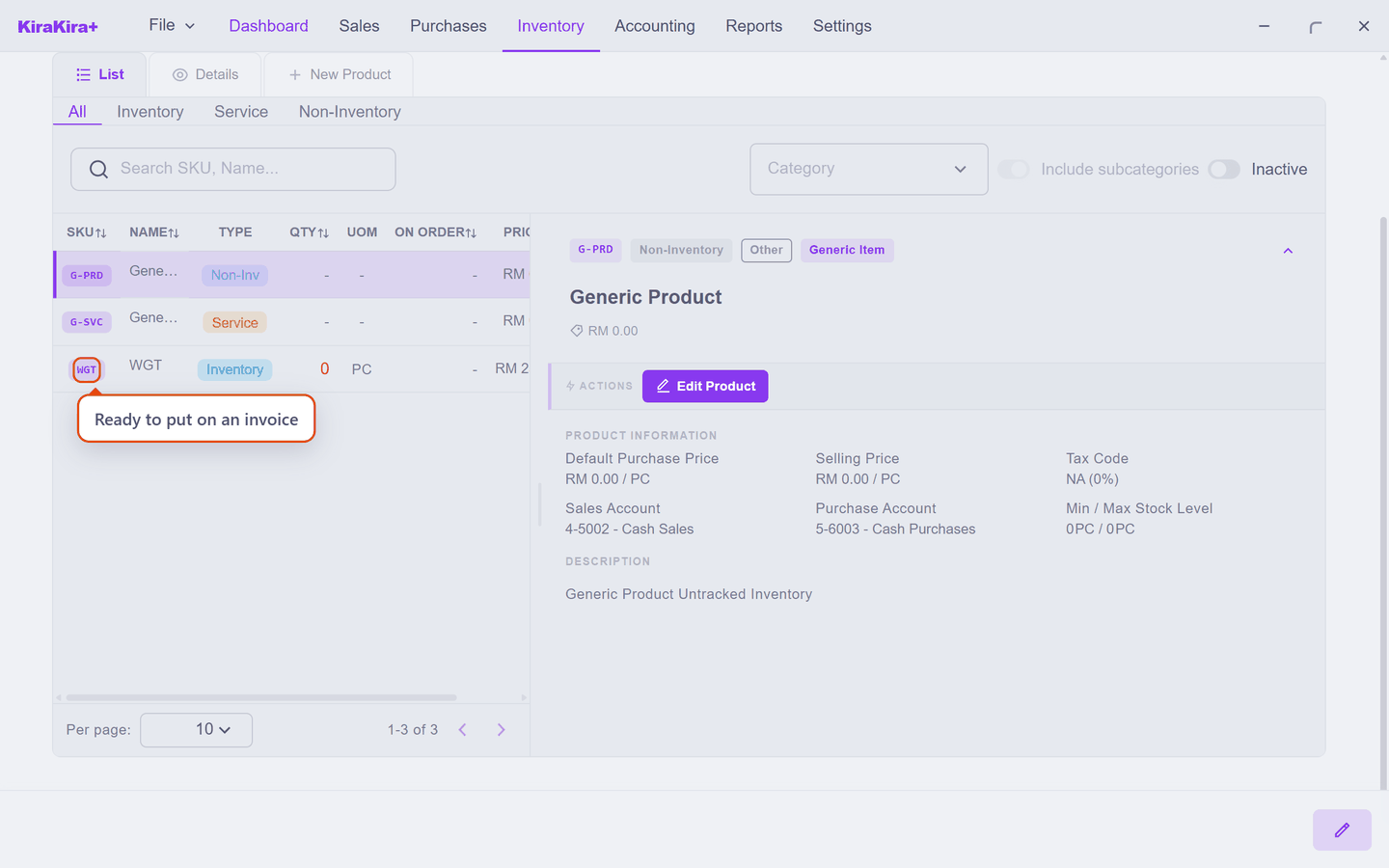
Check it worked. WGT appears in the product list and can be picked on an invoice line.
If Save does nothing
Check the four required boxes — SKU, Product Type, Name and UOM Group — and that the SKU is not already used by another product.