
Appearance
Document numbering
Settings → Document Numbering. Every document you issue gets a number like INV-2607-00001 — prefix, period, running count. This page controls how those are built.
Nothing here is required
The defaults are sensible and every document type already has one. Come here if you want your own prefixes — say SM-Q- instead of QTN- — or if you are switching from another system and want the count to continue from where it left off. Set it before your first documents; numbers already issued never change.
What you are looking at
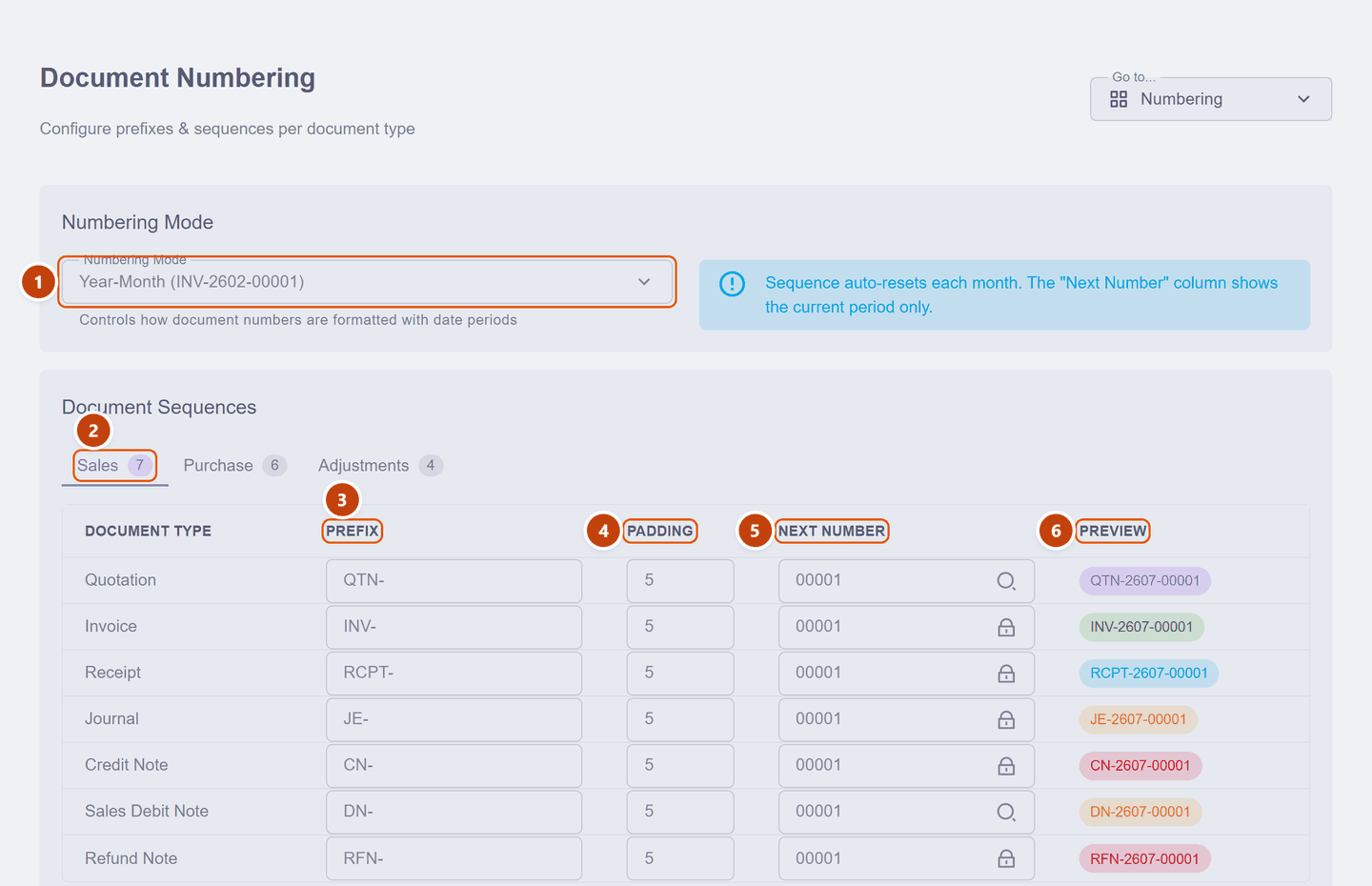
| What it does | ||
|---|---|---|
| 1 | Numbering Mode | How the date period appears in every number — one choice for all document types |
| 2 | Category tabs | Sales (7 types), Purchase (6) and Adjustments (4) — same columns on each |
| 3 | Prefix | The letters in front. It is a dropdown as well as a text box: prefixes you used before are offered back |
| 4 | Padding | How many digits the count is padded to — 5 gives 00001 |
| 5 | Next Number | The count the next document will take. A magnifier means you may edit it (with a check that the number is free); a padlock means it is protected — see below |
| 6 | Preview | Exactly what the next document's number will look like, live |
Numbering Mode has two options:
| Mode | Example | The count resets… |
|---|---|---|
| Year-Month | INV-2607-00001 | every month |
| Year only | INV-26-00001 | every year |
Because the period is part of the number, the count starts again each period — that is normal, and the full number is still unique.
One document type is deliberately absent: Delivery Orders take their number from the document they belong to (INV-2607-00012/1, /2, …), so there is nothing to configure for them here.
Why some Next Numbers wear a padlock
Invoices, receipts, journals, credit notes and the like keep an unbroken sequence — a gap in invoice numbers is exactly the kind of thing an auditor or the tax office asks about, so KiraKira+ does not let you skip ahead on those. Less formal documents (quotations, for instance) show a magnifier instead and can start from any free number.
Changing a prefix
Type over the prefix and watch the Preview column follow:
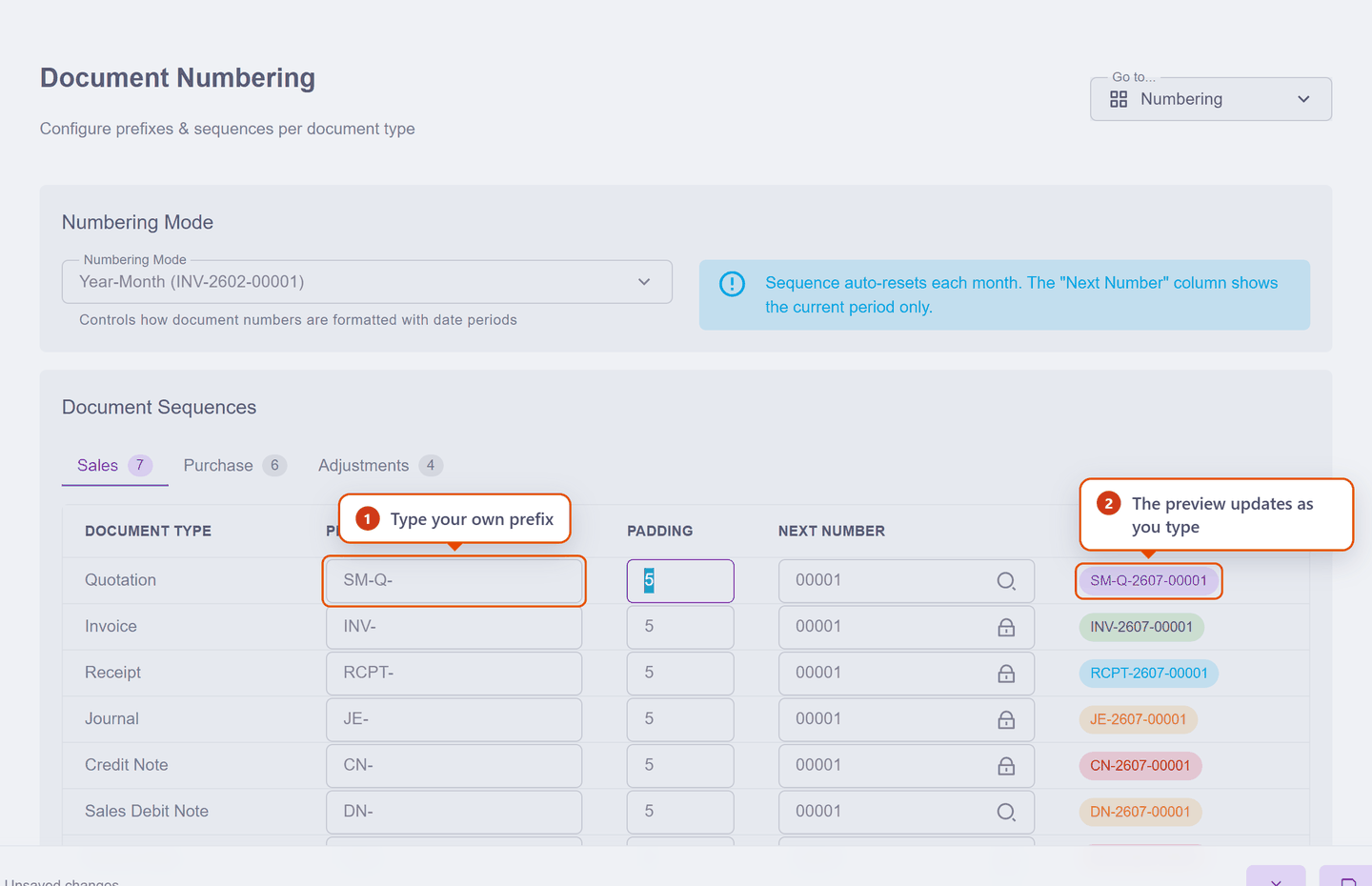
Two things worth knowing:
- A prefix cannot contain
/ \ : * ? " < > |— document numbers become PDF file names when you export, and those characters are not allowed in file names. The field tells you immediately. - Changing a prefix only affects future documents. Everything already issued keeps its number, and the old prefix stays available in the dropdown if you want to go back.
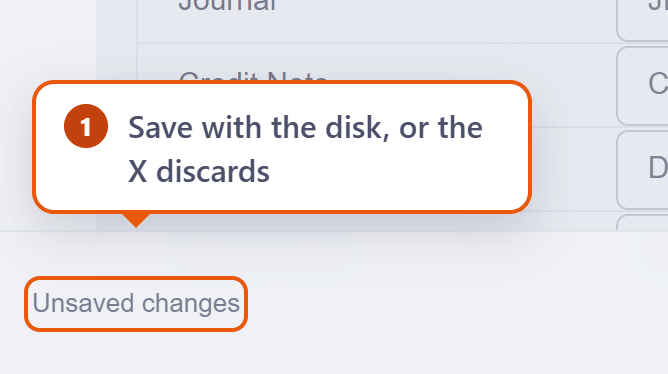
Nothing is saved until you say so — an Unsaved changes bar appears at the bottom, with a save button and an ✕ to discard:
Scenario — continuing from your old system
Seri Maju's last quotation in their old book was number 41, so the first one in KiraKira+ should be 00042:
- On the Sales tab, find the Quotation row — its Next Number shows a magnifier, so it is editable.
- Click in and type
42— it pads itself to00042. - The magnifier checks the number is not already taken in this period.
- The Preview now reads
QTN-2607-00042. Save.
The count carries on from there: 00042, then 00043. When the month rolls over (Year-Month mode), it starts at 00001 again.
Invoices are the exception. Their Next Number is padlocked, so you cannot make KiraKira+ start at 00042 — invoice sequences stay unbroken from 00001. That is fine: your old book remains the record for the old numbers, and the new sequence is clearly a new system's. If a customer asks, "our numbering changed when we moved to new software" is an answer every accountant recognises.
Next: Send your first invoice — your books are now genuinely yours, so it is safe to raise a real document.