
Appearance
Correcting mistakes
The same rule that governs the buying side: you never edit history. A finalised invoice stays as issued; every fix is a new document, or a void, that says what changed and why. Your customer received that invoice — your books must always be able to explain what they received.
| What went wrong | What you do |
|---|---|
| It is still a Draft | just edit it — or delete it. Drafts cost nothing |
| Wrong customer, or the invoice should never have existed | Void it, re-issue correctly — Scenario A |
| The whole invoice is wrong but Void refuses, or the customer already has it | a full Credit Note, then re-issue — see below |
| The goods came back | a Return-basis Credit Note |
| You overcharged — goods delivered fine | an Allowance credit note for the difference — Scenario B |
| You undercharged | simply bill the difference as another invoice — nothing special exists, or needs to |
| A receipt was recorded wrongly | Void the receipt — Scenario C |
| The invoice is paid and money must go back | a Refund Note |
Scenario A — the invoice went to the wrong customer
The invoice meant for Acme Sdn Bhd went out under Ali's name — five widgets, RM 125. The whole document is wrong, so the whole document goes: Void, with the reason written down — "Issued to the wrong customer — re-issued to Acme Sdn Bhd":
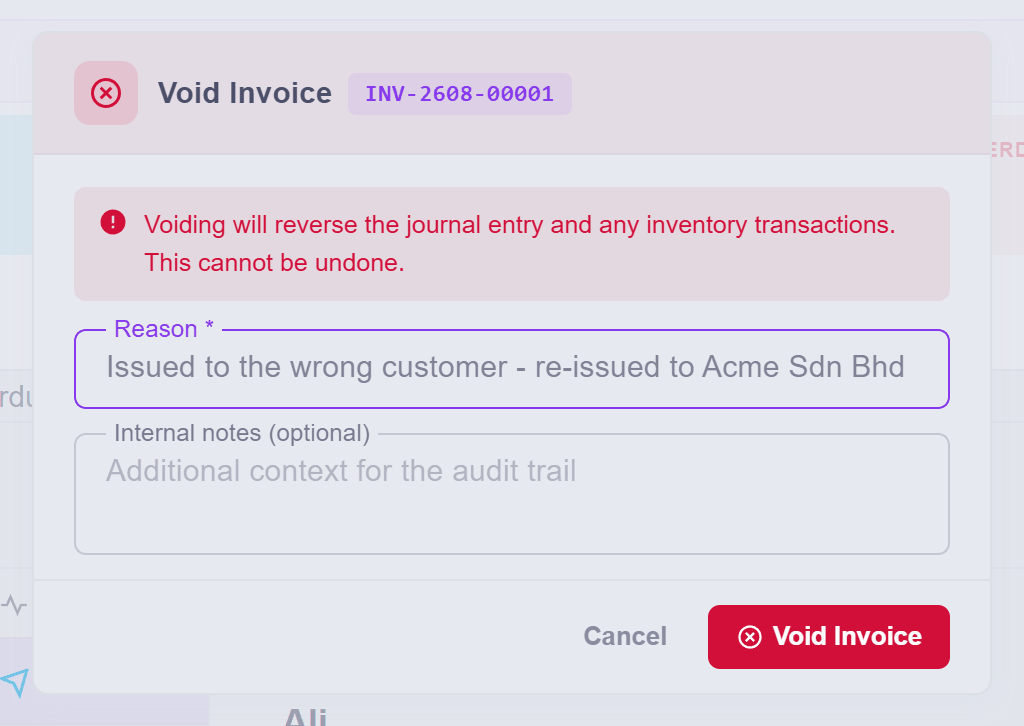
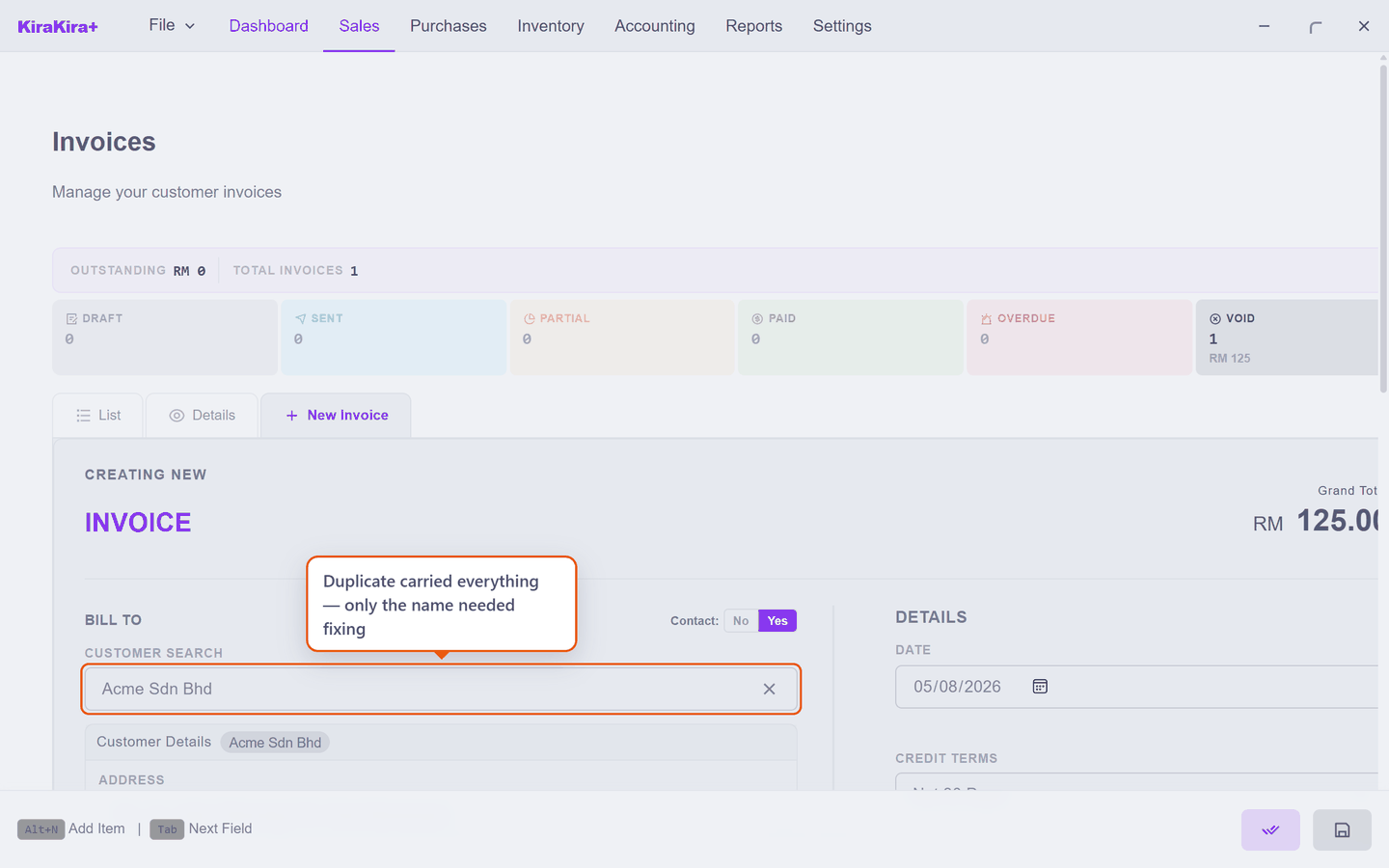
The five widgets return to the shelf the moment the void posts. Then — do not retype the invoice. With the voided invoice still selected, press Duplicate (the copy button): a fresh draft opens with every line, price and note carried over. The only thing wrong was the name, so the name is the only thing you change:
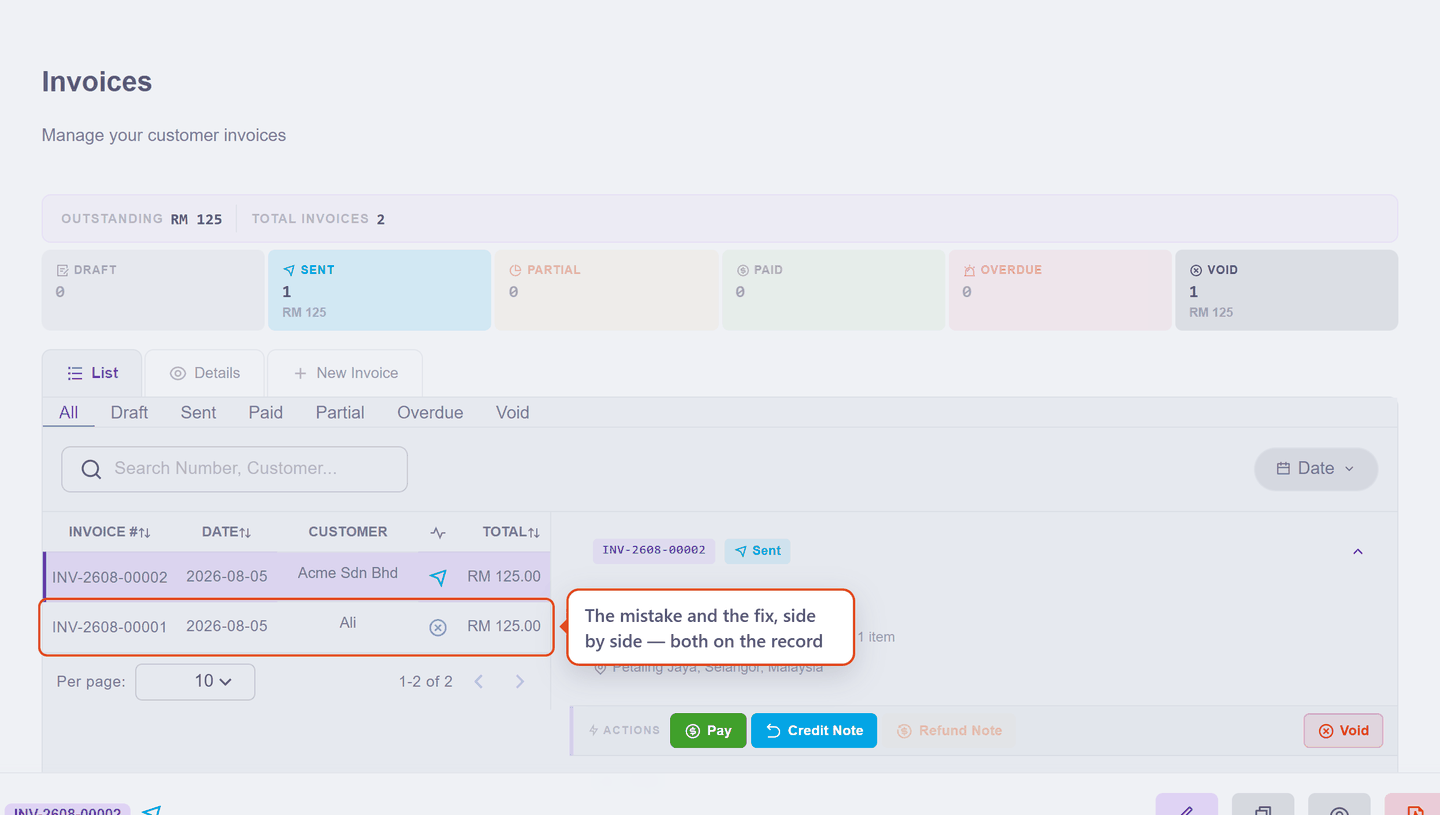
Finalise it, and the list tells the whole story — the struck-out original and its replacement, side by side:
Scenario B — you overcharged
Acme took four widgets at what should have been the catalogue 25.00 — but the invoice went out at 30.00 a piece. The goods are delivered and fine; only the money is wrong, by RM 5 a piece.
This is the Allowance basis on a Credit Note, pointing the same way its buying-side twin points: quantity is the units the concession covers (4), price is the overcharge per unit (RM 5.00) — a RM 20.00 correction:
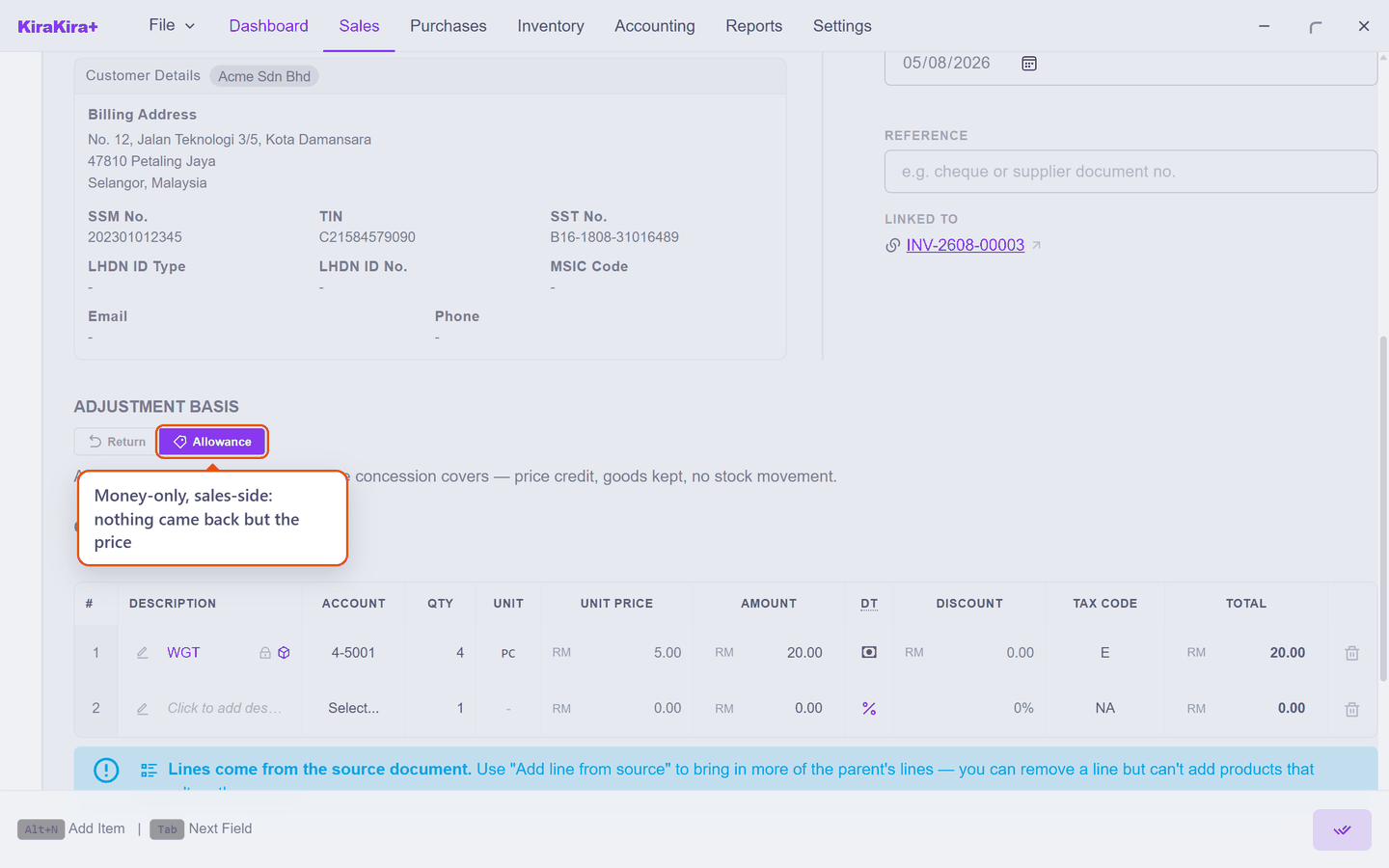
Finalise it and the invoice drops to the RM 100 it should have said — and your stock does not move a single piece, because nothing physical happened.
Undercharged instead?
Then no correction document exists, and none is needed — the honest fix is simply another invoice for the difference. Money you are owed is an invoice; it always was.
Scenario C — the receipt that never was
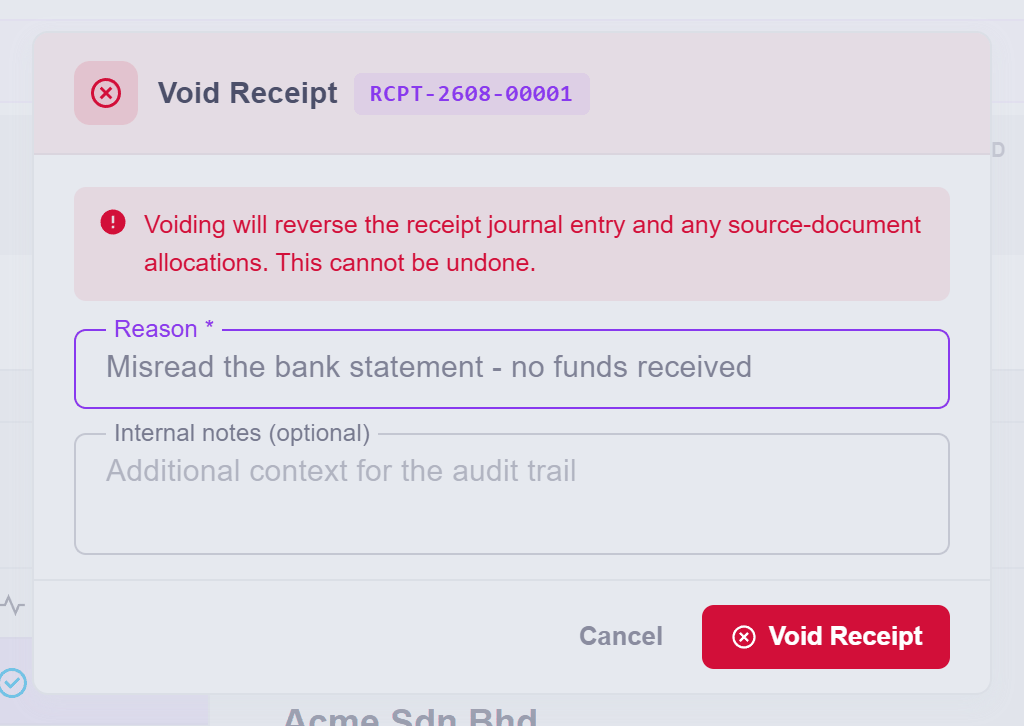
Reading the bank statement late at night, a RM 125 transfer looked like Acme's payment — so it was recorded. It wasn't theirs. The invoice now says Paid and the books show money that never arrived.
Money in has no approval chain — a receipt records a fact — so when the "fact" turns out false, the correction is the same word as ever: void the receipt, with its reason:
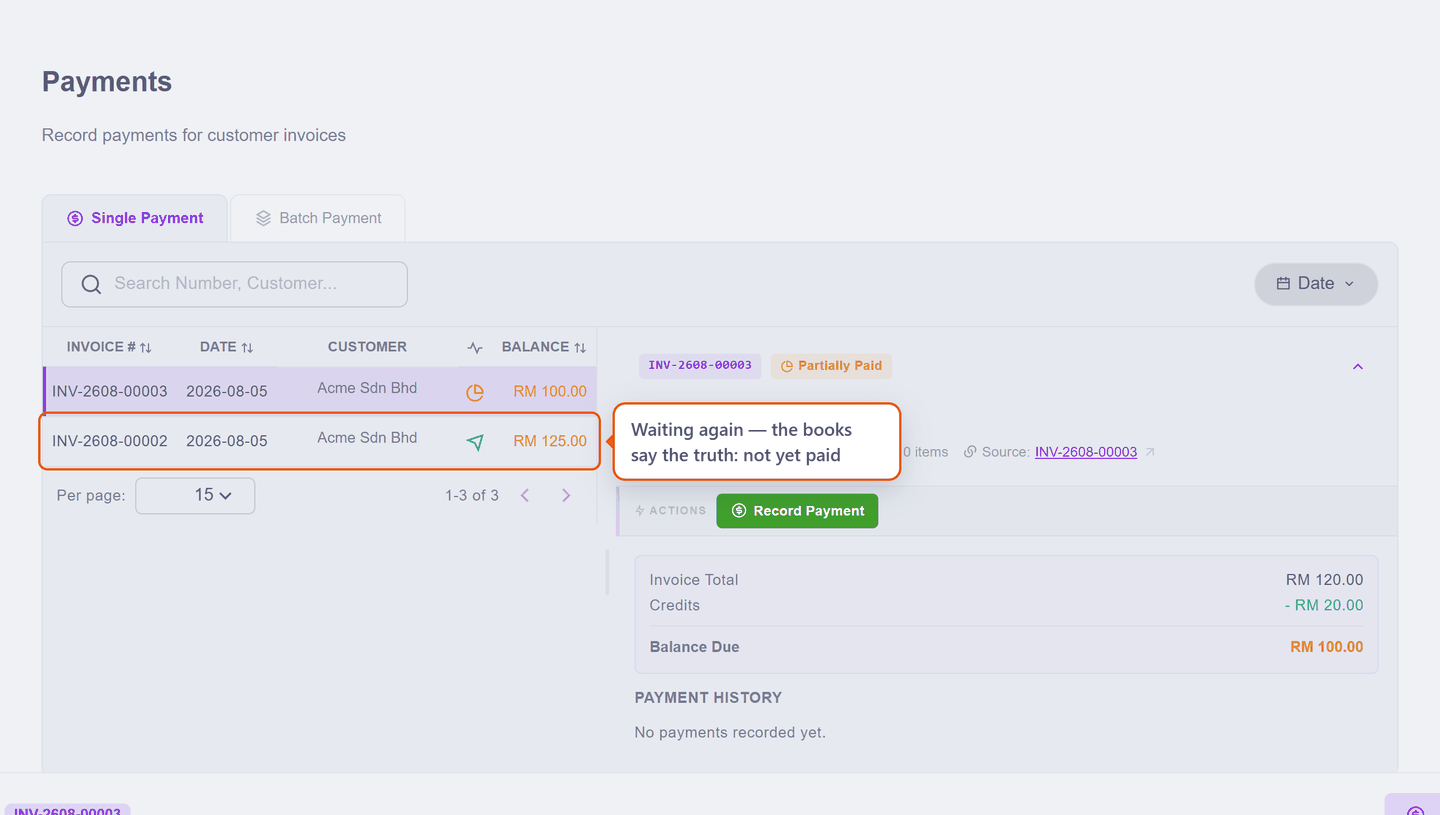
The invoice returns to the waiting list at its full balance, which is simply the truth:
Cancelling without voiding — the full credit note
Sometimes the invoice was real and still has to go — and Void either refuses (payments or other documents hang off it) or is the wrong tool, because the customer has the document in hand. Then the road is a Credit Note for the whole invoice, then a corrected invoice built from a copy. End to end — Acme's invoice said 10 pieces, 8 were delivered, and Acme already has the original:
1. Open the invoice, press Credit Note, and in the picker press Credit All — every line, the whole RM 250:
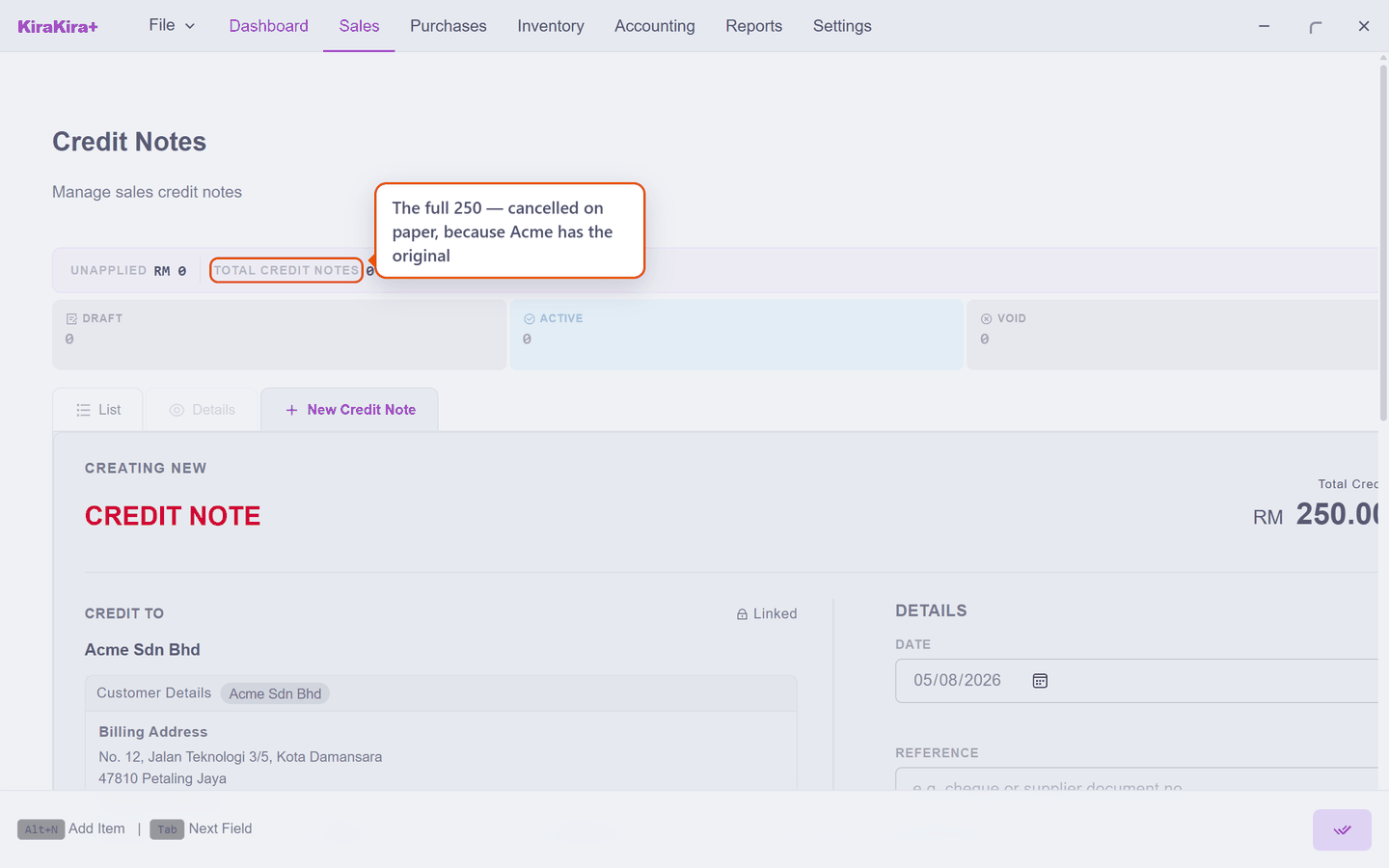
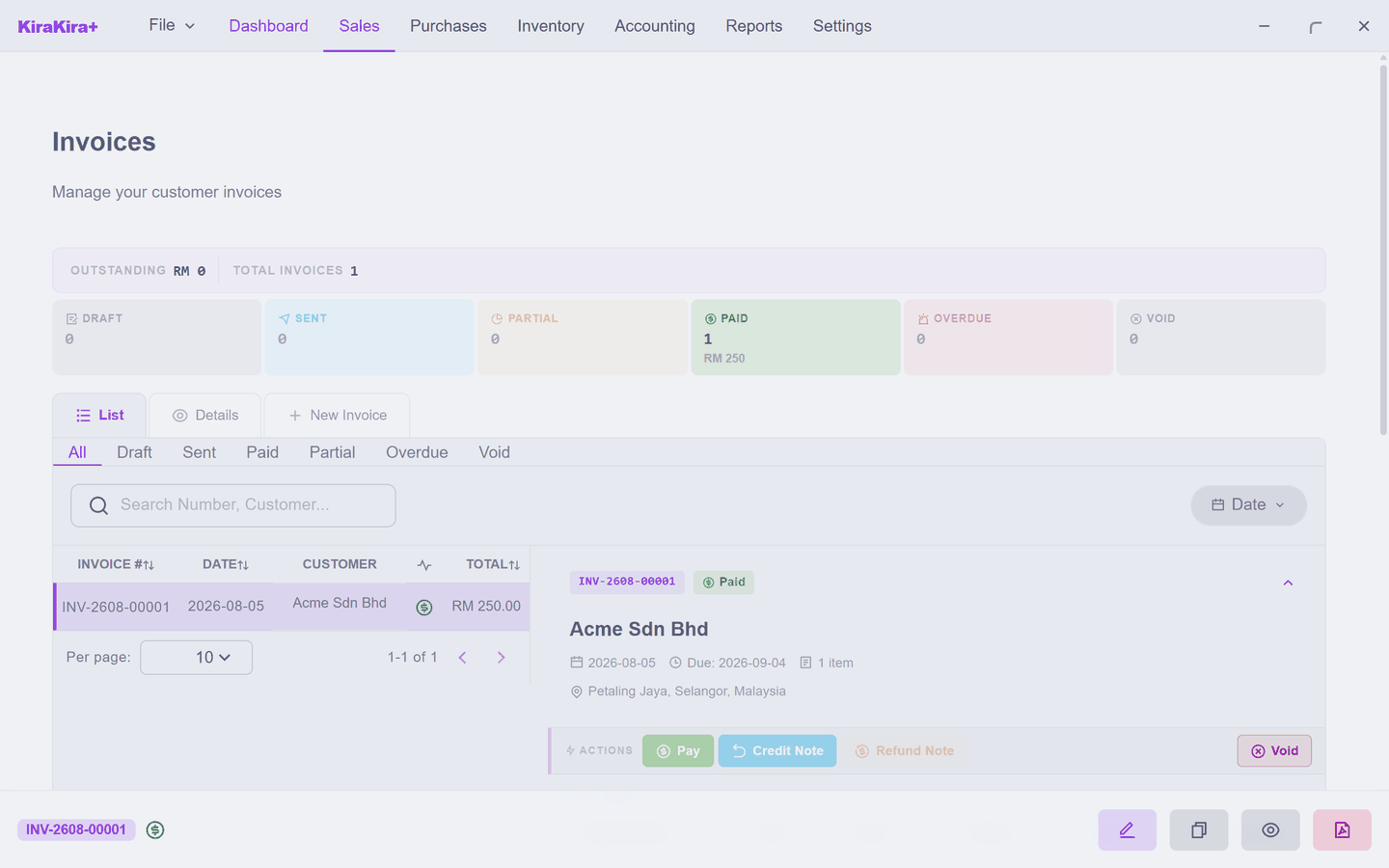
2. Finalise the note. The invoice ends settled at zero, the ten pieces return to the shelf, and both documents stay on the record:
3. With the cancelled invoice still selected, press Duplicate. Fix only the quantity — 8 — and the corrected invoice reads RM 200:
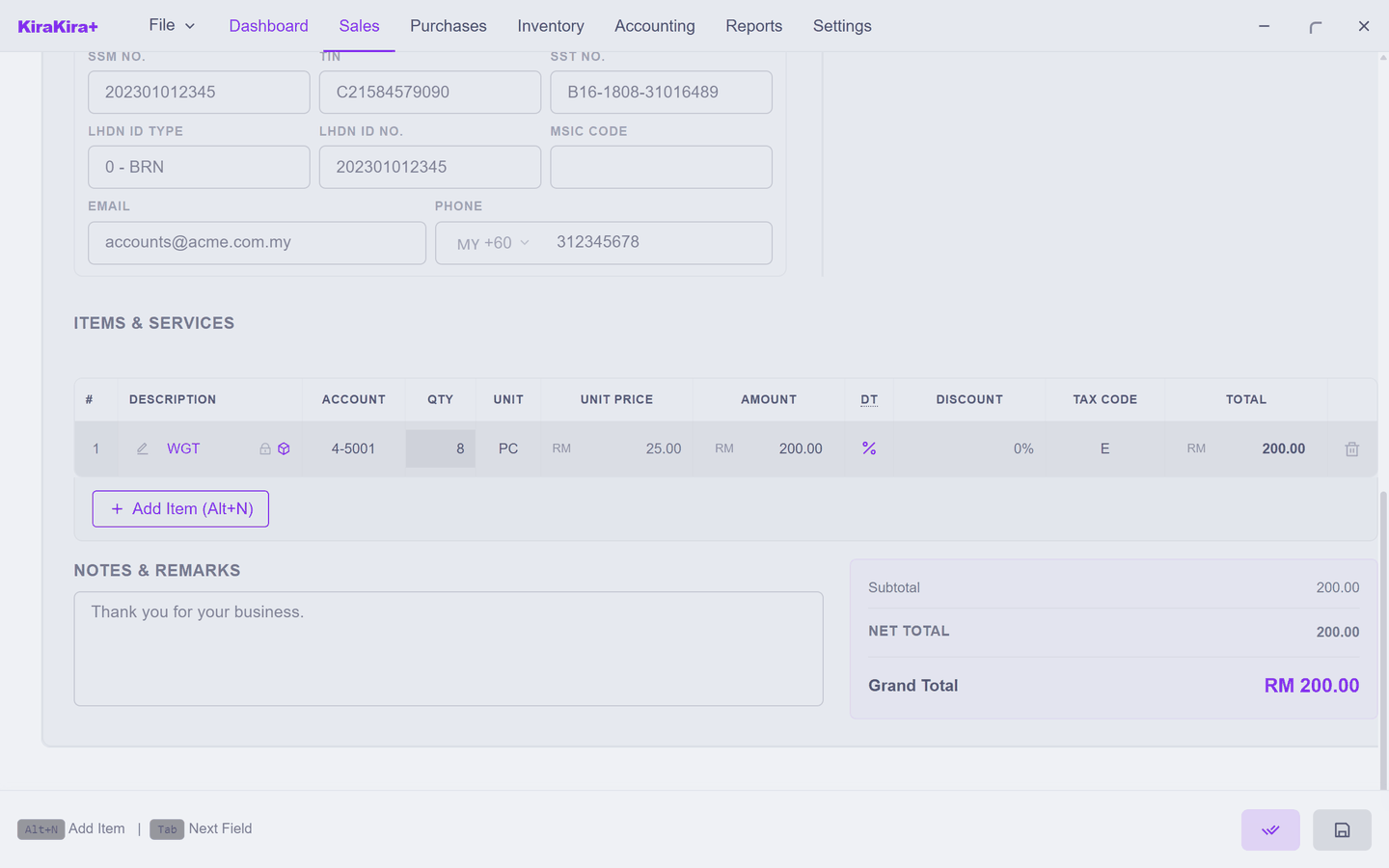
4. Finalise and send it. Acme now holds the original, the note that cancelled it, and the correct invoice — a paper trail that agrees with itself.
Two caveats the buying side does not have:
- Credit notes are for business customers — for a person, the paths stay Void (nothing paid) or Refund Note (paid).
- If the invoice was paid, there is nothing left to credit — the money came in, so the correction is cash going back: a Refund Note again.
Void erases an entry error; a full credit note documents a cancellation. The question that picks between them: did the customer ever see it? If yes, cancel it on paper — do not pretend it never existed.
Why this matters more under e-invoicing
If your business falls under LHDN's e-invoice mandate, this is the law's preference too. A validated e-invoice can only be cancelled within 72 hours of validation; after that it is permanent, and the only recognised corrections are credit notes, debit notes and refund notes — followed by a fresh, correct invoice. An invoice your customer has and LHDN has validated is never "taken back"; it is corrected forward, exactly the way this page works.
The pattern
Same as the buying side, because it is the same idea everywhere: the fix is its own document, with its own reason, and the mistake stays visible. Books that show their corrections are books that can be trusted.
Next: Stock on hand.