
Appearance
Tax and registration details
Contacts → open a contact → Business & Tax Information. This is the block that records who this party is officially — their tax number, their SSM registration, and whether they are a company or a person.
None of it stops you invoicing
You can raise an invoice for a contact with every box here empty. Fill them in when you need the numbers to appear on a document, or when the customer asks for them.
What you are looking at
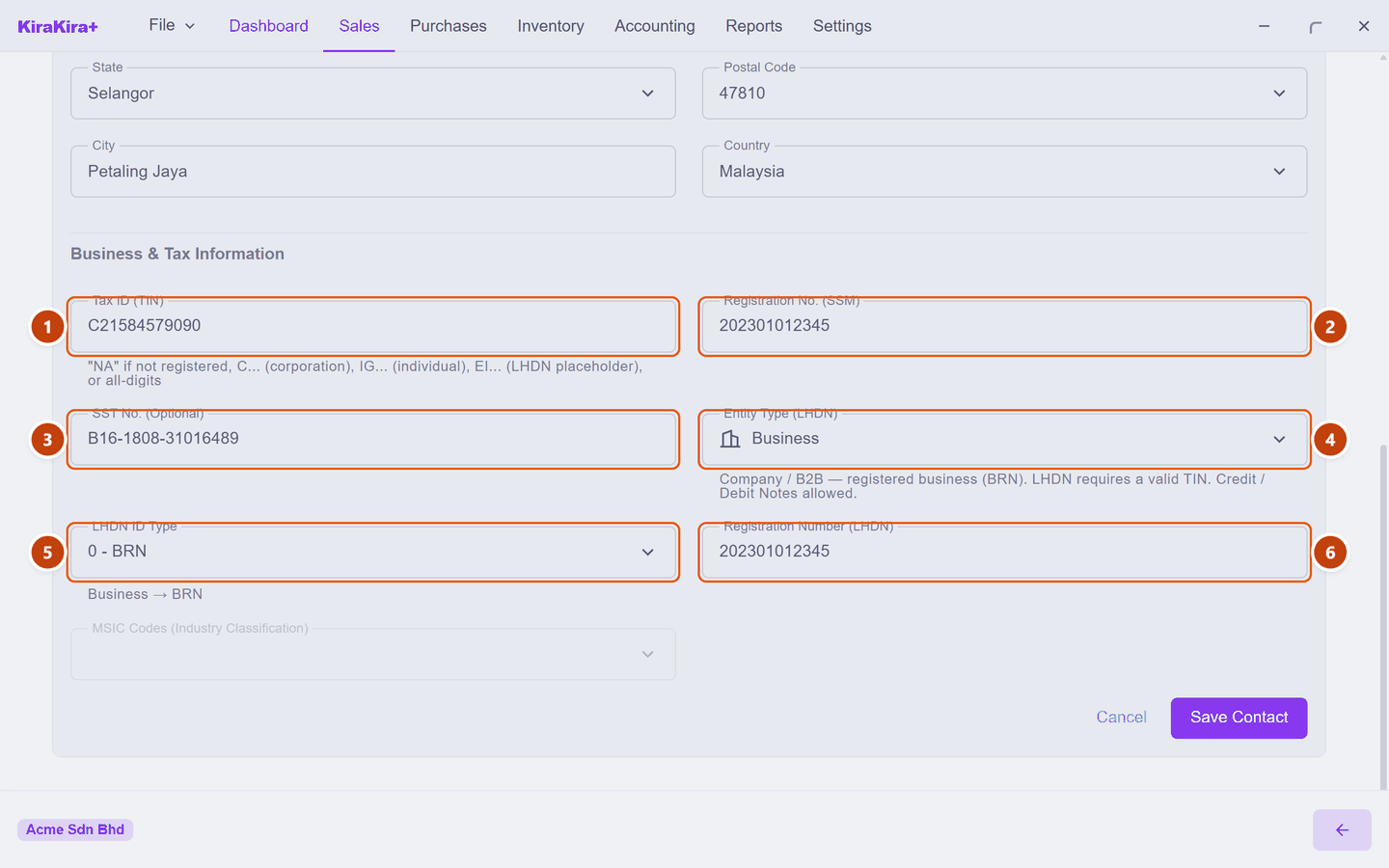
| Field | What goes in it | |
|---|---|---|
| 1 | Tax ID (TIN) | Their LHDN tax number. Checked as you type. |
| 2 | Registration No. (SSM) | The company registration number from SSM. |
| 3 | SST No. | Only if they are SST-registered. Leave blank if not — a number here is a claim you should not make on their behalf. |
| 4 | Entity Type (LHDN) | Business or Individual. Not cosmetic — see below. |
| 5 | LHDN ID Type | Which kind of number box 6 holds. |
| 6 | Registration Number (LHDN) | The number itself — the BRN, NRIC, passport or army number. |
A company and a person are not the same thing here
Entity Type is the one box worth thinking about. It decides what counts as valid identification, and the app spells out the consequence itself.
Choose Business and it says:
Company / B2B — registered business (BRN). LHDN requires a valid TIN. Credit / Debit Notes allowed.
Choose Individual and it says:
Person / B2C — NRIC, Passport or Army ID. General-public TIN placeholder allowed. Refunded in cash (Refund Note / Supplier Refund), not via Credit / Debit Notes.
LHDN ID Type then follows automatically: a Business can only be a BRN, while a person is offered NRIC, Passport or Army ID.
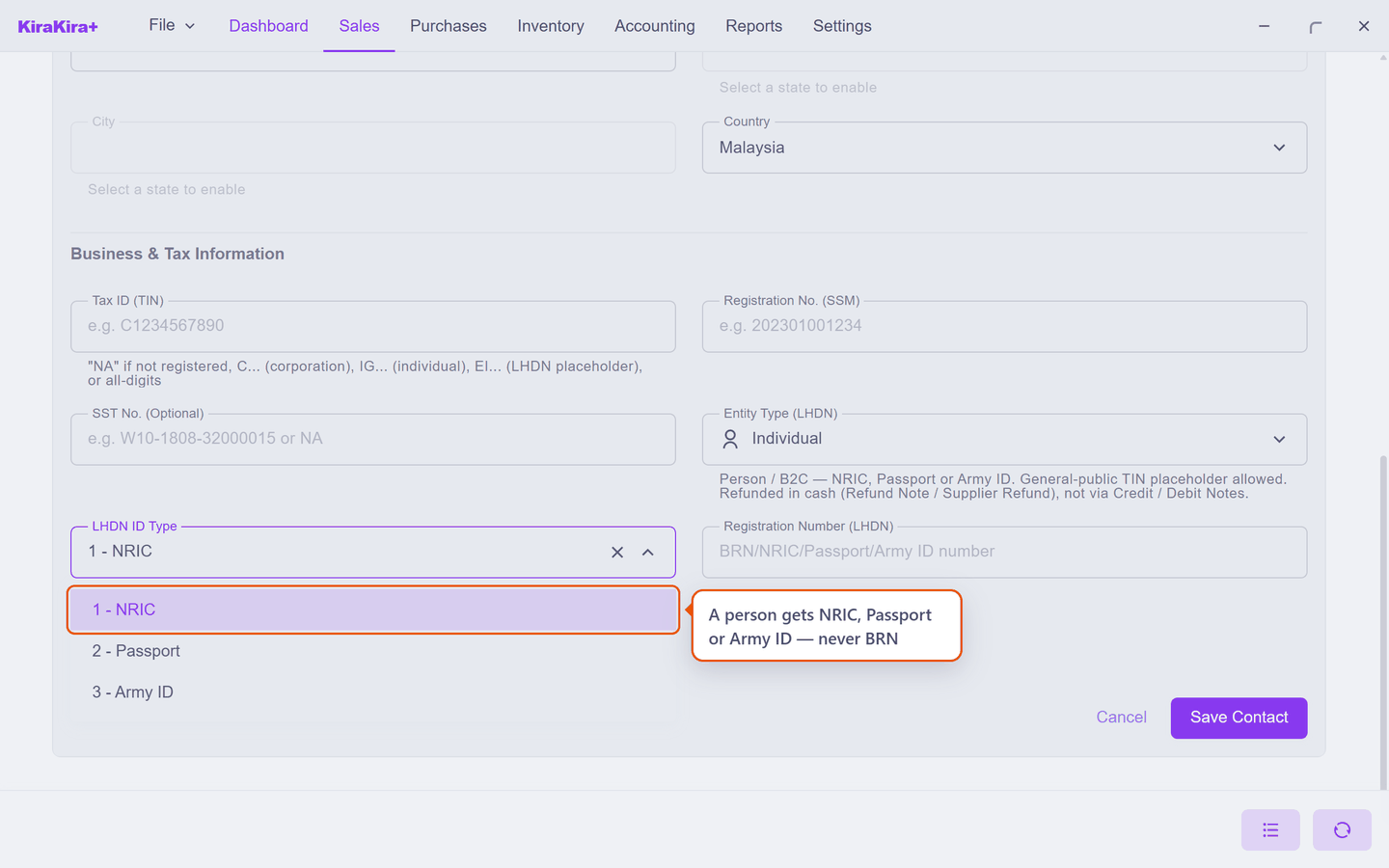
This changes how you refund them
A Business can be given a Credit Note. An Individual cannot — they get their money back in cash, through a Refund Note. Setting this wrongly means reaching for a document the app will not let you finish.
When a number is wrong
The tax and registration boxes check themselves as you type. Enter something that is not a valid TIN and the box turns red and tells you the shapes it will accept:
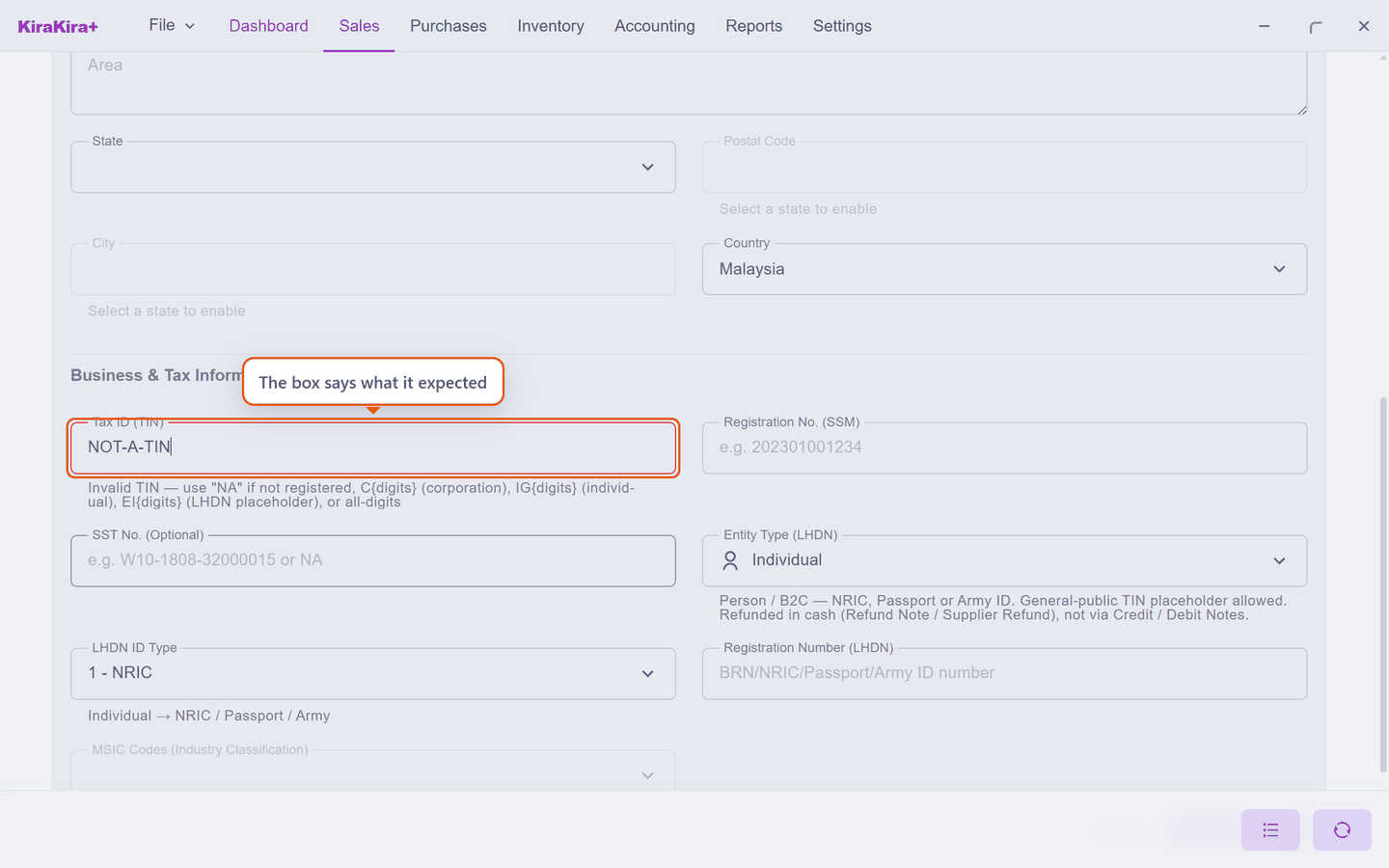
Accepted forms are NA when they are not registered, C… for a corporation, IG… for an individual, EI… for the LHDN placeholder, or a plain run of digits. The SST number and the postcode behave the same way — fix the red box and it clears itself.
Two boxes you will not always see
- MSIC Codes is greyed out for a plain customer. It only becomes editable when the contact is a supplier.
- Self-Billing Basis (LHDN) appears only for suppliers, and should be left as Not applicable.
Both are covered in Adding a supplier.
Scenario — Acme's official details
Acme Sdn Bhd asked Seri Maju to put their registration numbers on future invoices. Open the contact from the list, scroll to Business & Tax Information, and fill in:
| Field | Value | |
|---|---|---|
| 1 | Tax ID (TIN) | C21584579090 |
| 2 | Registration No. (SSM) | 202301012345 |
| 3 | SST No. | B16-1808-31016489 |
| 4 | Entity Type (LHDN) | Business |
| 5 | LHDN ID Type | 0 - BRN |
| 6 | Registration Number (LHDN) | 202301012345 |
Boxes 2 and 6 hold the same digits here, and that is normal: one is the SSM record, the other is the same number in the form LHDN asks for.
Check it worked. Press Save Contact. Re-open the contact from the list and the numbers are still there.
Next: Units of measure.