
Appearance
Adding a supplier
Contacts → New Contact. A supplier is anyone who sends you a bill — the wholesaler you buy stock from, your landlord, the internet company.
It is the same form
You have already met this screen in Adding a customer. Nothing about filling it in changes. The only box that matters here is Type.
Type decides where the contact turns up
There is one contact list, not a separate one for customers and suppliers. Type is what puts a contact in front of you on a sales document or a purchase document.
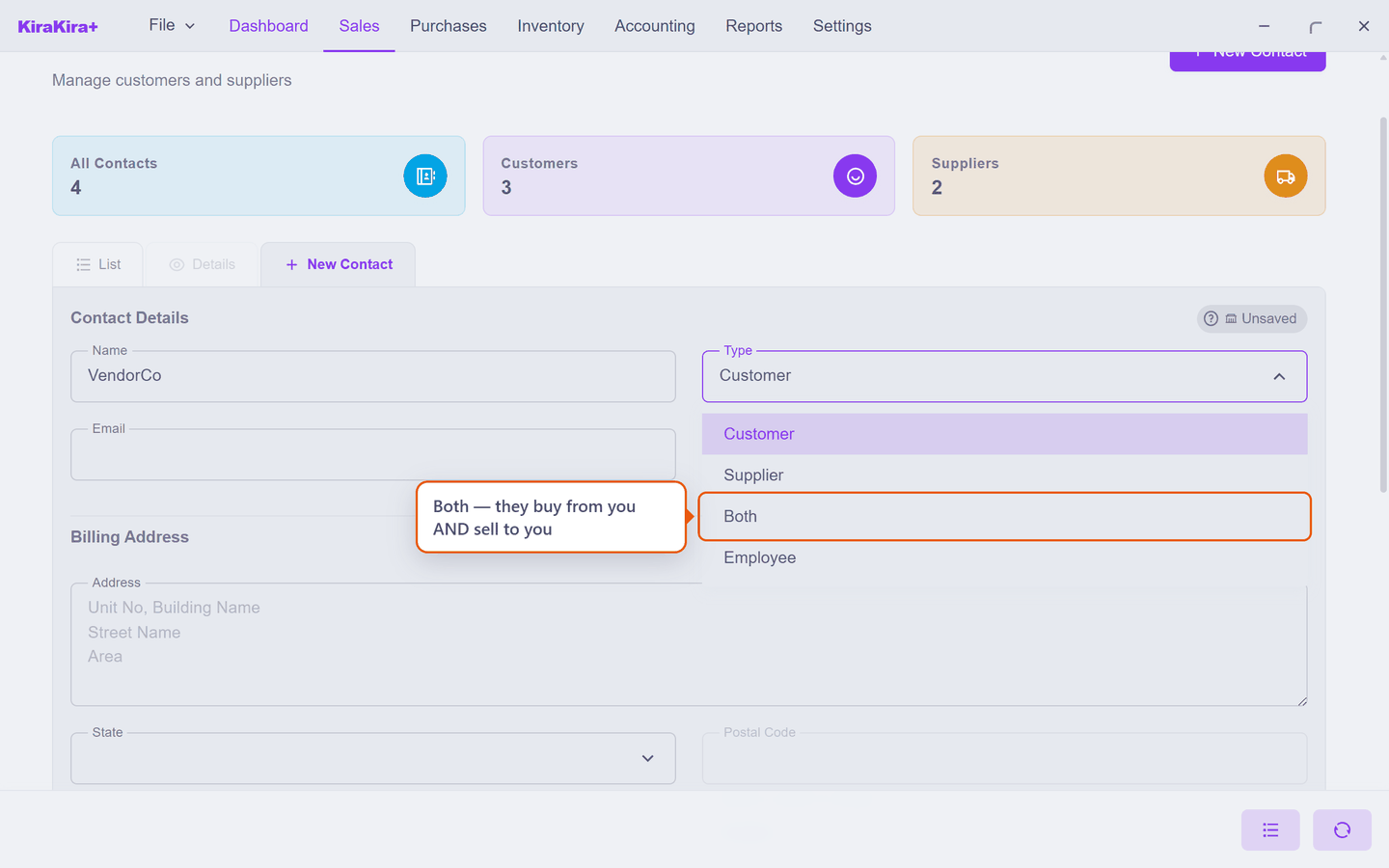
| Choice | Use it for |
|---|---|
| Customer | They buy from you. Offered when you write an invoice or a quotation. |
| Supplier | They sell to you. Offered when you enter a bill or a purchase order. |
| Both | They do each — see below. Offered on both kinds of document. |
| Employee | Payroll only. Paid through a Payment Voucher, and never invoiced. |
You can change it later, but check first
Switching a contact away from Supplier will stop offering them on new purchase documents. Bills you already entered are untouched.
Suppliers get two extra boxes
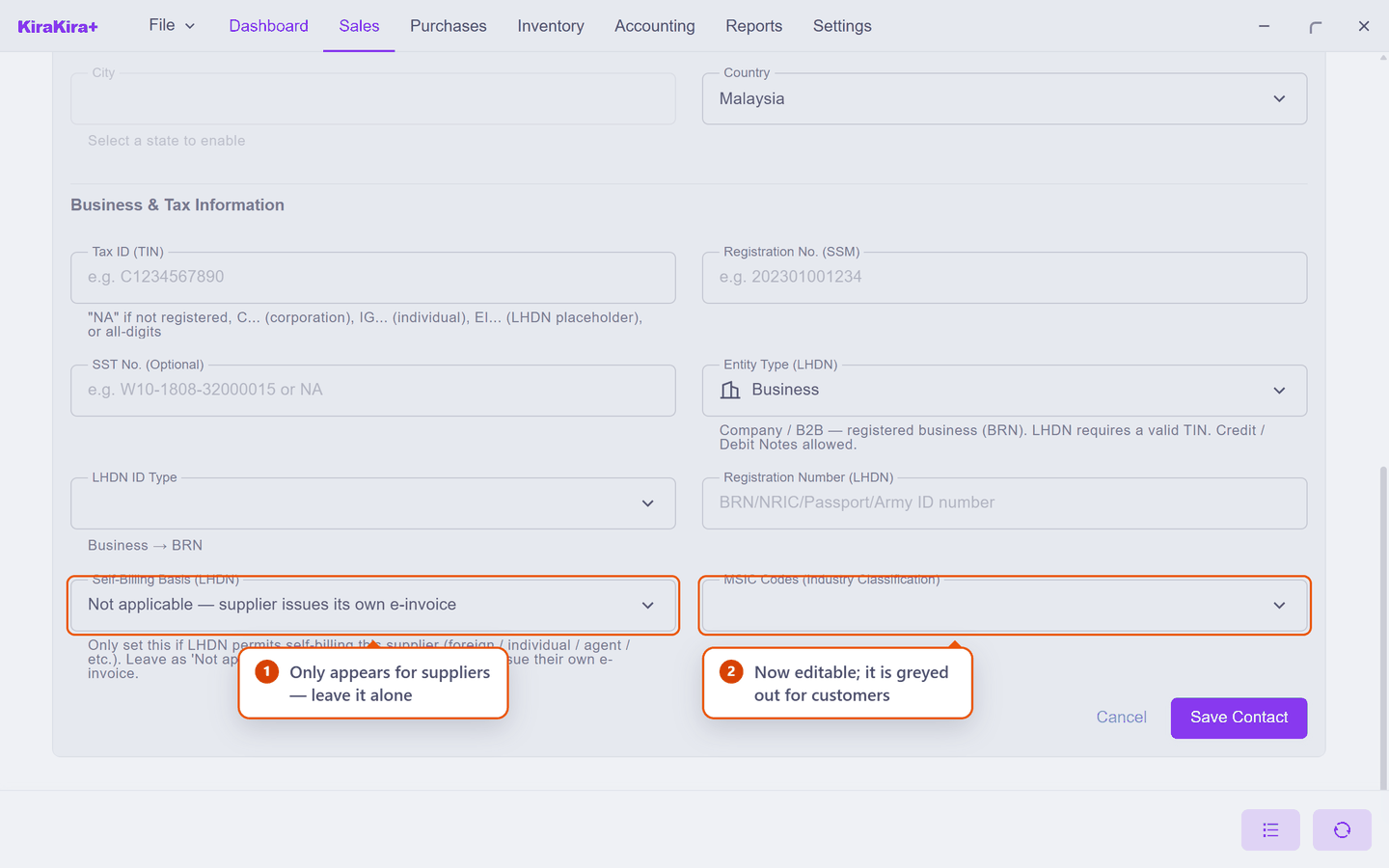
Choose Supplier (or Both) and two fields at the bottom of the form wake up. Neither is something you normally touch.
| Field | What to do | |
|---|---|---|
| 1 | Self-Billing Basis (LHDN) | Leave it alone. The app's own note says it: "Only set this if LHDN permits self-billing this supplier … Leave as 'Not applicable' for ordinary suppliers — they issue their own e-invoice." |
| 2 | MSIC Codes | The supplier's industry code. Editable now; it is greyed out for a plain customer. Safe to leave empty. |
Someone who is both a customer and a supplier
This is more common than it sounds — the shop next door that buys from you and also does your deliveries. Set their Type to Both and they appear on sales and purchase documents.
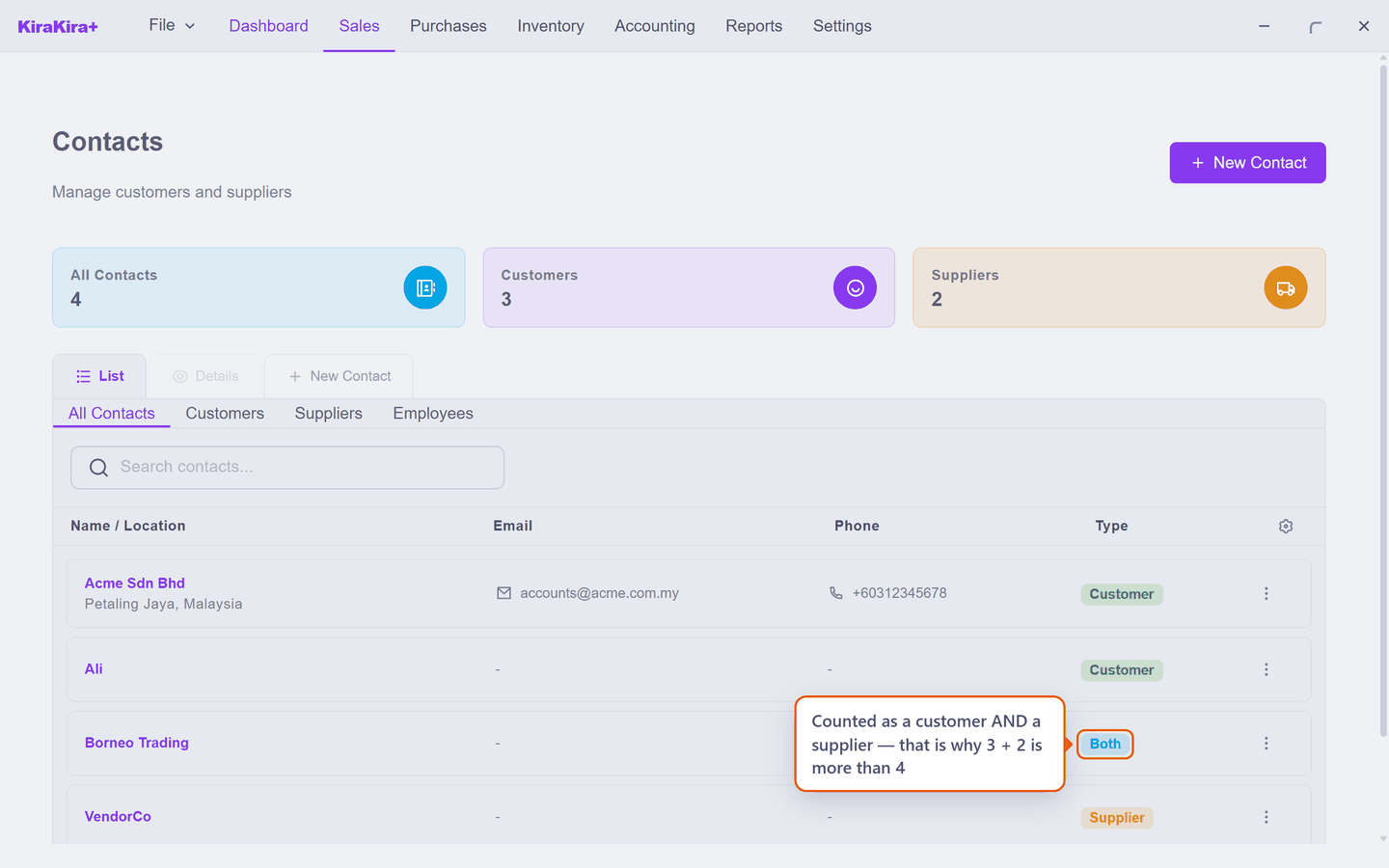
Look at the counters above the list: All Contacts 4, but Customers 3 and Suppliers 2. Three plus two is five, not four — because a Both contact is counted in each. Nothing is wrong; Borneo Trading is simply in both groups.
Why this matters later
A Both contact can end up owing you money and being owed money at the same time. When that happens you can cancel one against the other instead of moving cash twice — see Offsetting a customer who is also a supplier.
Scenario — Seri Maju's two suppliers
Seri Maju buys its stock from one company and shares deliveries with another.
| Name | Type | Why |
|---|---|---|
VendorCo | Supplier | Sells Seri Maju its stock. Only ever sends bills. |
Borneo Trading | Both | Buys goods from Seri Maju, and also invoices Seri Maju for delivery runs. |
Fill in Name, set Type, and press Save Contact. Everything else — address, tax numbers — can wait until the first real document.
Check it worked. Both appear in the contact list, VendorCo with an orange Supplier tag and Borneo Trading with a blue Both tag.
Next: Walk-in and one-off contacts.